What it is
Lead source intelligence shows, for each way people arrive in your account, how many were added, attempted, reached, turned into leads, appointments and listings, and the value of deals won.
Where to find it
Reports > What each origin produced.
Steps
- Open Reports and pick a range.
- Scroll to What each origin produced.
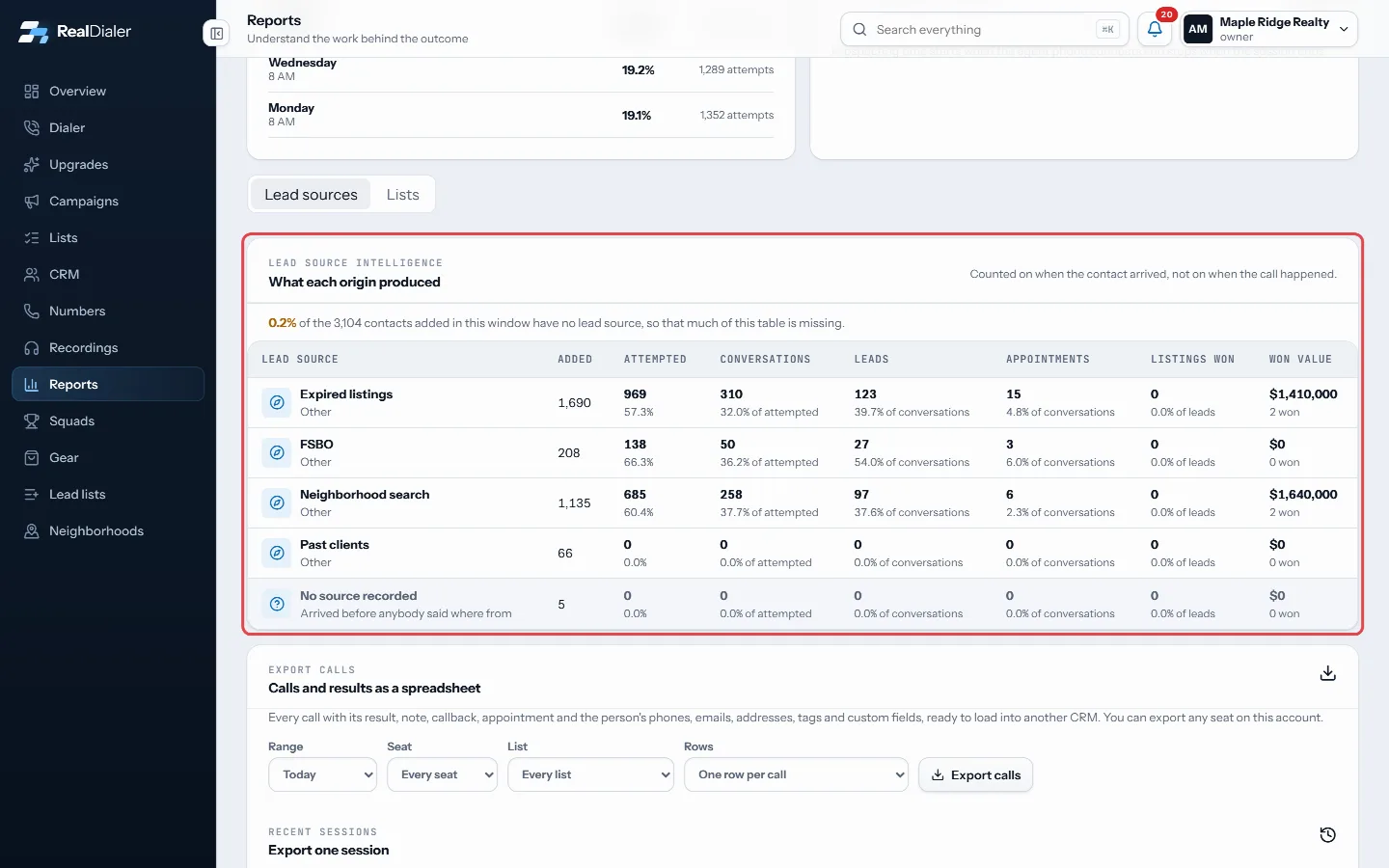
What each origin produced - Compare each lead source across Added, Attempted, Conversations, Leads, Appointments, Listings won and Won value.
- Check No source recorded for contacts that arrived without a source.
Good to know
- Contacts are counted by when they arrived, not when they were called. A person who came in during March and signed in June counts toward March.
- Sources with nobody added in the range are hidden.
- If many contacts have no source, a line at the top says what share of the table is missing.
- Retired sources still show, marked Retired.
- Lead sources are set up in the CRM.
Was this guide helpful?
Thanks. It helps us make these better.
Next in Reports
What the call numbers meanThe same words appear on the Overview, Reports, Campaigns and Lists pages. This explains what each one counts.Export your calls to a spreadsheetA CSV file of the calls you made, one row per call in dial order, with the result, the note, any callback or appointment, and everything RealDialer holds about Read the outcome funnelThe outcome funnel, Dials to closed, follows your calls from the first dial to a closed deal. It is measured from the calendar and the deal board, not only from
Still stuck? Write to support@realdialer.com, or open Support from inside RealDialer.