What it is
The outcome funnel, Dials to closed, follows your calls from the first dial to a closed deal. It is measured from the calendar and the deal board, not only from the results you pick at the end of a call, so it shows what really happened.
Where to find it
Reports > Dials to closed.
Steps
- Open Reports and pick a range.
- In Dials to closed, choose Just me or Whole account.
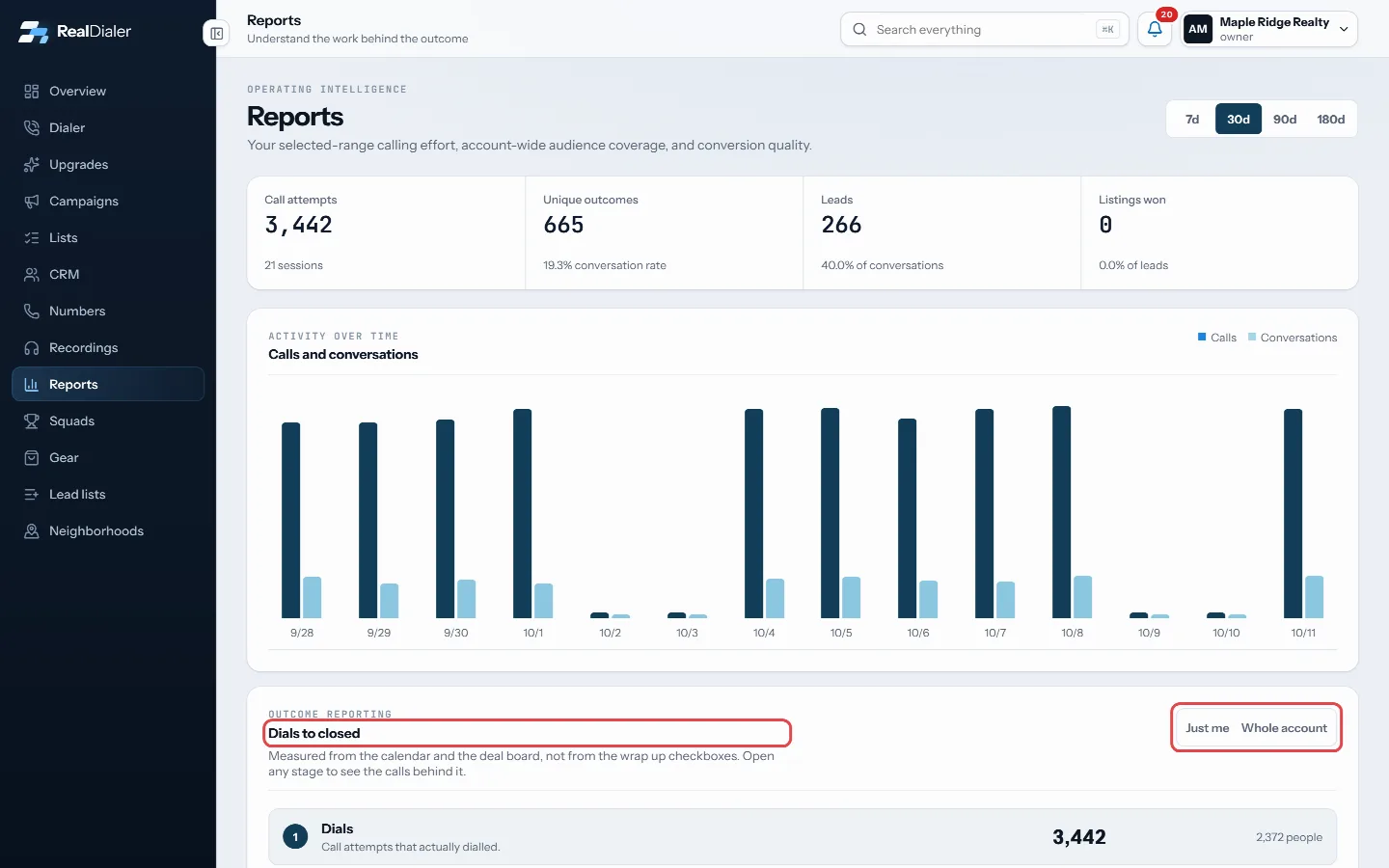
Dials to closed: Just me or Whole account - Read the five stages: Dials, Conversations, Appointments booked, Appointments held and Closed.
- Click any stage to open the calls behind it, then click a person to open their record.
- Read the table below to see which lists the calls came from.
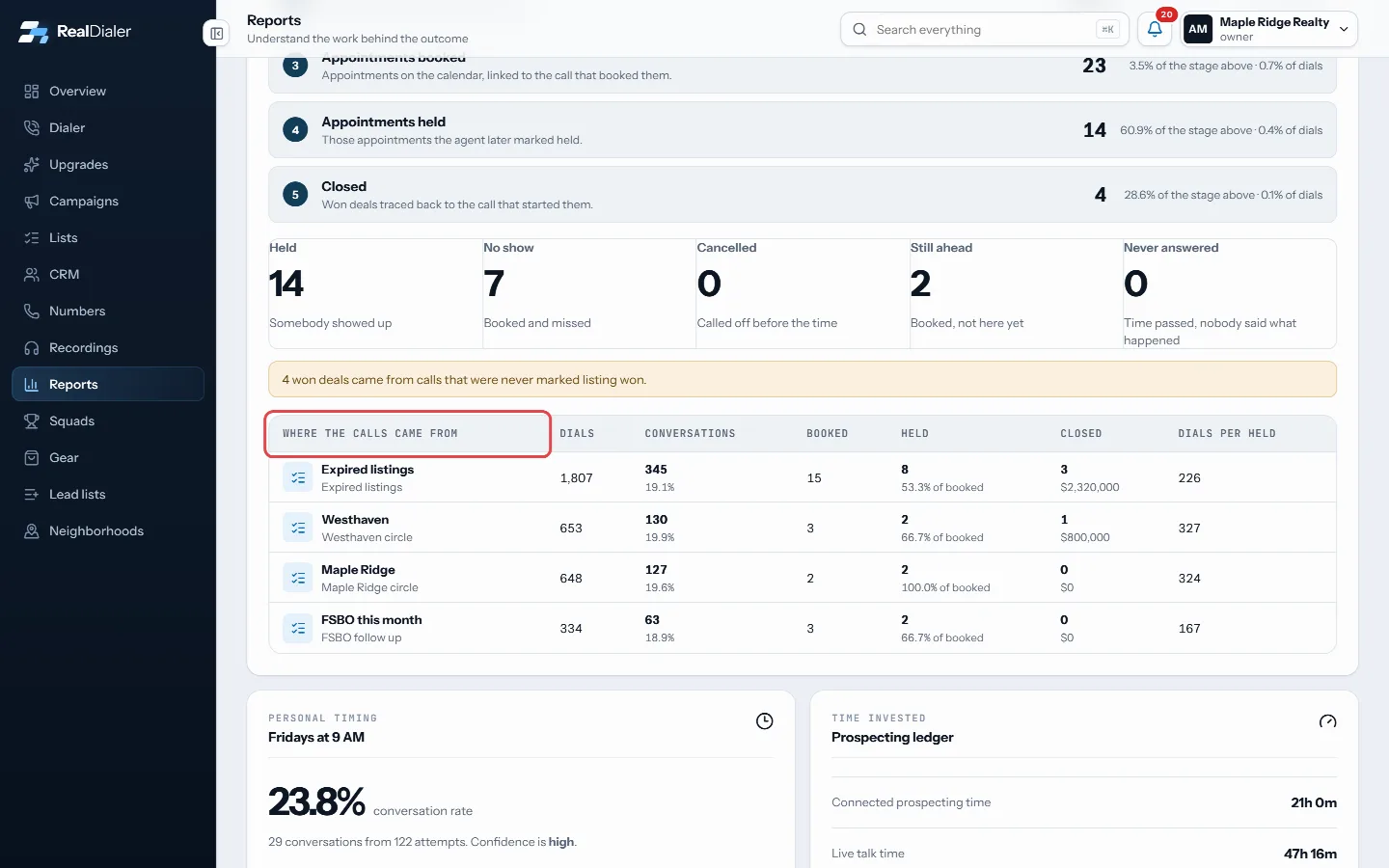
The table shows which lists the calls came from
Good to know
- Each stage shows its share of the stage above and of all dials.
- Below the stages you see how appointments went: Held, No show, Cancelled, Still ahead, and Never answered when nobody marked what happened.
- If calls were marked appointment set but never landed on the calendar, a line tells you how many. Those people get no reminder.
- Every stage is counted by when the call happened, so an appointment held weeks later still counts toward the week you dialed.
- A stage list shows the 50 most recent. Narrow the range to see the rest.
- The list table shows dials, conversations, booked, held, closed and dials per held for each list.
Was this guide helpful?
Thanks. It helps us make these better.
Next in Reports
Read the Reports pageReports shows your calling effort for a chosen range, how calls turned into appointments and closings, which lead sources pay off, your best hours, and how everSee which lead sources pay offLead source intelligence shows, for each way people arrive in your account, how many were added, attempted, reached, turned into leads, appointments and listingWhat the call numbers meanThe same words appear on the Overview, Reports, Campaigns and Lists pages. This explains what each one counts.
Still stuck? Write to support@realdialer.com, or open Support from inside RealDialer.