What it is
Reports shows your calling effort for a chosen range, how calls turned into appointments and closings, which lead sources pay off, your best hours, and how every list is doing.
Where to find it
Reports in the left menu.
Steps
- Click Reports in the left menu.
- Pick a range at the top right: 7d, 30d, 90d or 180d.
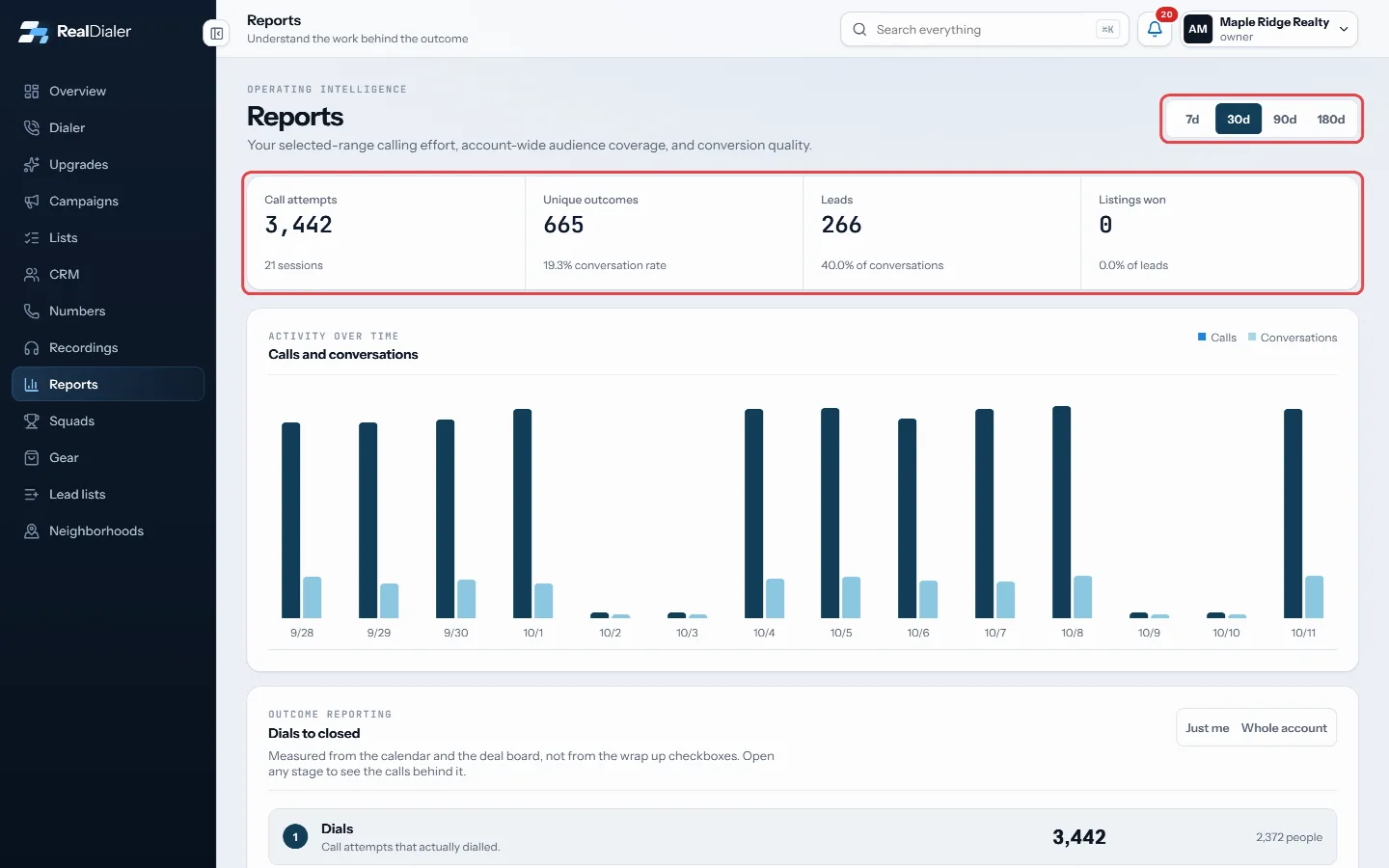
Pick a range, read the top strip - Read the top strip: Call attempts, Unique outcomes, Leads and Listings won.
- Check Calls and conversations for your daily activity.
- Scroll down for the outcome funnel, timing, lead sources and list performance.
Good to know
- Call attempts also shows how many sessions you ran.
- Unique outcomes is your conversations, with the conversation rate per call attempt.
- Leads shows the share of conversations that became leads. Listings won shows the share of leads that became listings.
- The activity chart shows the last 14 days of the range.
- The top numbers are your own calls. Performance by calling list covers your active lists over the account’s lifetime.
- Personal timing names your best weekday and hour once you have at least 8 attempts and 2 conversations in the same window.
- Prospecting ledger shows connected prospecting time, live talk time, average per session and average talk per conversation. Prospecting time starts when your phone connects and stops when the session ends.
Was this guide helpful?
Thanks. It helps us make these better.
Next in Reports
See which lead sources pay offLead source intelligence shows, for each way people arrive in your account, how many were added, attempted, reached, turned into leads, appointments and listingWhat the call numbers meanThe same words appear on the Overview, Reports, Campaigns and Lists pages. This explains what each one counts.Export your calls to a spreadsheetA CSV file of the calls you made, one row per call in dial order, with the result, the note, any callback or appointment, and everything RealDialer holds about
Still stuck? Write to support@realdialer.com, or open Support from inside RealDialer.