What it is
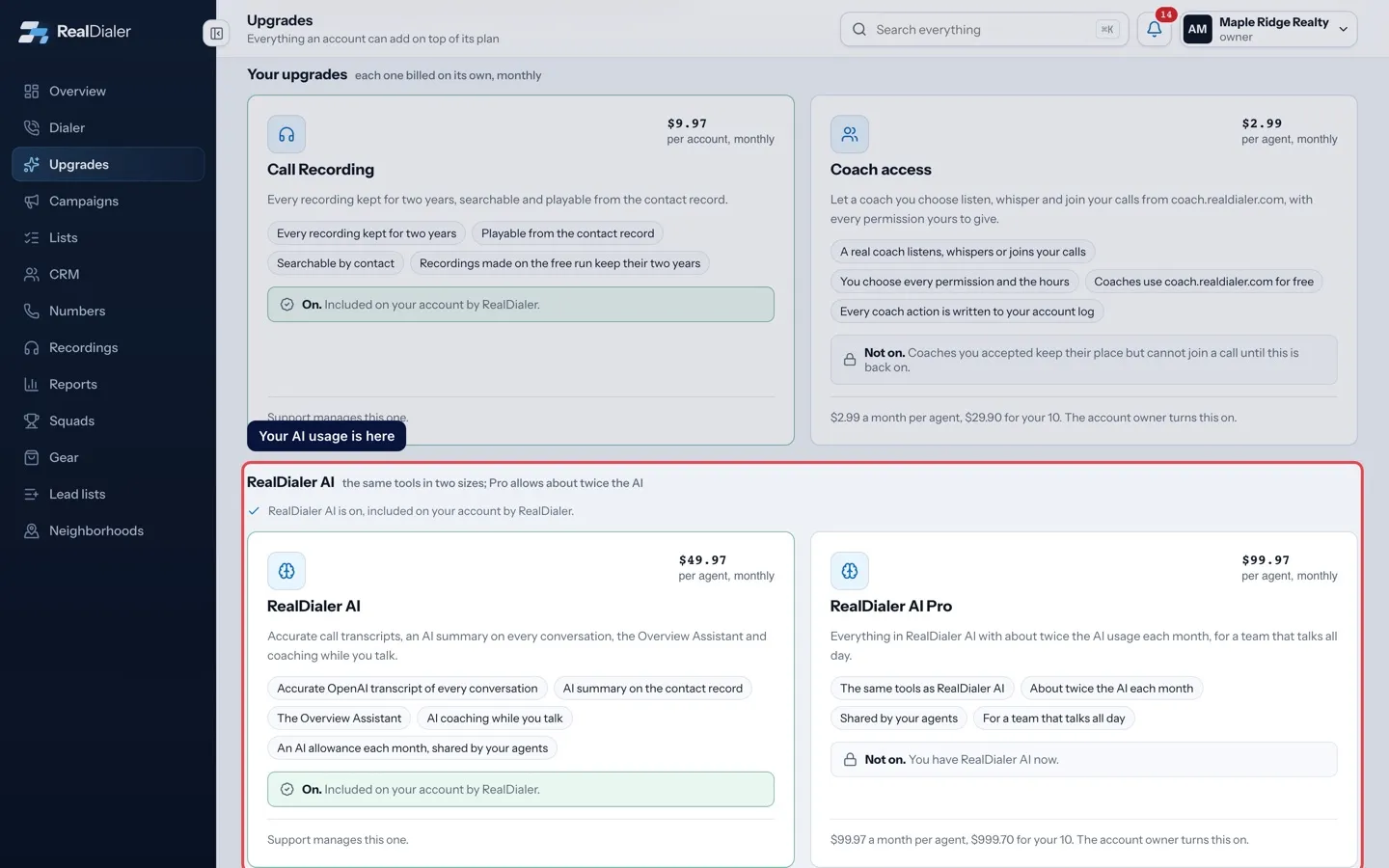
Each RealDialer AI size comes with an AI allowance for the billing period. It covers the accurate transcripts, AI summaries, AI coaching and Assistant suggestions your account makes, shared by all your agents. RealDialer AI Pro allows about twice as much as RealDialer AI.
Where to find it
Upgrades in the left menu > RealDialer AI section, on the card of the size you have. Settings > Plan and billing shows the same line.
Steps
- Open Upgrades and find the RealDialer AI section.
- Read the usage line on your size’s card, for example: AI usage 64% this period, resets Oct 17. About 310 talk minutes left at your usage.
- To get more room this month, the owner presses Move to RealDialer AI Pro on the Pro card, or on the usage line once the allowance is used.
- Read the confirmation and press Yes, move.
Good to know
- The allowance resets on the upgrade’s own billing day each month, the day it was turned on.
- The talk minutes left is an estimate from how your calls have used AI so far this period.
- During the free trial, the line shows how much of the free trial allowance is used.
- At 80% the account owner gets an email saying so. At 100% the owner gets a second email with the day it resets.
- When the allowance is used, new calls are still recorded and still transcribed at standard accuracy. AI summaries, AI coaching and Assistant suggestions from transcripts pause until the reset.
- Transcripts and summaries you already have stay on your contact records.
- Moving to RealDialer AI Pro takes effect at once and raises the allowance right away. Your billing day stays the same, and the difference for the rest of the month is charged that day.
- Moving back down to RealDialer AI also keeps your billing day, and the difference is credited to your account.
- Accounts where RealDialer includes the upgrade have no usage line.
Was this guide helpful?
Thanks. It helps us make these better.
Next in Upgrades
Free trials and what happens when they endEvery account gets Call Recording, RealDialer AI and Email Starter switched on for free for 14 days. No card step and no ask. When the days run out, the tool siTexting as an upgradeTexting is a paid upgrade with no free trial. Once it is added, you register your business with the carriers, and texts can be sent when the registration is appThe Call Recording upgradeEvery plan already keeps call recordings for a set time: 30 days on Foundation, 60 on Operator and 90 on Command. The Call Recording upgrade keeps every recordi
Still stuck? Write to support@realdialer.com, or open Support from inside RealDialer.