What it is
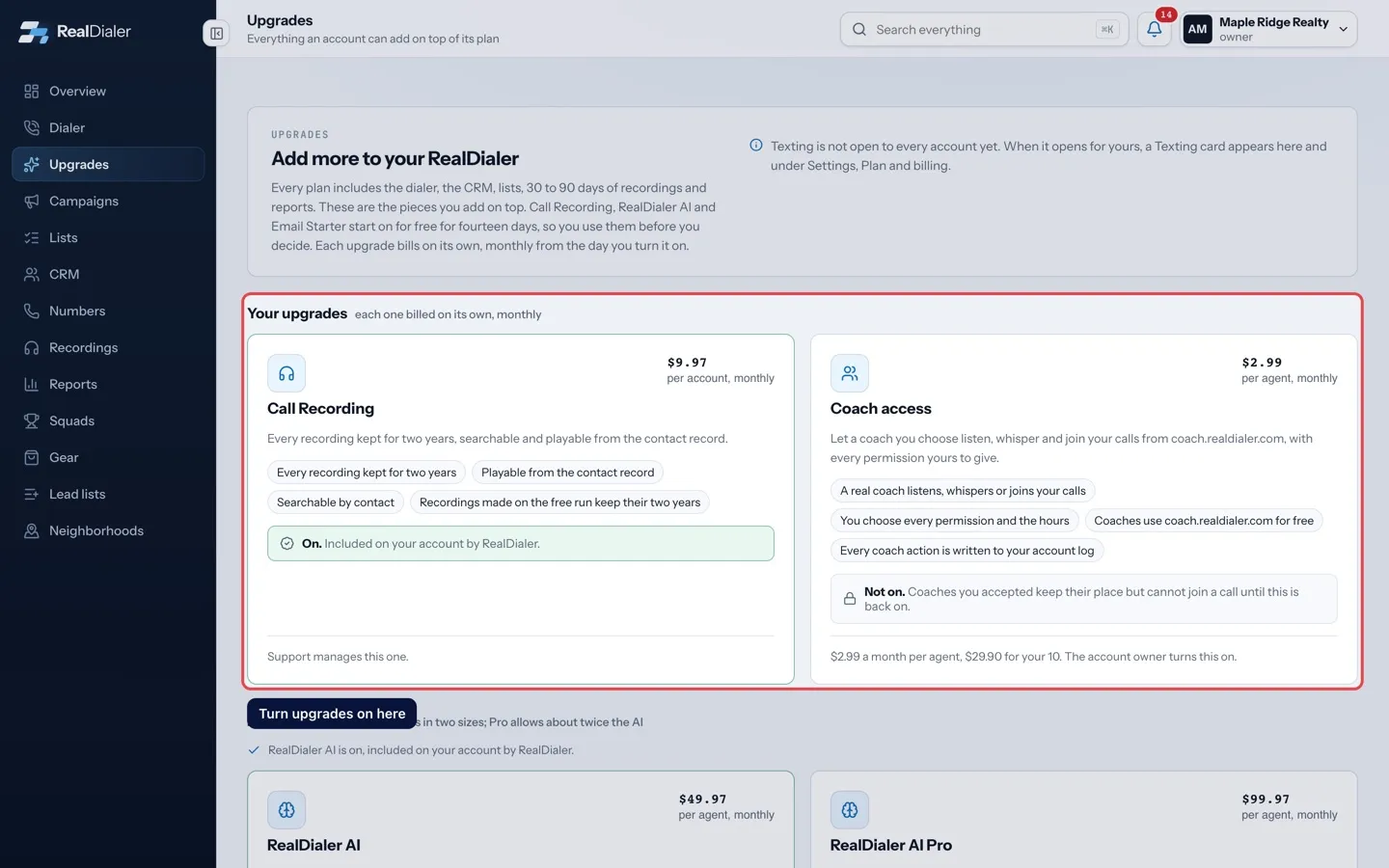
The account owner turns upgrades on and off from their cards on the Upgrades page. Each upgrade is billed on its own, separate from your plan: turning one on charges your card that day, and it renews on that same day each month. Turning one off stops it on the next call and credits the unused days.
Where to find it
Upgrades in the left menu > Your upgrades
Steps
- Click Upgrades in the left menu.
- To turn one on, press Turn it on, Keep it during a free trial, or Turn it back on after a trial ended.
- The card shows what you will pay. Press Yes, add it, or Not now to back out.
- A message confirms it is on. It picks up on your next call.
- To turn a paid upgrade off, press Turn off on its card, then Yes, turn it off. Press Keep it to back out.
Good to know
- Only the account owner can turn upgrades on or off. Managers and agents see the note that the owner turns it on.
- If your account is billed directly by RealDialer, the card has no button. It says support switches it on. Open a support request and support switches it on the same day.
- An upgrade marked as included on your account by RealDialer is managed by support. Ask support to change it.
- Turning an upgrade off does not delete anything it made. Transcripts, summaries and recordings stay on your contact records.
- If your card is declined when you turn an upgrade on, it stays off and nothing is charged. Update your card under Plan and billing and try again.
- If billing does not go through for another reason, nothing is charged. Try again in a minute.
- A free trial cannot be turned off early. It ends on its own date and is never charged.
- Keeping an upgrade during its free trial charges the card that day, and it then bills on that day each month.
- Turning a paid upgrade off ends its billing right away. The unused days come back as a credit on your next bill.
- If an upgrade’s monthly payment fails, that upgrade turns off right away. Your plan and your other upgrades keep working. The owner gets an email, and the card shows Update card and Retry payment.
- Retry within 24 hours and the upgrade comes back on with the same billing day. After 24 hours it is cancelled, and turning it on again starts a new monthly billing day.
Was this guide helpful?
Thanks. It helps us make these better.
Next in Upgrades
What the Upgrades page isEvery plan includes the dialer, the CRM, lists, 30 to 90 days of recordings and reports. The Upgrades page holds the pieces you can add on top of any plan, showAI usage and moving to RealDialer AI ProEach RealDialer AI size comes with an AI allowance for the billing period. It covers the accurate transcripts, AI summaries, AI coaching and Assistant suggestioFree trials and what happens when they endEvery account gets Call Recording, RealDialer AI and Email Starter switched on for free for 14 days. No card step and no ask. When the days run out, the tool si
Still stuck? Write to support@realdialer.com, or open Support from inside RealDialer.