What it is
If you want to dial on more lines than you have caller IDs, or want local numbers for a new market, you can order more numbers from inside the app.
Where to find it
Numbers > Caller IDs > Order numbers. The same panel appears on the Dialer when you pick more lines than you have numbers.
Steps
- Open Numbers and stay on the Caller IDs tab.
- Click Order numbers.
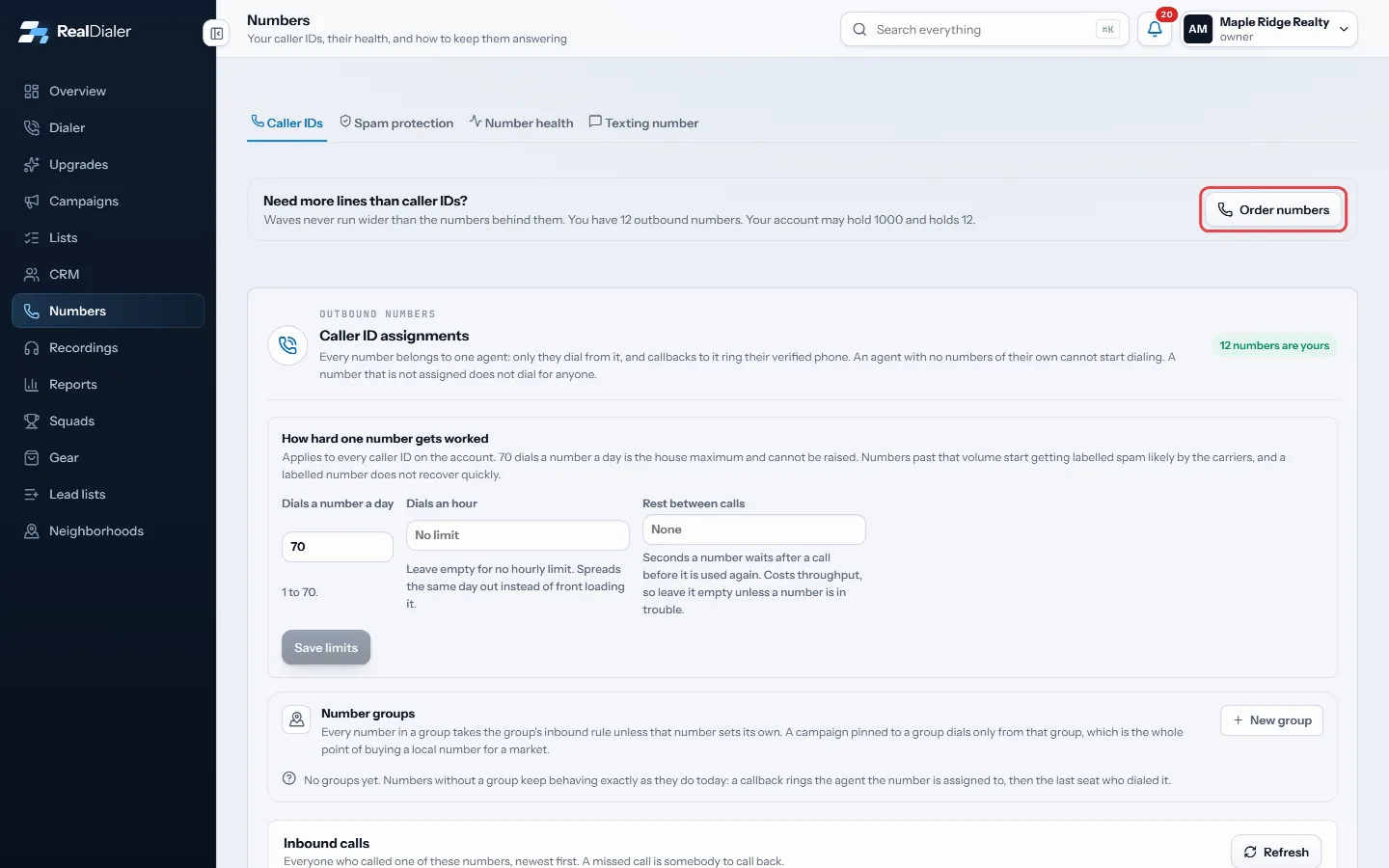
Click Order numbers on the Caller IDs tab - Enter the Area codes you want to call from, such as 931, 615.
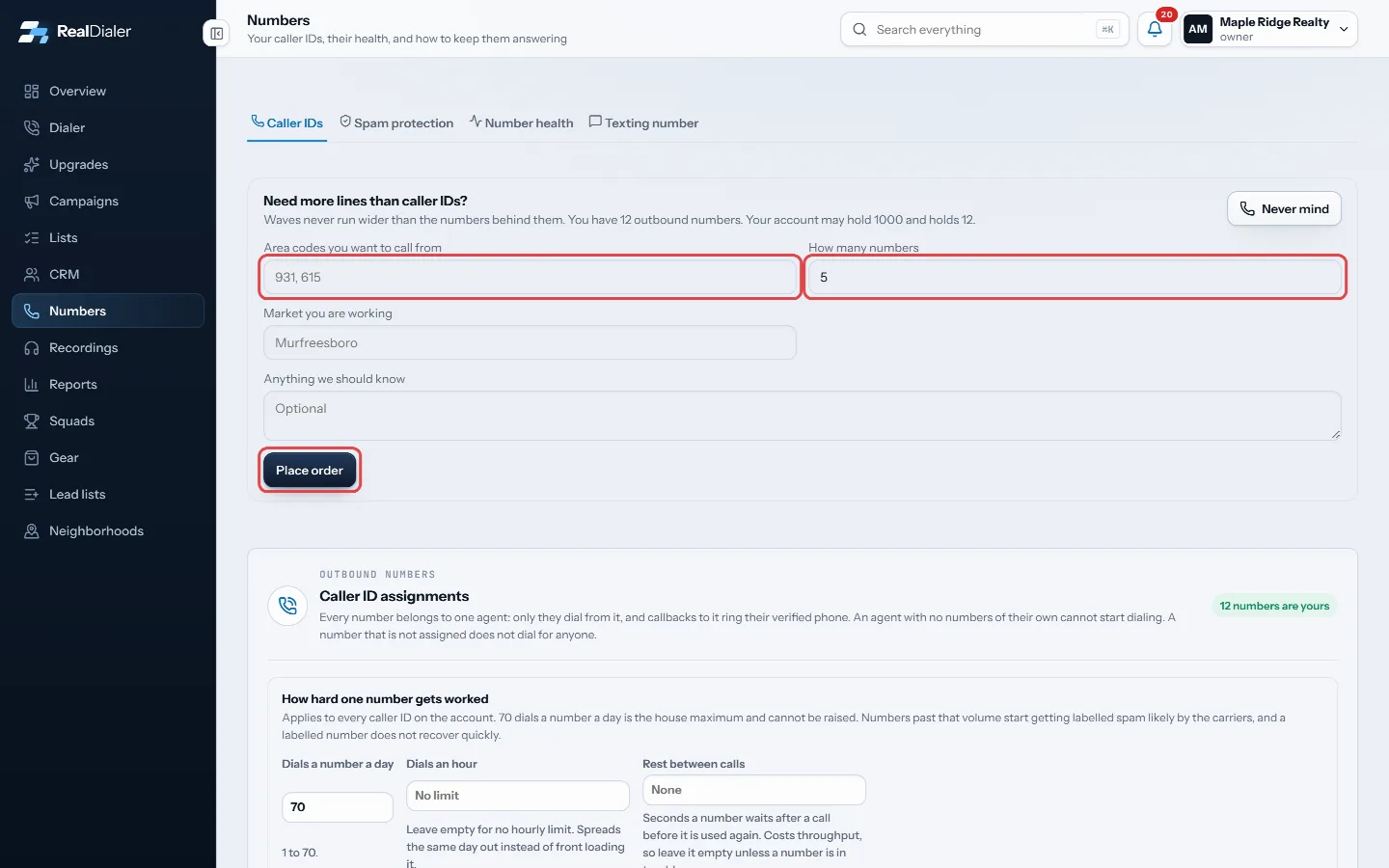
Fill in the area codes and how many, then Place order - Enter How many numbers you want.
- Add the Market you are working and anything else we should know.
- Click Place order.
Good to know
- After you order, the panel says your order is being processed. Expect a phone call within 1 hour to finish setting up your numbers.
- You can have one open order at a time. The panel shows its count and area codes until it is done.
- You can order up to 200 numbers in one order.
- New numbers should be registered on the Spam protection tab before their first session.
- Click Never mind to close the form without ordering.
Was this guide helpful?
Thanks. It helps us make these better.
Next in Numbers
Register your numbers to avoid spam labelsCarriers label numbers as spam using three analytics companies: First Orion, Hiya and TNS. Registering your business with them is free, takes about ten minutes,See who called your numbersInbound calls lists everyone who called one of your numbers, newest first. A missed call is somebody to call back.What the Numbers page showsThe Numbers page is one place for everything about your caller IDs: which numbers you dial from, how hard each one is worked, keeping them off spam labels, and
Still stuck? Write to support@realdialer.com, or open Support from inside RealDialer.