What it is
Emails to your contacts, like sequence emails, go out from your own domain. That helps them reach the inbox, and replies come straight to you. RealDialer sends through a subdomain, like rd.yourdomain.com, so your regular email and your website are not touched.
Where to find it
Settings > Integrations > Email sending
Steps
- Open Settings, then choose Email sending under Integrations.
- Type Your domain, the part after the @ in your work email, like example.com.
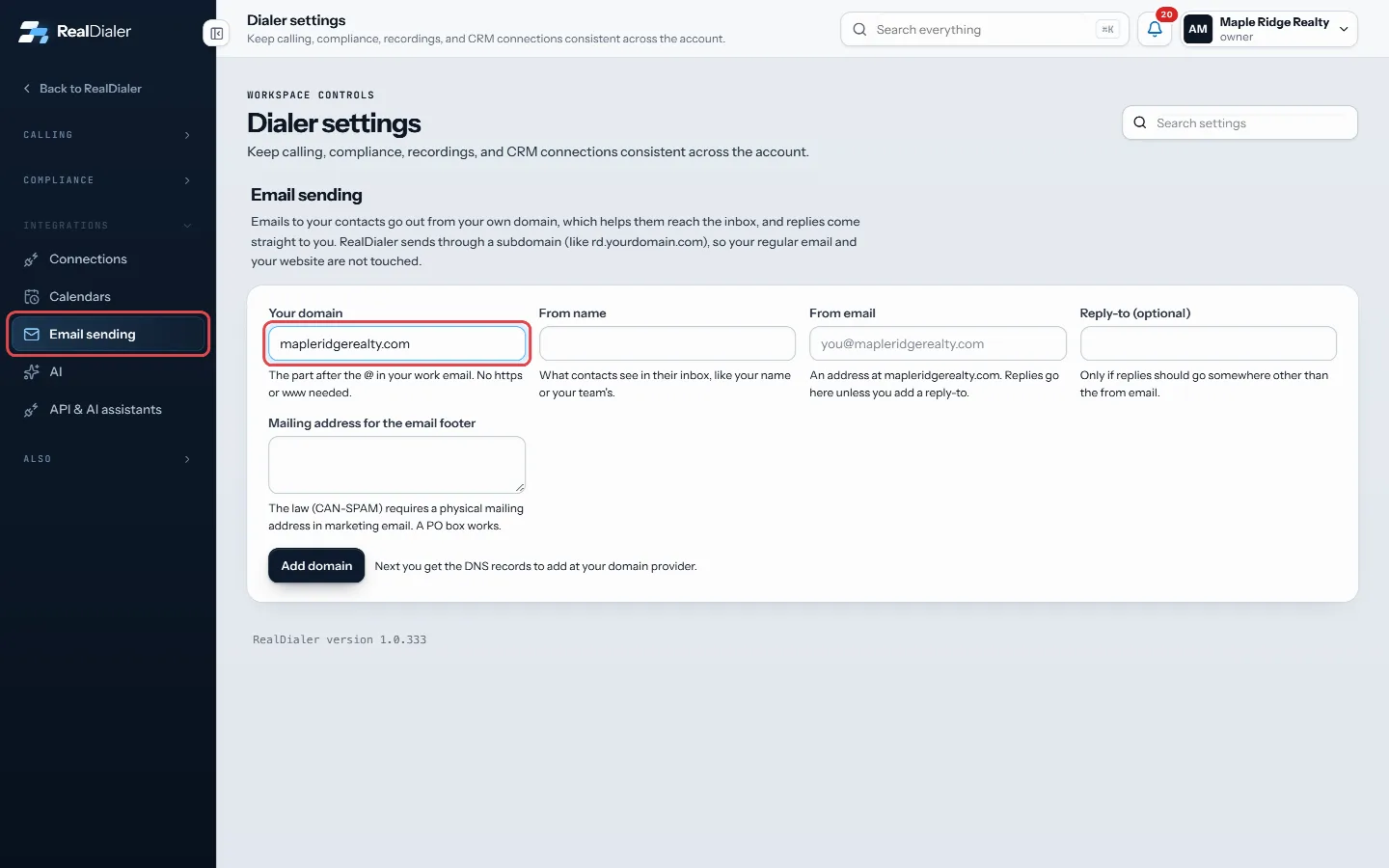
Settings, Email sending: type your domain - Fill in the sender details: From name, From email (an address at your domain), Reply-to (optional), and Mailing address for the email footer.
- Press Add domain. The DNS records to add appear below.
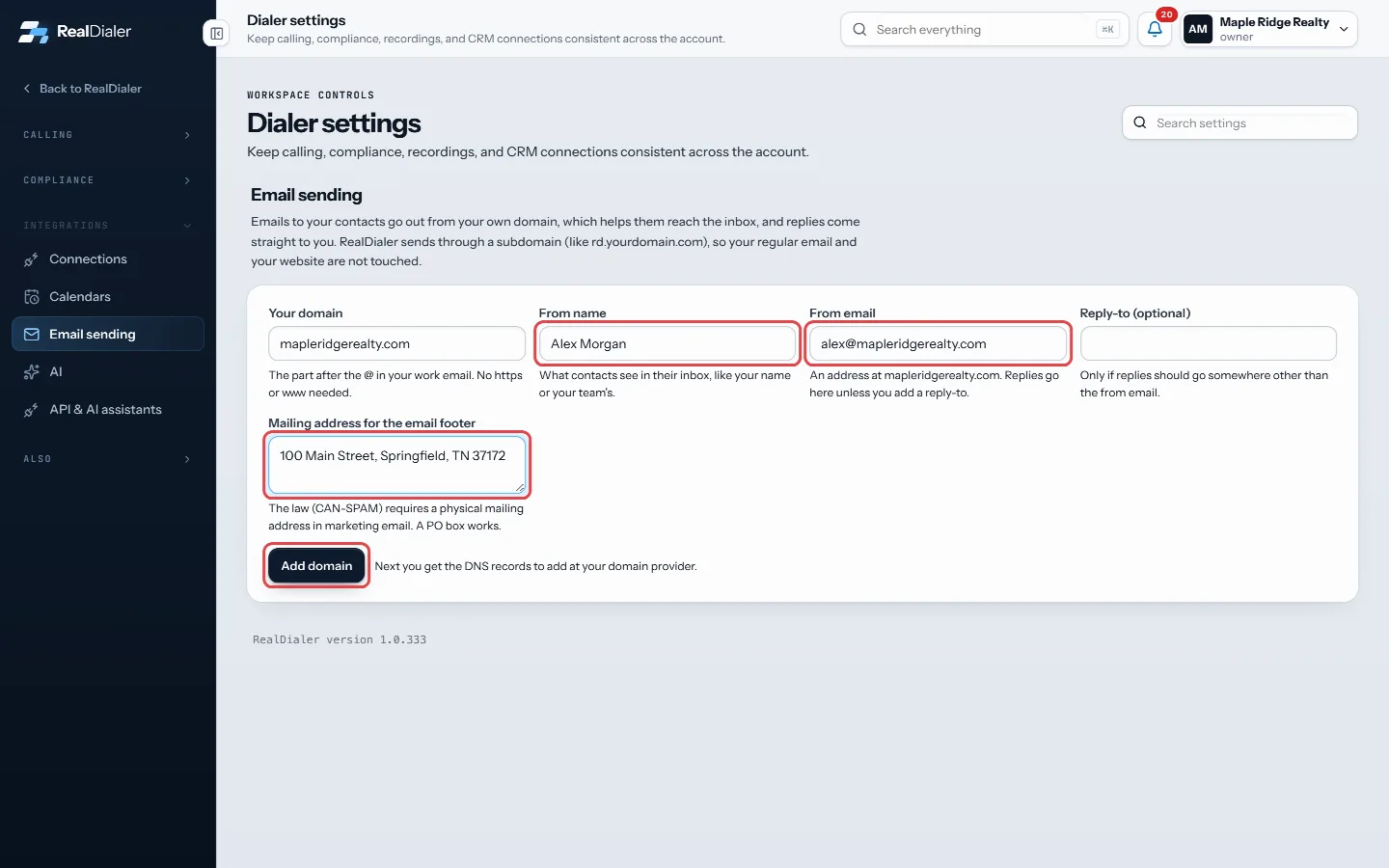
Fill in the sender details and press Add domain - Add each record where you manage your domain, or press Email these to my web person.
- Come back and press Check records.
- When it says “All set. Your domain is verified”, press Send me a test email to see how it looks.
Good to know
- Sending needs an Email upgrade: Starter $19.97, Growth $39.97 or Pro $79.97 a month. Email Starter starts with a 14-day free trial.
- Without an Email upgrade your domain stays set up, and email steps in sequences land as tasks with the email written out, so you can send them yourself.
- Only an account owner or manager can set up email sending.
- DNS changes usually show up within minutes but can take up to 48 hours.
Was this guide helpful?
Thanks. It helps us make these better.
Next in Texting and email
Unsubscribes, bounces and spam reportsEvery email RealDialer sends for you carries your mailing address and a working unsubscribe link at the bottom, added automatically. When someone unsubscribes, Add texting and get ready to sendOn accounts where texting is available, the Texting card under Plan and billing shows the price per agent, how many texts each agent gets a month, and a checkliAdd the DNS records for email sendingTo send from your domain, you add a few DNS records where you manage it. Each one has a Type, a Host and a Value. RealDialer shows them in a table with copy but
Still stuck? Write to support@realdialer.com, or open Support from inside RealDialer.