What it is
Before you make sales calls, federal rules say you must check your numbers against the National Do Not Call Registry for every area code you call, using registry data that is no more than 31 days old. To do that you need your own registry account as a Seller, with a subscription to your area codes. The first five area codes are free.
Once you have it, you give RealDialer your Subscription Account Number (SAN) and Organization ID. RealDialer then downloads your area codes every month and scrubs your lists for you, so you stay inside the 31 days without doing it yourself. We recommend every RealDialer customer sets this up.
Where to find it
The registry for businesses is at https://telemarketing.donotcall.gov/. It is run by the Federal Trade Commission. In RealDialer, your registry details live under Do Not Call in the menu under your name at the top right.
Steps
- Go to https://telemarketing.donotcall.gov/ and click Register under New users.
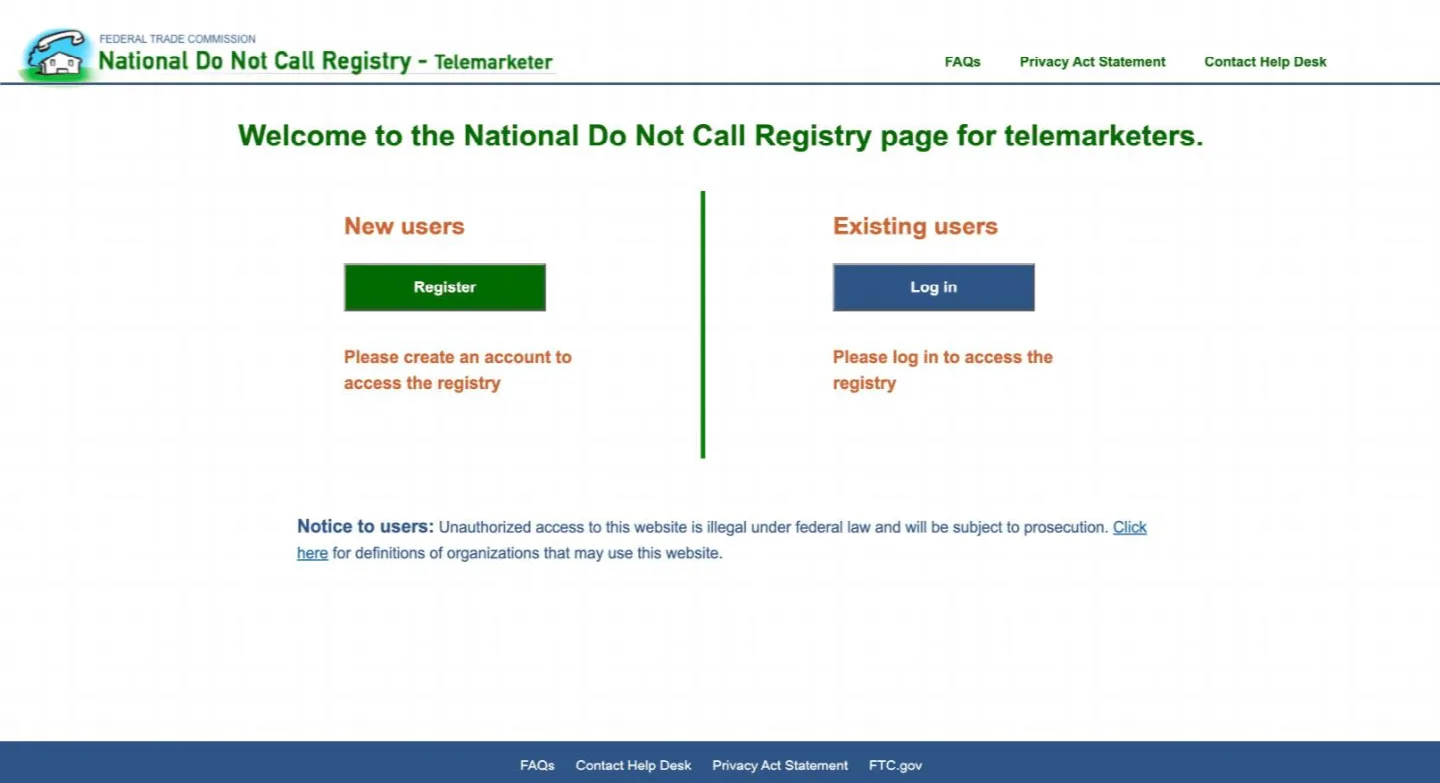
Click Register under New users - Read the overview, scroll to the bottom and click Continue to create a profile.
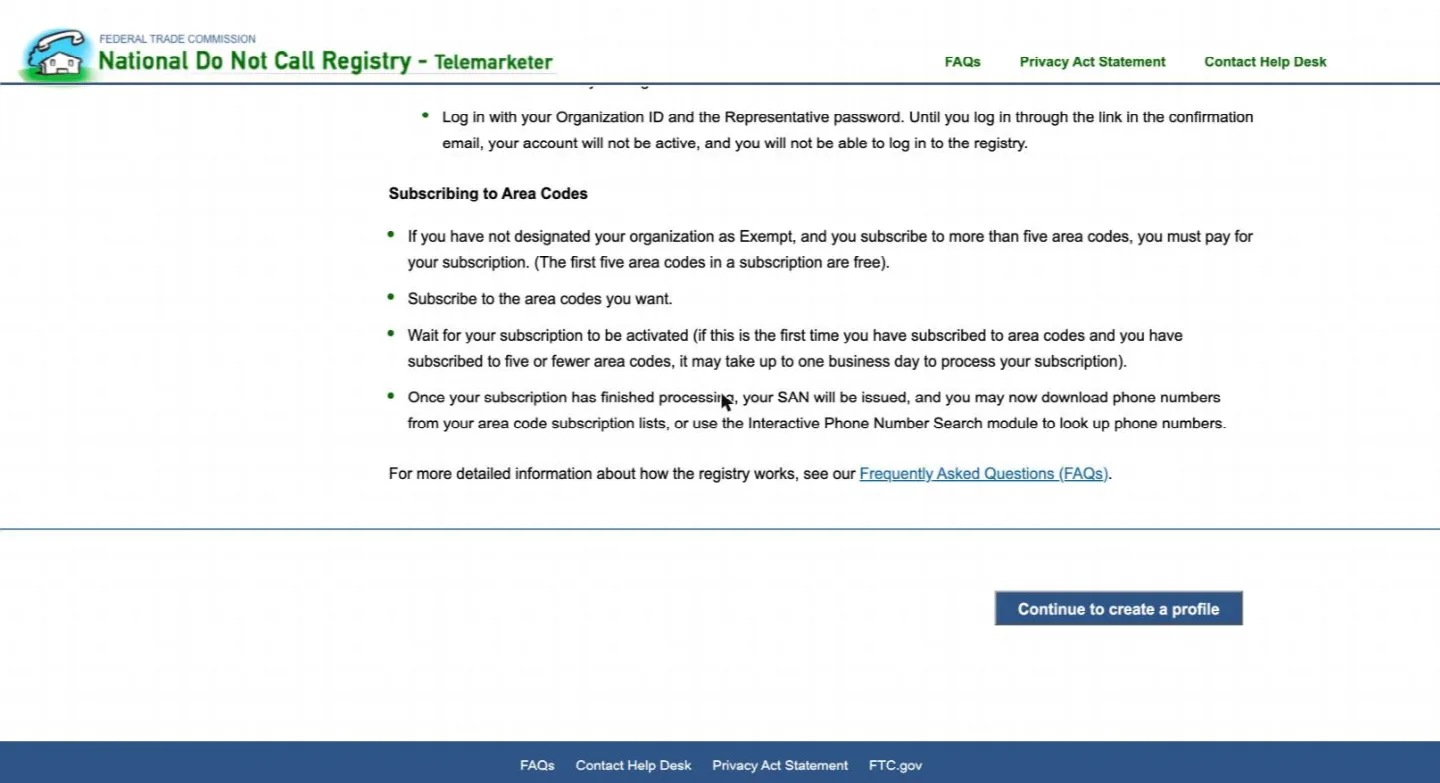
Scroll down and click Continue to create a profile - Enter your organization exactly as it appears on your IRS paperwork: legal business name, address, and your EIN. A sole proprietor without an EIN enters their Social Security number instead.
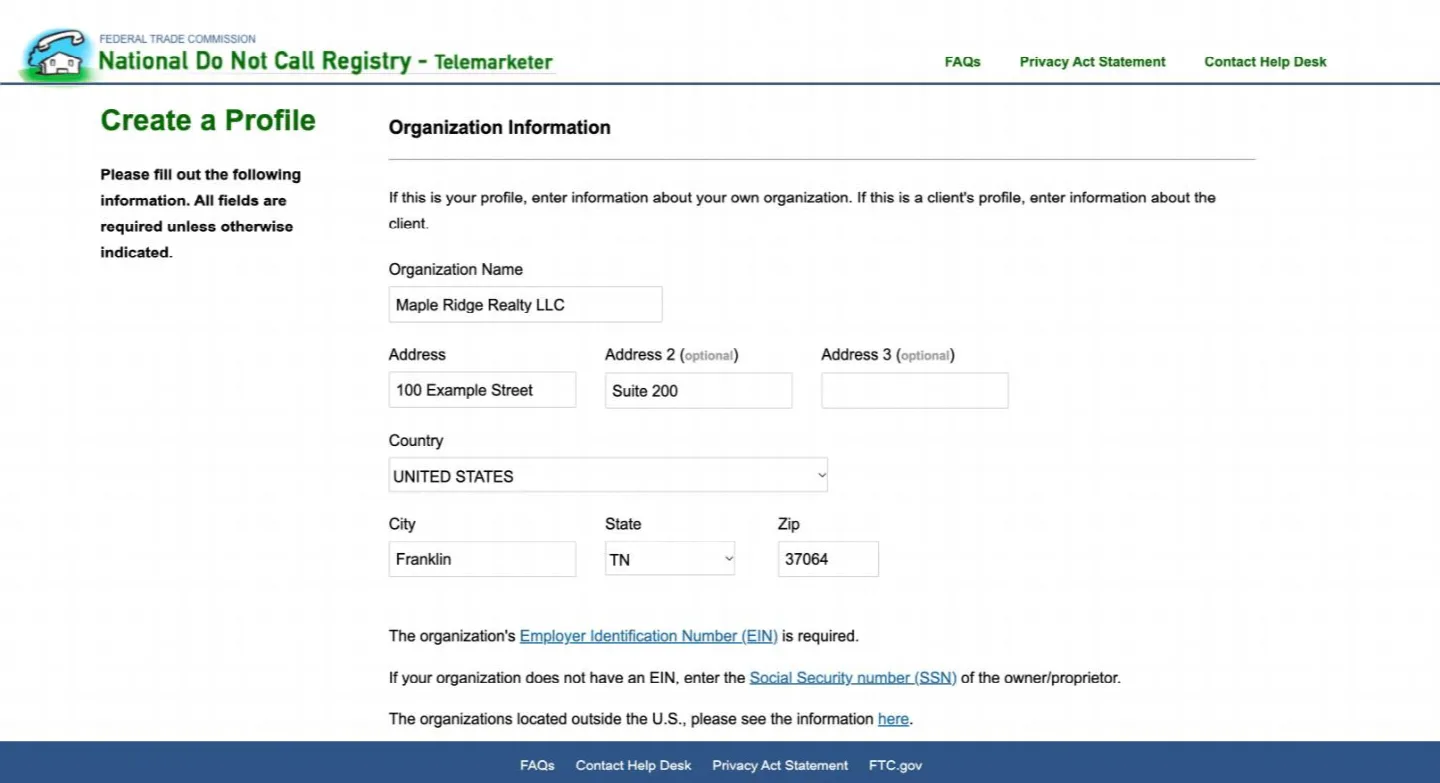
Your organization as it appears on your IRS paperwork - Set Organization Function to Seller. You are the business the calls are made for. Do not pick Telemarketer or Service Provider; that is RealDialer’s role.
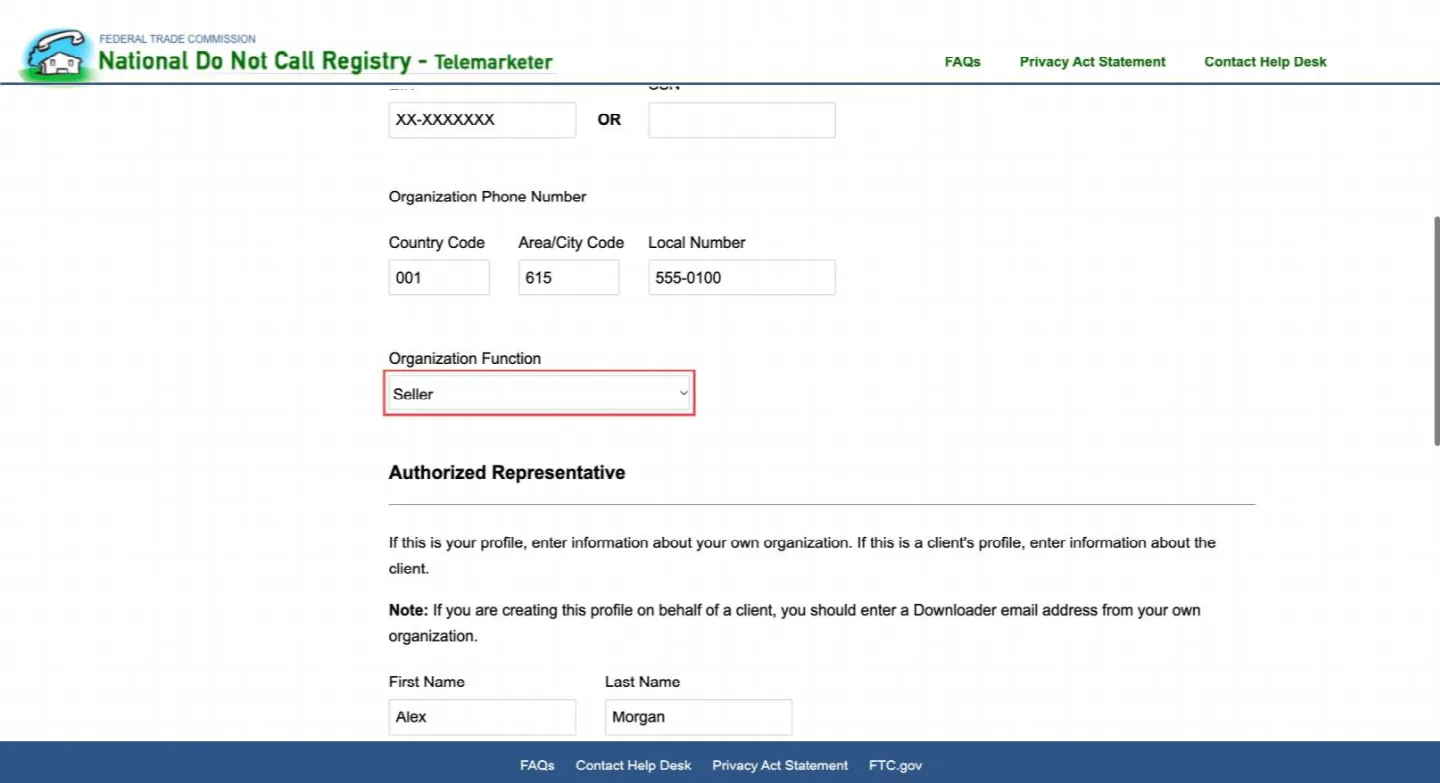
Set Organization Function to Seller - Enter the Authorized Representative: the person responsible for the account, with a phone number and email you check.
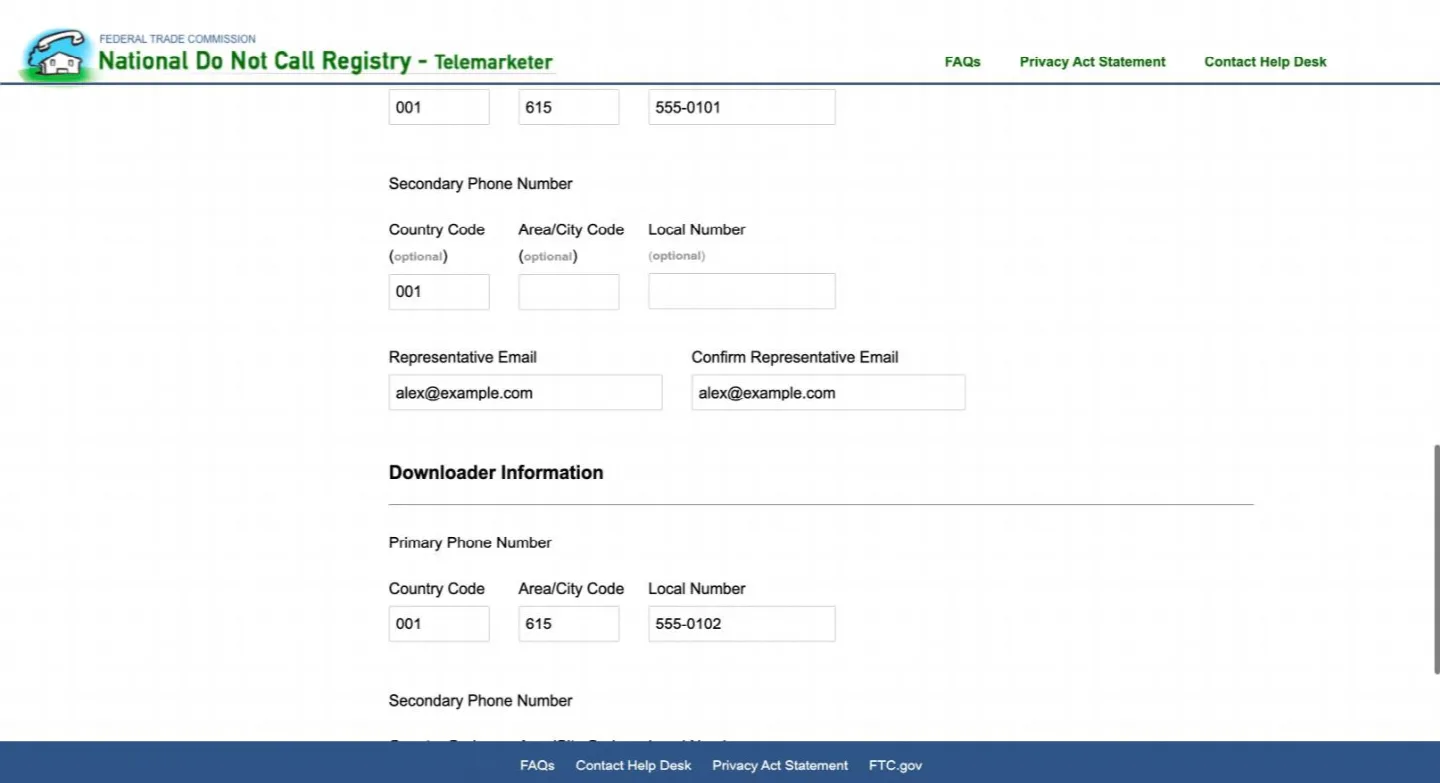
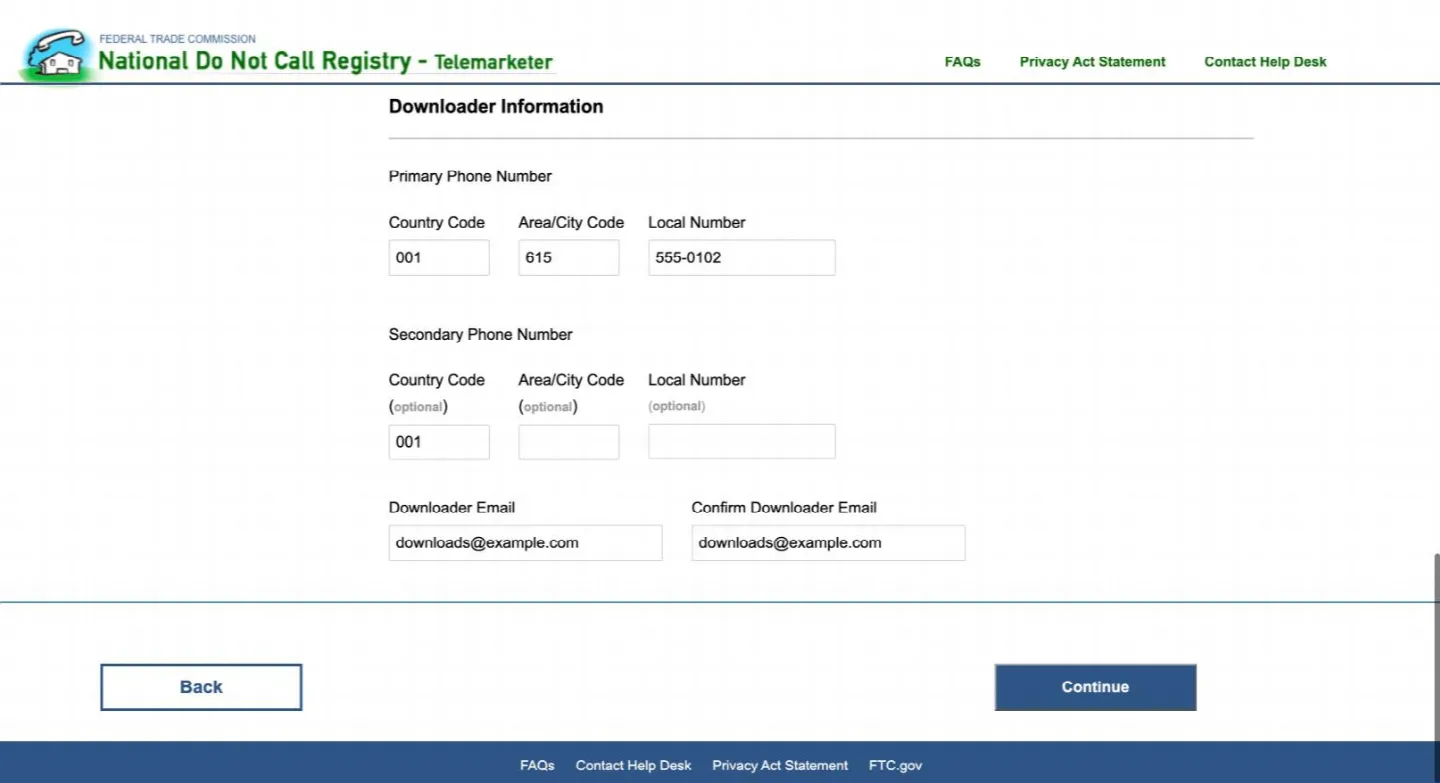
The Authorized Representative - Enter the Downloader details, then click Continue and finish the certification. The Representative and the Downloader can be the same person.
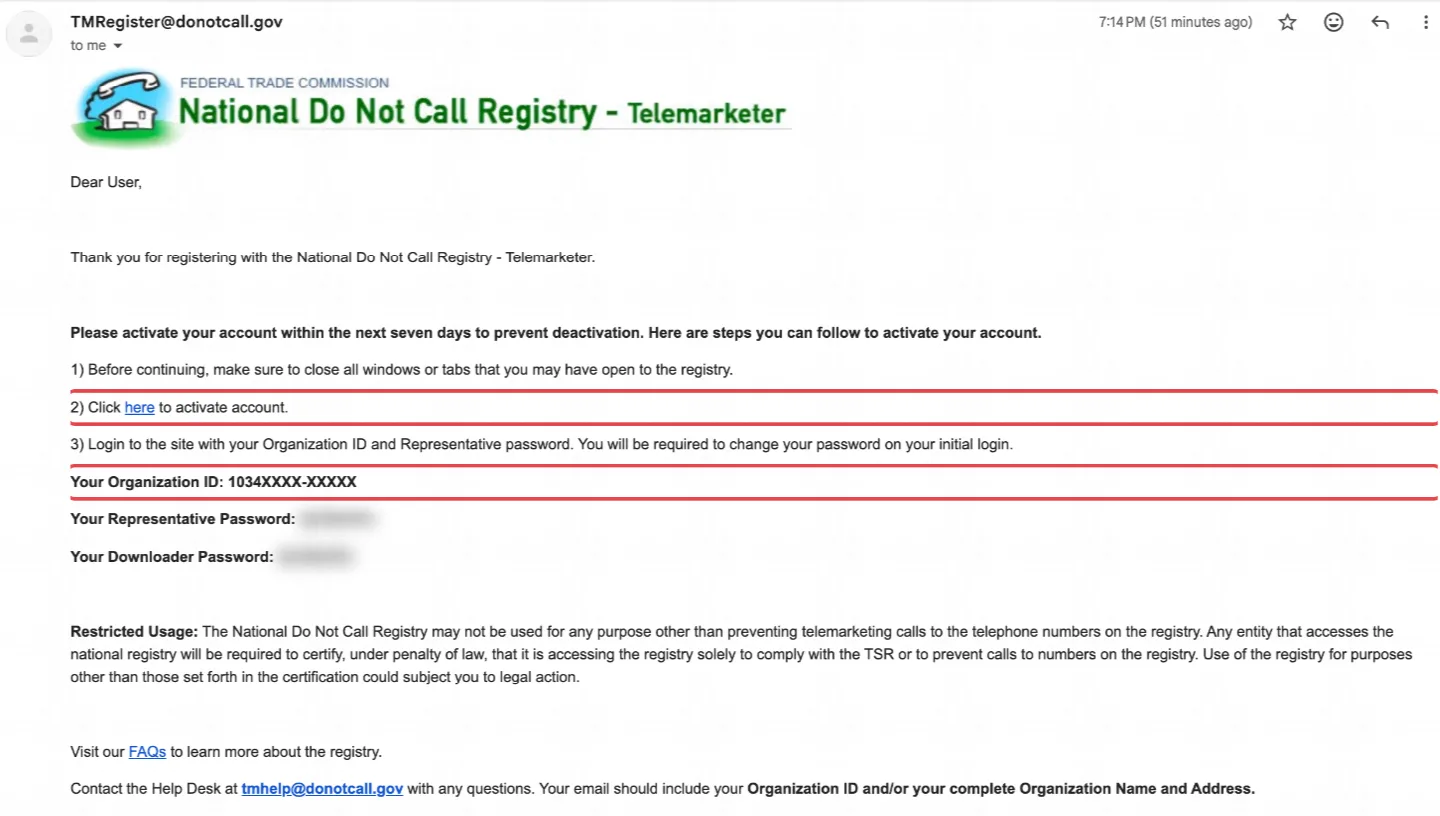
Downloader details, then Continue - Open the confirmation email from the registry. It has your Organization ID and a temporary password. Log in with them and set your own password.
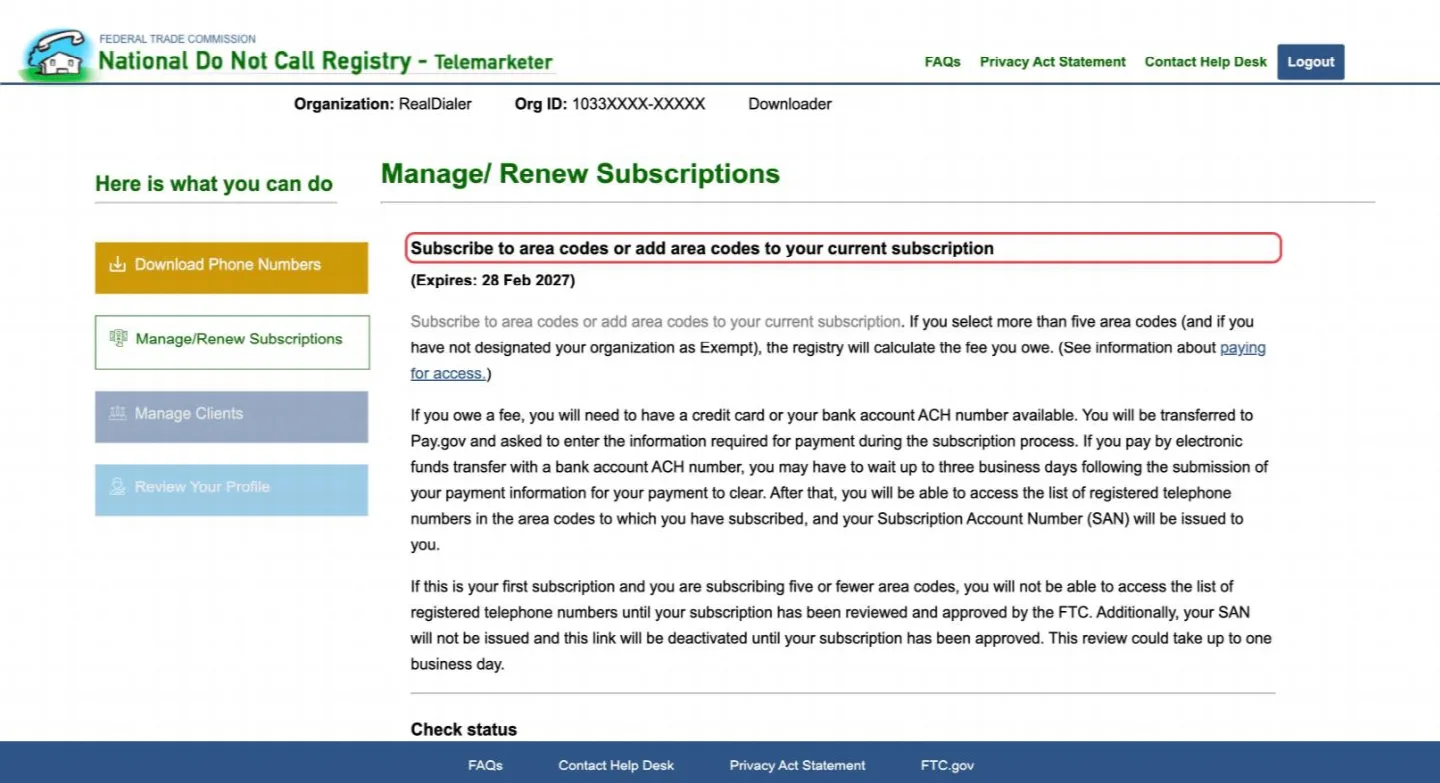
The confirmation email: click the link, then log in with your Organization ID and temporary password - Log in as the Authorized Representative, open Manage/Renew Subscriptions and subscribe to the area codes you call. Pick the area codes most of your numbers are in; the first five are free and the registry charges for more. A first subscription of five or fewer can take up to one business day to be approved.
Manage/Renew Subscriptions: subscribe to your area codes - When it is approved, your home screen shows your Organization ID at the top and your SAN (Subscription Account Number) on the left, with the date it is good through.
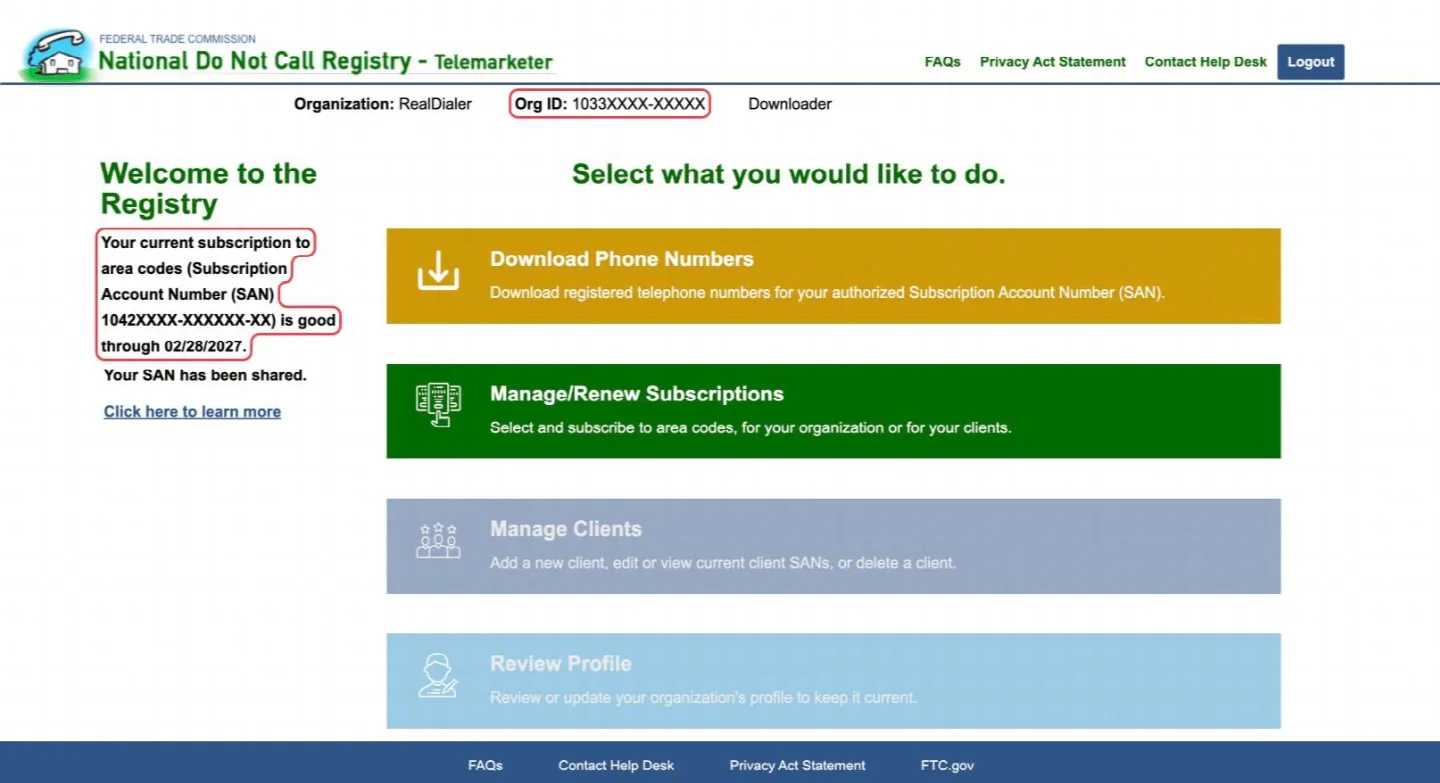
Your Organization ID at the top and your SAN on the left (numbers hidden here) - In RealDialer, open Do Not Call in the menu under your name, go to National Do Not Call, enter those two numbers with your area codes, and tick I authorize RealDialer. RealDialer adds your subscription to its own registry account as your service provider and starts refreshing your area codes every month.
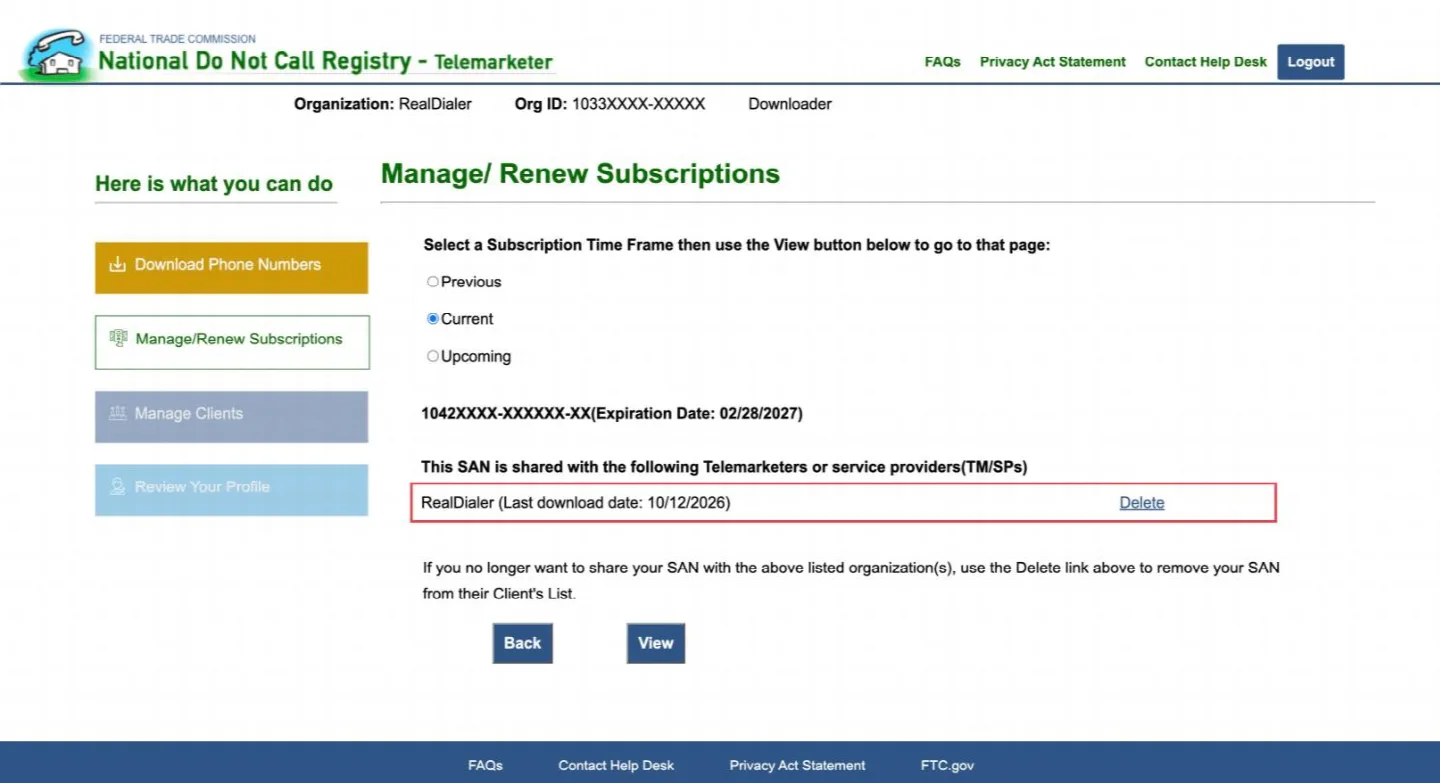
View SAN sharing: RealDialer listed as your service provider
Good to know
- Never send us your registry password. RealDialer only needs your SAN and Organization ID.
- You can see that RealDialer has access, or remove it, any time under Manage/Renew Subscriptions > View SAN sharing on the registry. RealDialer is listed there with the date of the last download.
- Your subscription is yours. Each business needs its own; you cannot share one with another agent or brokerage.
- The subscription lasts a year. Renew it on the registry before it expires.
- Numbers in an area code you did not subscribe to cannot be checked. Add the area code on the registry when your lists grow into it.
- Your own do not call list and the litigator check still apply to every call, with or without a registry subscription.
Next in Compliance
Still stuck? Write to support@realdialer.com, or open Support from inside RealDialer.