What it is
Several states regulate telemarketers calling from inside the state, not just the people they call. So RealDialer needs to know where you physically are when you dial. This is your location, not your phone number or your license state. The recording policy uses the same location.
Where to find it
Settings > Compliance > Calling hours > Where you are calling from
Steps
- Open Calling hours.
- Under Your calling state, choose the state you are calling from.
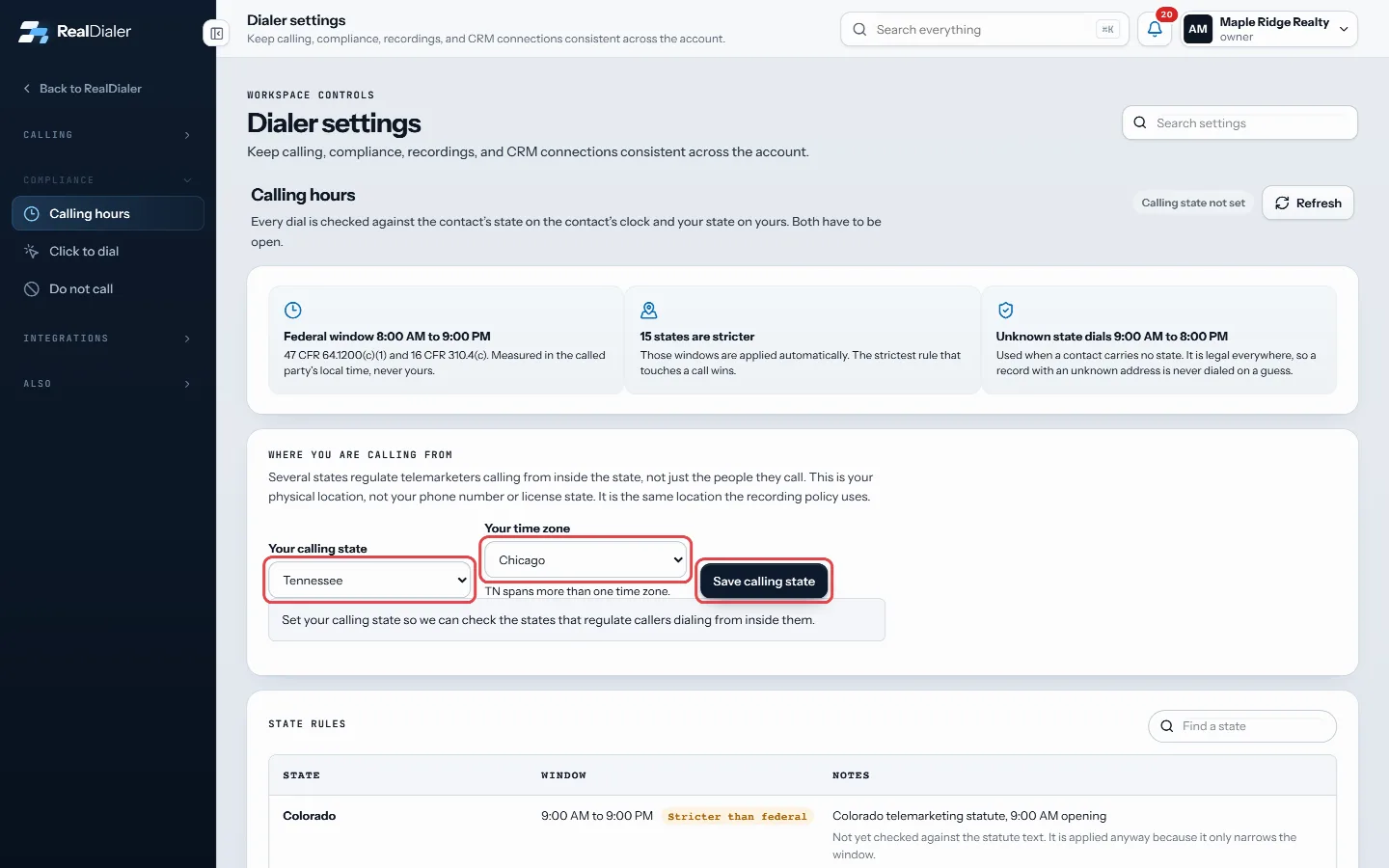
Choose your calling state, pick your time zone if asked, and press Save calling state - If that state spans more than one time zone, pick Your time zone.
- Press Save calling state.
- Check the pill at the top right. It reads Your state is open or Your state is closed, and the line under the form says when it opens.
Good to know
- Each person sets their own calling state. It is not shared with the rest of the team.
- Until you set it, the pill reads Calling state not set.
- If your state is closed, the dialer waits until it opens, even if your contacts’ states are open.
- Moving or traveling? Update this before you start a call block.
- Press Refresh to recheck whether your state is open right now.
Was this guide helpful?
Thanks. It helps us make these better.
Next in Compliance
Turn on click to dial onlyClick to dial only is for numbers with no record of consent behind them. When it is on, every call is placed by a person, one at a time. The record comes up, yoUpload your own do not call listsUploaded lists keep whole do not call files on your account as named lists: your brokerage's list, a state do not call list you bought, a registry file you downUse the Do Not Call scrubber in RealDialerThe Do Not Call page is where RealDialer keeps your calls clear of people who should not be called. It checks your lists against the National Do Not Call Regist
Still stuck? Write to support@realdialer.com, or open Support from inside RealDialer.