What it is
Click to dial only is for numbers with no record of consent behind them. When it is on, every call is placed by a person, one at a time. The record comes up, you read it, and nothing dials until you click. That is preview dialing, and this setting pins the whole account to it.
Where to find it
Settings > Compliance > Click to dial
Steps
- Open Settings, then choose Click to dial under Compliance.
- Under Account posture, turn on Click to dial only.
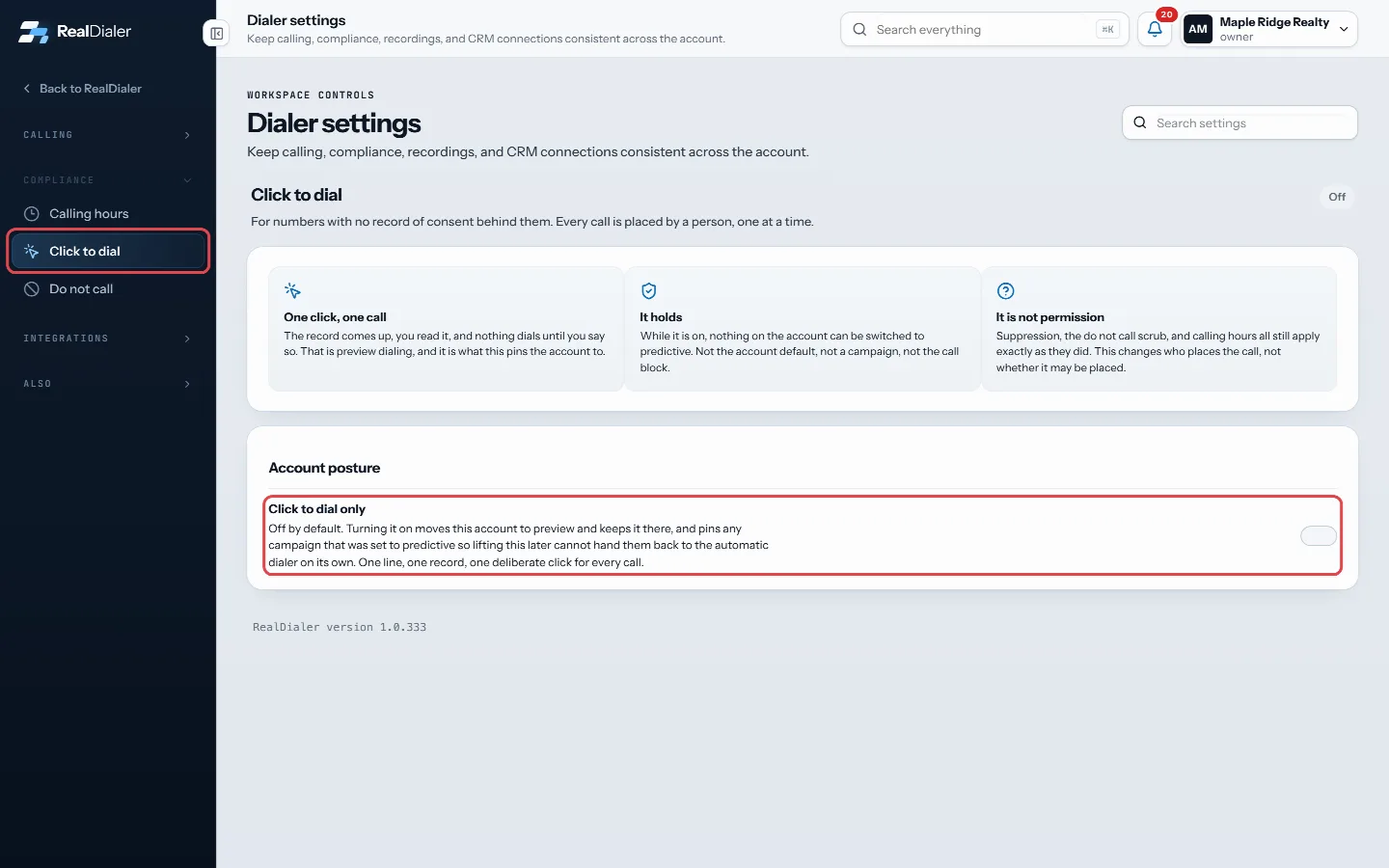
Under Account posture, turn on Click to dial only - Read the confirmation. The page then shows the date it was turned on.
Good to know
- It is off by default.
- While it is on, nothing on the account can be switched to predictive. Not the account default, not a campaign, not a call block.
- Campaigns that were set to predictive are pinned to click to dial, so turning this off later does not hand them back to the automatic dialer on its own.
- It is not permission to call. Your do not call list, opt outs, litigator flags and calling hours all still apply.
- Only an account owner or manager can change the account switch. Anyone can put a single campaign on click to dial only from that campaign’s dialer setup.
- Campaigns that are click to dial only on their own are listed under Campaigns on it by themselves. Turn one off from its dialer setup.
Was this guide helpful?
Thanks. It helps us make these better.
Next in Compliance
Upload your own do not call listsUploaded lists keep whole do not call files on your account as named lists: your brokerage's list, a state do not call list you bought, a registry file you downUse the Do Not Call scrubber in RealDialerThe Do Not Call page is where RealDialer keeps your calls clear of people who should not be called. It checks your lists against the National Do Not Call RegistAdd, import or export do not call numbersYour do not call list holds every number this account must never dial: anyone who asked to stop, plus anything you added or imported. A number on it is never di
Still stuck? Write to support@realdialer.com, or open Support from inside RealDialer.