What it is
If there is an area code or a whole state you do not work, you can rule it out in one line instead of importing a file of numbers. Nothing in that territory is dialed from the account.
Where to find it
Settings > Compliance > Do not call > Territory you do not work
Steps
- Under Rule out, choose An area code or A whole state.
- Type the area code, like 615, or choose the state.
- Press Add rule.
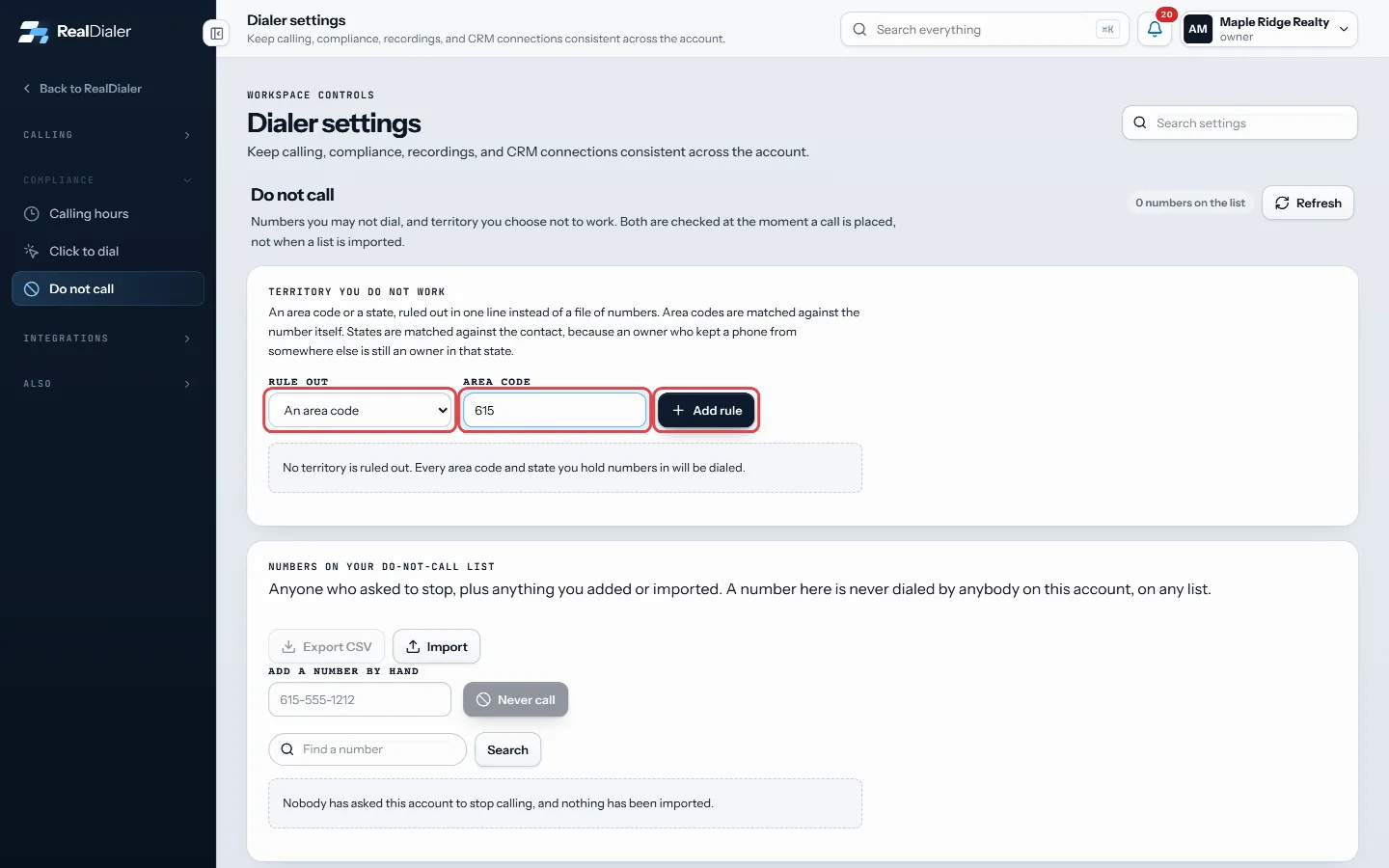
Under Rule out, choose an area code or a state, type it and press Add rule - The rule appears in the list with how many numbers you already hold that it covers.
- To start calling that territory again, press the X on the rule.
Good to know
- Area codes are matched against the phone number itself.
- States are matched against the contact’s address, not the phone number. An owner who kept a phone from somewhere else is still an owner in that state.
- Rules are checked at the moment a call is placed, so they also cover numbers you import later.
- An account can hold up to 500 rules.
- When no territory is ruled out, the page says every area code and state you hold numbers in will be dialed.
Was this guide helpful?
Thanks. It helps us make these better.
Next in Compliance
Set the state you call fromSeveral states regulate telemarketers calling from inside the state, not just the people they call. So RealDialer needs to know where you physically are when yoTurn on click to dial onlyClick to dial only is for numbers with no record of consent behind them. When it is on, every call is placed by a person, one at a time. The record comes up, yoUpload your own do not call listsUploaded lists keep whole do not call files on your account as named lists: your brokerage's list, a state do not call list you bought, a registry file you down
Still stuck? Write to support@realdialer.com, or open Support from inside RealDialer.