What it is
RealDialer Support is the Support button with a headset at the bottom right of every page. It opens a panel with three tabs: Chat for questions, Help to search the help center yourself, and My tickets for your support requests. Answers come from the RealDialer help center and your own account: your calls and their transcripts, contacts, tasks and callbacks, lists, numbers and results. You can also open a support ticket from the chat.
Where to find it
The Support button at the bottom right of any page. If you hid it, open the account menu at the top right and choose Support chat.
Steps
- Press Support and type your question in your own words, for example “What happened on my call with Pat Reed?” or “How many conversations did I have this week?”
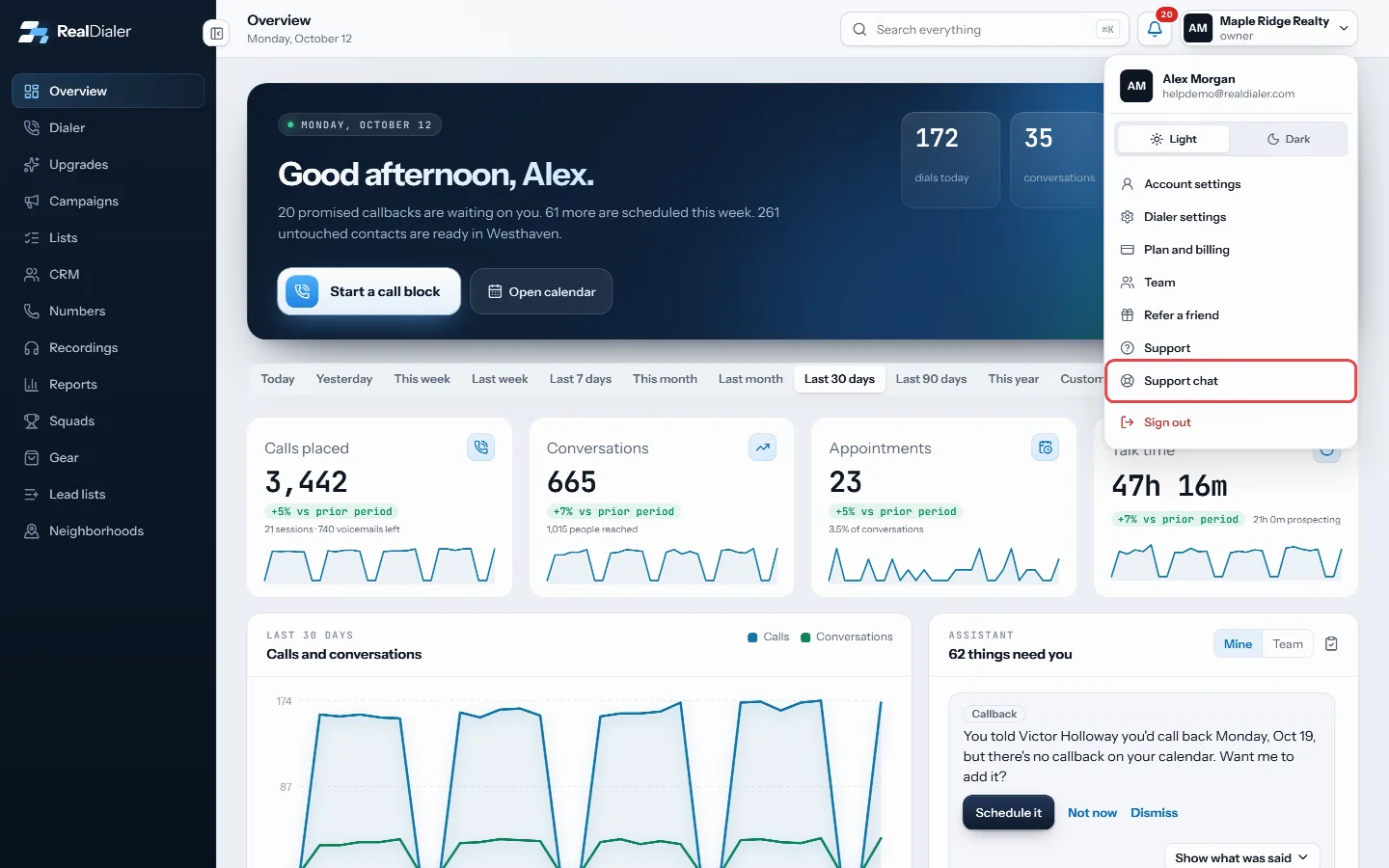
If the Support button is hidden, open the account menu and choose Support chat 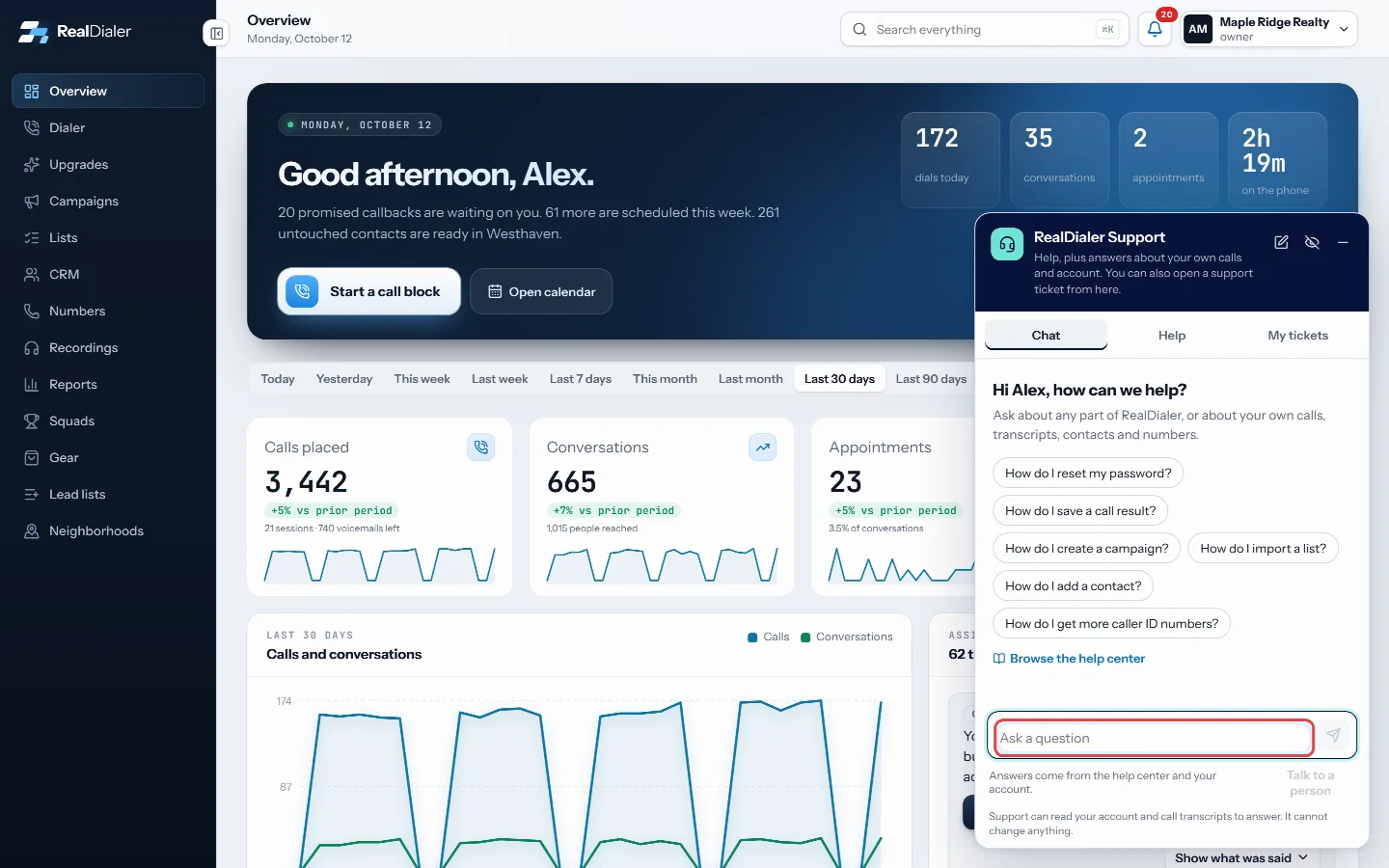
Type your question in your own words - When an answer is about a setting, press Show me. RealDialer opens the right screen and points at the exact control. Press anywhere to clear the highlight, then press Back to chat.
- If an answer shows a picture of the screen, press it to see it larger.
- When an answer is about a call or a contact, press Open call or Open contact to go to that record.
- If you still need help, press Talk to a person. A support ticket opens with the whole chat attached, and it shows under My tickets and on the Support page with an RD reference. You also get an email confirming the ticket; reply to it to add anything.
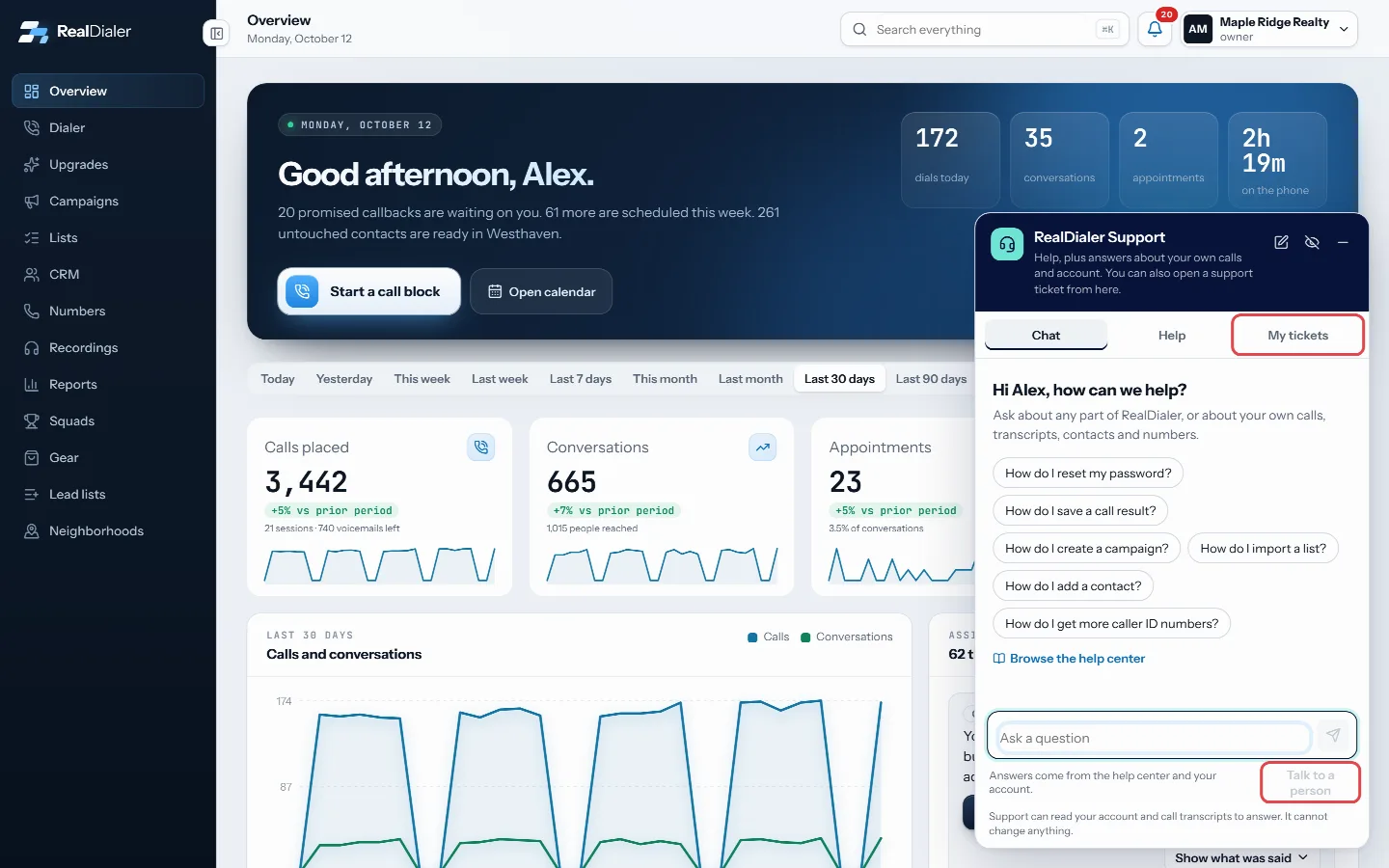
Talk to a person opens a ticket; it shows under My tickets
Good to know
- The chat stays open with your conversation when you move to another screen or reload the page.
- Replies from the team show in the chat, under My tickets, by email, and in the bell at the top of the page.
- Owners and managers can ask about the bill, such as when the next charge is and how much it will be. Callers are asked to check with the account owner.
- The chat sees what your seat sees in the app. Callers get answers about their own calls, their own transcripts and the contacts assigned to them. Owners and managers can ask about anyone on their team: every call, transcript, outcome note, contact and task on the account, with the agent who made each call named, for example “What did Sam say on his last call with Pat Reed?” Nobody can see another account.
- Times are shown in your computer’s time zone, the way the app shows them.
- The chat explains, looks things up and shows the way. It cannot change settings, calls, contacts, your plan or your bill for you.
- If the help center does not cover something, the chat says so and offers to open a support ticket instead of guessing.
- Never type card numbers or passwords into the chat.
- Press the eye button in the chat header to hide the Support button. It stays hidden until you bring it back from the account menu.
Was this guide helpful?
Thanks. It helps us make these better.
Next in Support
Attach files to a support requestA screenshot often explains a problem faster than words. You can attach files when you create a support request and with any reply.Create a support requestThe Support page is where you ask RealDialer for help without leaving the app. Each request becomes a private ticket that only you and RealDialer support staff Email RealDialer supportYou can write to support@realdialer.com at any time. An email from the address on your RealDialer login becomes a support request on your account, and it shows
Still stuck? Write to support@realdialer.com, or open Support from inside RealDialer.