What it is
The Support page is where you ask RealDialer for help without leaving the app. Each request becomes a private ticket that only you and RealDialer support staff can see, with its own reference number like RD-1A2B3C4D.
Where to find it
Your name in the top right > Support > New request
Steps
- Click your name in the top right and choose Support.
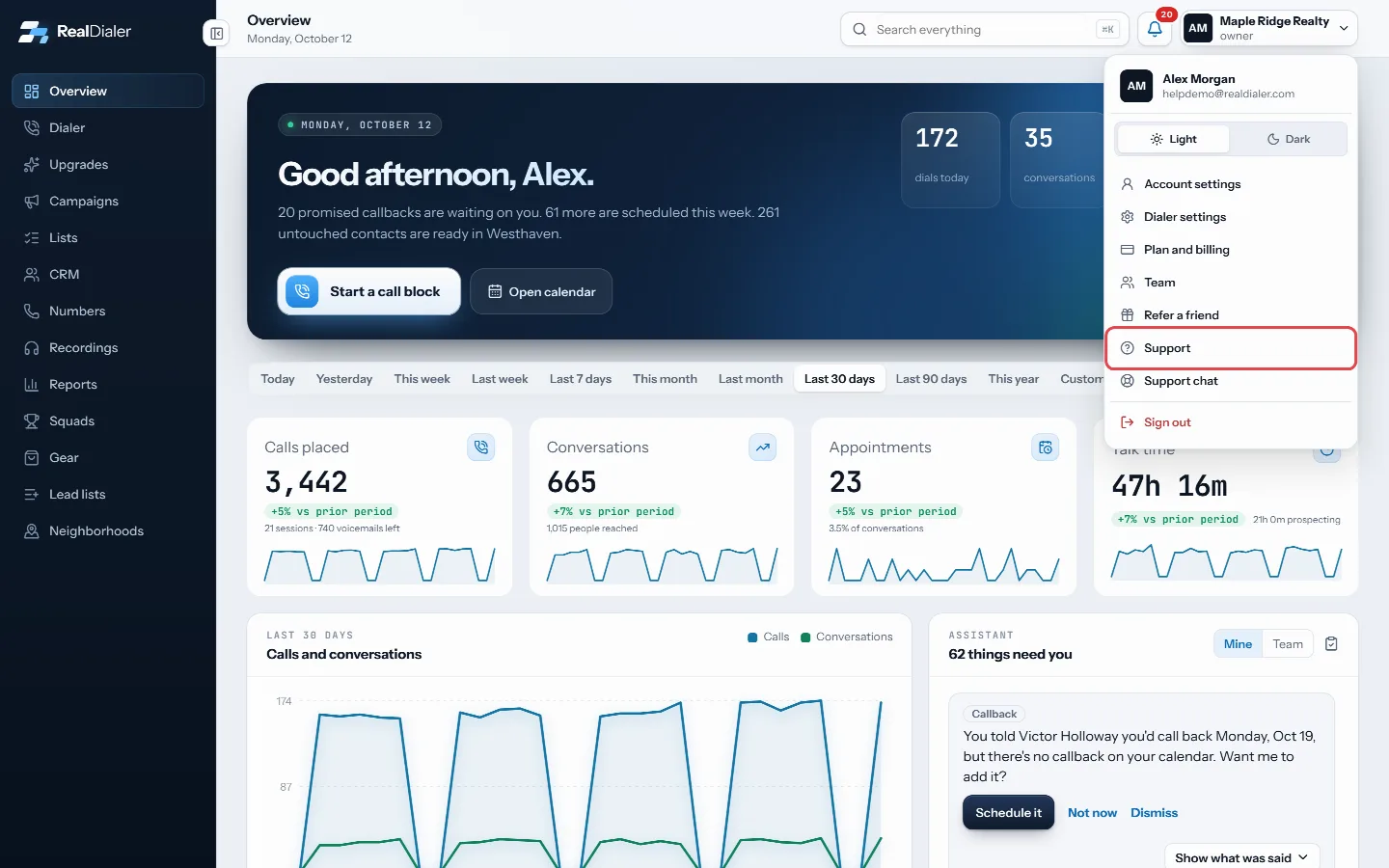
Click your name in the top right and choose Support - Press New request.
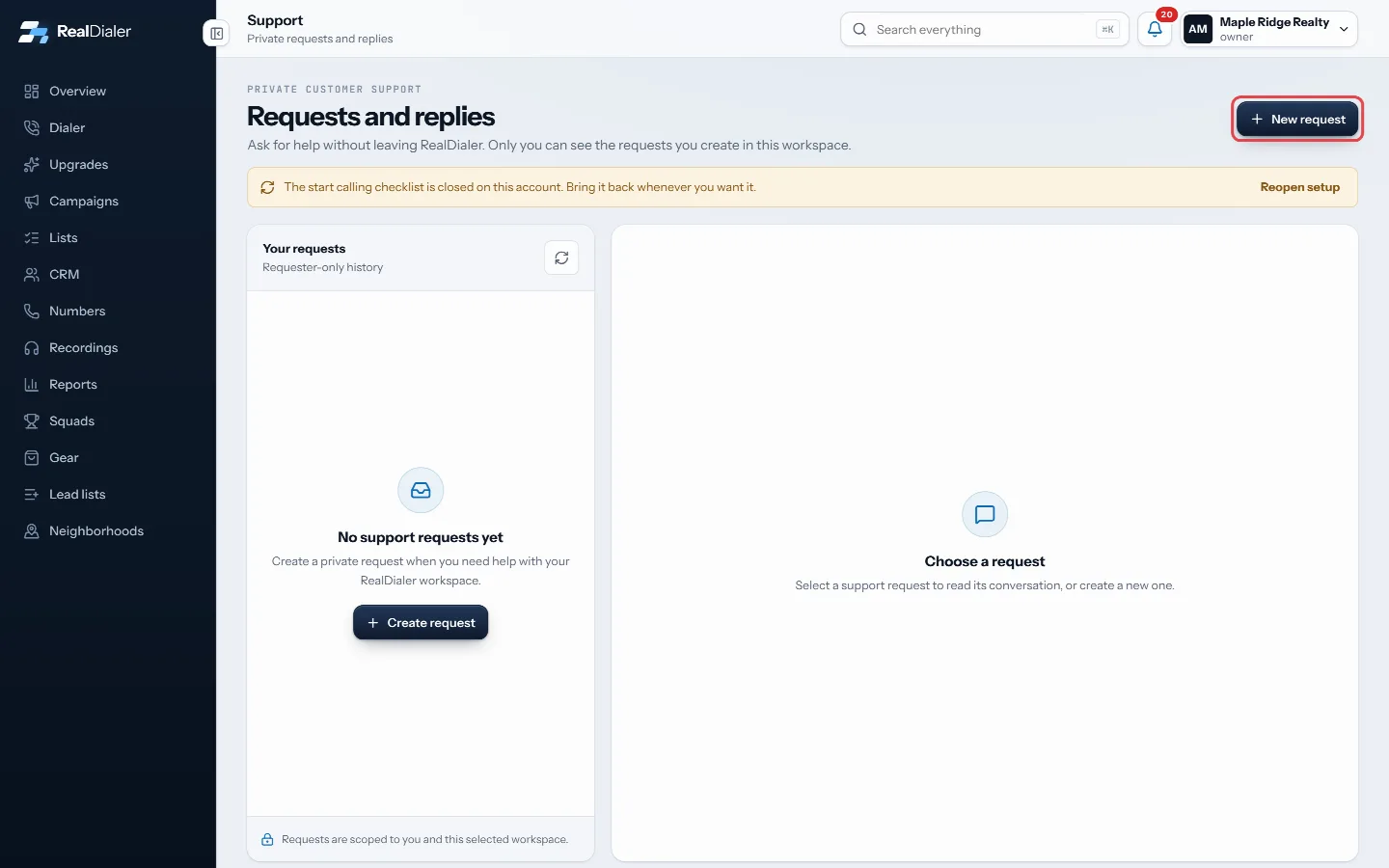
Press New request - Type a short Subject.
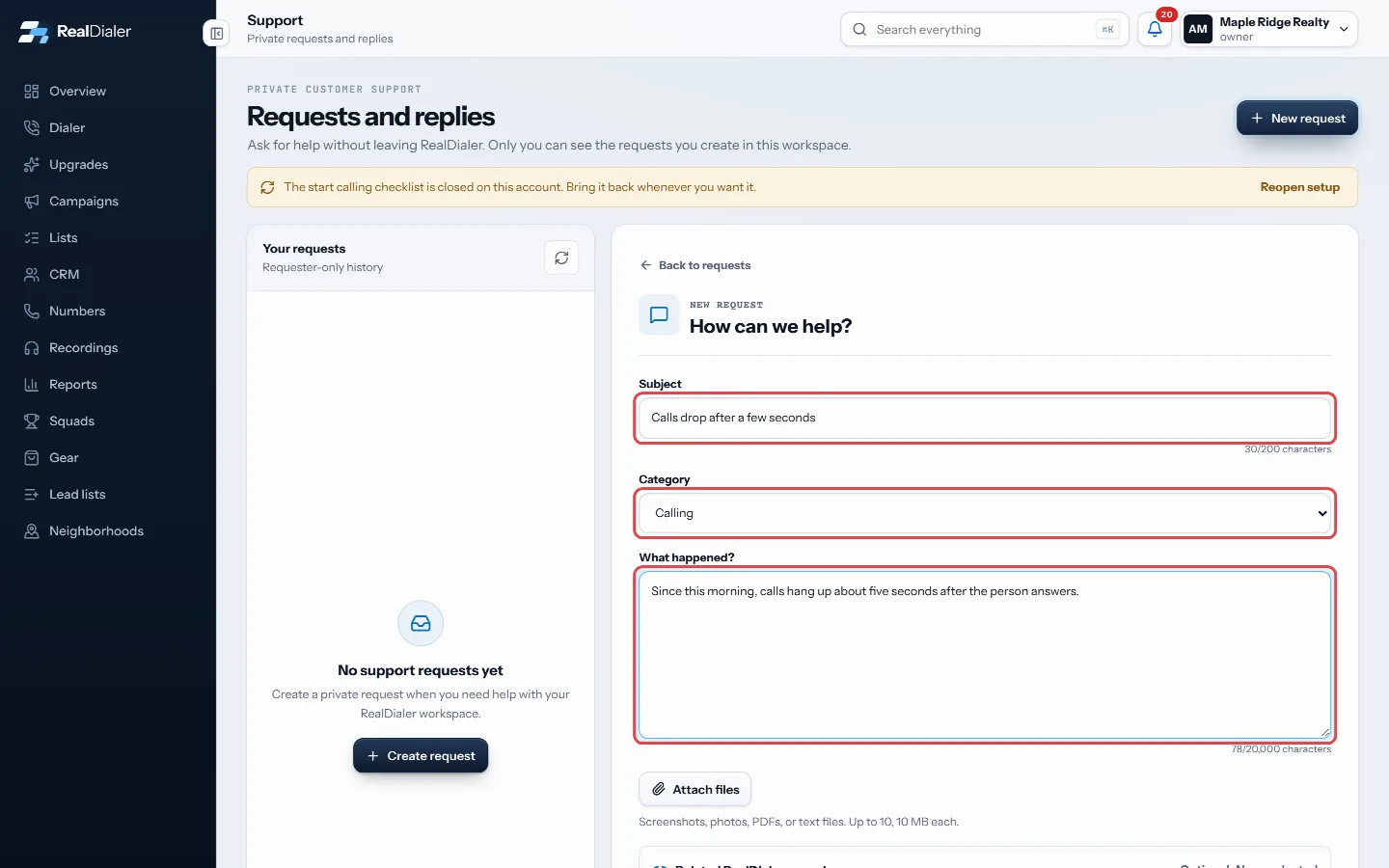
Type a subject, pick a category and describe what happened - Pick a Category: Account access, Calling, Phone numbers, Recordings and transcripts, Integrations, Billing and plan, Privacy and security, Abuse or compliance, or Other.
- Describe the problem under What happened?
- Optional: open Related RealDialer records to point at a call, list, phone number or integration.
- Optional: press Attach files to add screenshots or documents.
- Press Create request.
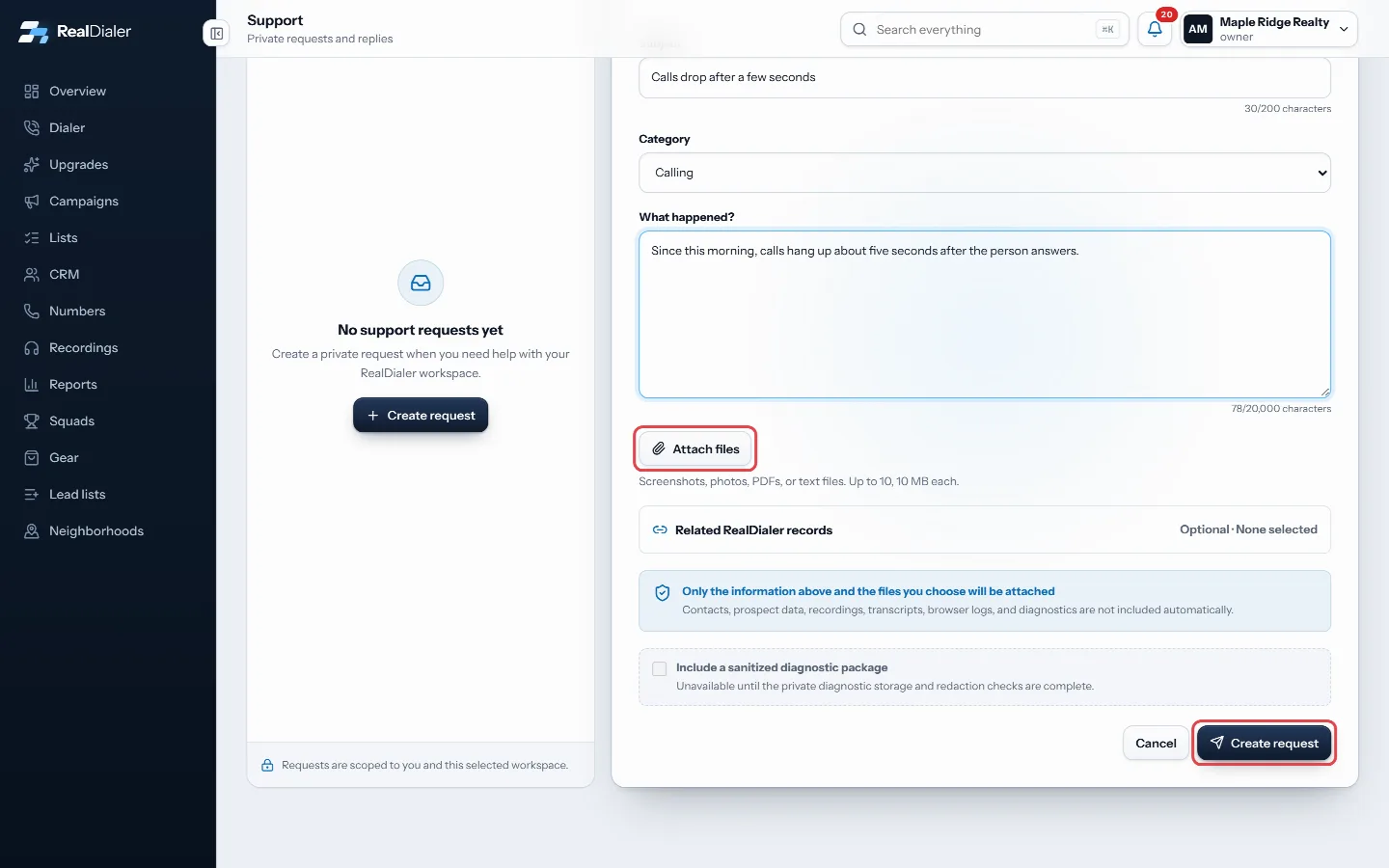
Attach files if they help, then press Create request
Good to know
- Requests are private to you and the workspace you made them in. Teammates do not see your requests.
- Only what you type and the files you choose are sent. Contacts, recordings, transcripts and logs are never attached automatically.
- Each request shows a Target response time.
- The subject can be up to 200 characters and the message up to 20,000.
- You need to be online to create a request.
- You can also email support@realdialer.com.
Was this guide helpful?
Thanks. It helps us make these better.
Next in Support
Email RealDialer supportYou can write to support@realdialer.com at any time. An email from the address on your RealDialer login becomes a support request on your account, and it shows Reply to or reopen a support requestEvery request you make is listed on the Support page with its status and reference number. You can read support's replies, answer them, and reopen a resolved reSupport hours and response timesRealDialer support works business hours: 8 AM to 6 PM Central time, Monday to Friday, except holidays. You can create a request or send an email at any time, an
Still stuck? Write to support@realdialer.com, or open Support from inside RealDialer.