What it is
RealDialer only records calls when recording is turned on and both your state and the contact’s state allow one-party recording, or, if your account owner turned on recording in all-party consent states, after “This call is being recorded.” has played on the call. Each call on the Recordings page says why it has no audio.
Where to find it
Settings > Recordings.
Steps
- Open Settings and choose Recordings.
- Under How calls are recorded, choose Record eligible calls, Full where allowed, my side otherwise, or My side only.
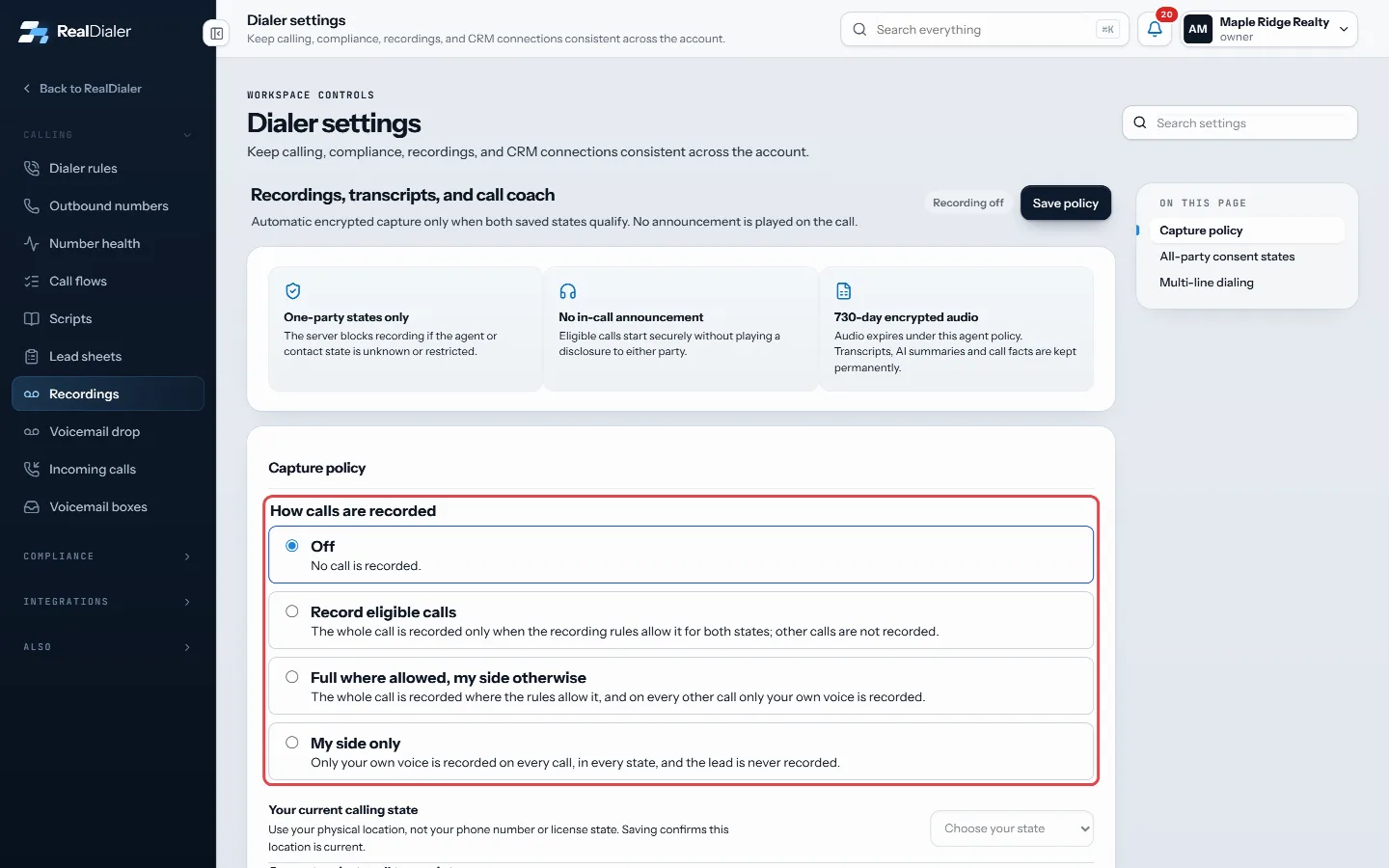
How calls are recorded - Choose Your current calling state, based on where you physically are.
- Click Save policy. It applies to your next connected call.
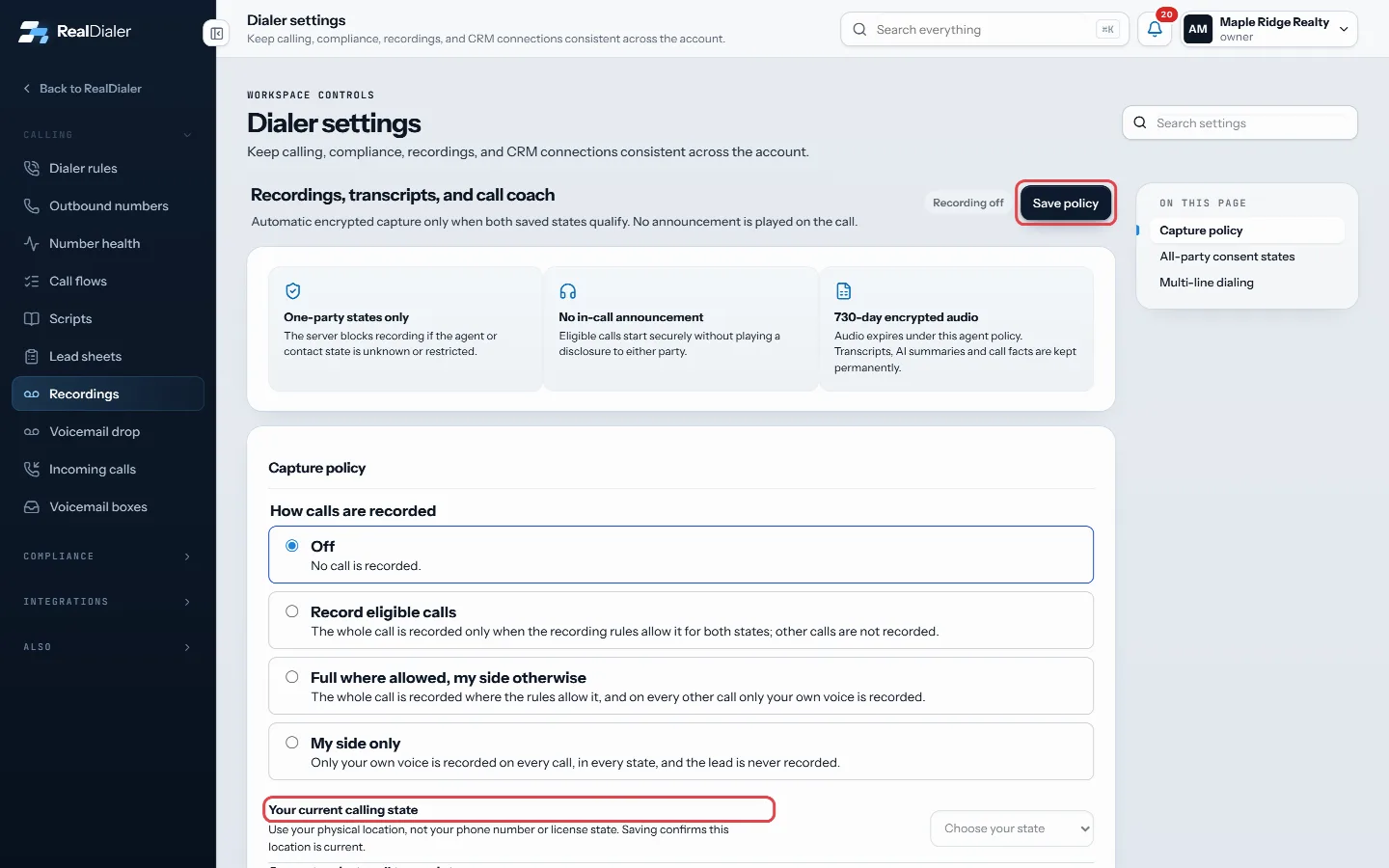
Your current calling state, then Save policy
Good to know
- Not recorded means no recording was requested, usually because recording was off.
- Not eligible means recording was blocked, for example because your state or the contact’s state is unknown, or is an all-party consent state and your account has not turned on recording in all-party consent states.
- “The recording notice did not play” means the call touched an all-party consent state, and “This call is being recorded.” could not play to the end (the person hung up first, or the notice failed). RealDialer never records such a call without the notice, so it has no audio.
- Capture failed means the recording could not be saved for that call.
- Audio expired means the recording passed your retention period.
- A campaign can be set to never record its calls in its Settings tab.
- No announcement is played on one-party calls. On all-party consent calls, which an account owner has to turn on, RealDialer always plays “This call is being recorded.” first, and that cannot be turned off.
- A recording labelled “Your side only” has your voice only: you chose My side only, or Full where allowed, my side otherwise and the whole call was not allowed (or its notice did not play). The other person is never on it.
- This safeguard is not legal advice.
Was this guide helpful?
Thanks. It helps us make these better.
Next in Recordings
Download a call recordingAny recording that is ready to play can be downloaded as an audio file, so you can keep a copy or share it with someone outside RealDialer.Find and play a call recordingThe Recordings page lists your recorded calls with the contact, the list, the agent, the date and the recording status. You can play each one in the browser, reHow long recordings are keptCall audio is kept for a set number of days, then deleted. How long depends on your plan, or two years with the Call Recording upgrade. Transcripts, AI summarie
Still stuck? Write to support@realdialer.com, or open Support from inside RealDialer.