What it is
Any recording that is ready to play can be downloaded as an audio file, so you can keep a copy or share it with someone outside RealDialer.
Where to find it
Recordings > Call recordings > Download WAV on a ready call.
Steps
- Open Recordings.
- Find the call with search or the status filter.
- Click Download WAV on that call.
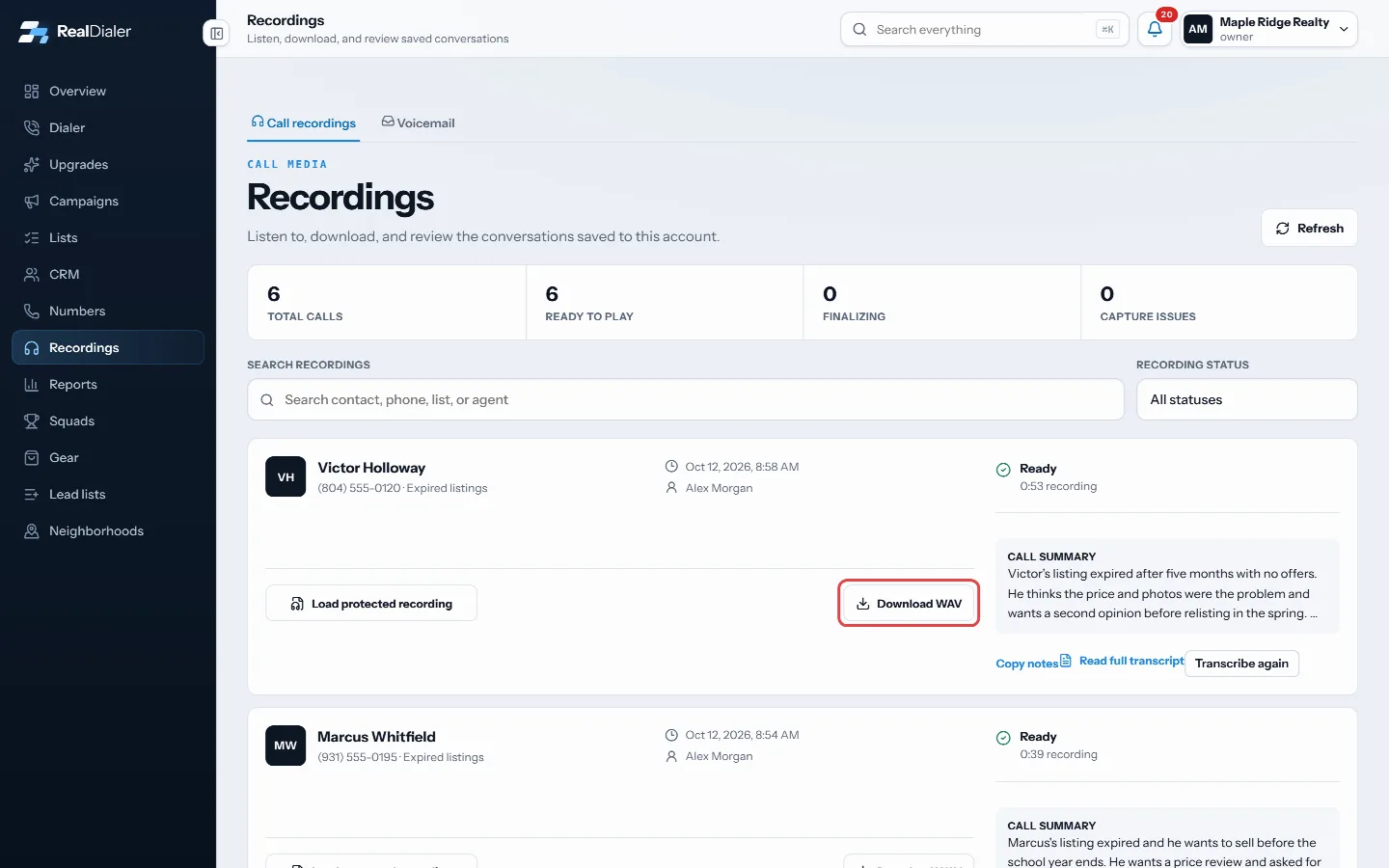
Click Download WAV on the call - The file saves to your computer’s downloads folder.
Good to know
- Downloads are WAV audio files.
- Only calls with the status Ready can be played or downloaded.
- Once a recording passes your retention period, the audio is removed and can no longer be downloaded. Download anything you want to keep before then.
- The transcript and summary are kept even after the audio expires.
Was this guide helpful?
Thanks. It helps us make these better.
Next in Recordings
Find and play a call recordingThe Recordings page lists your recorded calls with the contact, the list, the agent, the date and the recording status. You can play each one in the browser, reHow long recordings are keptCall audio is kept for a set number of days, then deleted. How long depends on your plan, or two years with the Call Recording upgrade. Transcripts, AI summarieRead call transcripts and summariesEvery recorded call gets a standard transcript after hangup, at no charge. With the RealDialer AI upgrade, calls get a more accurate transcript and an AI call s
Still stuck? Write to support@realdialer.com, or open Support from inside RealDialer.