What it is
Everyone who dials on your account gets their own sign in, their own numbers and their own call history. You add a person by creating an invite link and giving it to them yourself.
Where to find it
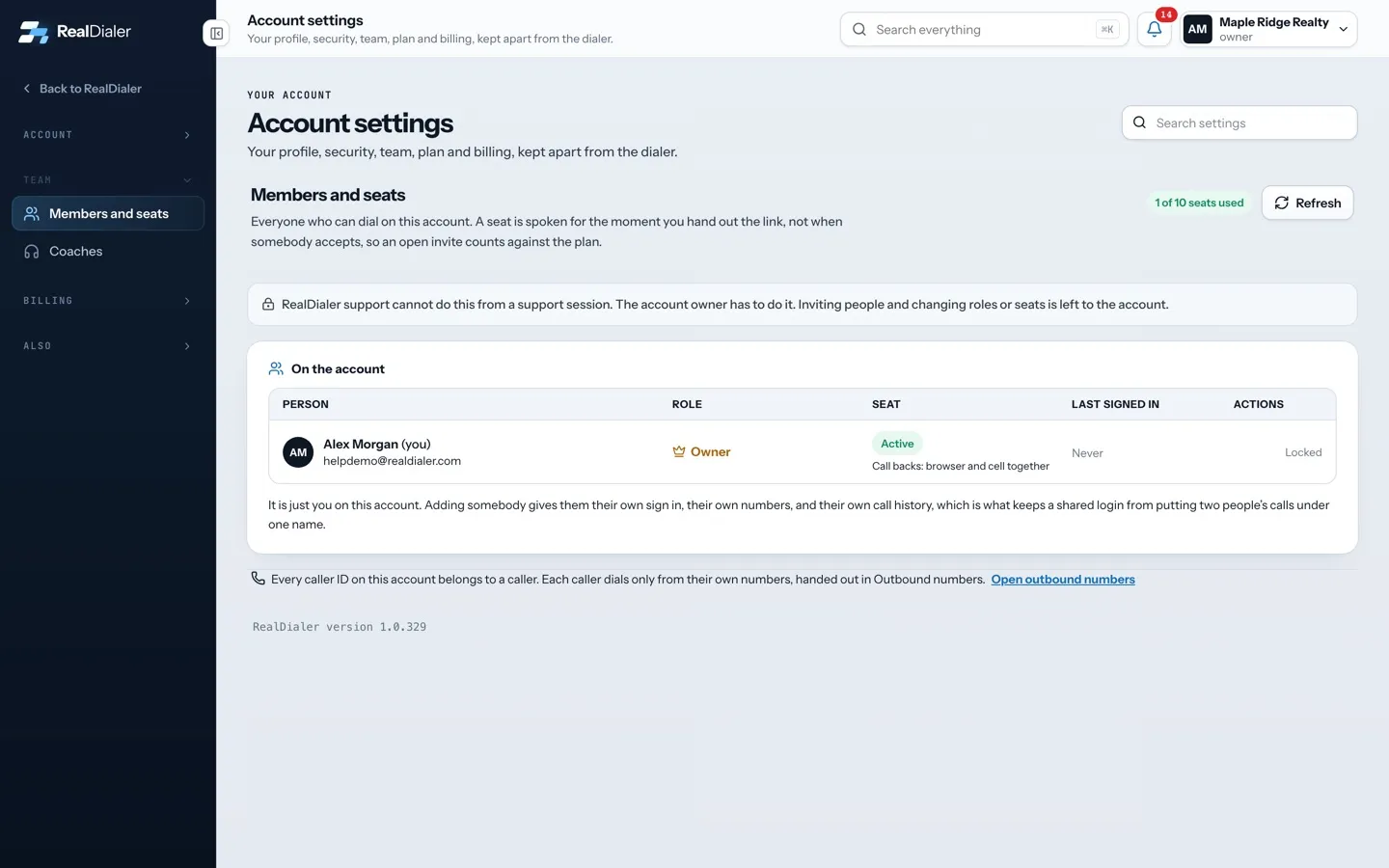
Settings > Team > Members and seats > Add somebody
Steps
- Open Settings, then choose Members and seats under Team.
- Under Add somebody, type their Email, and their First name and Last name.
- Pick a Role: Caller or Manager.
- Press Create invite link.
- Press Copy link and send it to them by text, email or however you usually reach them.
- Press Done with this link when you have sent it.
Good to know
- RealDialer does not email the link. You send it yourself.
- The link expires in seven days. It stops working the moment you make a new one for the same person.
- A seat is used the moment you create the link, not when they accept. An open invite counts against your plan.
- If every seat is taken, Create invite link is unavailable. Disable a seat to free one, or move up a plan.
- Managers can add callers. Only the account owner can add a manager.
- Lost the link? Press the link icon on their row in On the account to make a new one. The old one stops working.
- After they join, give them caller IDs in Outbound numbers. Each caller dials only from their own numbers.
Was this guide helpful?
Thanks. It helps us make these better.
Next in Team
Coach access upgrade and revoking a coachCoach access is the upgrade that lets a coach onto your calls. It costs $2.99 a month per agent on your plan, billed with your plan. Coaches themselves pay nothHow seats workA seat is one person who can dial on your account. Your plan pays for a set number of seats. The count at the top of Members and seats shows how many are used, Let a coach listen to your callsA coach you choose can listen to your live calls, whisper to you during a call, or join the call, from the free coach portal at coach.realdialer.com. The coach
Still stuck? Write to support@realdialer.com, or open Support from inside RealDialer.