What it is
A coach you choose can listen to your live calls, whisper to you during a call, or join the call, from the free coach portal at coach.realdialer.com. The coach asks with your account code, and you decide each thing they may do, when, and for how long. Your dialer shows a badge whenever a coach is on your call.
Where to find it
Settings > Team > Coaches. Your account code is on Settings > Billing > Plan and billing.
Steps
- Make sure Coach access is on for your account under Upgrades.
- Give your coach your account code. It starts with RD and is shown on Plan and billing.
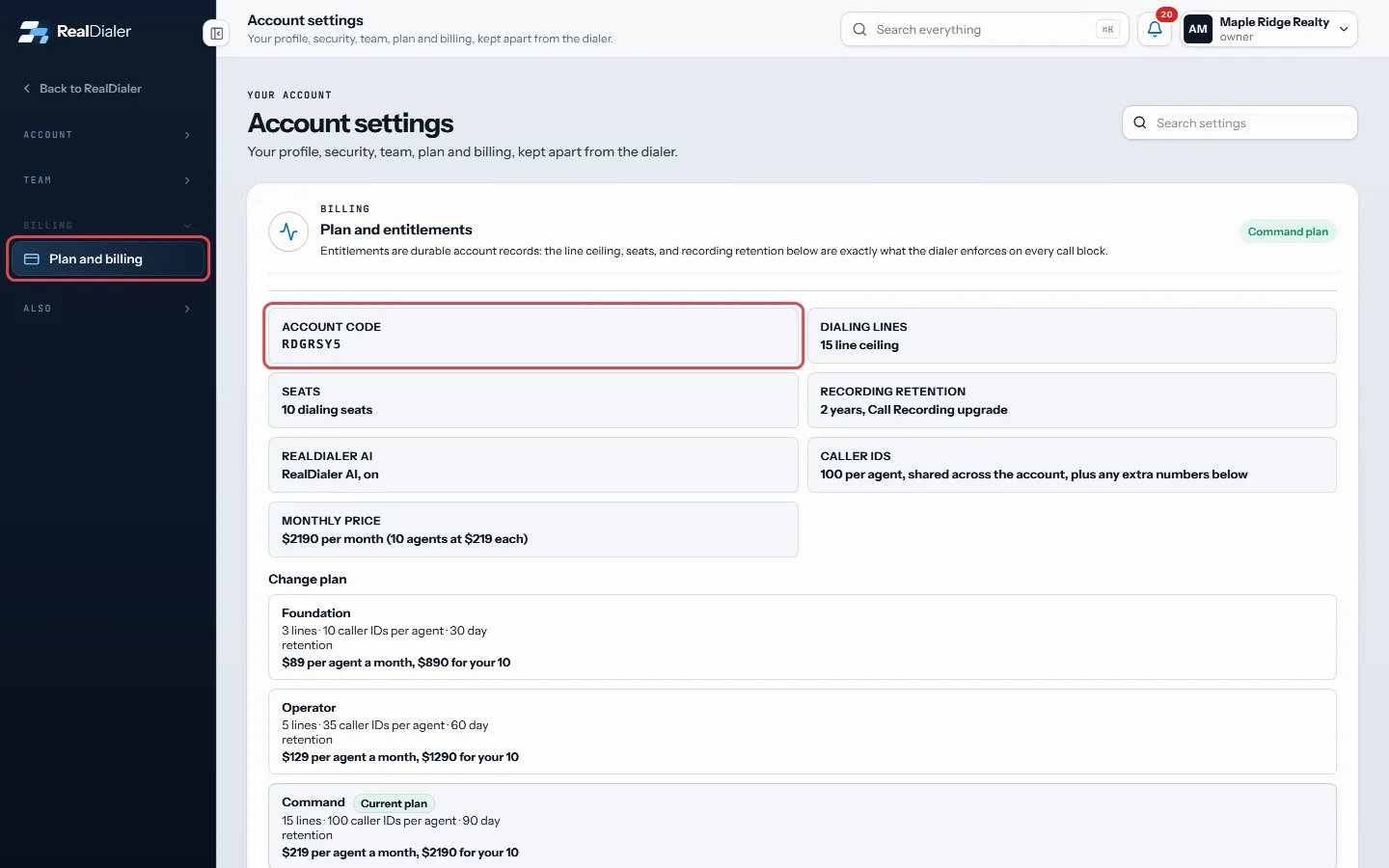
Your account code, starting with RD, is on Plan and billing - Your coach makes a free account at coach.realdialer.com and sends a request with your code.
- A banner appears in RealDialer saying the coach asked to coach you. Press Review the request, or open Coaches.
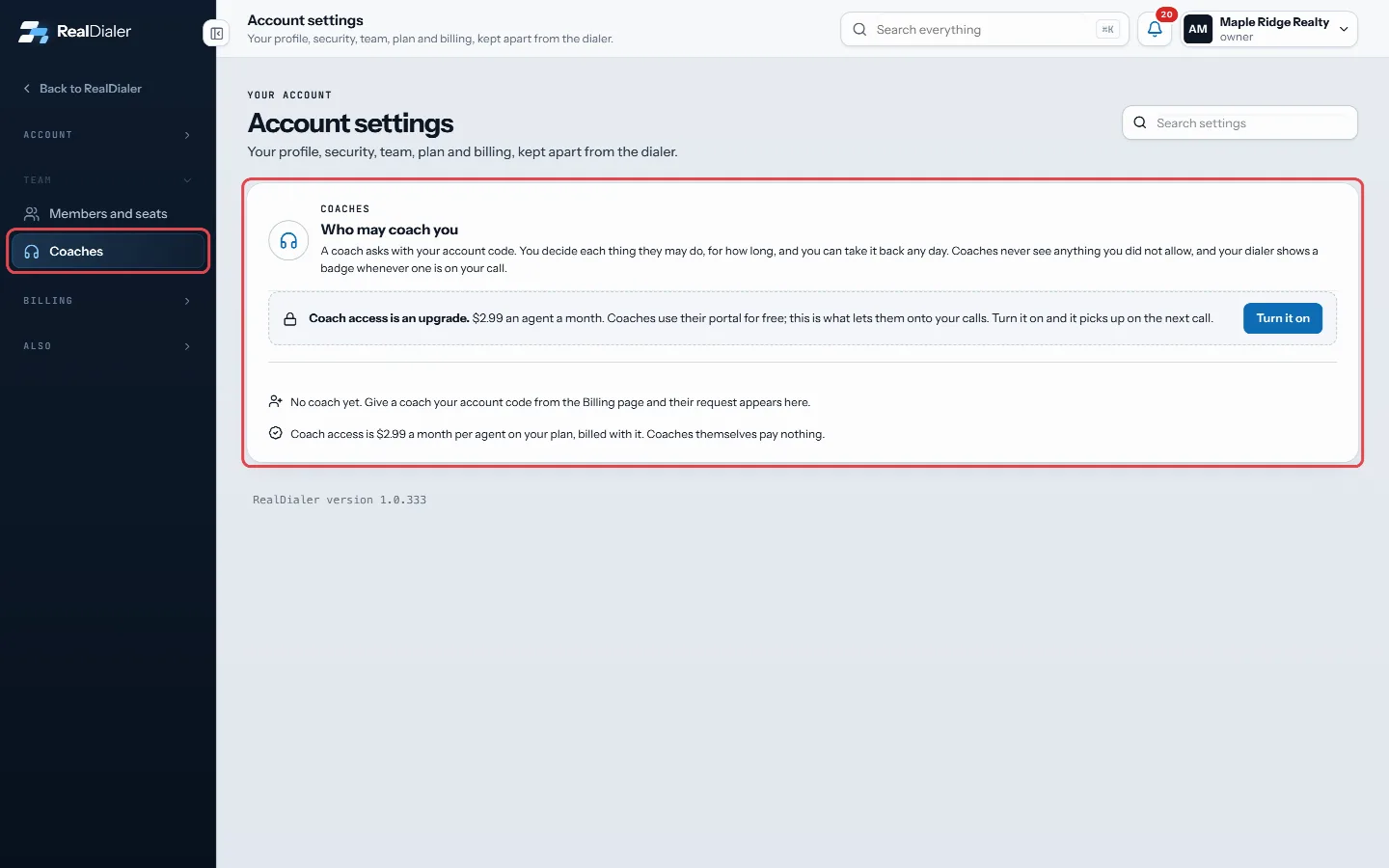
Settings, Coaches: requests and coaches with access show here - Tick only the permissions you want to allow.
- Choose When (Weekdays 8am to 6pm, Any time, or Only while they are watching) and For how long (30 days, 90 days, or Until I revoke it).
- Press Accept with these permissions, or Decline.
Good to know
- Permissions include Listen to live calls, Whisper during calls (only you hear the coach), Join calls (the prospect hears the coach too), Play recordings, Read the live transcript, Read saved transcripts and summaries, See caller stats and reports, and See who is on the call.
- Whisper and Join need Listen to live calls to be allowed first.
- Every time the coach listens, whispers or joins a call, it is written to your account log with the time and the call.
- An owner or manager on a team can also choose which teammates the coach may coach.
- Coaches never see anything you did not allow.
Was this guide helpful?
Thanks. It helps us make these better.
Next in Team
Remove or disable a teammateWhen someone leaves, you disable their seat. That frees the seat, signs them out everywhere, and stops their numbers from dialing. Their history stays on the acTeam roles and what each can doEvery person on a RealDialer account has one of three roles. There is no permission matrix to configure. The role decides what they can see and change.Add a teammateEveryone who dials on your account gets their own sign in, their own numbers and their own call history. You add a person by creating an invite link and giving
Still stuck? Write to support@realdialer.com, or open Support from inside RealDialer.