What it is
A seat is one person who can dial on your account. Your plan pays for a set number of seats. The count at the top of Members and seats shows how many are used, for example “3 of 5 seats used”.
Where to find it
Settings > Team > Members and seats. The seat count sits at the top right.
Steps
- Open Members and seats and read the seat count.
- If all seats are taken and you need one, either disable a seat you no longer need, or add seats to your plan.
- To add seats, the account owner opens Settings > Billing > Plan and billing.
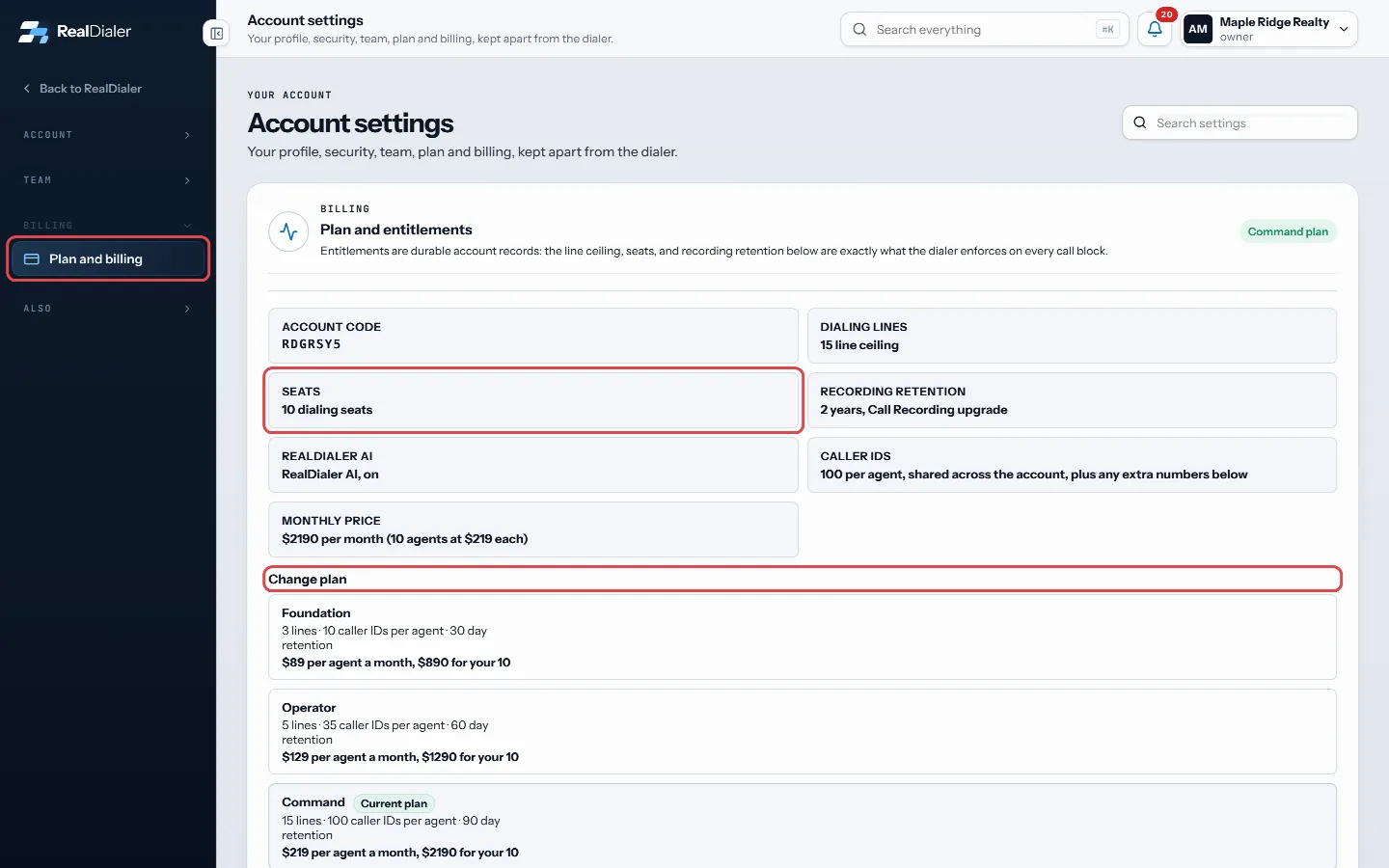
Plan and billing: the seats on the plan, and Change plan
Good to know
- A seat is spoken for the moment you create an invite link, not when the person accepts. Open invites count.
- A disabled seat goes back to your plan, so you can give it to somebody else without upgrading.
- When every seat is used, the count turns to a warning and Create invite link explains why it is unavailable.
- Plans are priced per agent each month: Foundation $89, Operator $129, Command $219.
- Only the owner can change billing and the plan.
Was this guide helpful?
Thanks. It helps us make these better.
Next in Team
Let a coach listen to your callsA coach you choose can listen to your live calls, whisper to you during a call, or join the call, from the free coach portal at coach.realdialer.com. The coach Remove or disable a teammateWhen someone leaves, you disable their seat. That frees the seat, signs them out everywhere, and stops their numbers from dialing. Their history stays on the acTeam roles and what each can doEvery person on a RealDialer account has one of three roles. There is no permission matrix to configure. The role decides what they can see and change.
Still stuck? Write to support@realdialer.com, or open Support from inside RealDialer.