What it is
Your why is the reason you pick up the phone. It can be a photo, like your family, your dream house or a goal, and a short line in your own words. It comes with your nudges when you need the push.
Where to find it
Settings > Account > Accountability alarm > My why
Steps
- Under My why, press Choose a photo and pick an image.
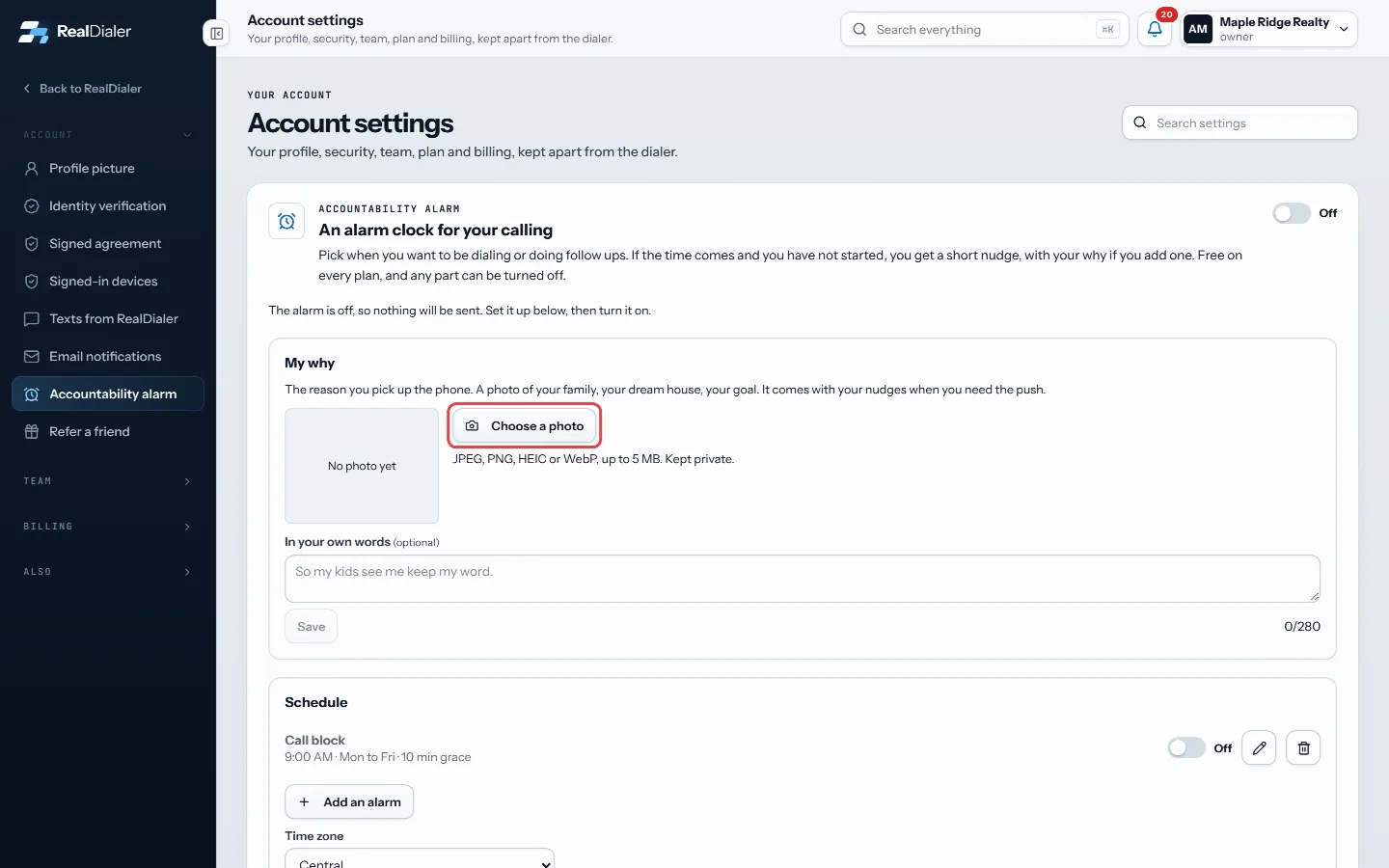
Under My why, press Choose a photo - Wait for “Your why photo is saved.”
- Optional: type a line under In your own words, such as “So my kids see me keep my word.” Press Save.
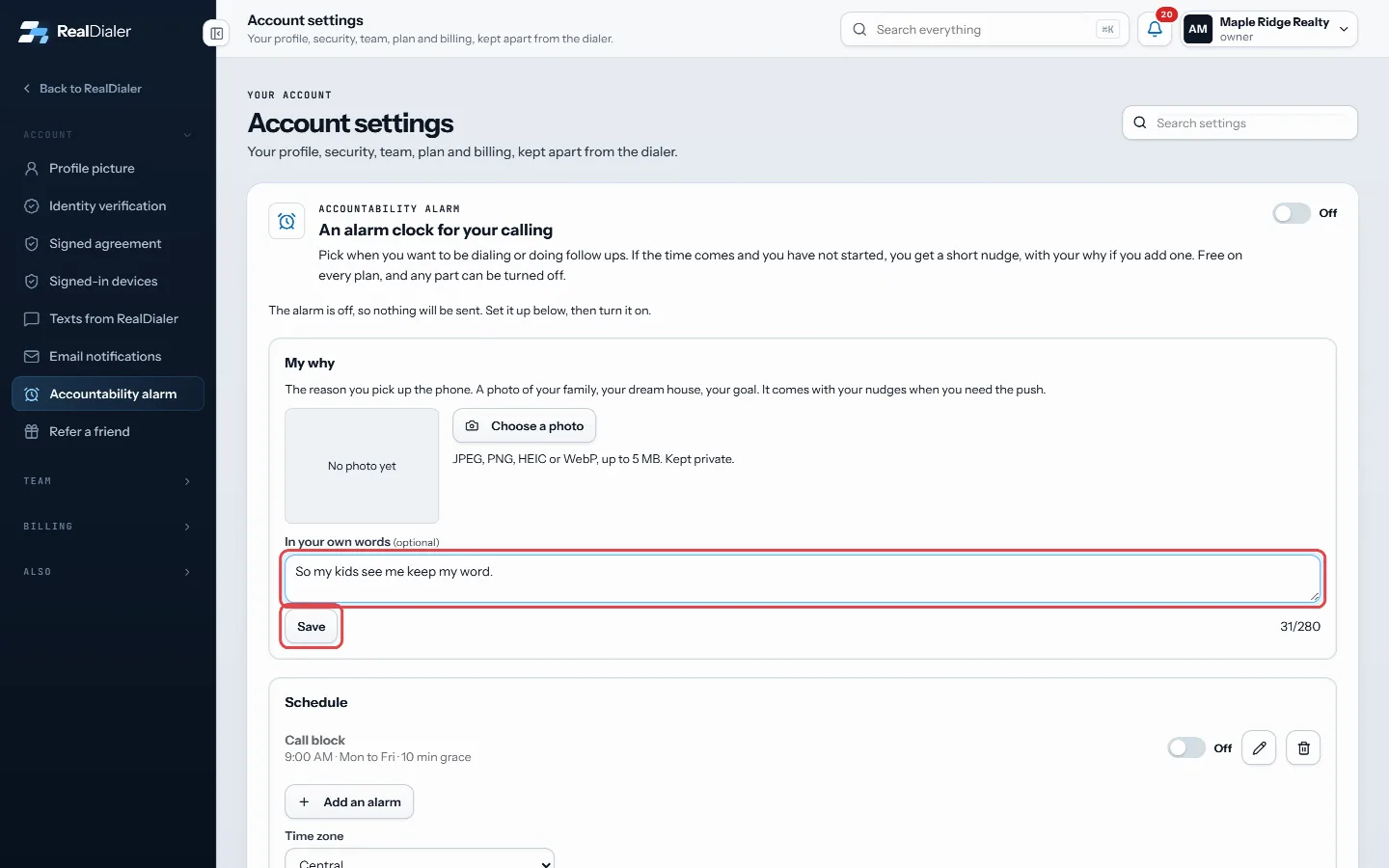
Type a line under In your own words and press Save - Under How to reach you, make sure Include my why photo is switched on if you want the photo sent with nudges.
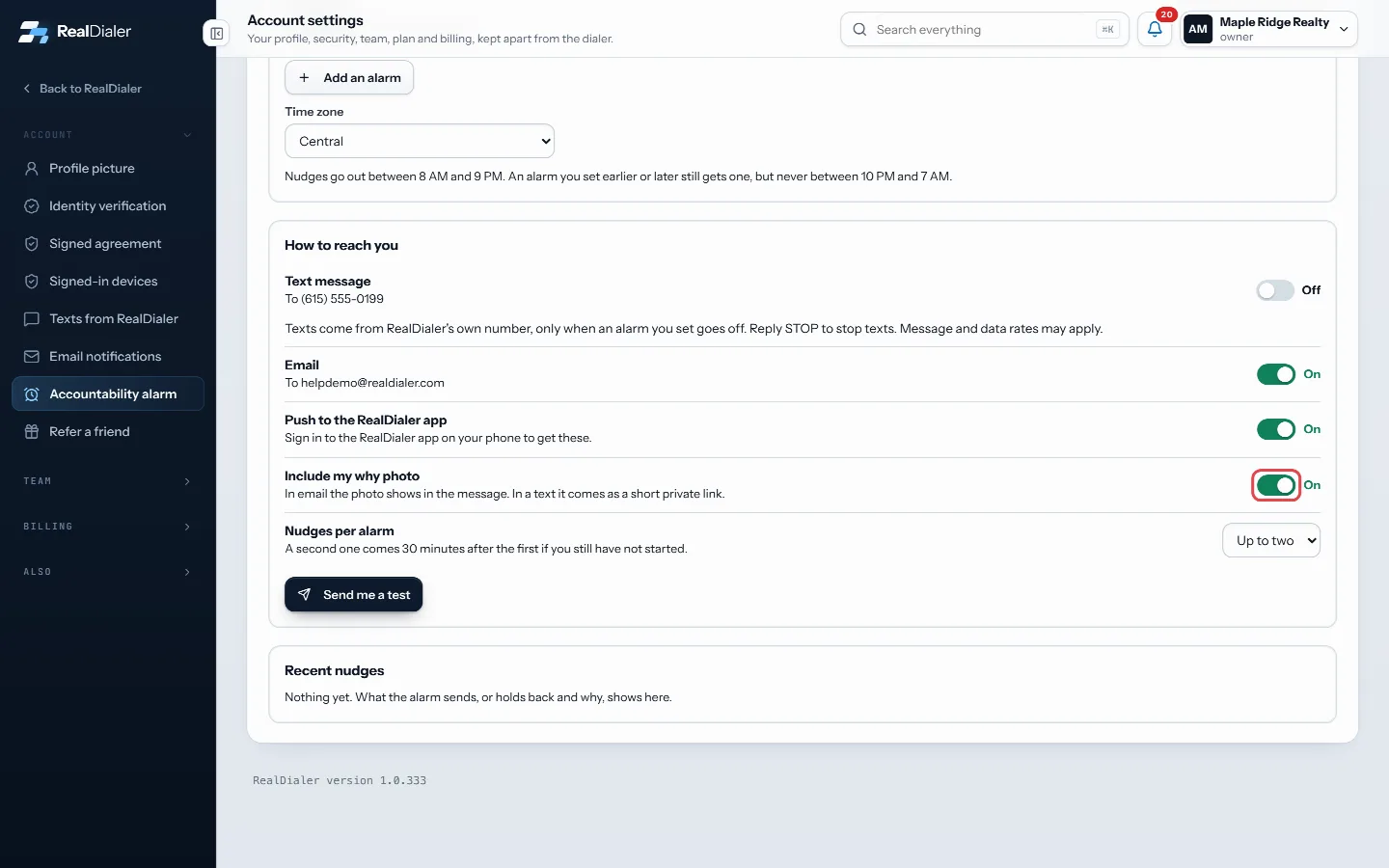
Make sure Include my why photo is on - To change the photo, press Replace photo. To take it off, press Remove.
Good to know
- Photos can be JPEG, PNG, HEIC or WebP, up to 5 MB. They are kept private.
- Your words can be up to 280 characters. A counter shows how many you have used.
- In an email nudge the photo shows inside the message. In a text it comes as a short private link.
- If your browser cannot preview a HEIC photo, the page still says it is saved, and your nudges will include it.
- Your why is optional. The alarm works without it.
Was this guide helpful?
Thanks. It helps us make these better.
Next in Account settings
Check your ID review or resubmitAfter you submit your ID, the Identity verification page shows where the review stands. If something was unclear, RealDialer sends it back with a note so you caChoose how accountability nudges reach youNudges can reach you by text message, by email, and by push to the RealDialer app on your phone. You switch each one on or off, choose whether your why photo coChoose what RealDialer texts youRealDialer may text account notices, like an outage, a billing problem or a change to your account, to the mobile number on your profile. Product news and offer
Still stuck? Write to support@realdialer.com, or open Support from inside RealDialer.