What it is
RealDialer may text account notices, like an outage, a billing problem or a change to your account, to the mobile number on your profile. Product news and offers are only texted if you tick a box. This page is where you tick or untick it.
Where to find it
Settings > Account > Texts from RealDialer
Steps
- Open Settings, then choose Texts from RealDialer under Account.
- Check the Mobile number shown. If you have more than one, pick one from the list.
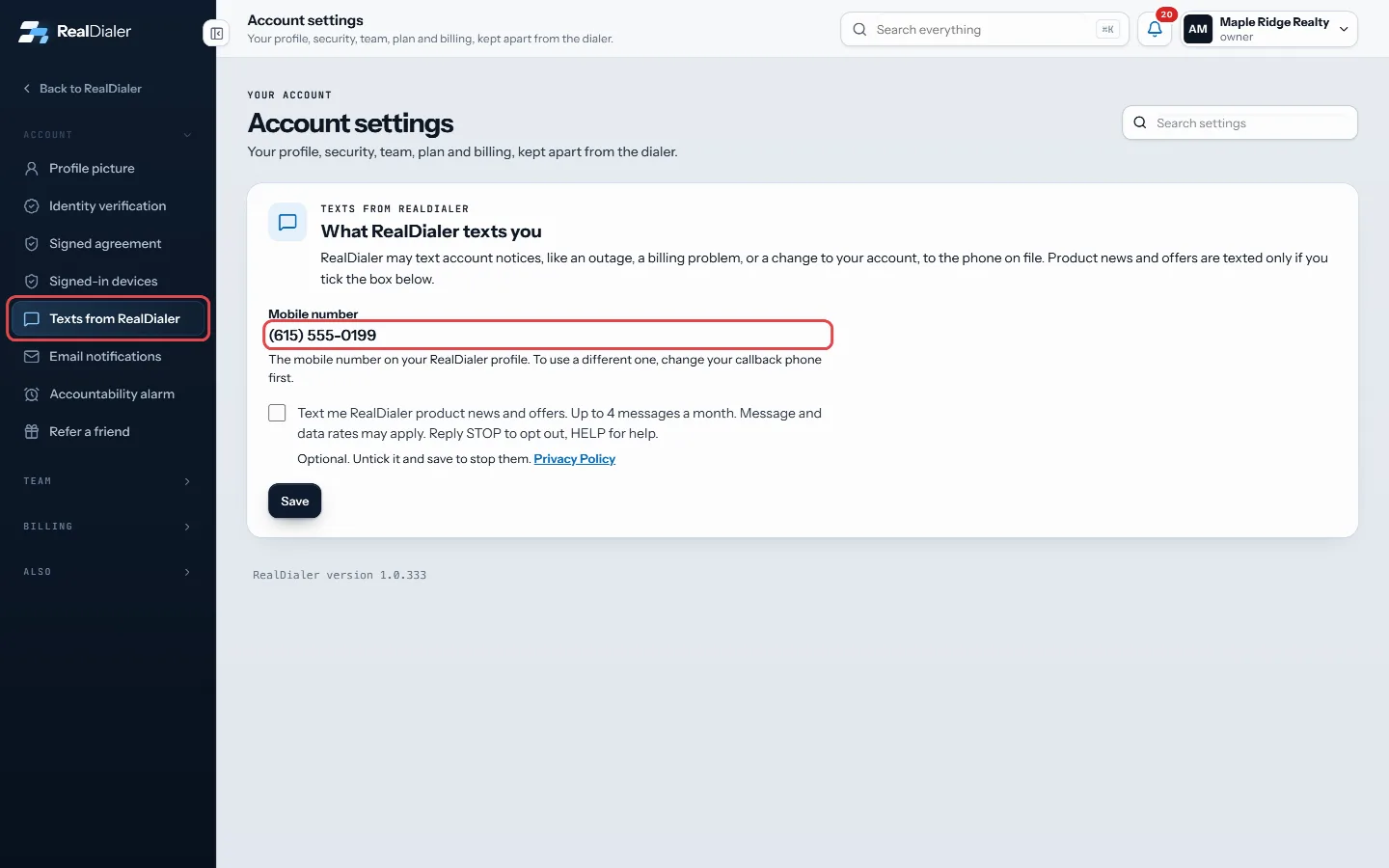
Open Texts from RealDialer and check the mobile number shown - Tick the box to get product news and offers, or untick it to stop them.
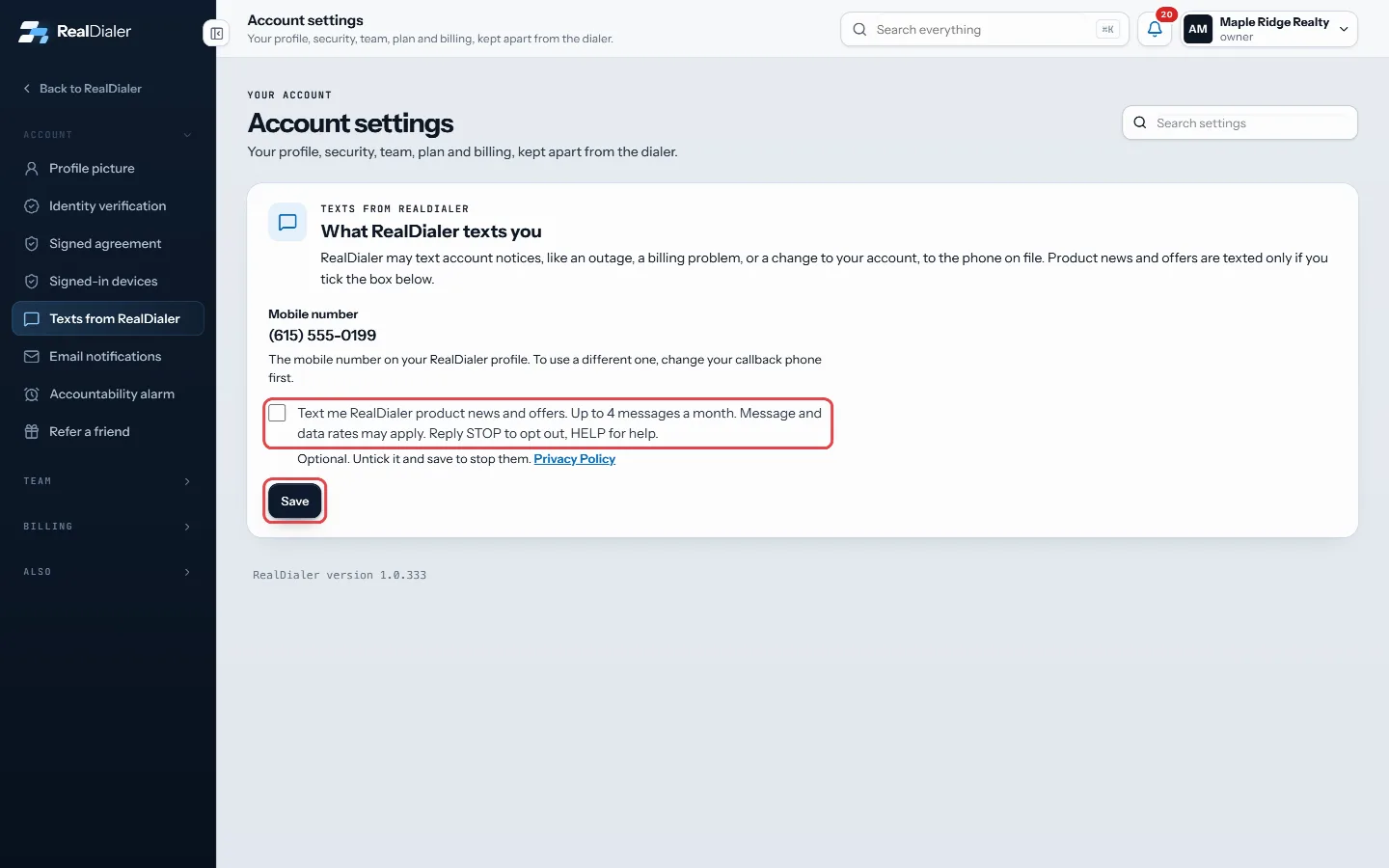
Tick or untick the box, then press Save - Press Save.
Good to know
- Product news and offers are up to 4 messages a month. Message and data rates may apply.
- Reply STOP to any RealDialer text to opt out, or HELP for help.
- If you texted STOP, the page says so and the box is locked. Text START to the number shown to get texts again.
- The number comes from your callback phone. To use a different one, change your callback phone first, which you do when you set up the Dialer.
- If there is no mobile number yet, add a callback phone in Dialer setup, then come back.
- These are texts from RealDialer to you. They are not the texts you send to your contacts.
Was this guide helpful?
Thanks. It helps us make these better.
Next in Account settings
Download your signed agreementWhen you first signed in, you signed the RealDialer Customer Agreement and Privacy Policy electronically. This page shows who signed, when, for which account, aSee and sign out signed-in devicesThis page lists the browsers and apps that are signed in to your RealDialer account, with when each was last active. You can sign any of them out, or all of theSkip today or snooze the accountability alarmTaking a day off or going on vacation? Instead of turning the alarm off and setting it up again later, you can skip today or snooze it for a week. Your alarms a
Still stuck? Write to support@realdialer.com, or open Support from inside RealDialer.