What it is
RealDialer keeps two pictures. Your own picture shows on your account button, in the team list, and to any coach you have accepted. The account picture is a logo or team photo that everyone on the account sees on the workspace picker.
Where to find it
Settings > Account > Profile picture
Steps
- Open Settings, then choose Profile picture under Account.
- In the YOU block, press Choose a picture (or Change picture if you already have one).
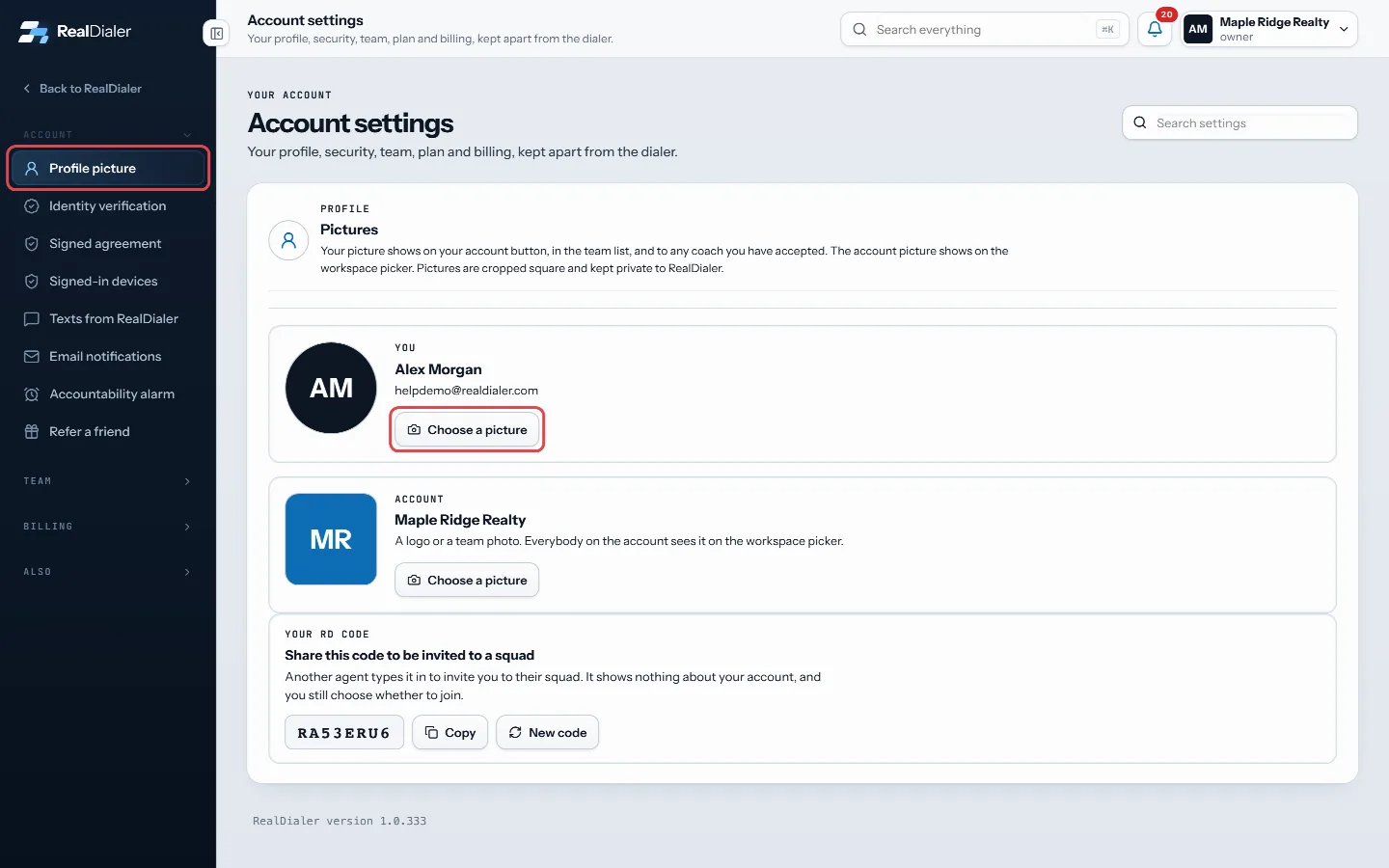
Open Profile picture, then press Choose a picture in the YOU block - Pick a PNG, JPEG or WebP image from your computer or phone.
- Wait for Saving… to finish. The new picture shows right away.
- To set the account picture, do the same in the ACCOUNT block.
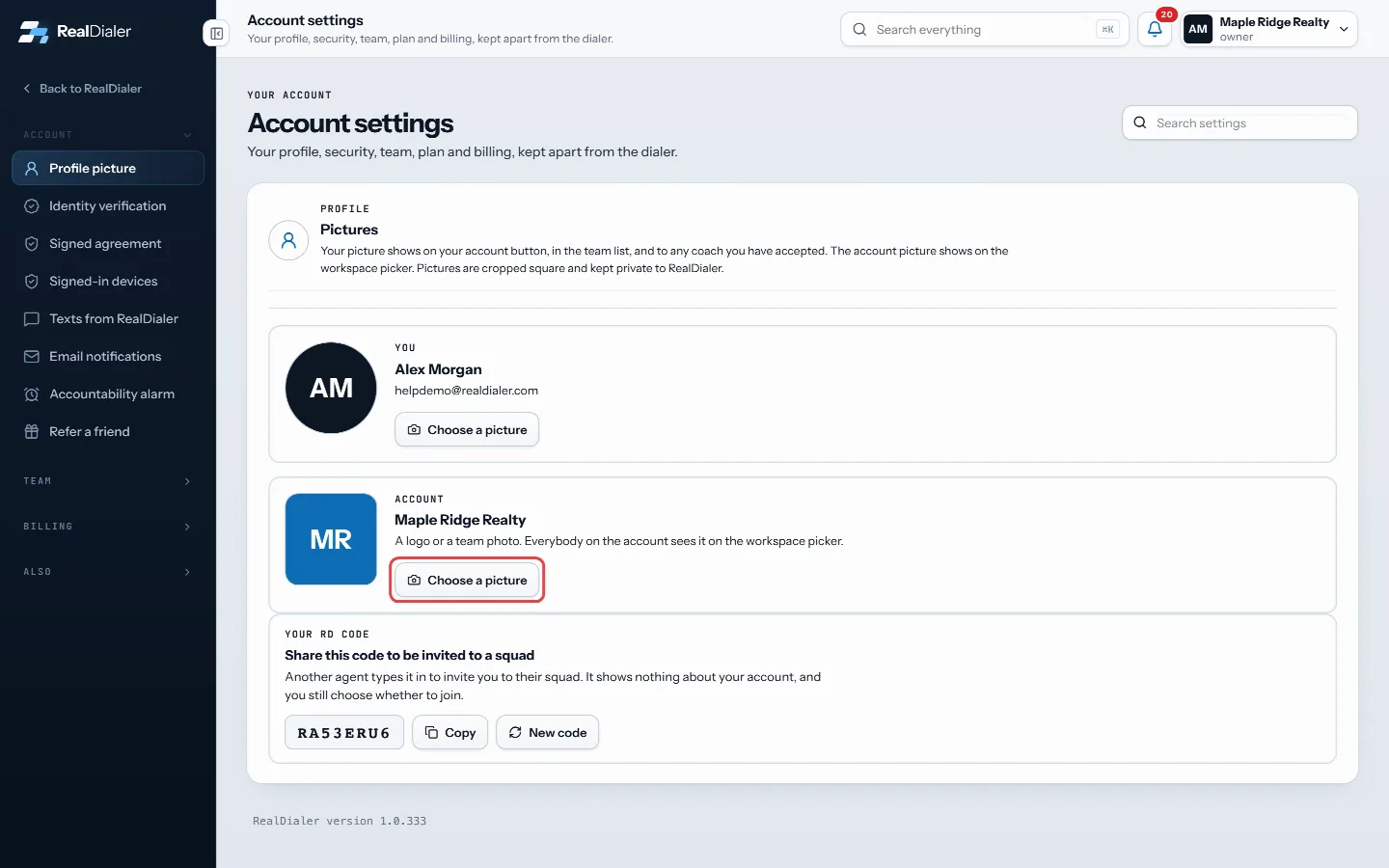
Do the same in the ACCOUNT block for the account picture - To take a picture off, press Remove next to it.
Good to know
- Pictures are cropped square and kept private to RealDialer.
- Anyone can change their own picture. Only the account owner or a manager can change the account picture. Everyone else sees “Only the account owner or a manager can change this.”
- If you do not add a picture, RealDialer shows your initials instead.
- The picture a coach sees on the coach portal is the same picture you set here.
Was this guide helpful?
Thanks. It helps us make these better.
Next in Account settings
Add or edit accountability alarmsAn alarm is a time you plan to be working. When the grace period after that time runs out and you have not started, you get a nudge. There are three types of alAdd your why to the accountability alarmYour why is the reason you pick up the phone. It can be a photo, like your family, your dream house or a goal, and a short line in your own words. It comes withCheck your ID review or resubmitAfter you submit your ID, the Identity verification page shows where the review stands. If something was unclear, RealDialer sends it back with a note so you ca
Still stuck? Write to support@realdialer.com, or open Support from inside RealDialer.