What it is
This page lists the browsers and apps that are signed in to your RealDialer account, with when each was last active. You can sign any of them out, or all of them at once. Calling sessions and phone numbers are not devices and do not show here.
Where to find it
Settings > Account > Signed-in devices
Steps
- Open Settings, then choose Signed-in devices under Account.
- Look through the list. The one you are using now is marked This device.
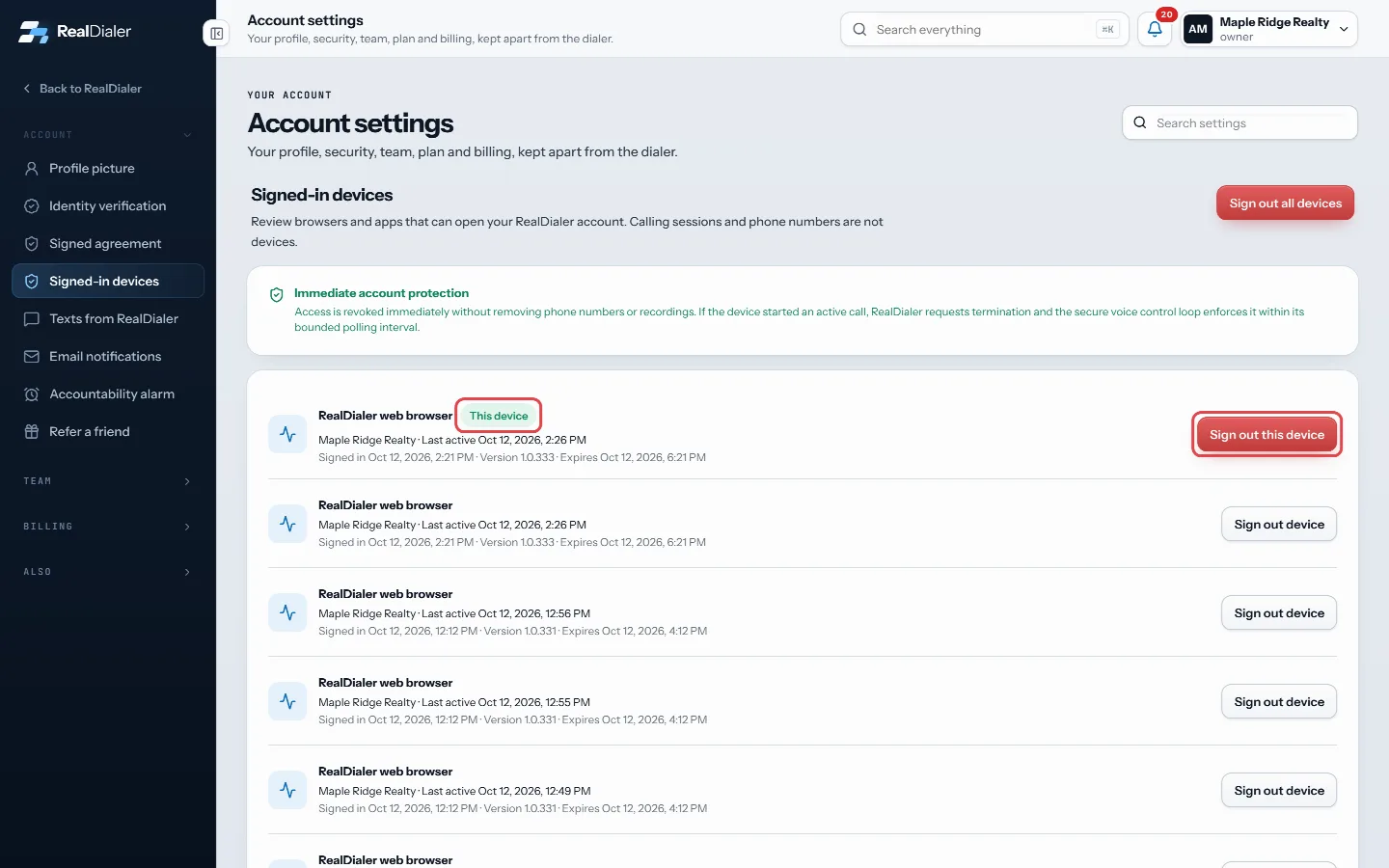
The one you are using is marked This device, with Sign out this device on its row - To sign out one device, press Sign out device on its row and confirm.
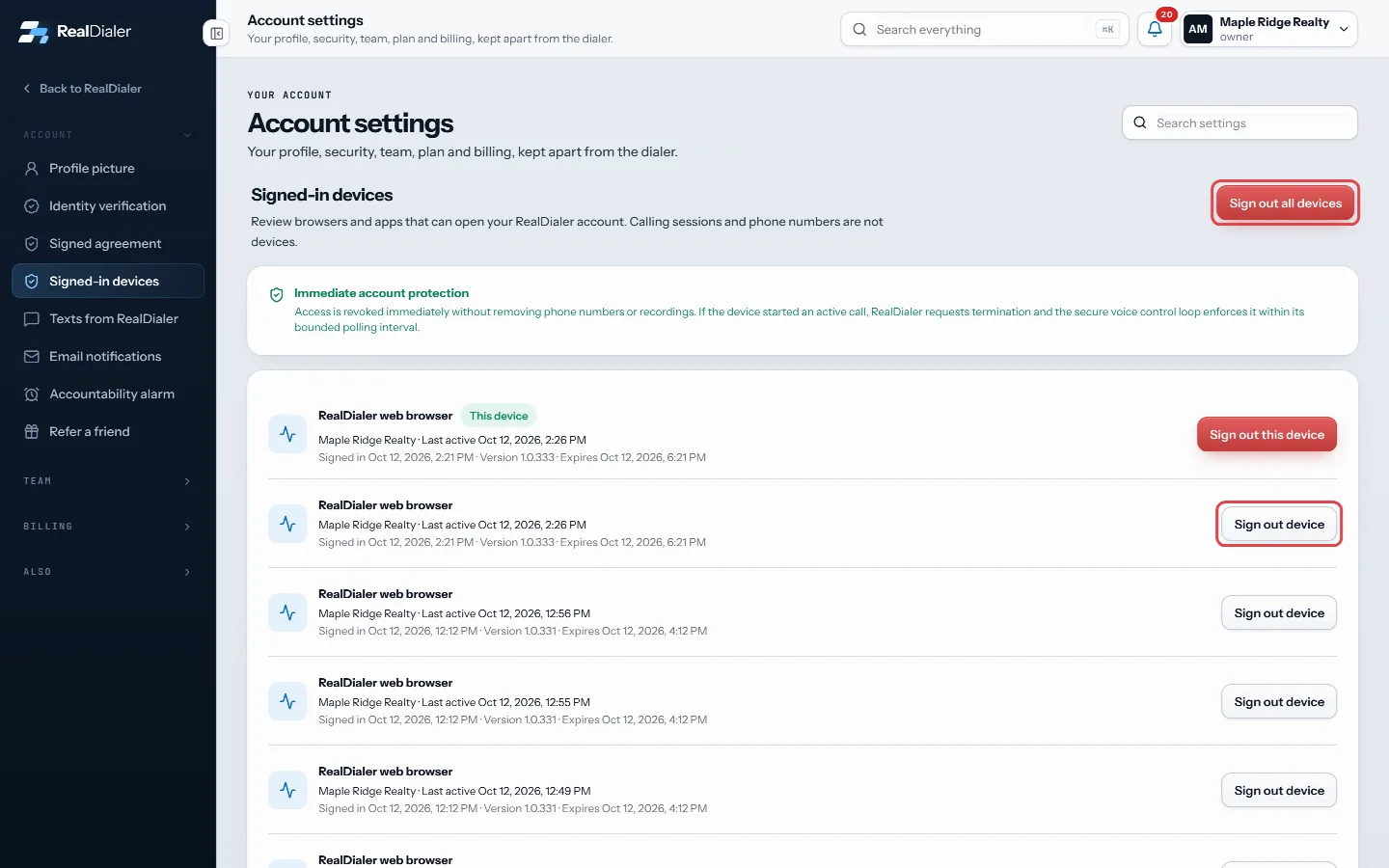
Sign out one device on its row, or every device at the top - To sign out the device you are on, press Sign out this device.
- To sign out everywhere, press Sign out all devices at the top and confirm.
Good to know
- Access is cut off immediately. Your phone numbers and recordings are not touched.
- If a device was on a call, RealDialer asks for that call to end as well.
- Each row shows the IP address, last active time, when it signed in, and when the sign in expires.
- Lost a phone or laptop? Sign it out here, then change your password.
- Signing out all devices includes the one you are using, so you will need to sign in again.
Was this guide helpful?
Thanks. It helps us make these better.
Next in Account settings
Skip today or snooze the accountability alarmTaking a day off or going on vacation? Instead of turning the alarm off and setting it up again later, you can skip today or snooze it for a week. Your alarms aTake your ID photos on your phoneIf your computer has no camera, or it is just easier on your phone, you can scan a QR code and take the three identity photos on your phone. They appear on yourTurn on the accountability alarmThe accountability alarm is an alarm clock for your calling. You pick when you want to be dialing or doing follow ups. If that time comes and you have not start
Still stuck? Write to support@realdialer.com, or open Support from inside RealDialer.