What it is
Everything about a campaign can be changed after it exists: its name, type, status, how it dials, the call results the agent sees, its goal, end date, groups and description. When a campaign is finished, you archive it. Campaigns are never deleted.
Where to find it
Campaigns > open a campaign > Edit or Archive.
Steps
- Open the campaign from the Campaigns page.
- Click Edit, change what you need, and click Save campaign.
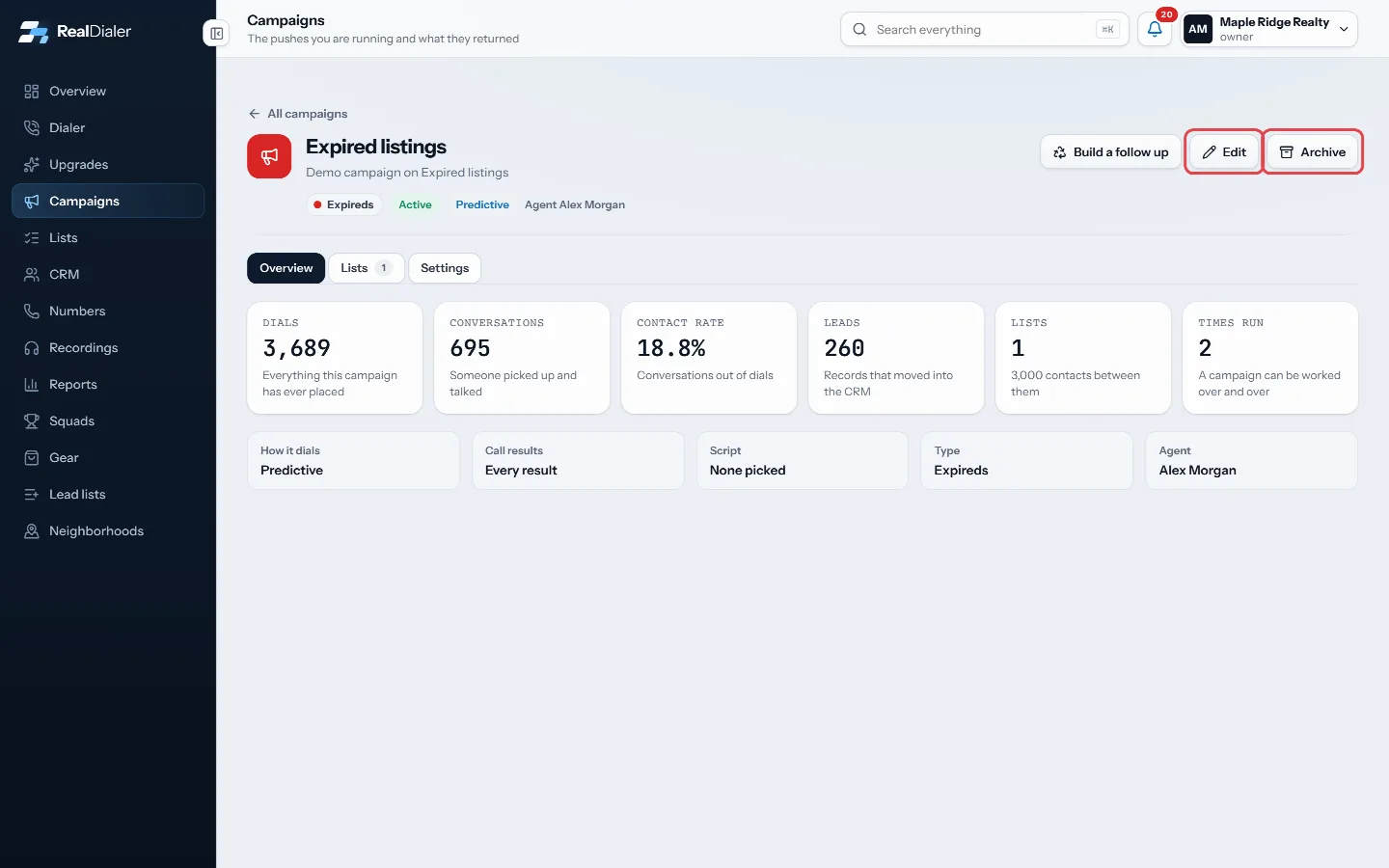
Edit and Archive at the top of the campaign - To pause or finish it, change Status to Paused or Completed in the edit form.
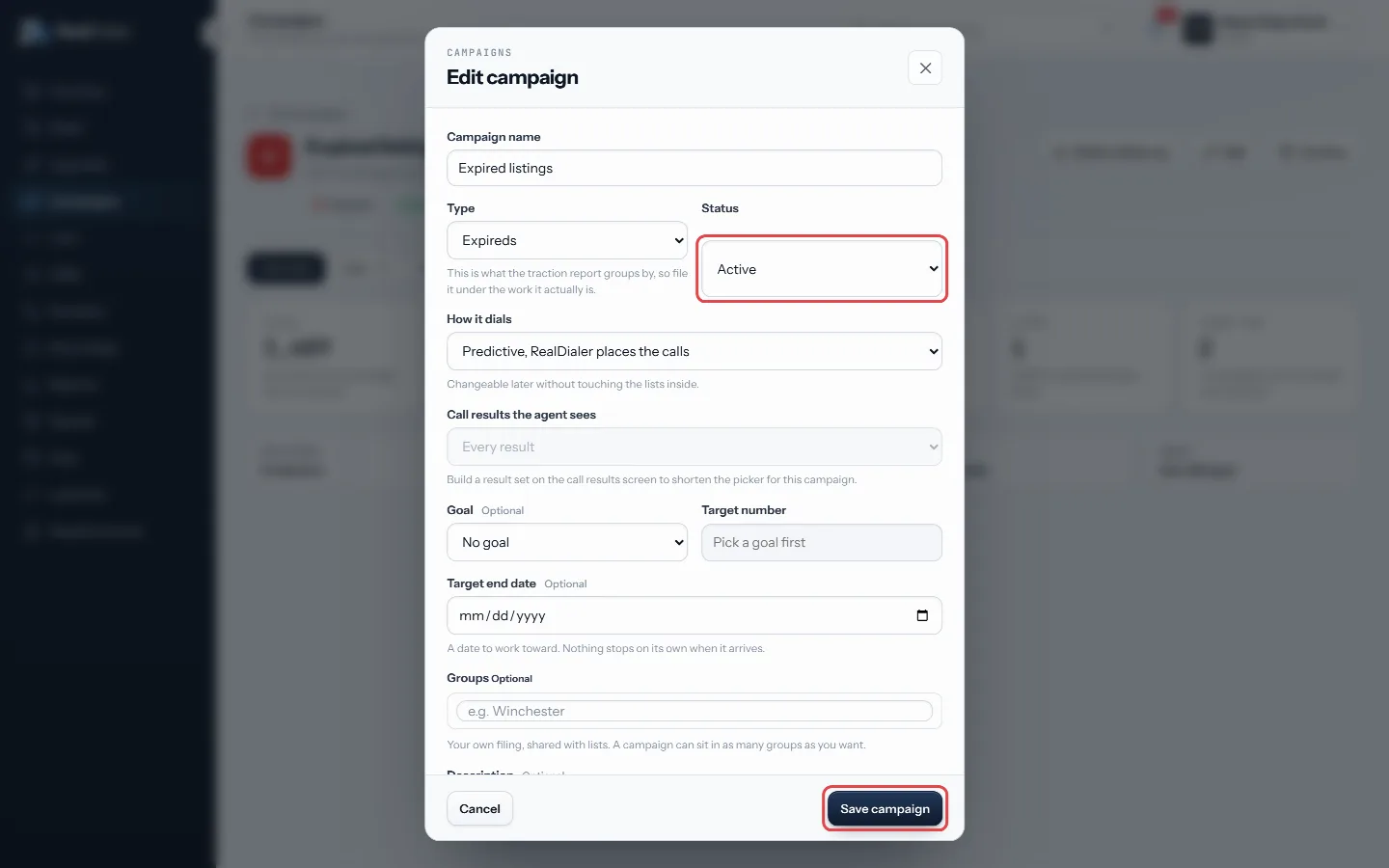
Change Status, then Save campaign - To put it away, click Archive.
Good to know
- Archived, never deleted. Everything a campaign learned is kept, so you can compare passes later. Pick Archived in the status menu on the Campaigns page to find it again.
- Call results the agent sees lets you attach a shorter result set built on the call results screen. Do not call and the two dead number results always stay on it.
- Goals can be Dials placed, Conversations, Leads created or Appointments set. Dials, conversations and leads show a progress bar. An appointments goal is written down but not measured yet.
- Predictive is in How it dials from your first day. While click to dial only is on, every campaign still runs one record at a time.
- Only an owner or manager can hand a campaign to a different agent.
Was this guide helpful?
Thanks. It helps us make these better.
Next in Campaigns
Group and filter campaignsGroups are your own free form filing for campaigns, like a city, a price band, or who is running it. A campaign can sit in as many groups as you like. Groups shSet how a campaign dialsEach campaign follows your account's dialer rules unless you give it something stricter. A campaign can never be looser than the account. This lets you work oneWhat a campaign isA campaign is a push at an audience. It holds the lists it works, a type that says what kind of work it is (Expireds, FSBO, Sphere and so on), and everything it
Still stuck? Write to support@realdialer.com, or open Support from inside RealDialer.