What it is
A new campaign takes three short steps: name it, pick the lists it should work, and choose how it runs. You can also build one in seconds from the Dialer when you are about to call.
Where to find it
Campaigns > New campaign. Or Dialer > Step 1, Audience > New campaign.
Steps
- On the Campaigns page, click New campaign.
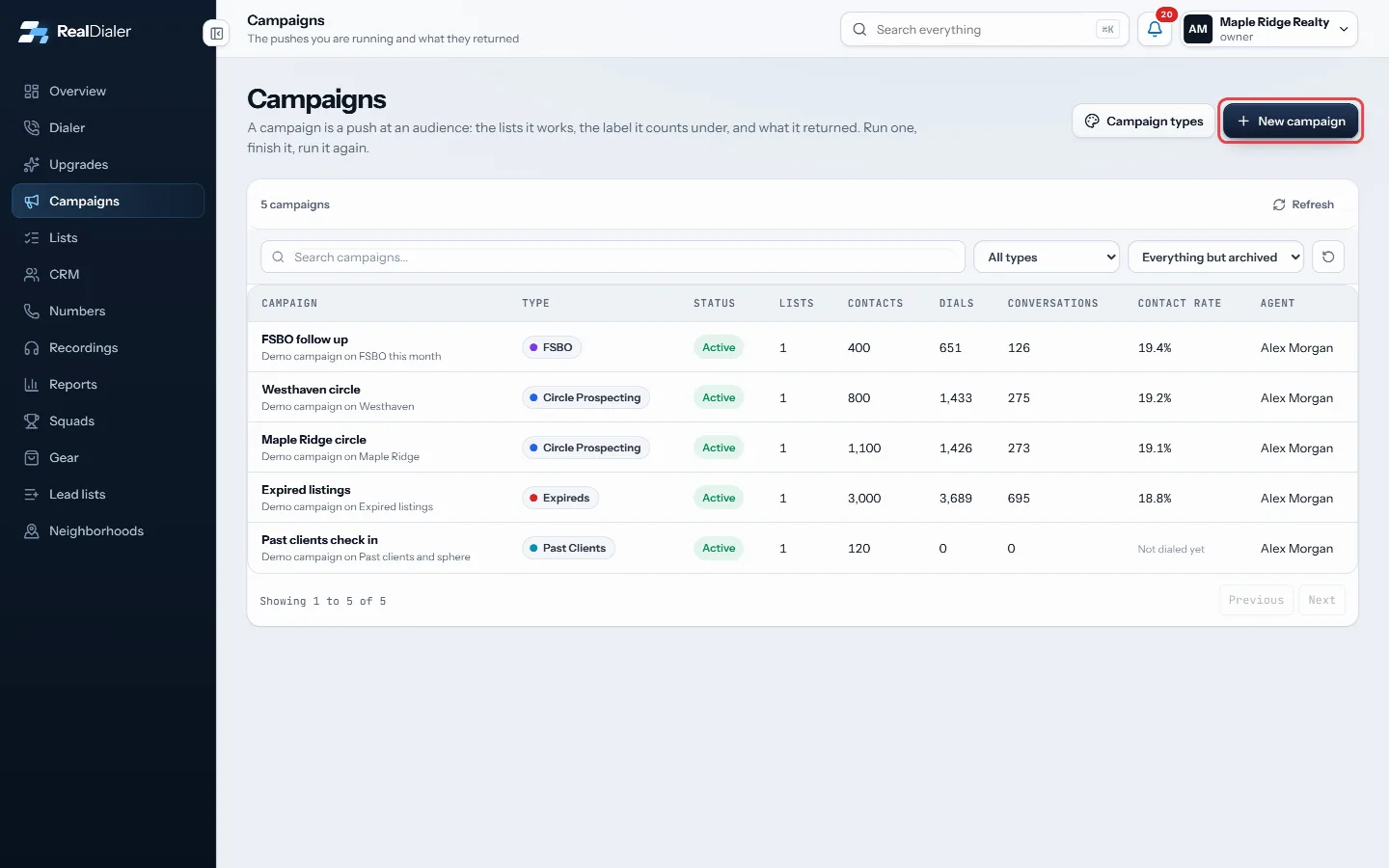
Click New campaign - Name it: type a campaign name, pick a type, add any groups, and an optional description. Click Continue.
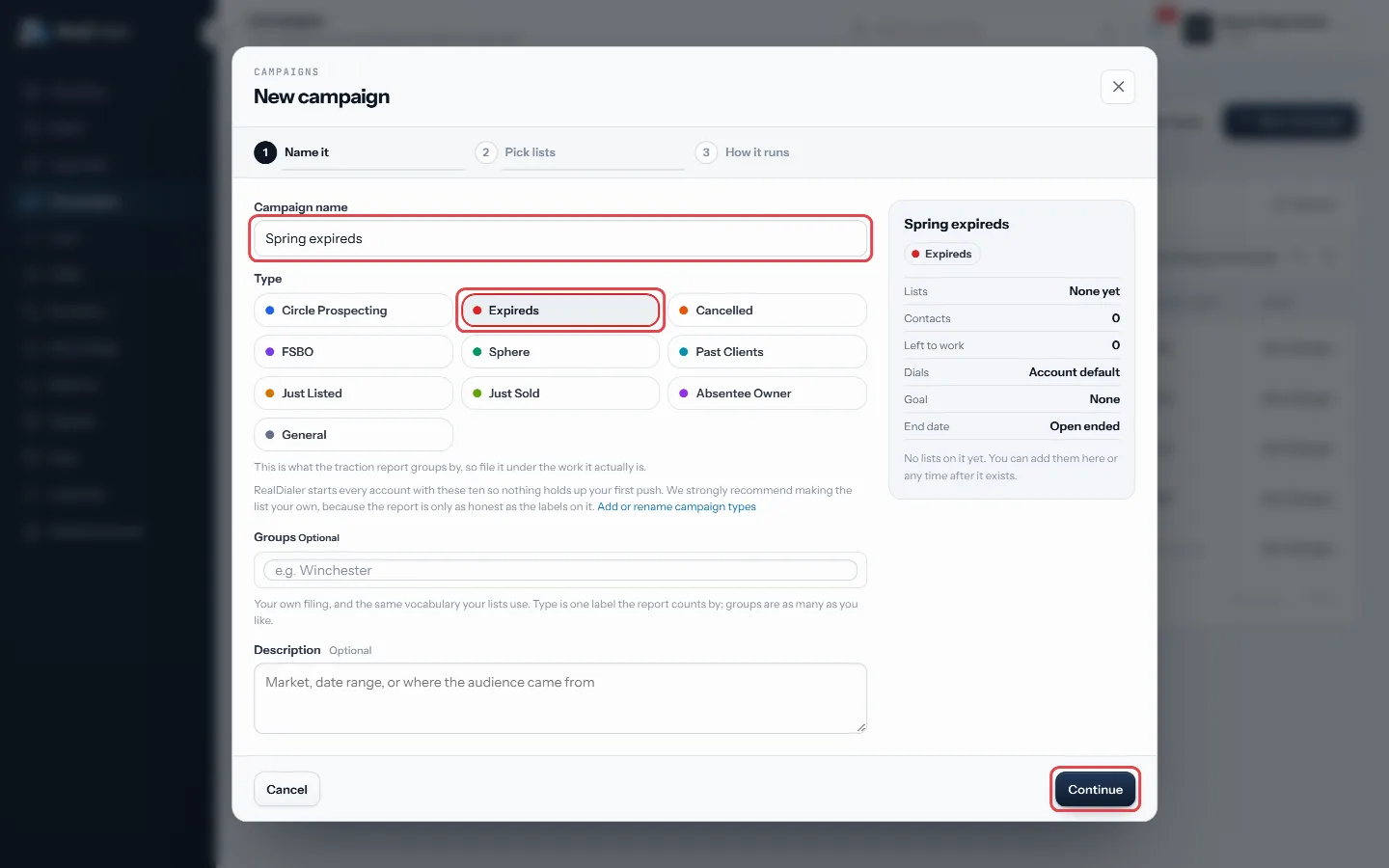
Name it, pick a type, then Continue - Pick lists: tick every list this campaign should work. Click Continue.
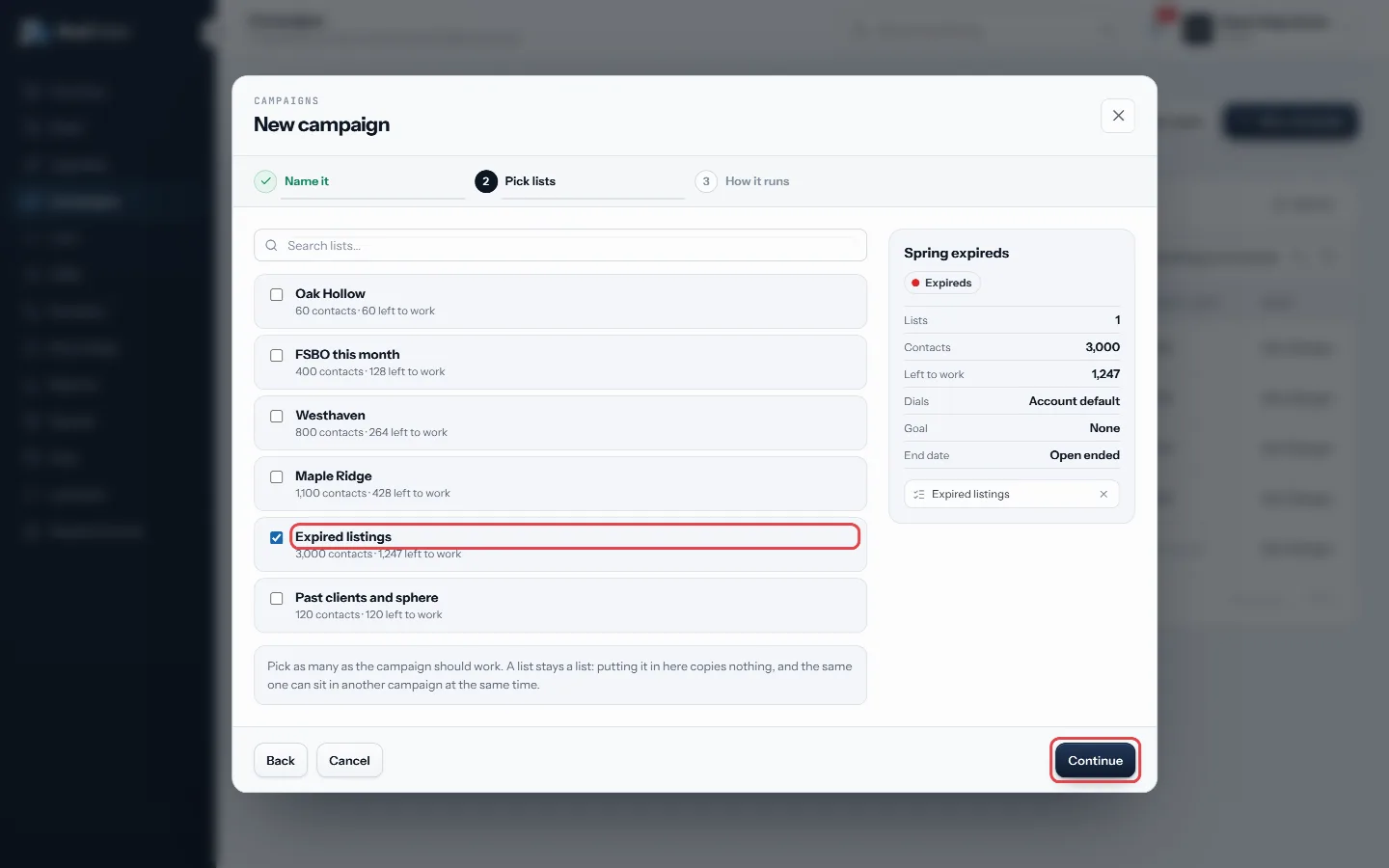
Tick the lists, then Continue - How it runs: choose Account default, Preview or Predictive, the call results the agent sees, an optional goal and target number, a target end date, and a status.
- Click Create campaign. It opens so you can review it.
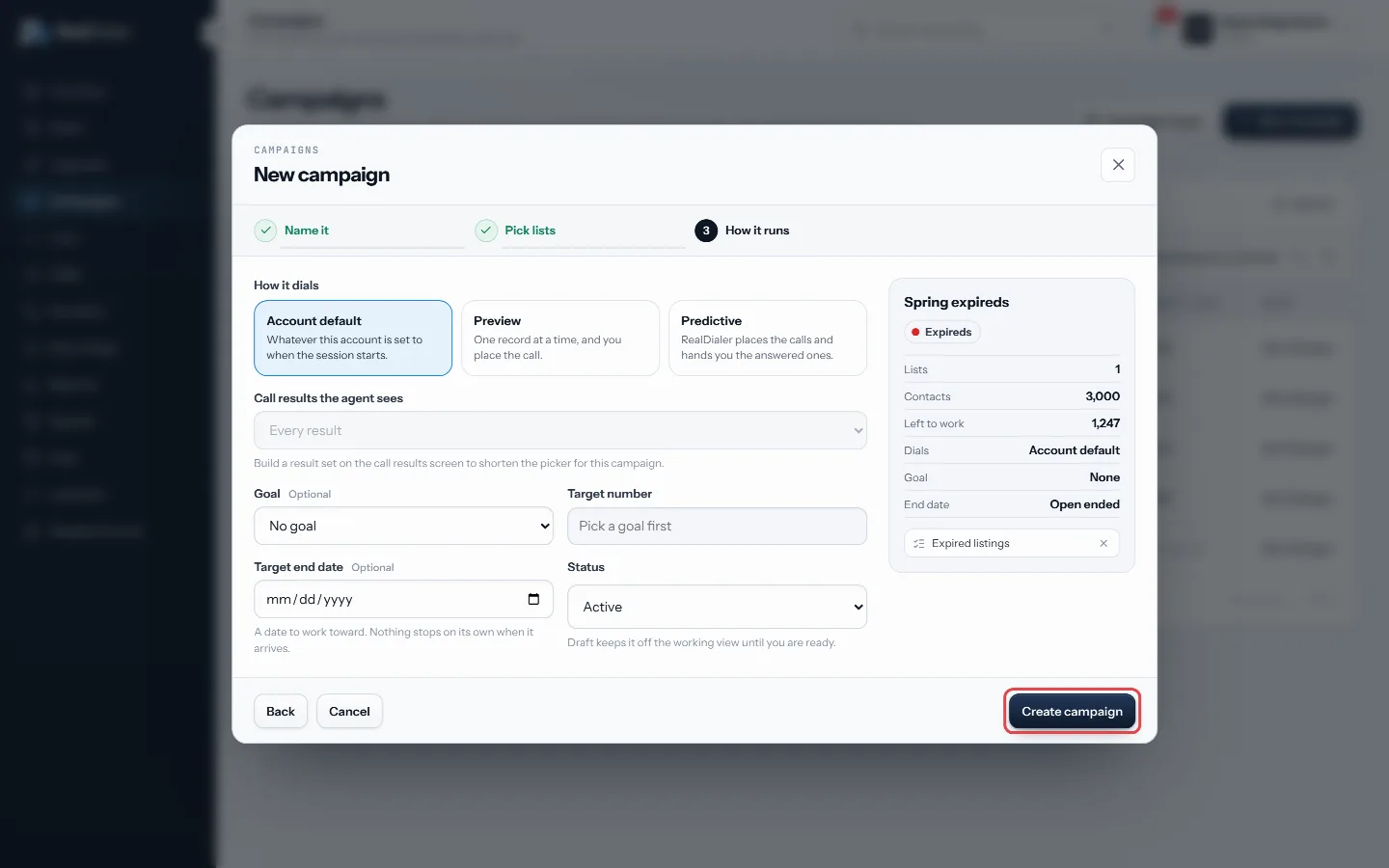
Choose how it runs, then Create campaign
Good to know
- From the Dialer, New campaign opens a faster picker. Search your lists, use Select all to take every match, keep or edit the suggested name, and press Create & call to land back on the Dialer with it selected.
- General is picked as the type if you choose nothing.
- Predictive is open from your first day. While click to dial only is on, every campaign still runs one record at a time.
- Draft keeps a campaign off the working view until you are ready.
- A target end date is only a goal. Nothing stops on its own when it arrives.
- Bad Numbers and other lists RealDialer keeps cannot be added, because nothing on them can be dialed.
- Only an owner or manager can assign a campaign to somebody else.
Was this guide helpful?
Thanks. It helps us make these better.
Next in Campaigns
Edit, pause or archive a campaignEverything about a campaign can be changed after it exists: its name, type, status, how it dials, the call results the agent sees, its goal, end date, groups anGroup and filter campaignsGroups are your own free form filing for campaigns, like a city, a price band, or who is running it. A campaign can sit in as many groups as you like. Groups shSet how a campaign dialsEach campaign follows your account's dialer rules unless you give it something stricter. A campaign can never be looser than the account. This lets you work one
Still stuck? Write to support@realdialer.com, or open Support from inside RealDialer.