What it is
Groups are your own free form filing for campaigns, like a city, a price band, or who is running it. A campaign can sit in as many groups as you like. Groups share one vocabulary with your list tags, so Winchester on a list and Winchester on a campaign are the same group.
Where to find it
Campaigns > the group chips above the table.
Steps
- To add groups, open a campaign and click Edit, or set them in the first step of New campaign. Type a group and press Enter.
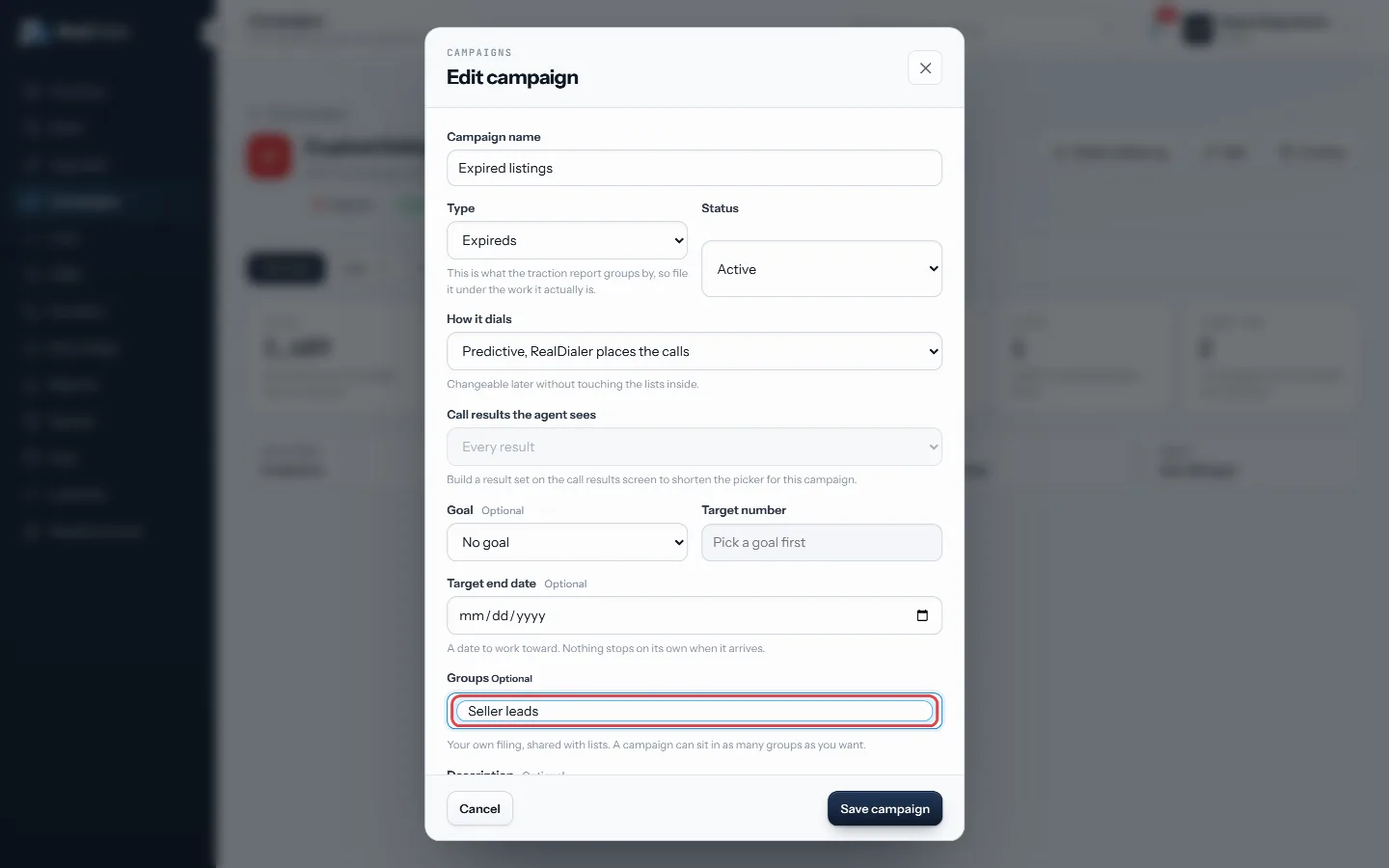
Edit the campaign, type a group and press Enter - On the Campaigns page, click a group chip to show only campaigns in that group. Click more chips to narrow further.
- Click Group by to section the table by group instead of paging it.
- Use Search campaigns, the type menu and the status menu to narrow the table, and the reset icon to clear everything.
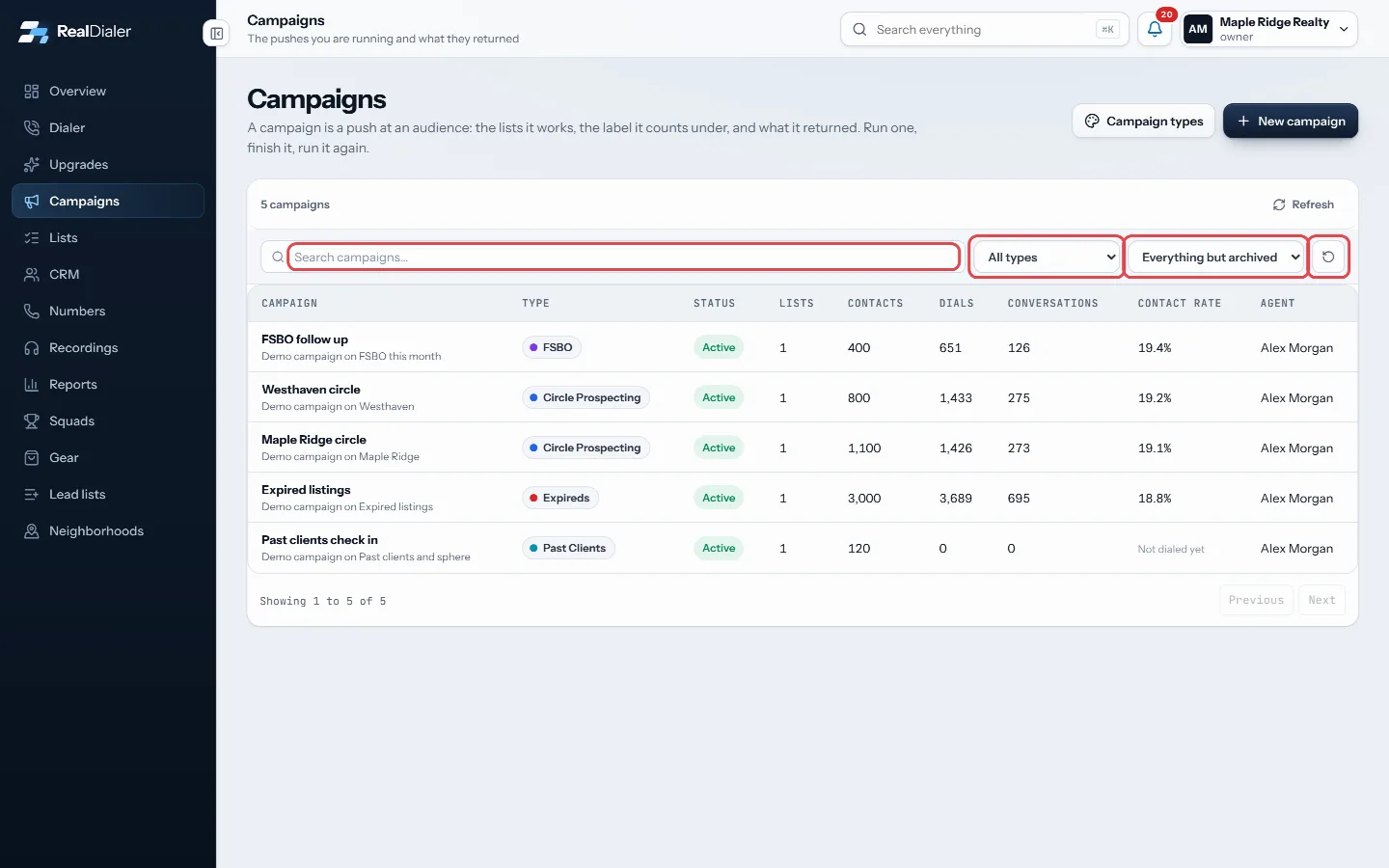
Search, type and status menus, and the reset icon
Good to know
- The group chips only appear once at least one campaign has a group.
- Each chip shows how many campaigns carry it across the whole account.
- A campaign in two groups appears in both sections when grouped.
- Refresh reloads the table.
Was this guide helpful?
Thanks. It helps us make these better.
Next in Campaigns
Set how a campaign dialsEach campaign follows your account's dialer rules unless you give it something stricter. A campaign can never be looser than the account. This lets you work oneWhat a campaign isA campaign is a push at an audience. It holds the lists it works, a type that says what kind of work it is (Expireds, FSBO, Sphere and so on), and everything itAdd or archive campaign typesCampaign types are the labels every campaign is filed under, and the lines your traction report is broken into. Every account starts with ten: Circle Prospectin
Still stuck? Write to support@realdialer.com, or open Support from inside RealDialer.