What it is
A campaign is a push at an audience. It holds the lists it works, a type that says what kind of work it is (Expireds, FSBO, Sphere and so on), and everything it returned. Every calling session on the Dialer starts from a campaign.
A campaign does not contain or copy a list. It points at lists, so the same list can sit in several campaigns at once and nothing is moved.
Where to find it
Campaigns in the left menu.
Steps
- Click Campaigns in the left menu to see every campaign on the account.
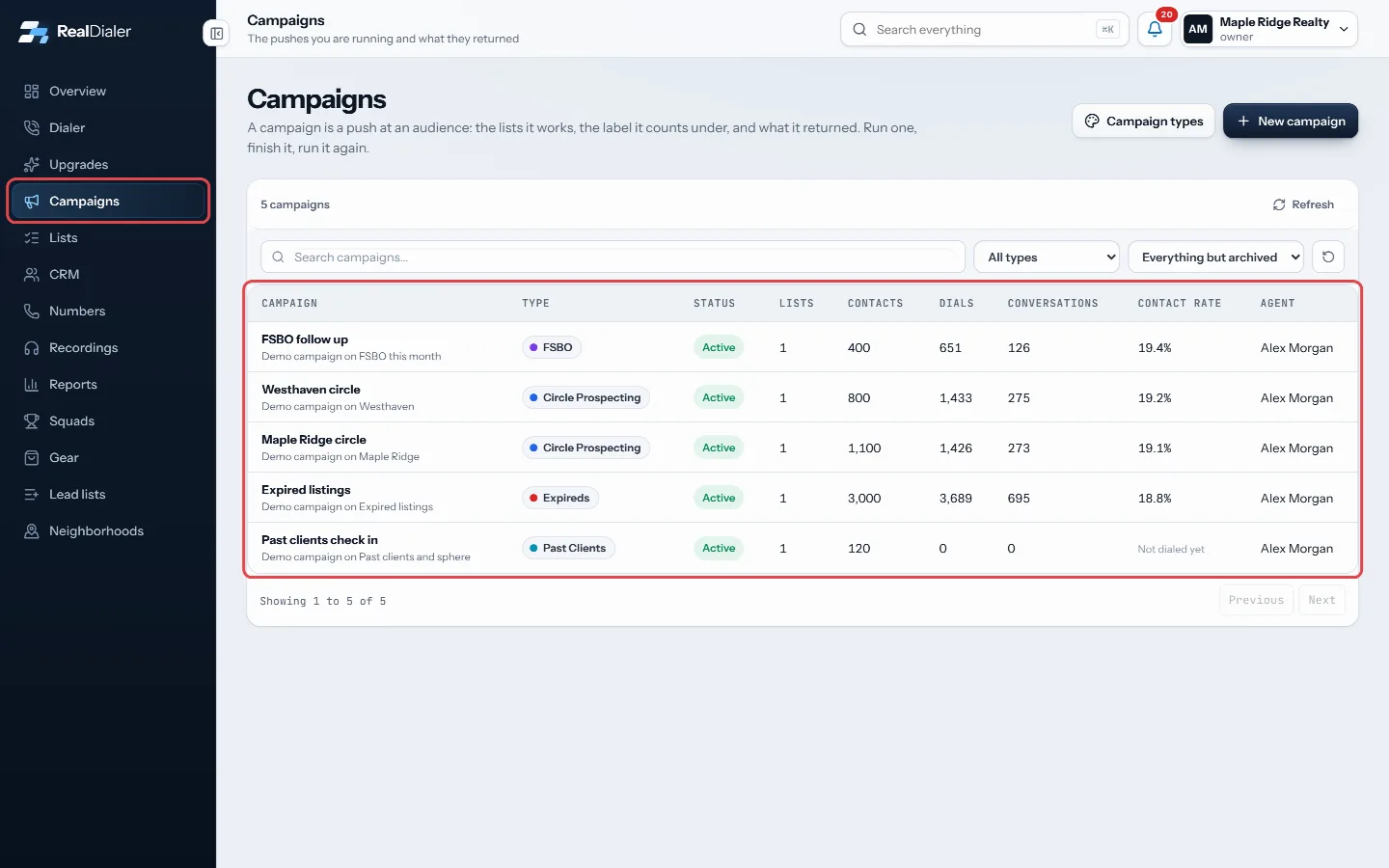
Campaigns in the left menu lists every campaign on the account - Search, or filter by type and status with the menus above the table.
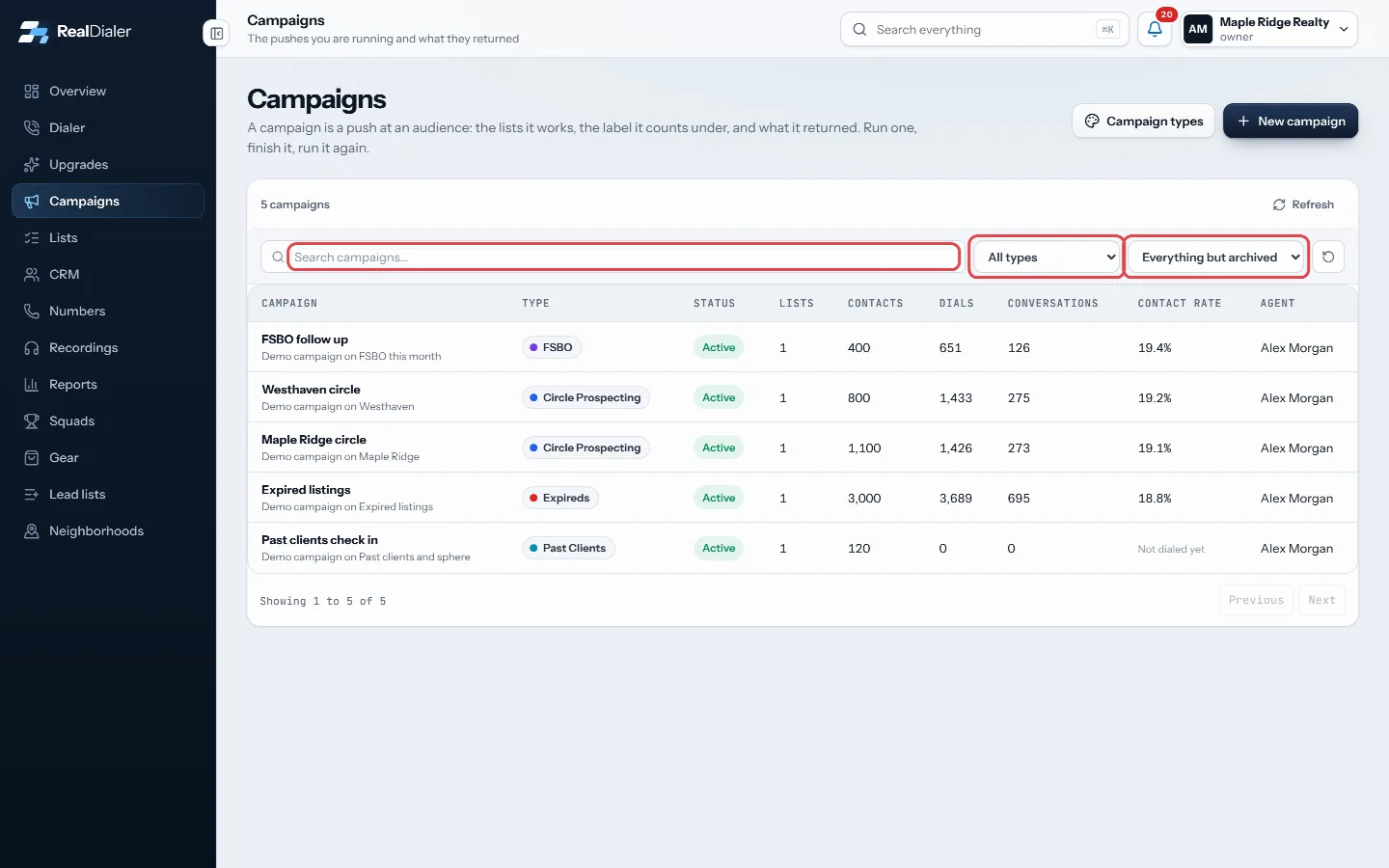
Search, or filter by type and status - Click a campaign to open it. The Overview tab shows its results, Lists shows the lists it works, and Settings shows how it dials.
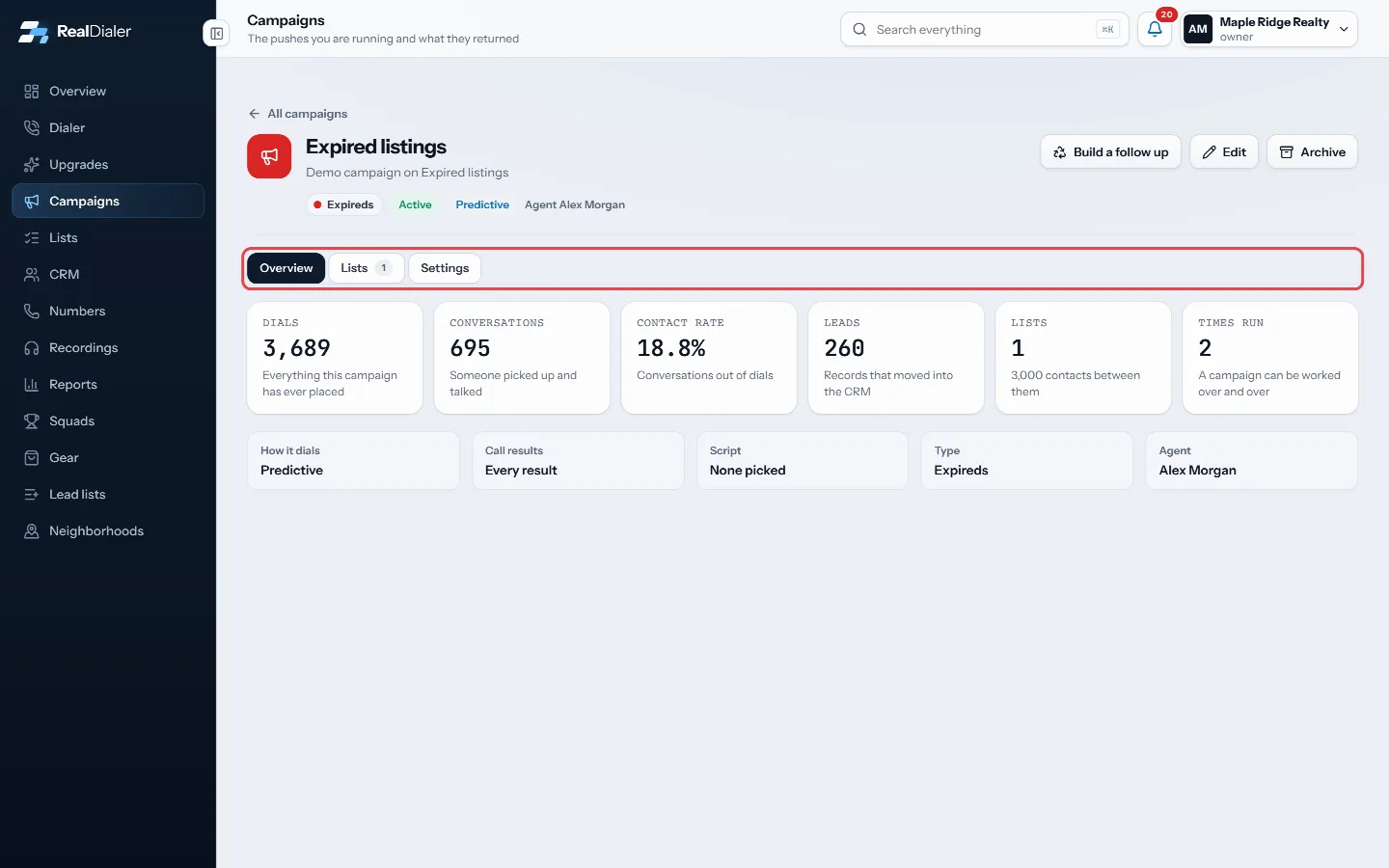
Open a campaign: Overview, Lists and Settings tabs
Good to know
- The table shows each campaign’s type, status, lists, contacts, dials, conversations, contact rate and agent.
- Contact rate is conversations out of dials.
- On a campaign’s Overview tab you also see Leads (records that moved into the CRM) and Times run, because a campaign can be worked again and again.
- Statuses are Draft, Active, Paused, Completed and Archived. The status menu shows everything but archived unless you pick Archived.
- The type is what the traction report groups by, so file each campaign under the work it really is.
Was this guide helpful?
Thanks. It helps us make these better.
Next in Campaigns
Add or archive campaign typesCampaign types are the labels every campaign is filed under, and the lines your traction report is broken into. Every account starts with ten: Circle ProspectinAdd or remove lists in a campaignA campaign works the lists you put in it. Adding a list copies nothing and moves nothing, and the same list can be in more than one campaign at the same time.Build a follow up from a finished campaignBuild a follow up keeps the people worth working from a campaign as a new list, picked by the last result each person gave on that campaign. You can also put th
Still stuck? Write to support@realdialer.com, or open Support from inside RealDialer.