What it is
Build a follow up keeps the people worth working from a campaign as a new list, picked by the last result each person gave on that campaign. You can also put that list straight into a new campaign. The original campaign and every call on it stay exactly as they were.
Where to find it
Campaigns > open a campaign > Build a follow up.
Steps
- Open the campaign and click Build a follow up.
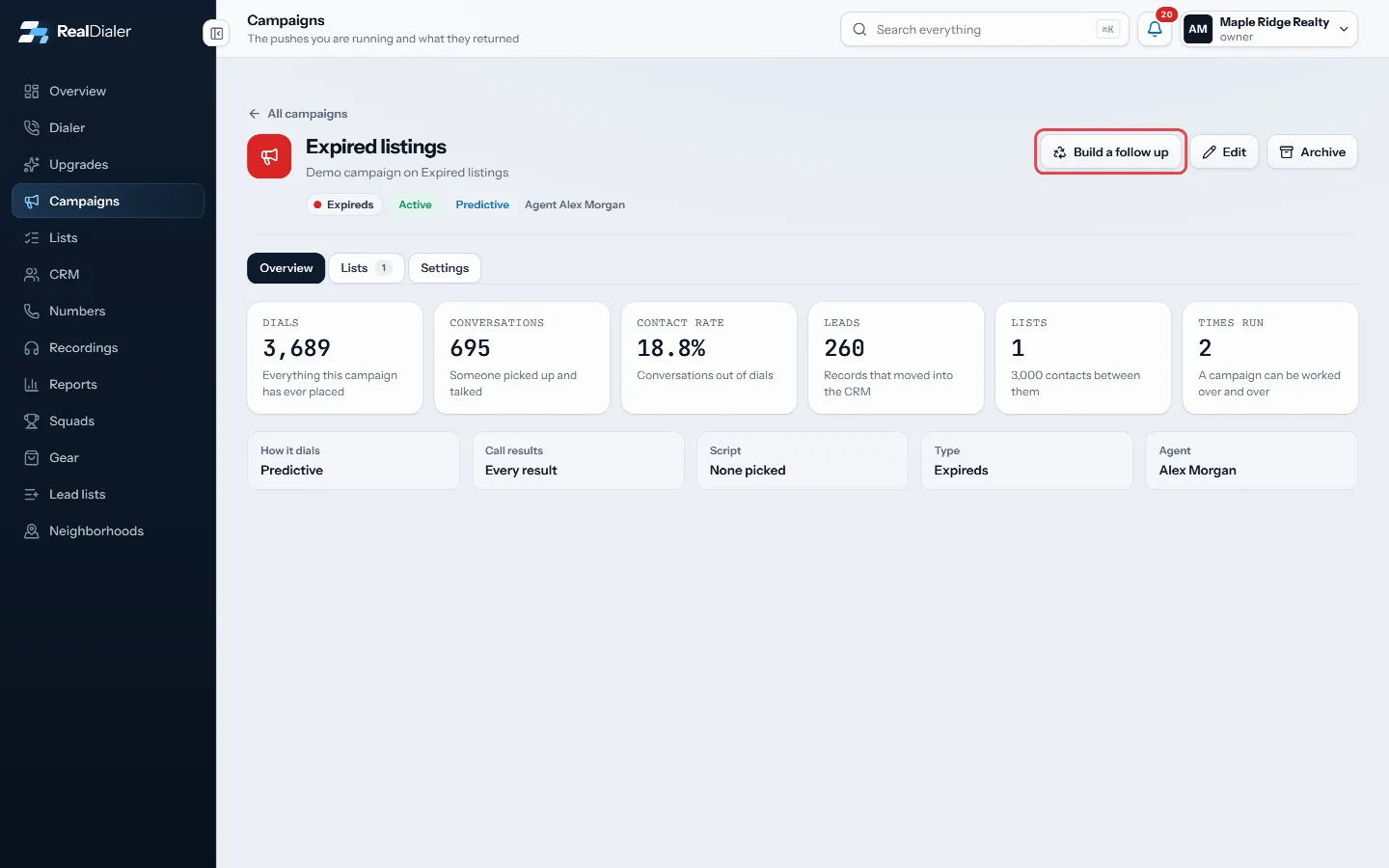
Click Build a follow up - Under Keep the people whose last result was, tick the results you want. Counts show beside each.
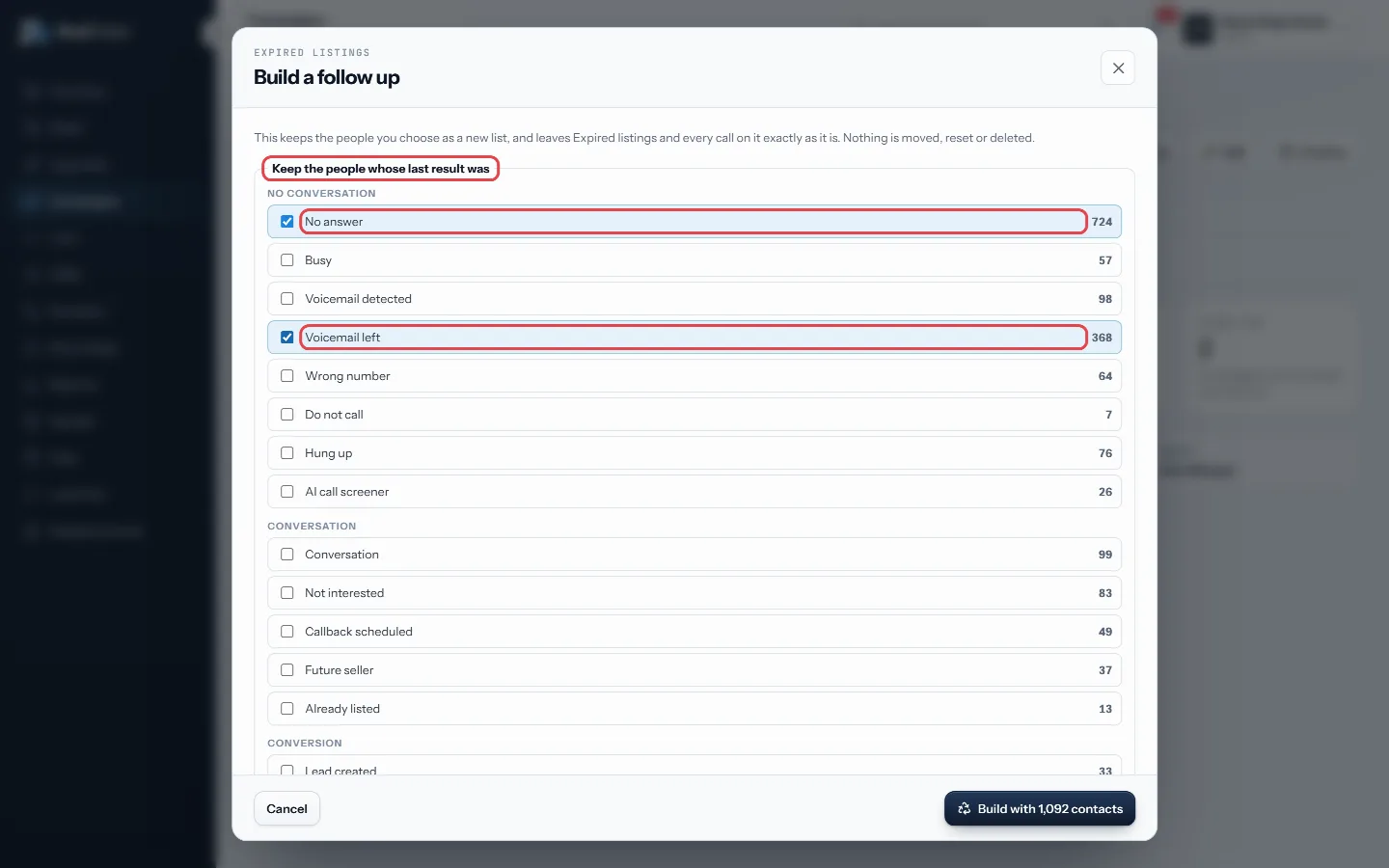
Tick the results to keep; counts show beside each - Tick The campaign never got to them if you also want the people who were never reached.
- Name the new list.
- Leave Put it in a new campaign ticked to get a matching campaign, and name it.
- Click Build with the number of contacts shown.
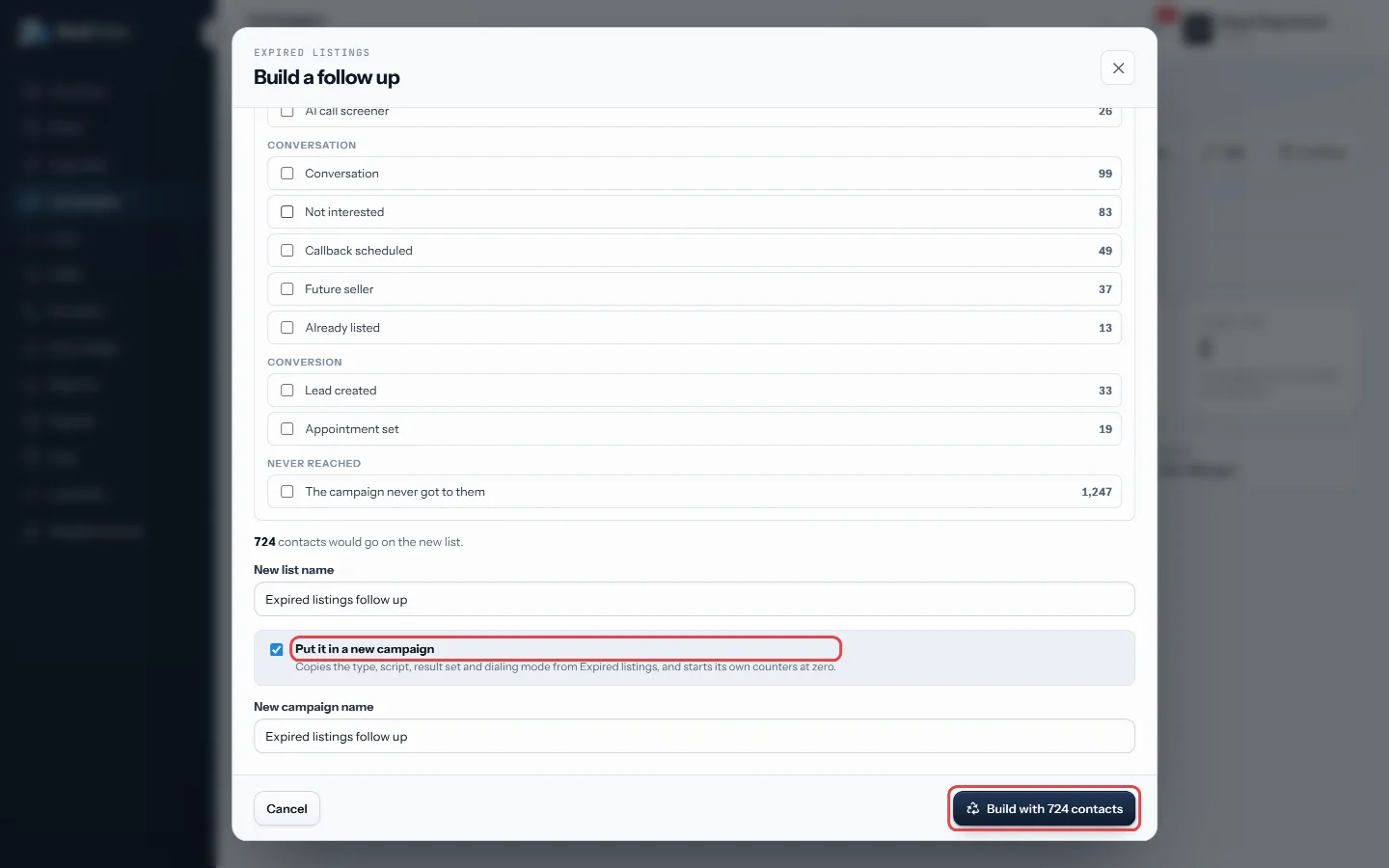
Name the list and campaign, then Build with
Good to know
- Only account owners and managers can build a follow up.
- The new campaign copies the type, script, result set and dialing mode, and starts its own counters at zero.
- With a new campaign, you land on it right away. Without one, the new list is ready on the Lists page.
- Nothing is moved, reset or deleted on the original campaign.
- If nobody on the campaign has been called yet, there is nothing to build from.
Was this guide helpful?
Thanks. It helps us make these better.
Next in Campaigns
Continue a pass or start a new passEvery time you work through a campaign's lists is a pass. When you start a session you choose to keep going on the open pass, or to start a fresh pass from the Create a campaignA new campaign takes three short steps: name it, pick the lists it should work, and choose how it runs. You can also build one in seconds from the Dialer when yEdit, pause or archive a campaignEverything about a campaign can be changed after it exists: its name, type, status, how it dials, the call results the agent sees, its goal, end date, groups an
Still stuck? Write to support@realdialer.com, or open Support from inside RealDialer.