What it is
A campaign works the lists you put in it. Adding a list copies nothing and moves nothing, and the same list can be in more than one campaign at the same time.
Where to find it
Campaigns > open a campaign > Lists tab.
Steps
- Open the campaign and click the Lists tab.
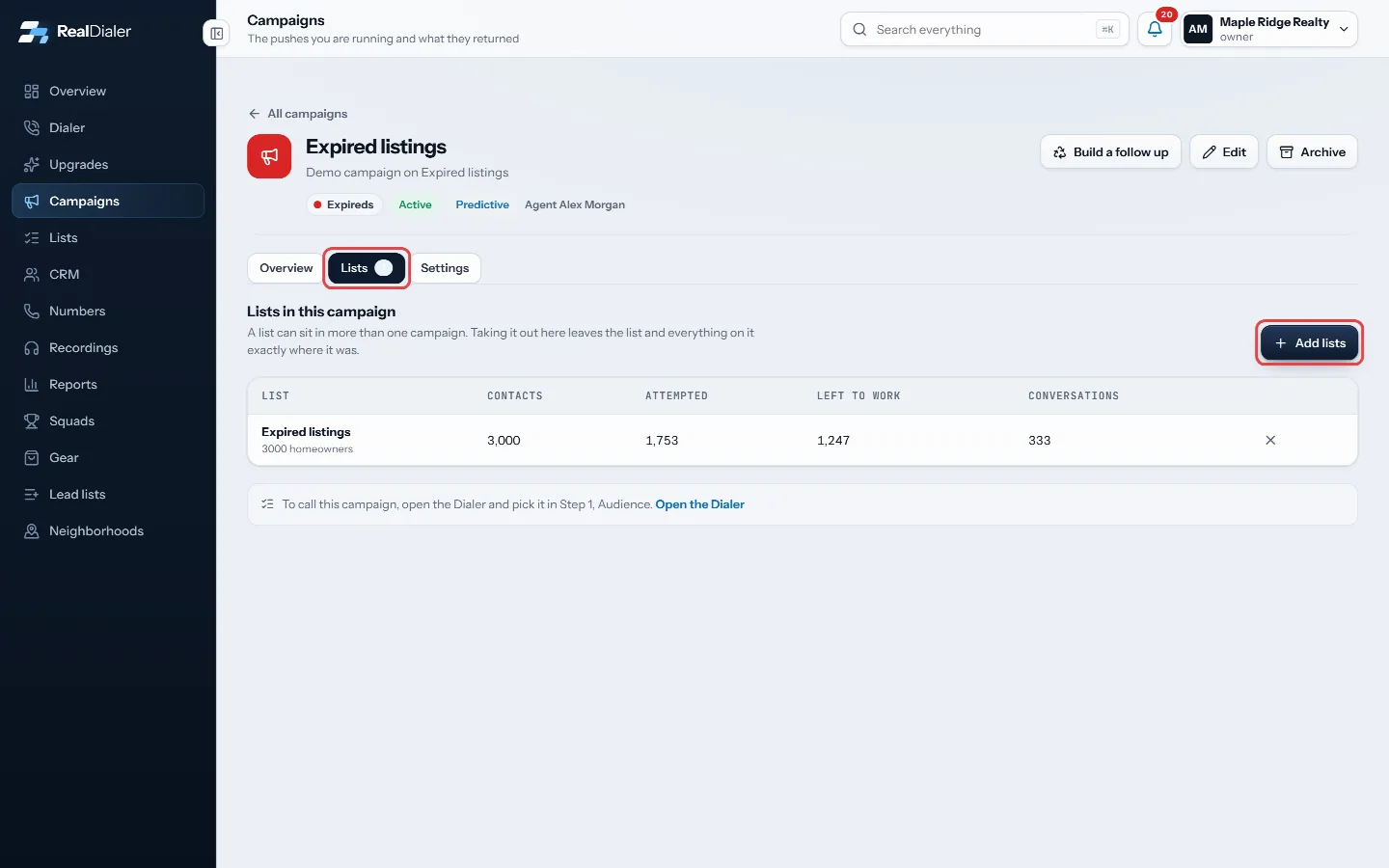
Lists tab, then Add lists - Click Add lists, tick the lists you want, and click the Add button at the bottom, which shows how many you picked (for example Add 2 lists).
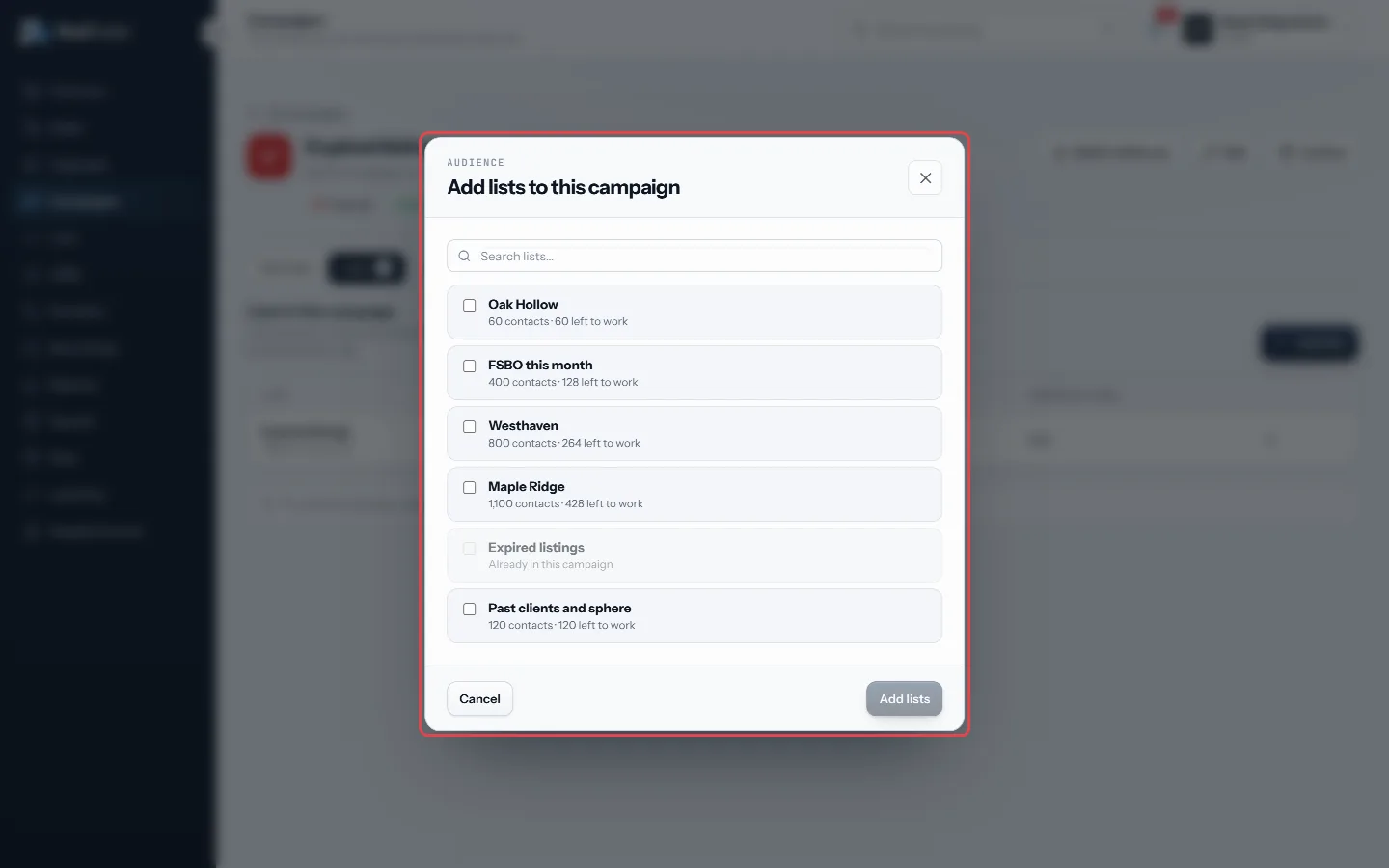
Tick the lists you want, then Add - To take a list out, click the X at the end of its row.
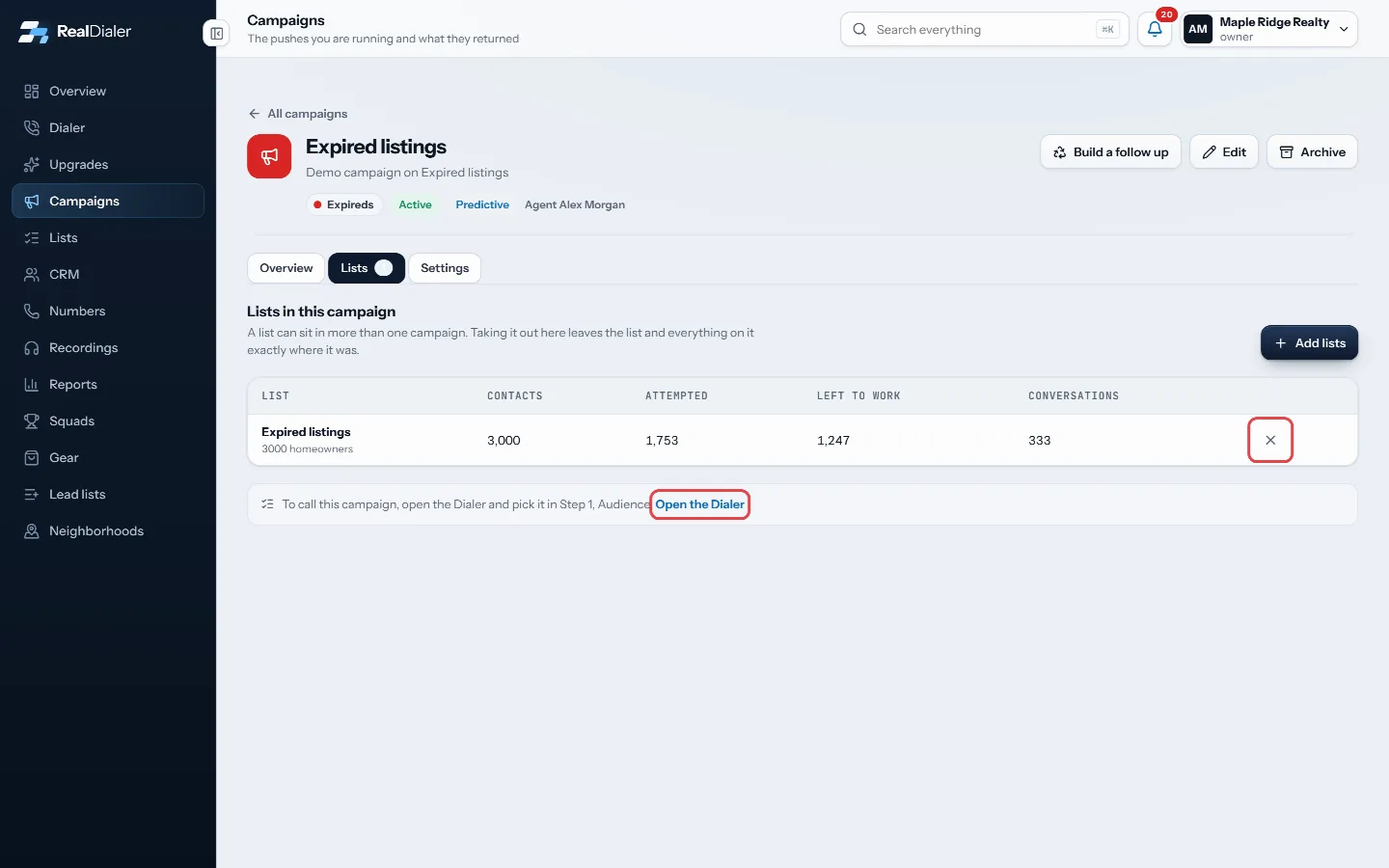
The X takes a list out; Open the Dialer to call - To call the campaign, click Open the Dialer under the table, or go to the Dialer, and pick it in Step 1, Audience.
Good to know
- Each row shows the list’s contacts, how many were attempted, how many are left to work, and conversations.
- Taking a list out of a campaign leaves the list and everyone on it exactly where it was.
- Lists already in the campaign are greyed out in the picker.
- Bad Numbers and other lists RealDialer keeps are shown greyed out, because nothing on them can be dialed.
Was this guide helpful?
Thanks. It helps us make these better.
Next in Campaigns
Build a follow up from a finished campaignBuild a follow up keeps the people worth working from a campaign as a new list, picked by the last result each person gave on that campaign. You can also put thContinue a pass or start a new passEvery time you work through a campaign's lists is a pass. When you start a session you choose to keep going on the open pass, or to start a fresh pass from the Create a campaignA new campaign takes three short steps: name it, pick the lists it should work, and choose how it runs. You can also build one in seconds from the Dialer when y
Still stuck? Write to support@realdialer.com, or open Support from inside RealDialer.