What it is
Every time you work through a campaign’s lists is a pass. When you start a session you choose to keep going on the open pass, or to start a fresh pass from the beginning. On a new pass you choose who to call by what they said last time, so you do not call the same people twice for nothing.
Where to find it
Dialer > Step 4, Review > Choose where this calling pass begins
Steps
- On the Dialer, pick your campaign in Step 1 and go to Review.
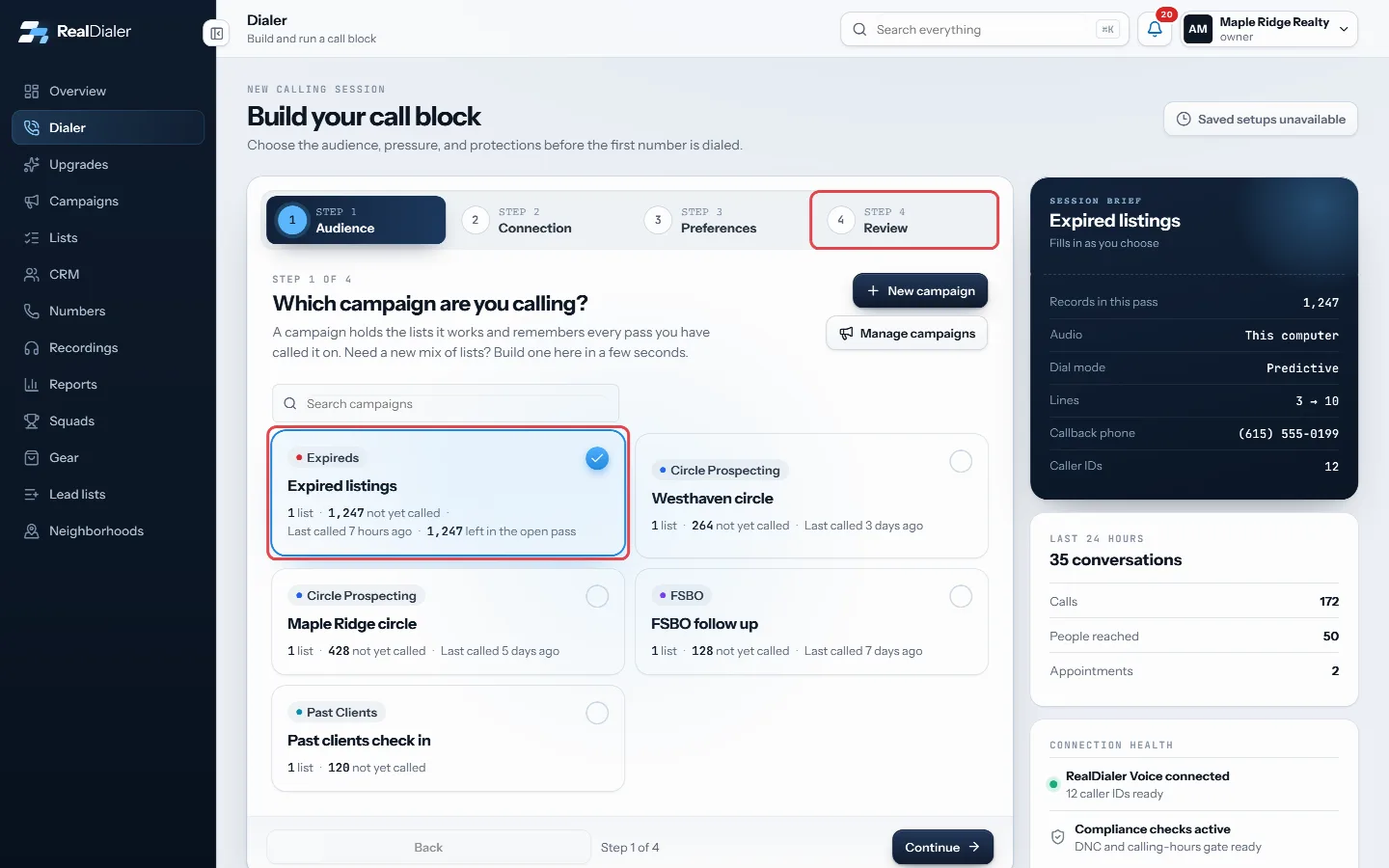
Pick the campaign in Step 1, then go to Review - Choose Continue this pass to pick up where the open pass stopped. It shows how many are still uncalled.
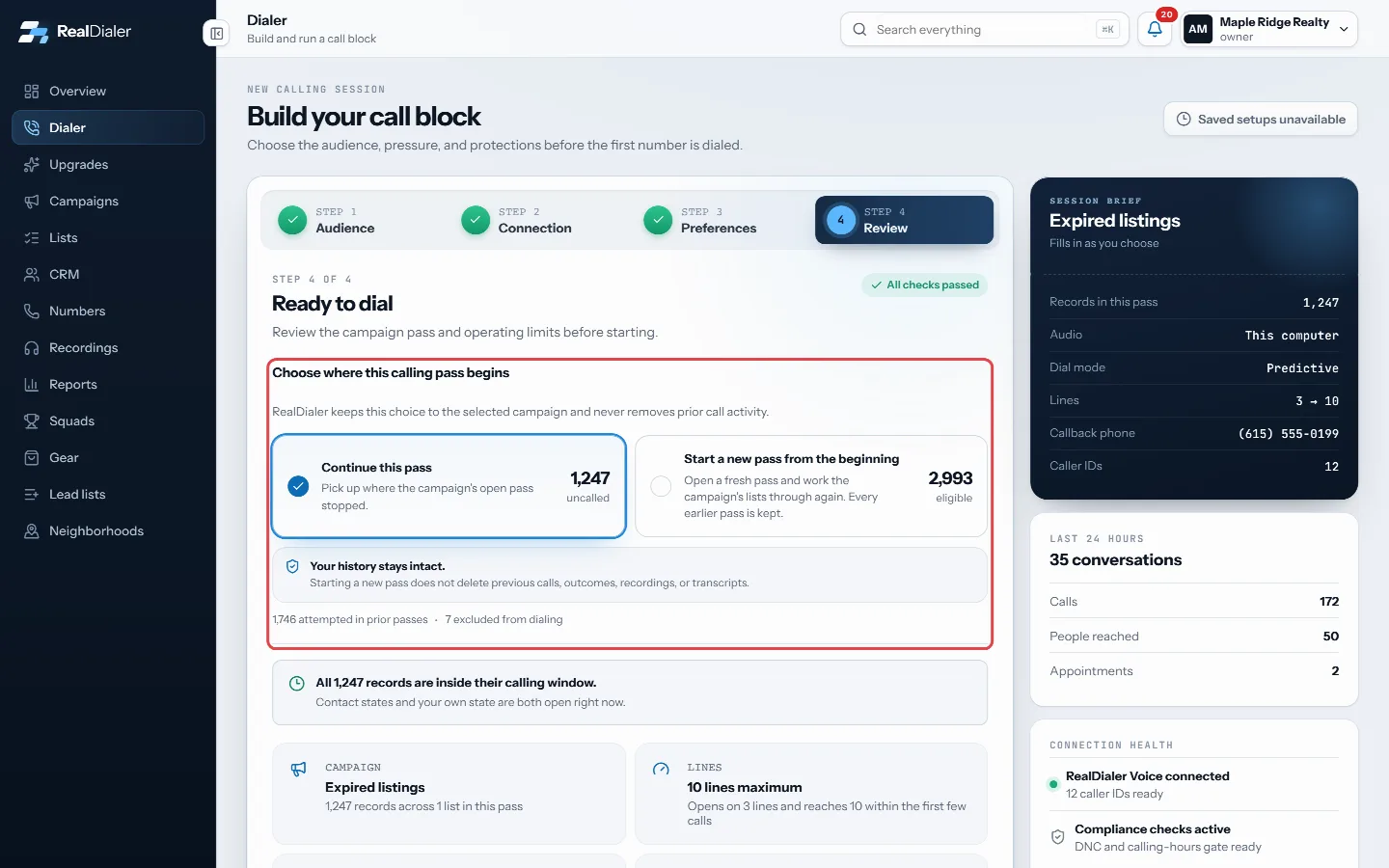
Continue this pass, or start a new pass from the beginning - Or choose Start a new pass from the beginning to work the lists again. It shows how many are eligible.
- On a new pass, Who to call this pass lists each last result with how many people gave it. Every group is switched on (Calling). Switch a group off (Skipping) to leave those people out of this pass.
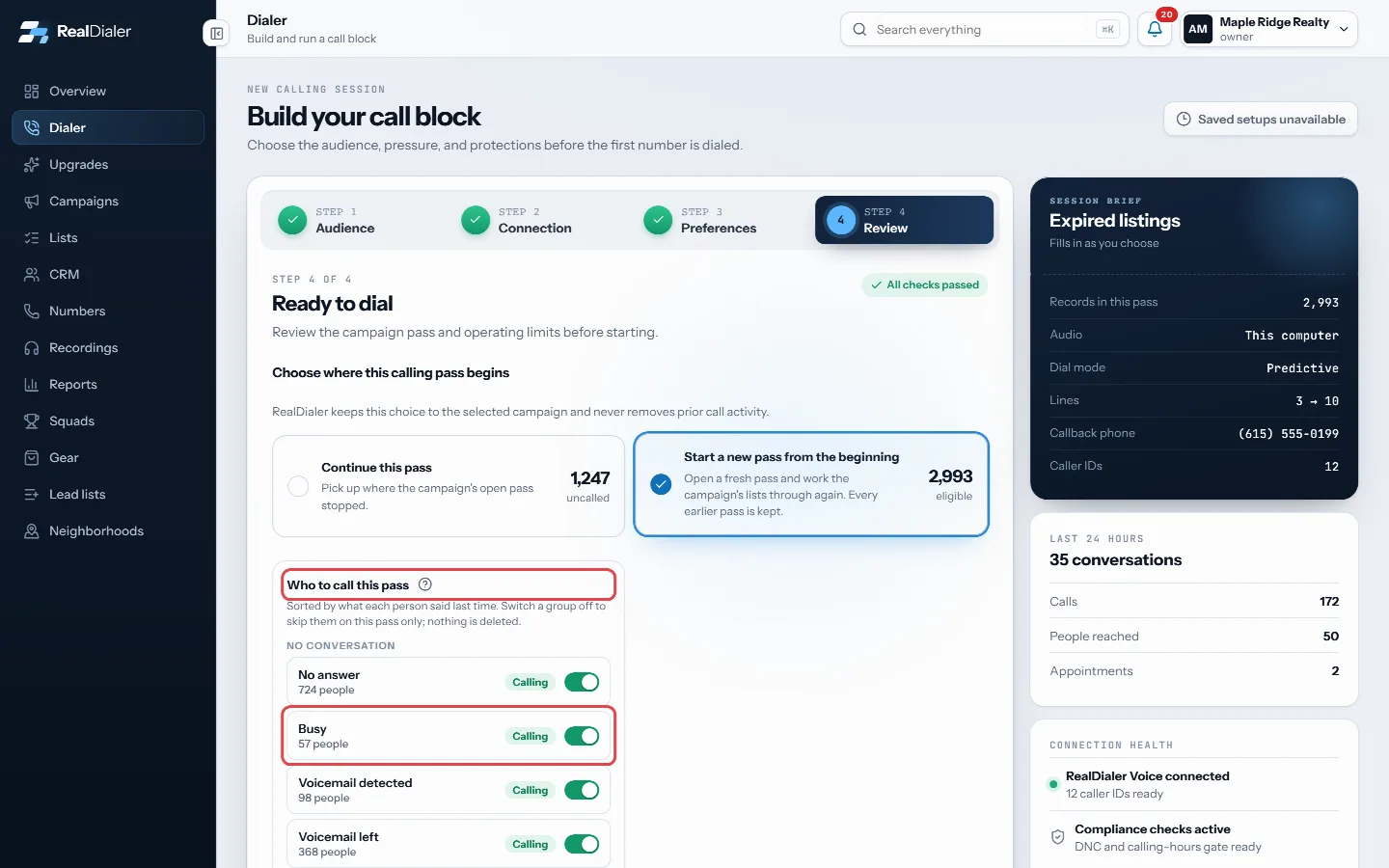
Each result shows Calling; switch one off to skip those people on this pass - Press the help circle beside the title for a quick explanation, then start your session.
Good to know
- For example, switch off Conversation so you do not call the people you already talked to, or Appointment set so you do not call people who already booked.
- Skipped people are held back for that pass only. Nothing is deleted and no result is changed. They come back on your next pass.
- People the campaign never reached are always called.
- Call everyone switches every group back on.
- The panel only shows results this campaign actually produced. A campaign nobody has called yet shows no panel.
- If the dialer waits while people are left, the waiting note says when your skip choices are holding people back.
Was this guide helpful?
Thanks. It helps us make these better.
Next in Campaigns
Create a campaignA new campaign takes three short steps: name it, pick the lists it should work, and choose how it runs. You can also build one in seconds from the Dialer when yEdit, pause or archive a campaignEverything about a campaign can be changed after it exists: its name, type, status, how it dials, the call results the agent sees, its goal, end date, groups anGroup and filter campaignsGroups are your own free form filing for campaigns, like a city, a price band, or who is running it. A campaign can sit in as many groups as you like. Groups sh
Still stuck? Write to support@realdialer.com, or open Support from inside RealDialer.