What it is
If you use CloseDaily CRM, you can connect it so every lead, appointment and listing you mark on a call lands in CloseDaily on its own. Any other contact can be sent with one click.
Where to find it
Settings > Integrations > Connections > CloseDaily CRM
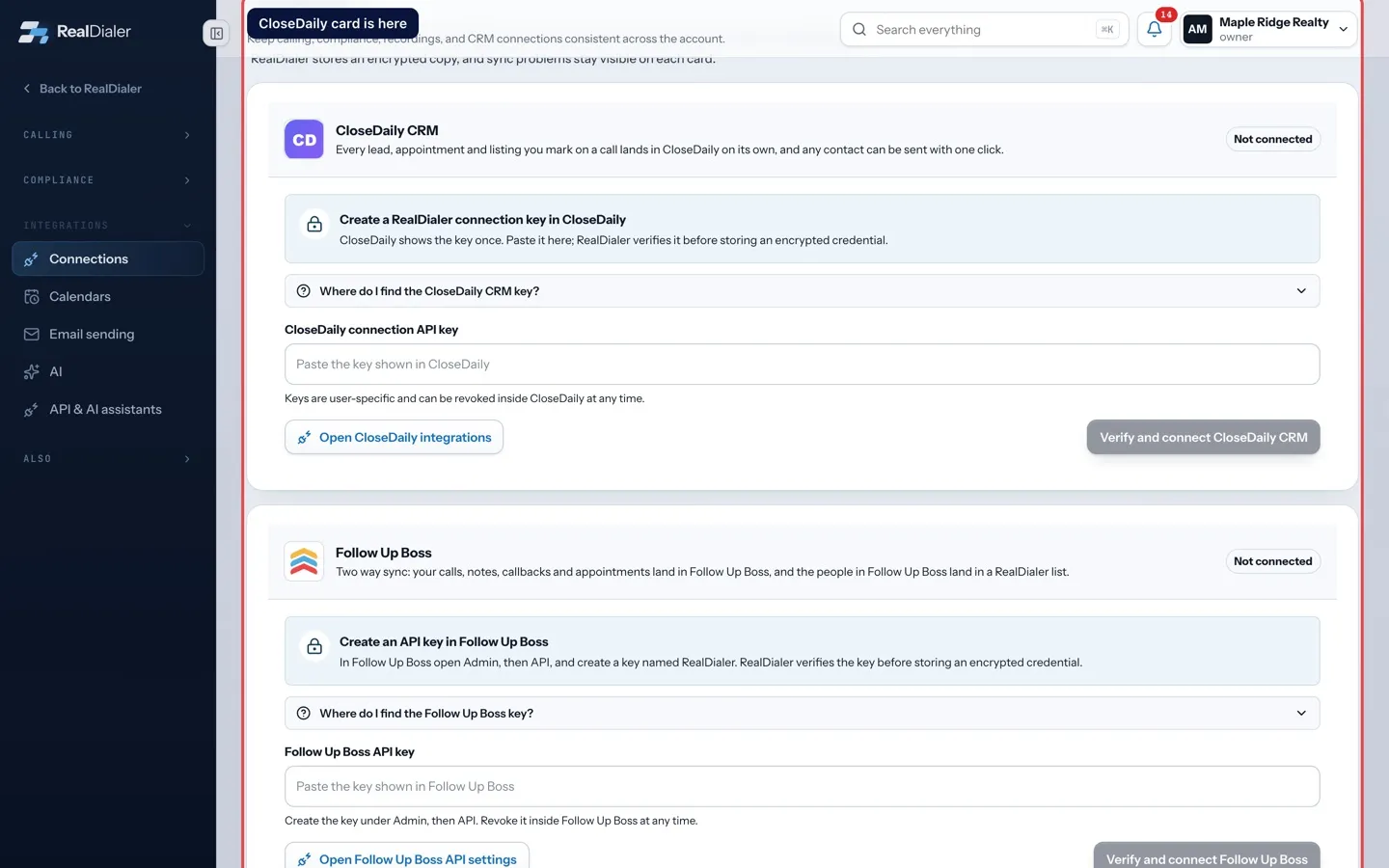
Steps
- Open CloseDaily in another tab and sign in.
- Choose Integrations in CloseDaily’s left navigation.
- Under RealDialer, choose New connection key, name it RealDialer, and copy the key. CloseDaily shows it only once.
- In RealDialer, paste it in CloseDaily connection API key.
- Press Verify and connect CloseDaily CRM.
- Under Leads into CloseDaily, leave Send leads, appointments and listings automatically ticked, or untick it to send only by hand.
Good to know
- With automatic sending on, a call you mark as a lead, an appointment or a listing is sent within a minute.
- Any other contact goes with the Send to CloseDaily button on the dialer and on the contact record.
- With automatic sending off, only the Send button moves a contact over.
- The key belongs to your CloseDaily seat. A teammate connecting RealDialer makes their own.
- If your CloseDaily account carries an MLS feed, the connection can also supply comparable sales. If it does not, the connection still works and the comps line stays off.
- If the key stops working, delete it in CloseDaily, make a new one, and connect again.
Was this guide helpful?
Thanks. It helps us make these better.
Next in Integrations
Skip trace credits and your own Tracerfy keySkip tracing finds phone numbers for your contacts. By default it uses RealDialer skip trace credits. If you have your own Tracerfy account, you can connect it Choose what syncs with Follow Up BossOnce Follow Up Boss is connected, a Two way sync panel appears under its card. You choose what goes out of RealDialer, whether people come in, and which Follow Connect Claude or ChatGPT to your listsYou can let Claude or ChatGPT organize your lists. Give the assistant a personal API key, then ask it things like "tag every Winchester list" or "move everyone
Still stuck? Write to support@realdialer.com, or open Support from inside RealDialer.