What it is
Each seat is one person who can dial on your account, and each seat is billed at your plan’s per agent price. When every seat is in use, inviting another person is refused with a message that your plan has no seats left.
Where to find it
See your seat count under Settings > Billing > Plan and billing. See who is using them under Settings > Members and seats.
Steps
- Check Seats in Plan and entitlements to see how many seats you pay for.
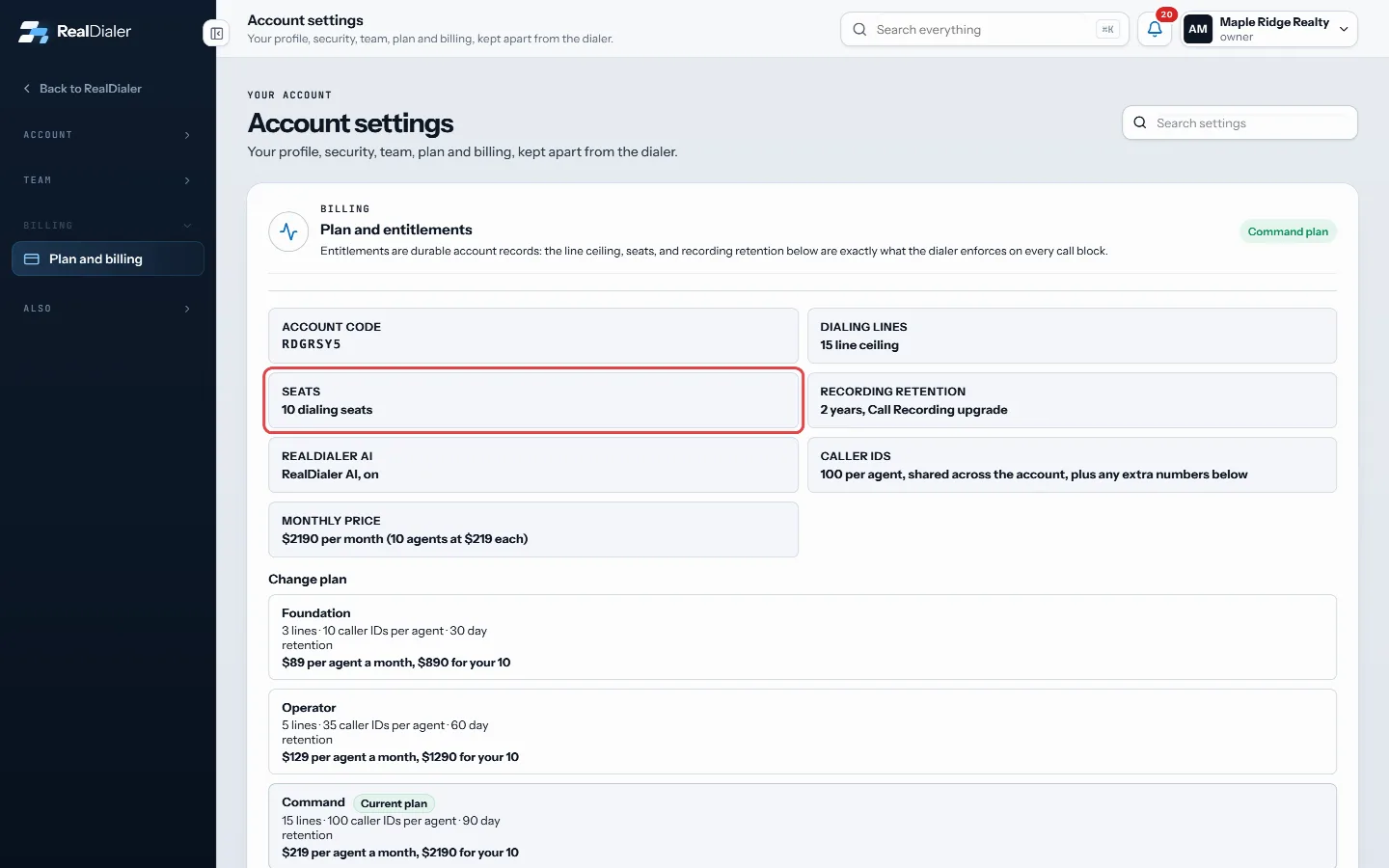
Seats shows how many seats you pay for - Open Settings > Members and seats to see who holds each seat. Pending invites count as a seat.
- To free a seat, disable a person who no longer dials. Their seat goes back to the account right away.
- To buy more seats, open a support request in the Billing and plan category, or email support@realdialer.com, with your account code and how many seats you want.
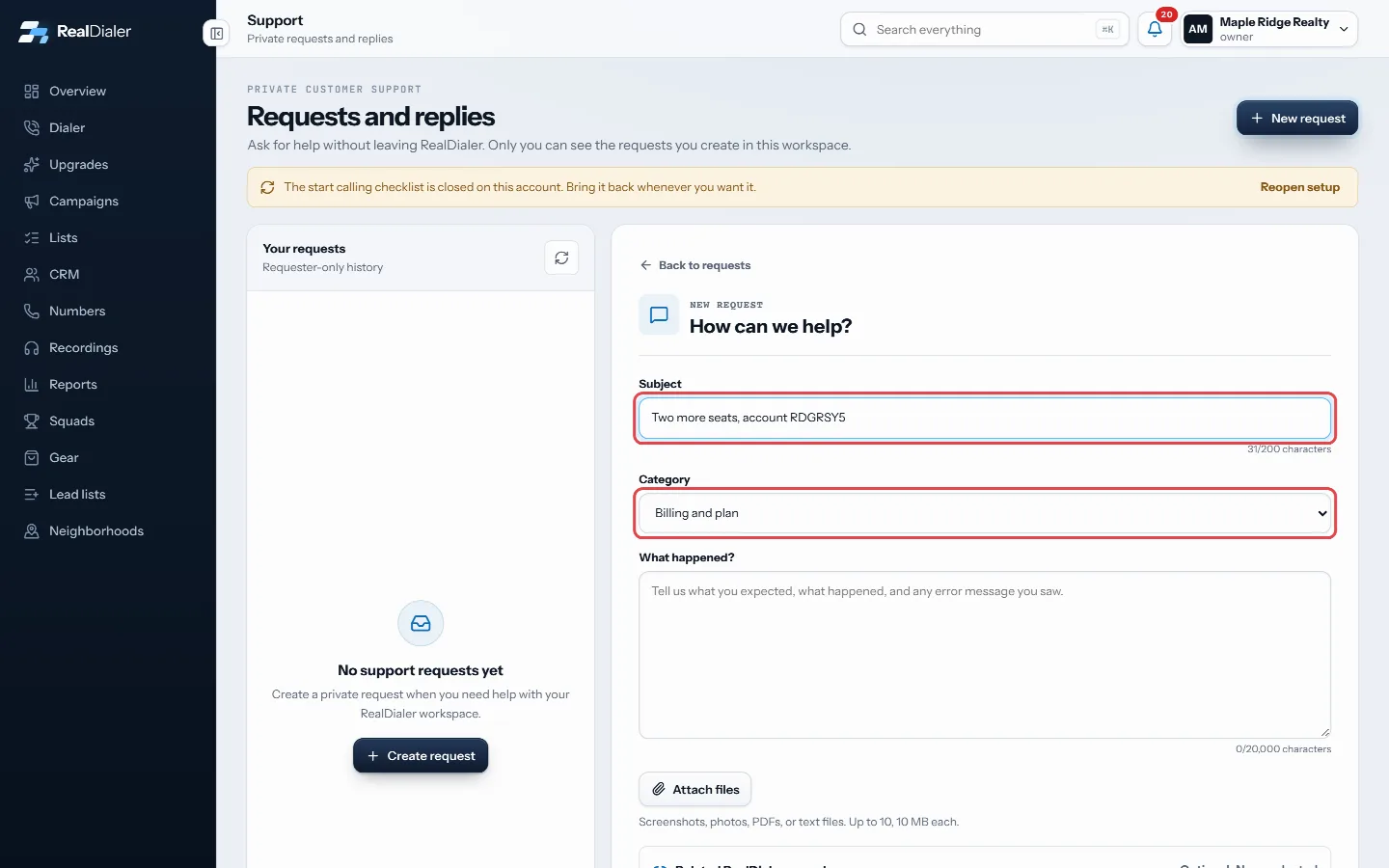
To buy more seats, open a request in the Billing and plan category
Good to know
- There is no button to buy seats inside the app today. Support adds them.
- Each new seat costs the per agent price of your plan: $89 on Foundation, $129 on Operator or $219 on Command.
- Upgrades priced per agent, such as RealDialer AI and Coach access, are charged for each seat too.
- Changing plans keeps the seats you already have.
Was this guide helpful?
Thanks. It helps us make these better.
Next in Billing and plans
Cancel your subscription or delete your accountThere are two ways to end RealDialer. You can ask support to cancel your subscription, or the account owner can delete the whole workspace from the RealDialer iFind your account codeYour account code identifies your RealDialer account. You give it to a coach who wants to coach you, and you include it when you write to support from an email How plans and per agent pricing workRealDialer has three plans. Each one is priced per agent per month, so an account pays the plan price once for each seat it holds. Calling minutes and caller ID
Still stuck? Write to support@realdialer.com, or open Support from inside RealDialer.