What it is
The account owner can move the account to any of the three plans from the app. The change takes effect at once and the price difference is prorated to the day on your subscription.
Where to find it
Your name in the top right > Plan and billing > Change plan
Steps
- Click your name in the top right and choose Plan and billing.
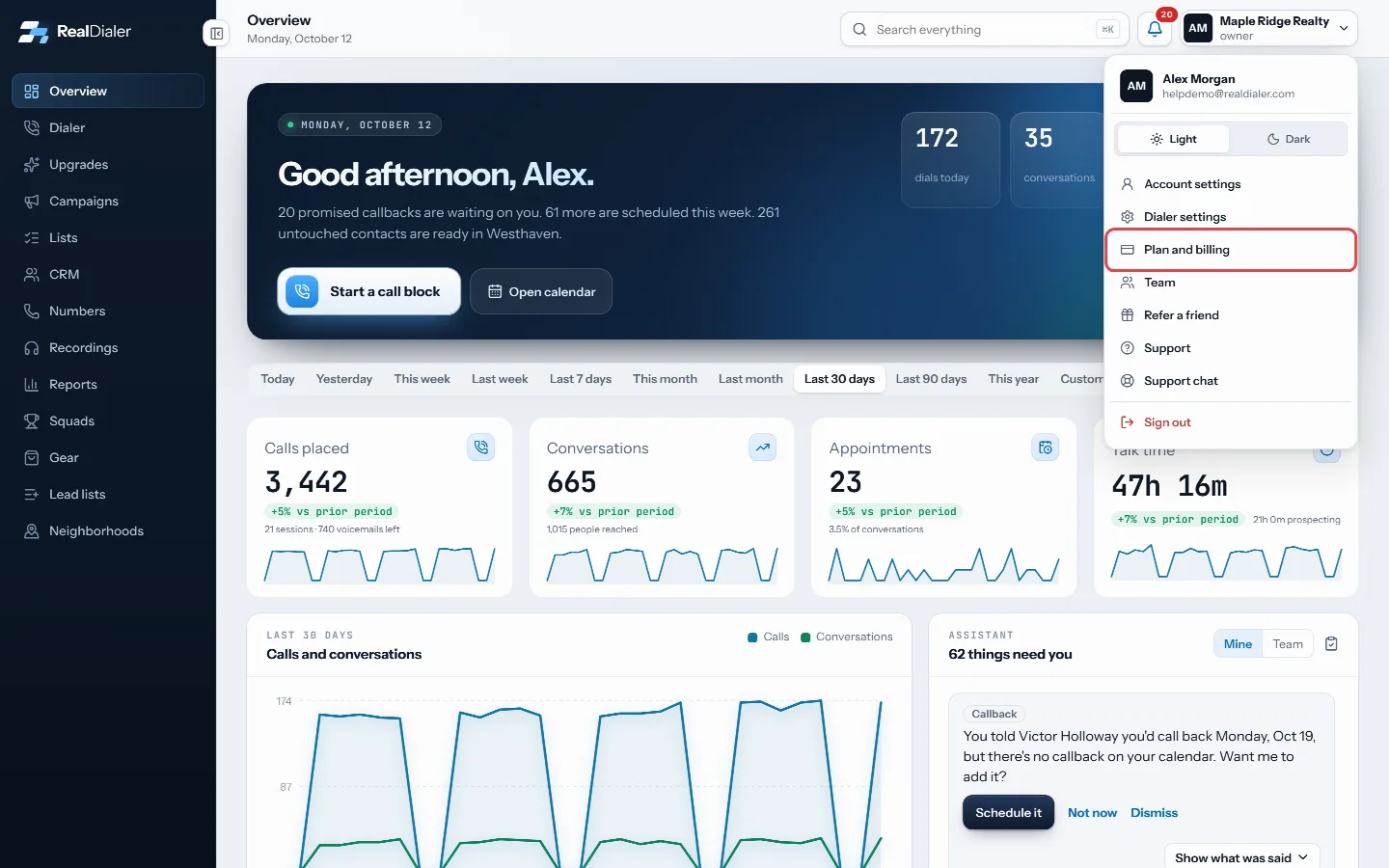
Click your name in the top right and choose Plan and billing - Under Change plan, find the plan you want.
- Press Upgrade to or Downgrade to that plan.
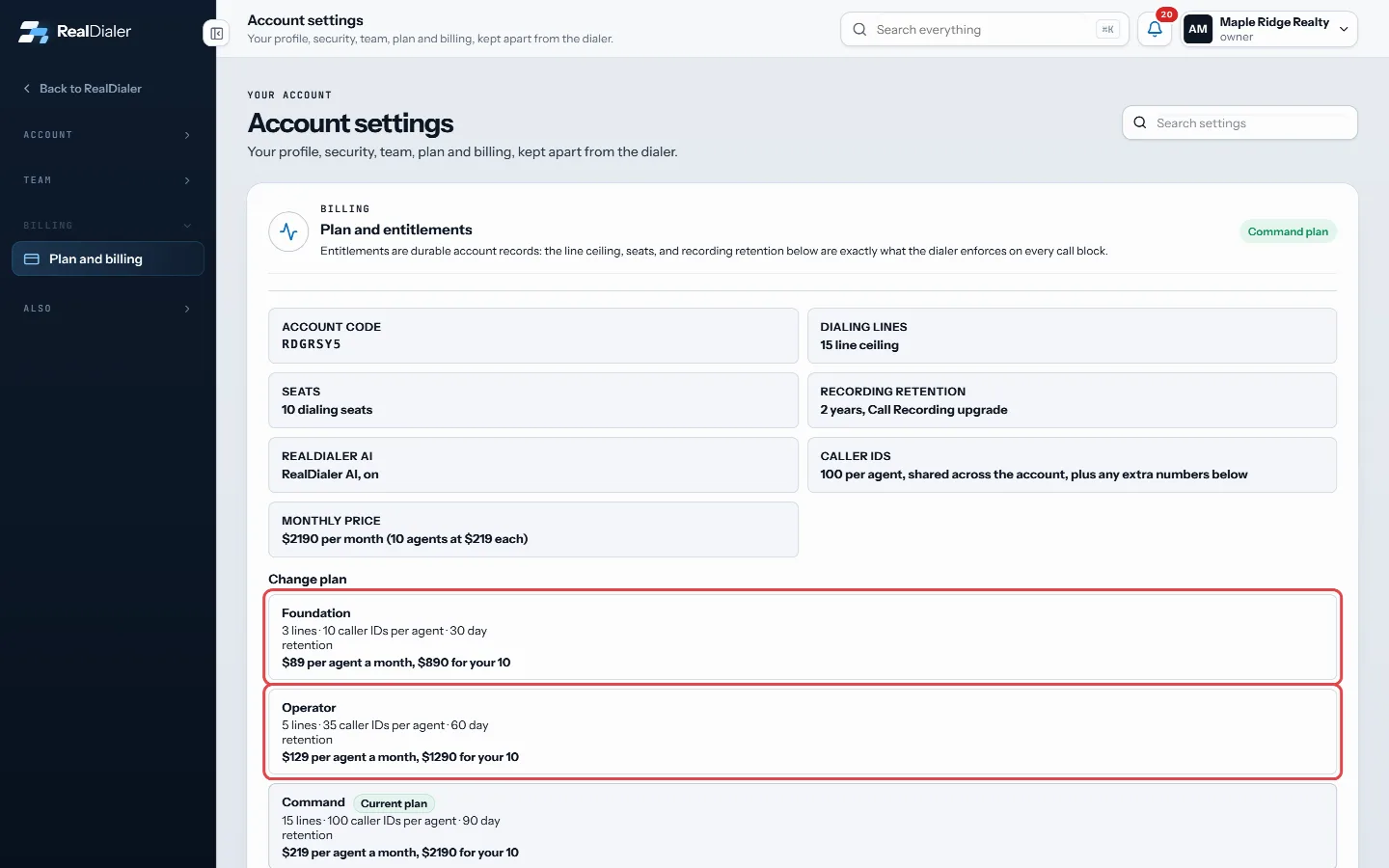
Under Change plan, the owner of an account paid by card sees Upgrade to or Downgrade to on each other plan - Press Confirm upgrade or Confirm downgrade. Press Cancel to back out.
- A message confirms the new plan. The new line ceiling applies to your next call block.
Good to know
- Only the account owner can change the plan. Managers and agents see the plans but no buttons.
- Your seat count stays the same when you change plans.
- The difference shows on your next invoice, prorated to the day. Upgrades are billed separately and are not changed by a plan change.
- A downgrade can be blocked if a seat holds more caller IDs than the smaller plan allows. The reason shows in red under that plan.
- If your account is billed directly by RealDialer, there are no change buttons. Write to support@realdialer.com with your account code and the plan you want, and it is changed the same day.
- If billing does not go through, nothing is changed. Try again in a minute.
- Every plan change is written to the account history.
Was this guide helpful?
Thanks. It helps us make these better.
Next in Billing and plans
When you are billed and how proration worksYour RealDialer plan is billed monthly, starting on the day you signed up. Each paid upgrade is billed on its own, monthly from the day it was turned on. For exWhy a downgrade is blockedEach plan allows a set number of caller IDs per agent: 10 on Foundation, 35 on Operator and 100 on Command. If any one seat holds more caller IDs than the smallYour card and payment detailsYou enter your card when you sign up, and the owner can change it any time under Plan and billing. The card form is run by Stripe, the payment company RealDiale
Still stuck? Write to support@realdialer.com, or open Support from inside RealDialer.