What it is
There are two ways to end RealDialer. The account owner can cancel the subscription, or delete the whole workspace from the RealDialer iPhone app, which also cancels the subscription. If you pay by card, you cancel yourself on Plan and billing. If your account is billed directly by RealDialer, you ask support to cancel.
Where to find it
To cancel: your name in the top right > Plan and billing > Cancel subscription. If your account is billed directly by RealDialer: Support > New request. To delete: in the iPhone app, More > Settings > Delete account.
Steps
- To cancel, click your name in the top right and choose Plan and billing. Under Cancel subscription, press Cancel subscription.
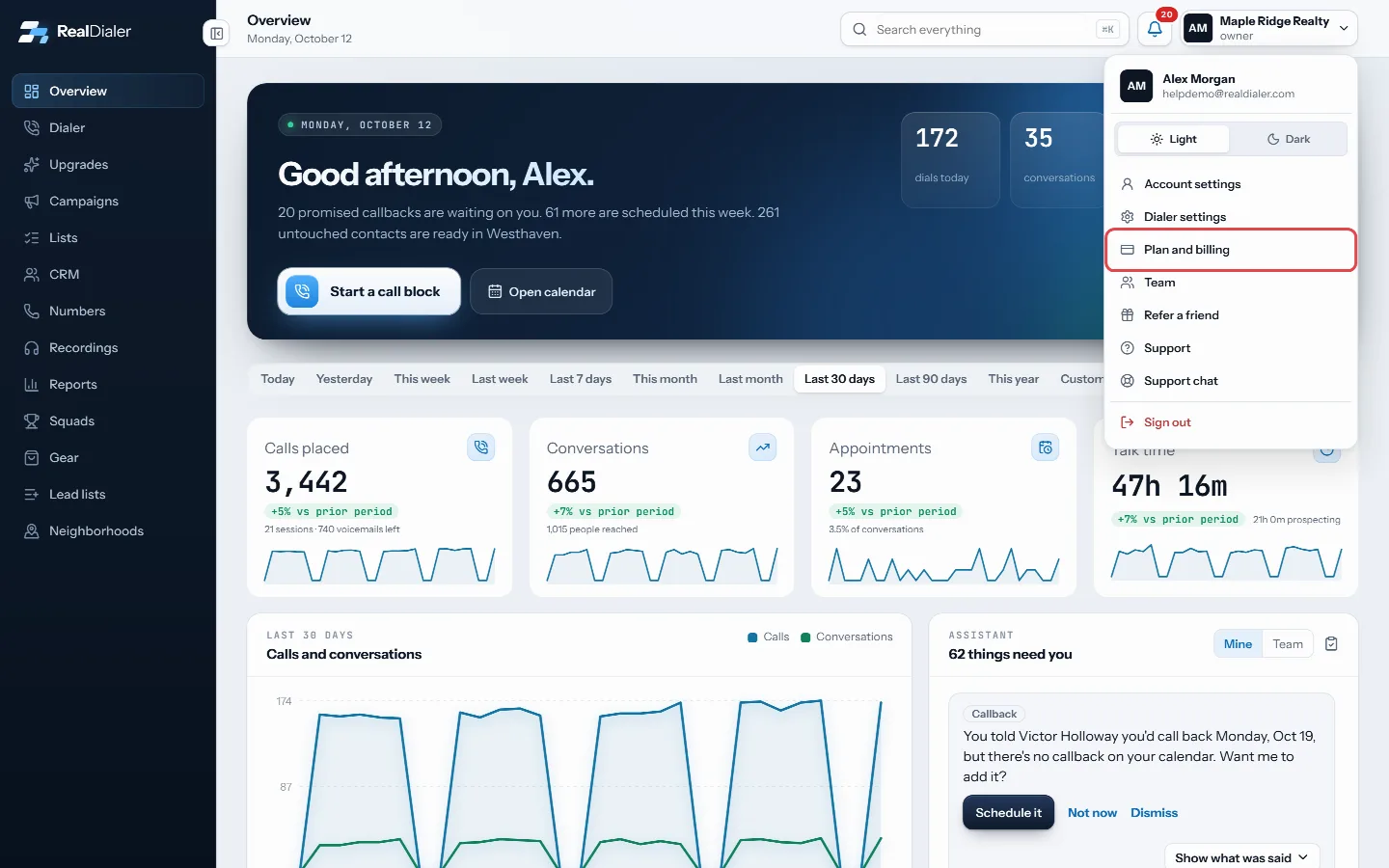
Owners who pay by card: open Plan and billing. Cancel subscription is the last card on that page - Pick why you are leaving and press Continue. If a final offer to stay shows, take it or press No thanks, cancel.
- Type CANCEL and press Cancel my subscription. Press Keep my plan at any point to back out.
- If your account is billed directly by RealDialer, there is no Cancel subscription card. Open Support, press New request, pick the Billing and plan category and say you want to cancel and when. Support confirms on the request.
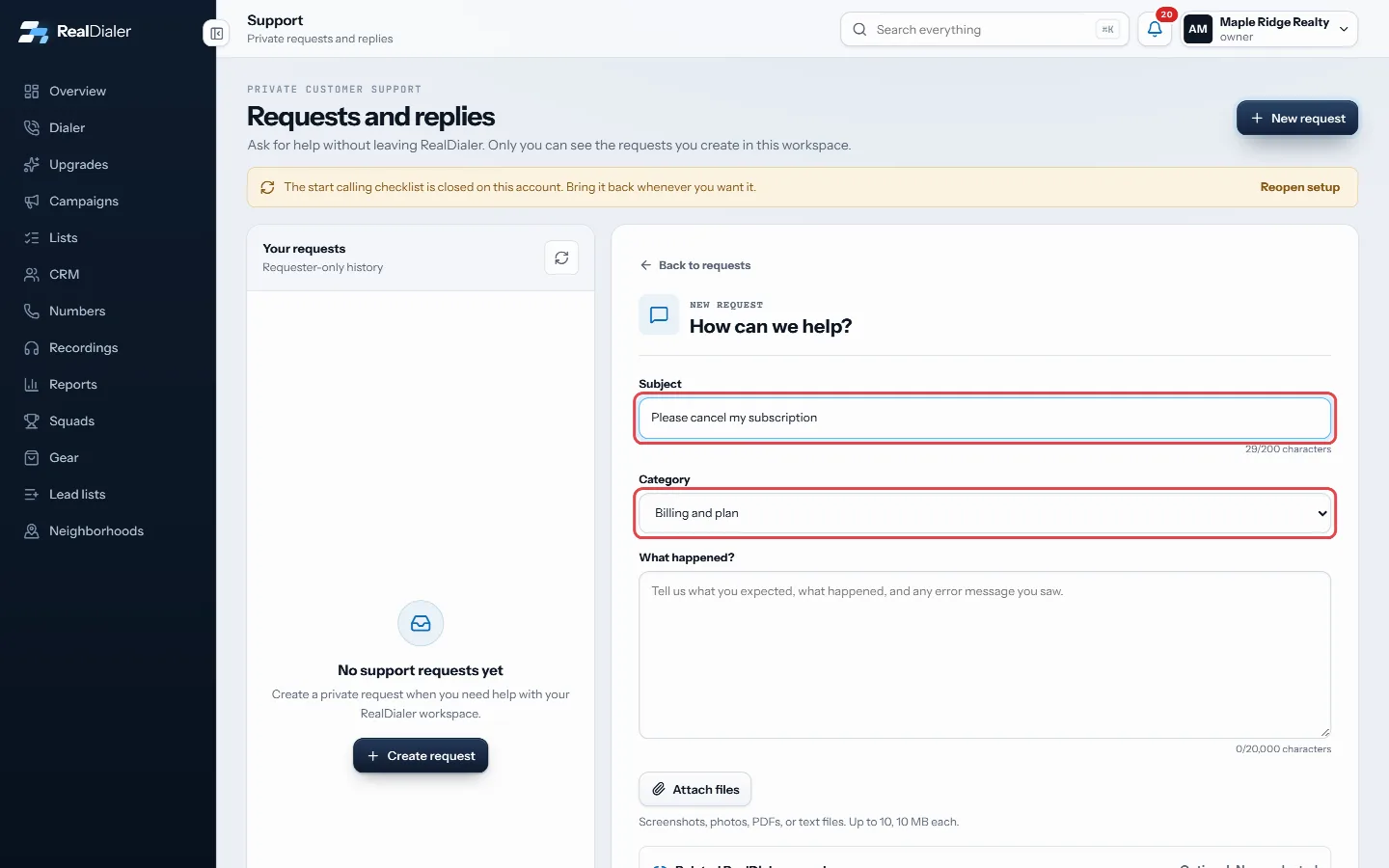
Billed directly by RealDialer: open a request in the Billing and plan category - To delete instead, open the RealDialer iPhone app as the account owner and go to More, then Settings.
- Under Danger zone, press Delete account, read what is removed and what is kept, type DELETE and confirm.
Good to know
- Cancelling stops billing at the end of the period you already paid for. Calling, numbers and recordings keep working until then, and nothing is deleted.
- Changed your mind? While the cancellation is pending, the card on Plan and billing reads Cancellation pending. Press Keep my plan there and your plan carries on as before.
- To stop paying for a single upgrade, the owner can turn it off on the Upgrades page instead.
- Deleting signs everyone on the workspace out the moment you confirm. Everything is removed within 30 days, and you get an email when it is finished.
- Some records stay for five years because federal telemarketing rules require them: the record of each call placed and every do not call request. They have your name and contacts stripped out and nobody can see them in the app.
- If you are not the owner, Delete account in the app removes only your own seat, not the workspace.
- Deleting cannot be undone from the app.
Was this guide helpful?
Thanks. It helps us make these better.
Next in Billing and plans
Find your account codeYour account code identifies your RealDialer account. You give it to a coach who wants to coach you, and you include it when you write to support from an email How plans and per agent pricing workRealDialer has three plans. Each one is priced per agent per month, so an account pays the plan price once for each seat it holds. Calling minutes and caller IDPromotion codes and discountsA promotion code lowers what you pay. You enter it on the signup page before you pay, and the page shows what the code takes off before your card is charged. So
Still stuck? Write to support@realdialer.com, or open Support from inside RealDialer.