What it is
You enter your card when you sign up, and the owner can change it any time under Plan and billing. The card form is run by Stripe, the payment company RealDialer uses. Your card number goes straight to Stripe, and RealDialer never sees or stores it.
Where to find it
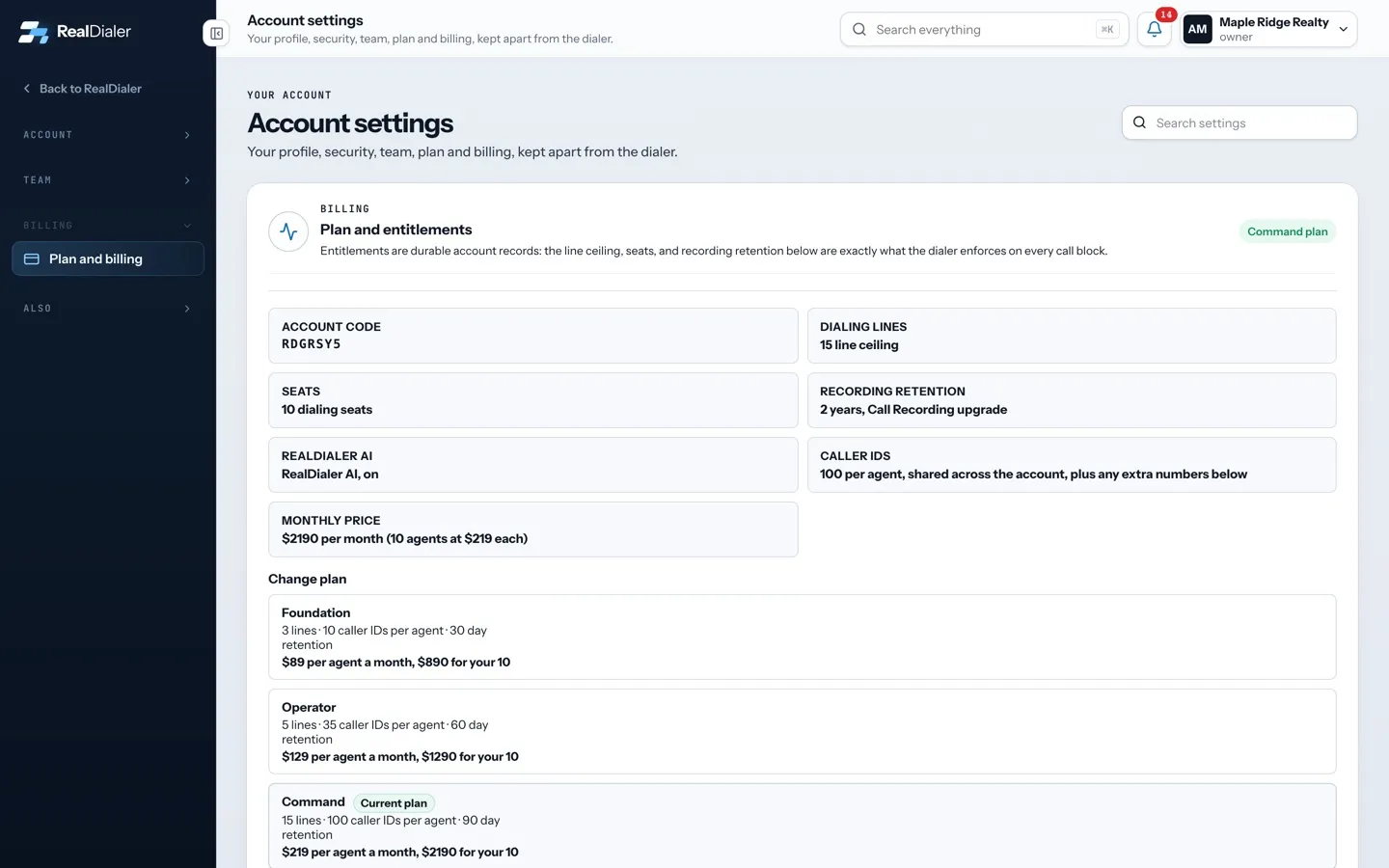
Settings > Billing > Plan and billing > Card
Steps
- Open your name in the top right > Plan and billing. The Card section shows the card on file by brand and last four digits.
- Press Update card, type the new card into the secure form, and press Save card. It becomes the card for your plan and every upgrade.
- If a payment failed, a line shows it with Retry payment. Press it to pay now with the card on file.
- For a copy of an invoice, open a support request in the Billing and plan category. Do not type card numbers into the request.
Good to know
- Never send a full card number by email, in a support request or in this chat.
- Only the account owner can make billing changes.
- If an upgrade’s payment fails, that upgrade turns off right away and you have 24 hours to update the card and retry. Retrying in time keeps its billing day.
- If your account is billed directly by RealDialer, write to support@realdialer.com to change the card.
- If a change in the app says billing did not go through, nothing was charged. Try again in a minute, and contact support if it keeps happening.
Was this guide helpful?
Thanks. It helps us make these better.
Next in Billing and plans
Accounts billed directly by RealDialerMost accounts pay by card on a subscription, and the owner can change the plan and upgrades in the app. Some accounts are set up and billed by RealDialer directAdd seats for more agentsEach seat is one person who can dial on your account, and each seat is billed at your plan's per agent price. When every seat is in use, inviting another personCancel your subscription or delete your accountThere are two ways to end RealDialer. You can ask support to cancel your subscription, or the account owner can delete the whole workspace from the RealDialer i
Still stuck? Write to support@realdialer.com, or open Support from inside RealDialer.