What it is
The left menu takes you to every main part of RealDialer: Overview, Dialer, Upgrades, Campaigns, Lists, CRM, Numbers, Recordings, Reports and Gear. Some accounts also see Neighborhoods. The top bar holds search, your notifications bell and your account menu.
Where to find it
The left side of the screen. The collapse button sits next to the RealDialer name at the top of the menu.
Steps
- Click any item in the left menu to open that page.
- To get more room, click the collapse button at the top of the menu. The menu shrinks to icons. Hover an icon to see its name.
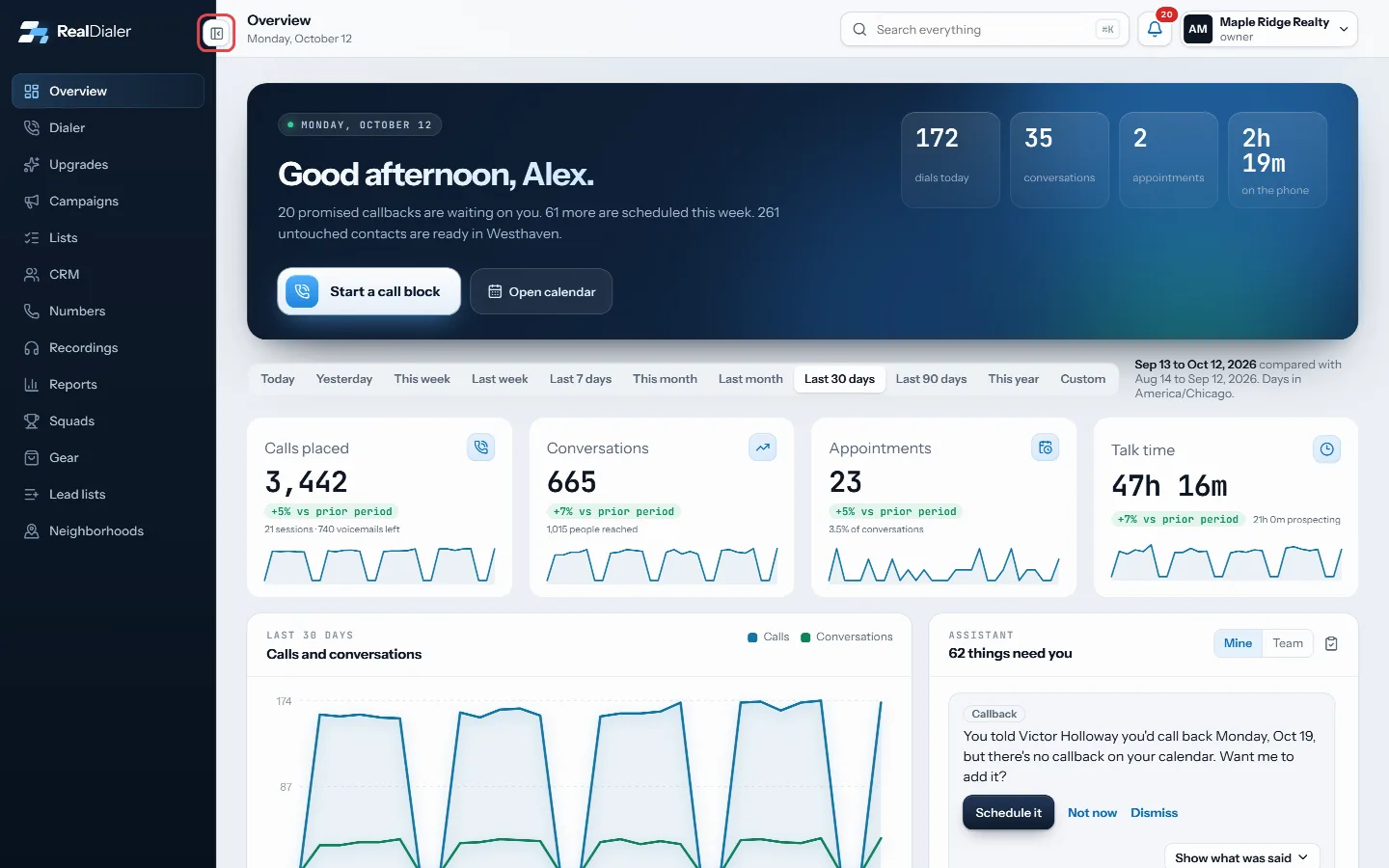
The collapse button next to the RealDialer name shrinks the menu to icons. - Click the same button again to expand the menu.
- To open Settings, click your name in the top right and choose Account settings or Dialer settings. The left menu then lists the Settings sections, with Back to RealDialer at the top.
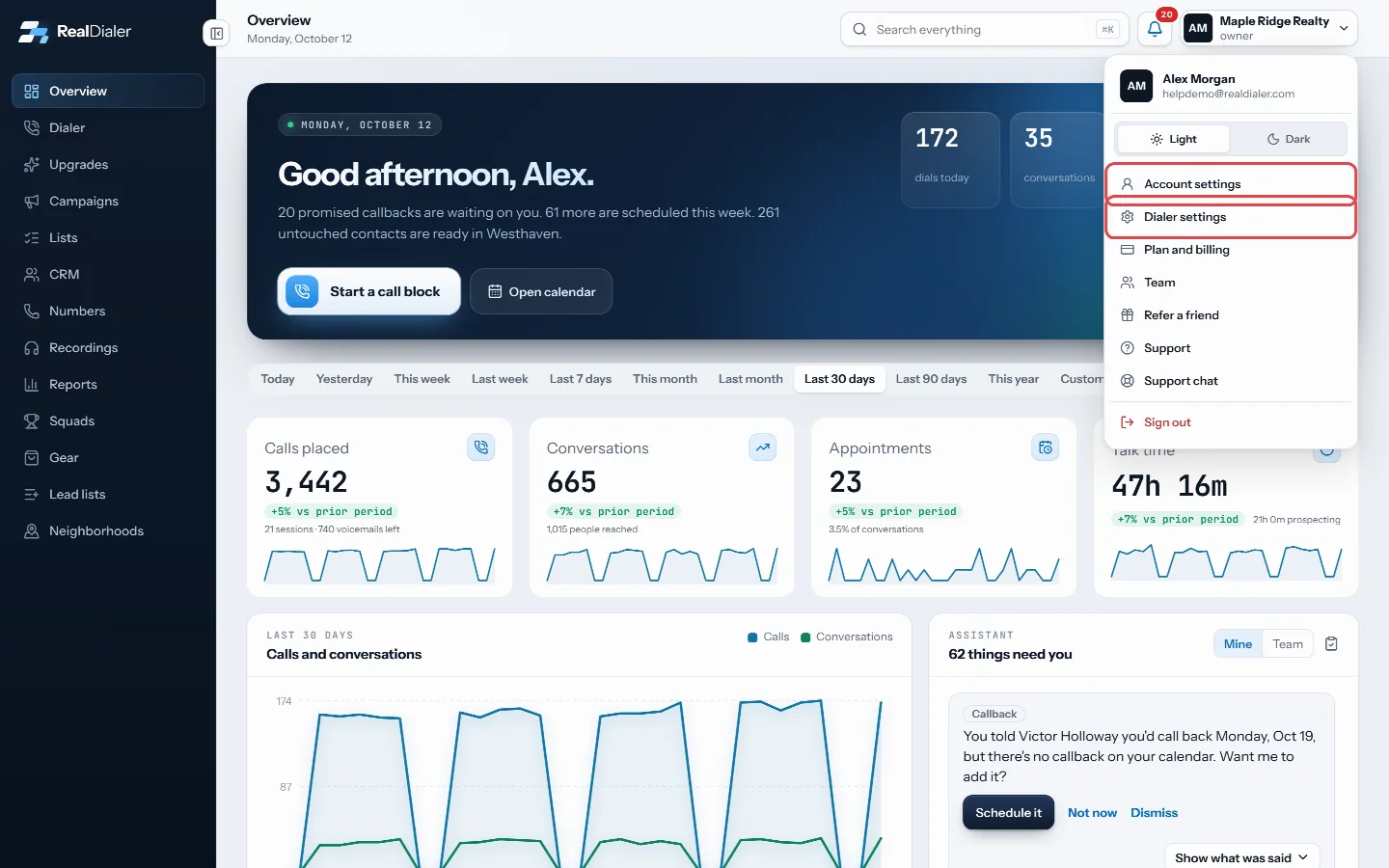
Settings open from your name in the top right: Account settings or Dialer settings. 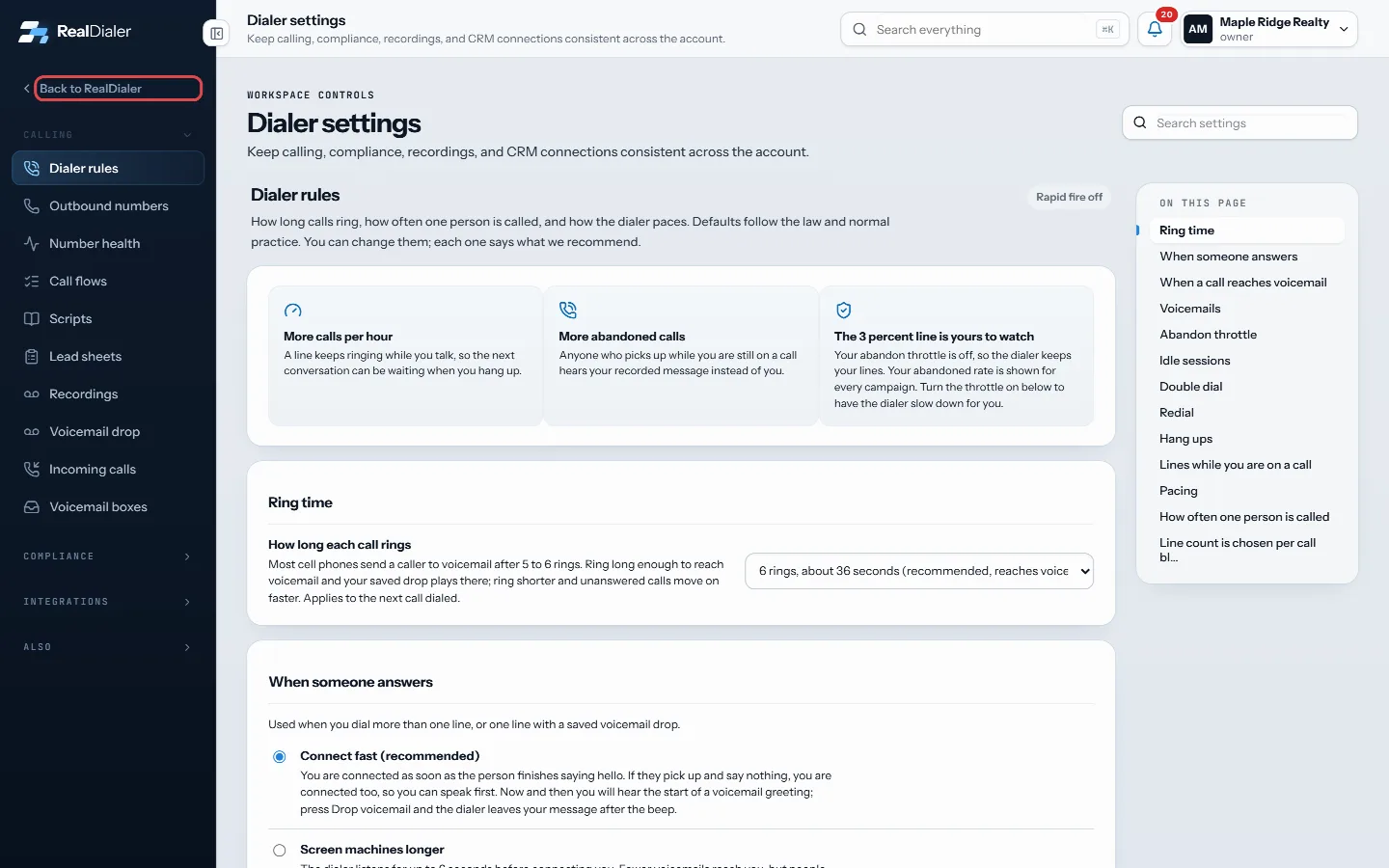
In Settings the left menu lists the sections, with Back to RealDialer at the top. - On a phone or a narrow window, tap the menu button at the top left to open the menu as a drawer.
Good to know
- Your collapsed or expanded choice is remembered in this browser.
- When a call block starts, the menu folds to icons once so the contact record gets more space. Open it again and it stays open.
- Inside Settings and the CRM, menu groups open and close when you click their names.
- Plan and billing, Team and Support are also in the account menu under your name.
- Search in the top bar looks across your whole account. Press Cmd K, Ctrl K or the / key to jump to it.
Was this guide helpful?
Thanks. It helps us make these better.
Next in Getting started
Make your first callsOnce your leads, numbers and first campaign are in place, you make calls from the Dialer. The Dialer walks you through four short steps, then connects your audiPick a headset and desk gearThe Gear page lists the headsets and desk equipment the RealDialer team dials on, with the reason each one is on the list. Nothing there is required. A laptop mReset your passwordIf you forget your password, RealDialer emails you a link to set a new one. The same steps work if you just want to change your password, because there is no se
Still stuck? Write to support@realdialer.com, or open Support from inside RealDialer.