What it is
Once your leads, numbers and first campaign are in place, you make calls from the Dialer. The Dialer walks you through four short steps, then connects your audio and waits for you to press start. Nothing is dialed until you say so.
Where to find it
Dialer
Steps
- Put on a headset. A wired or Bluetooth headset keeps people from hearing an echo.
- Click Dialer in the left menu.
- In Audience, pick the campaign you want to call and press Continue.
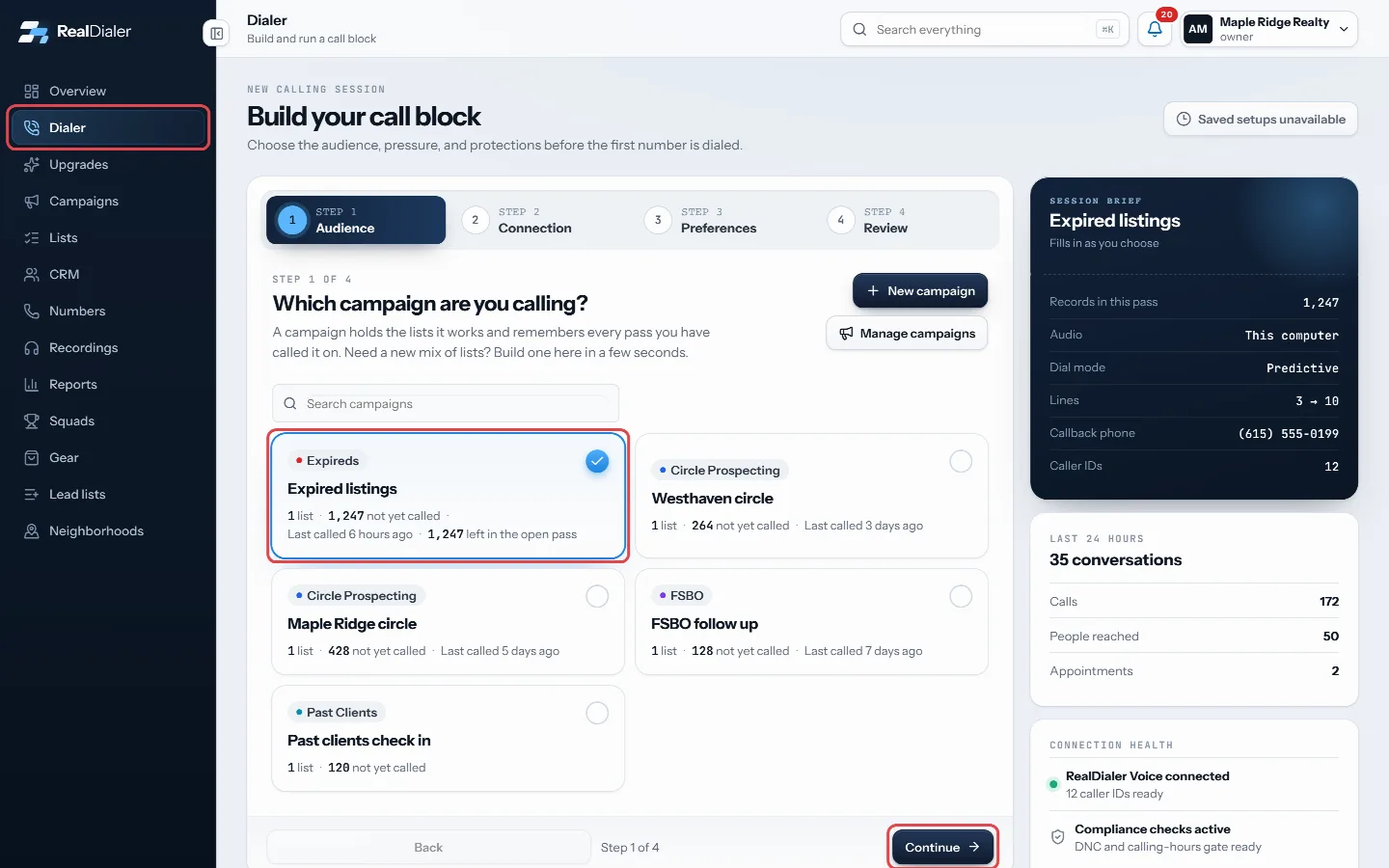
Click Dialer in the left menu, pick your campaign in Audience and press Continue. - In Connection, check that your audio shows This computer, through the browser and verify your callback phone if you have not done it yet.
- In Preferences, check the dial mode and pick your lines.
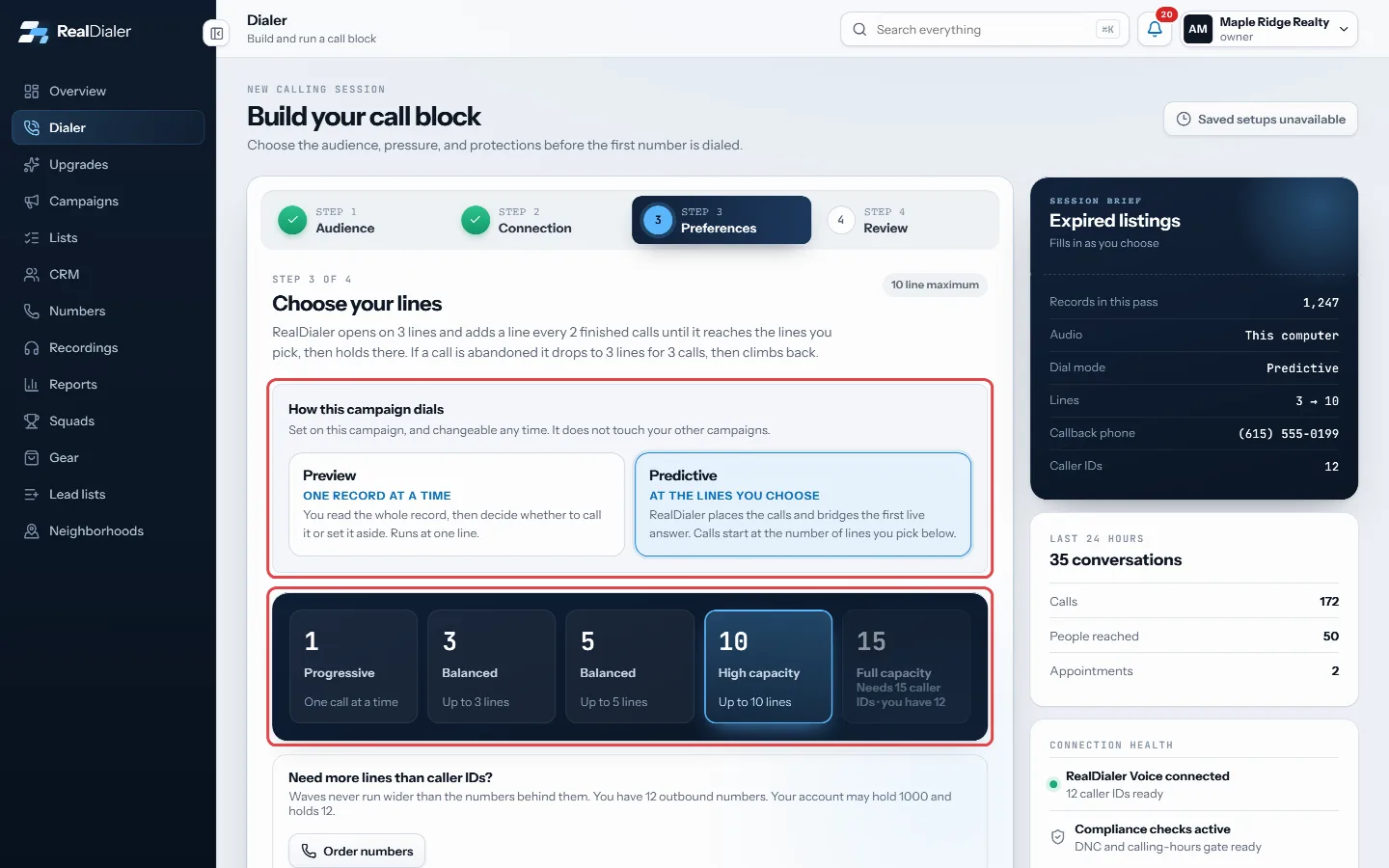
In Preferences, check the dial mode and pick your lines. - In Review, press Connect and open session. Allow the microphone if your browser asks.
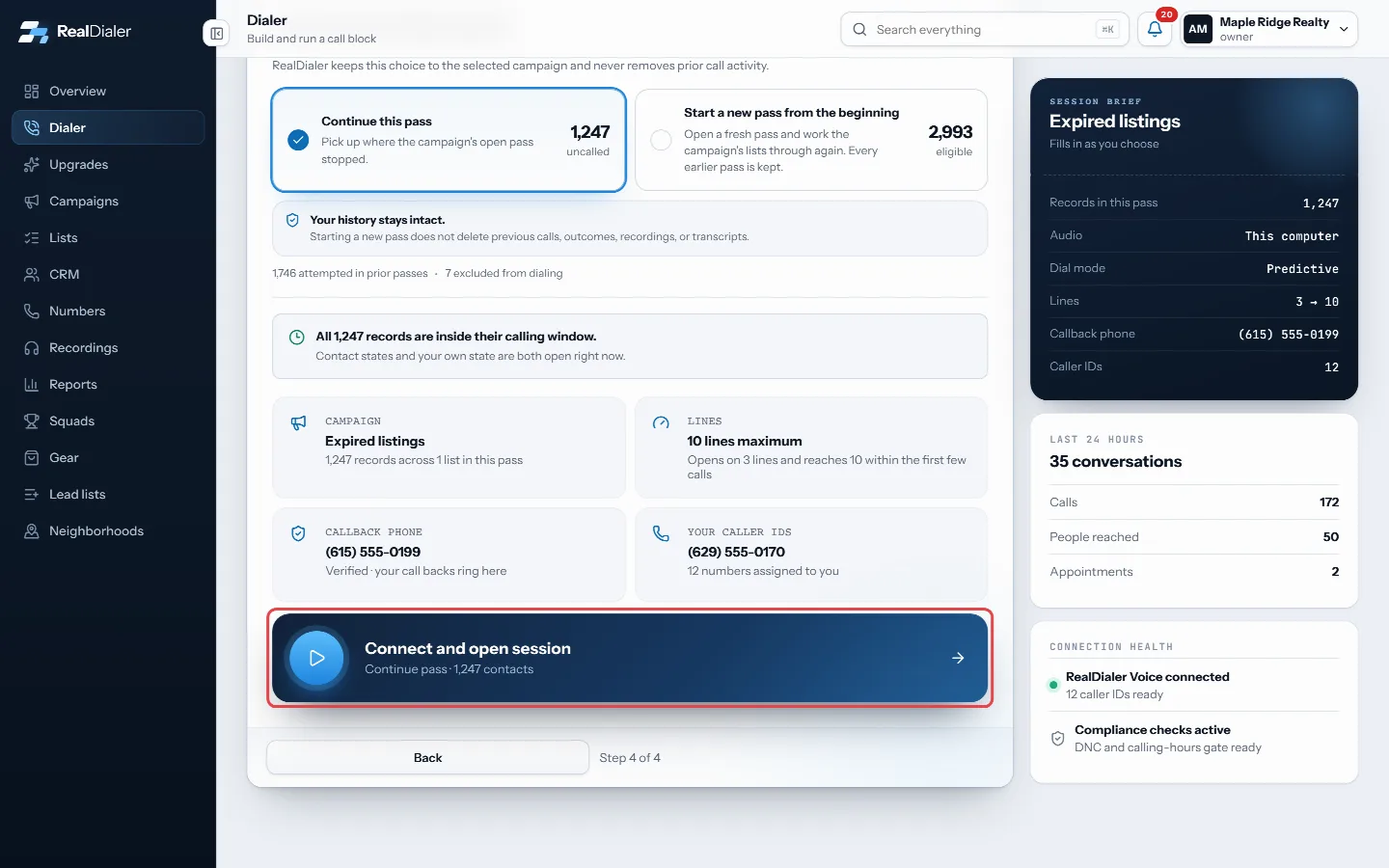
In Review, press Connect and open session. - When the screen says Audio connected, ready to start, press Start auto dialer.
- When a call ends, pick the result in the popup and press Save and next call.
Good to know
- You have 3 minutes to press Start auto dialer after your audio connects, or the session closes and you start again.
- Keep the tab open while you call. Closing or reloading it hangs up your audio and ends the session.
- Your identity must be verified and you need at least one caller ID before calling can start. The Review step tells you what is missing.
- If you are brand new, the Start calling screen on the overview lists the setup steps that come first.
- Every result you save lands on the contact and in Reports.
Was this guide helpful?
Thanks. It helps us make these better.
Next in Getting started
Pick a headset and desk gearThe Gear page lists the headsets and desk equipment the RealDialer team dials on, with the reason each one is on the list. Nothing there is required. A laptop mReset your passwordIf you forget your password, RealDialer emails you a link to set a new one. The same steps work if you just want to change your password, because there is no seSign in to RealDialerRealDialer runs in your web browser at app.realdialer.com. You sign in with the email address and password on your RealDialer login. After the password is check
Still stuck? Write to support@realdialer.com, or open Support from inside RealDialer.