What it is
Contacts in lists shows every contact on every list on one page. The lists and folders on the left are filters: pick one list, several lists, or a folder and the table shows the people on them.
Where to find it
Lists in the left menu.
Steps
- Click Lists in the left menu.
- In the Lists panel, click a list or folder to show its contacts. Tick the box beside several lists to see them together.
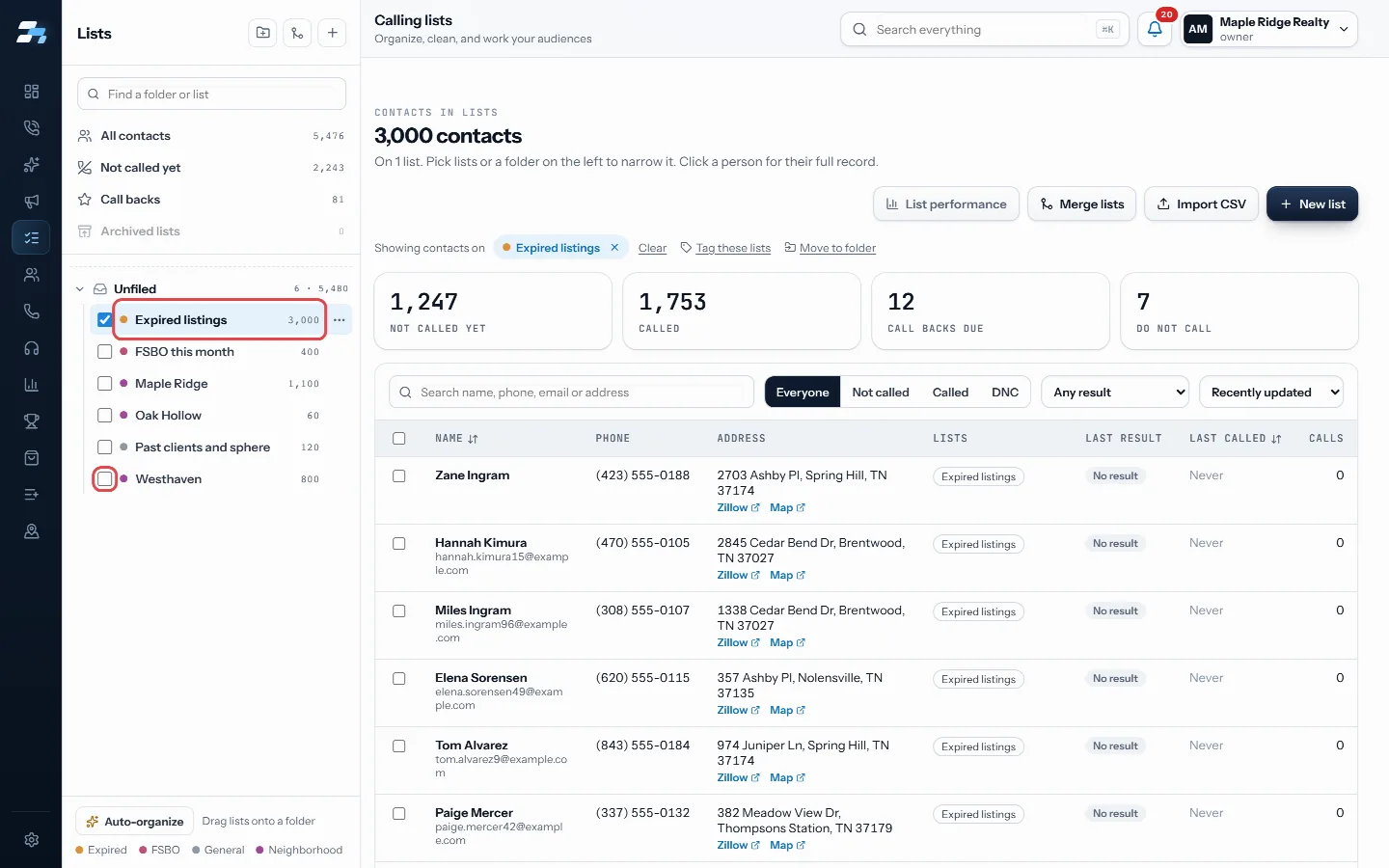
Click a list to show its contacts, or tick several - Use the saved views at the top of the panel: All contacts, Not called yet, Call backs or Archived lists.
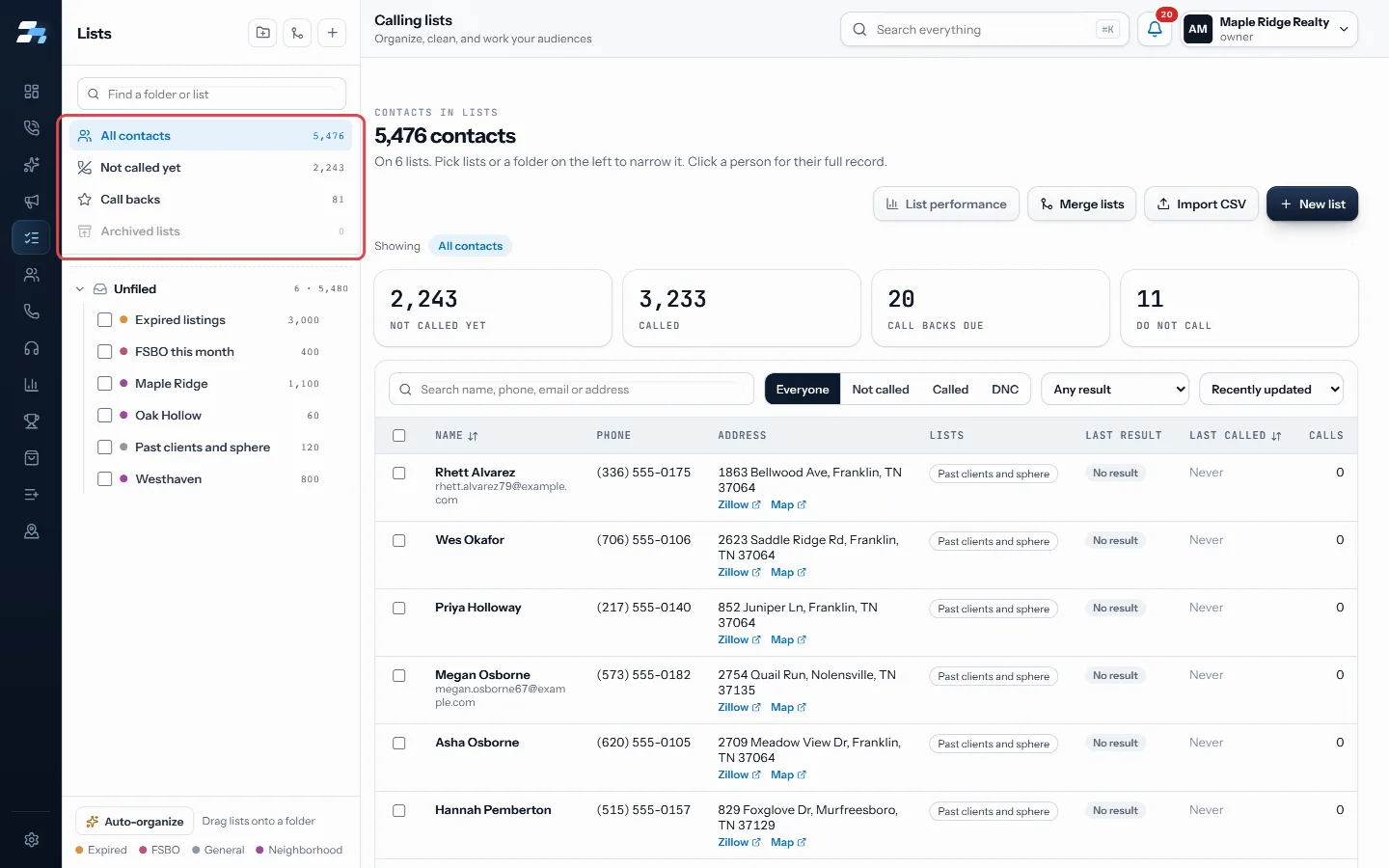
Saved views at the top of the panel - Search by name, phone, email or address, and use Everyone, Not called, Called or DNC to narrow the table.
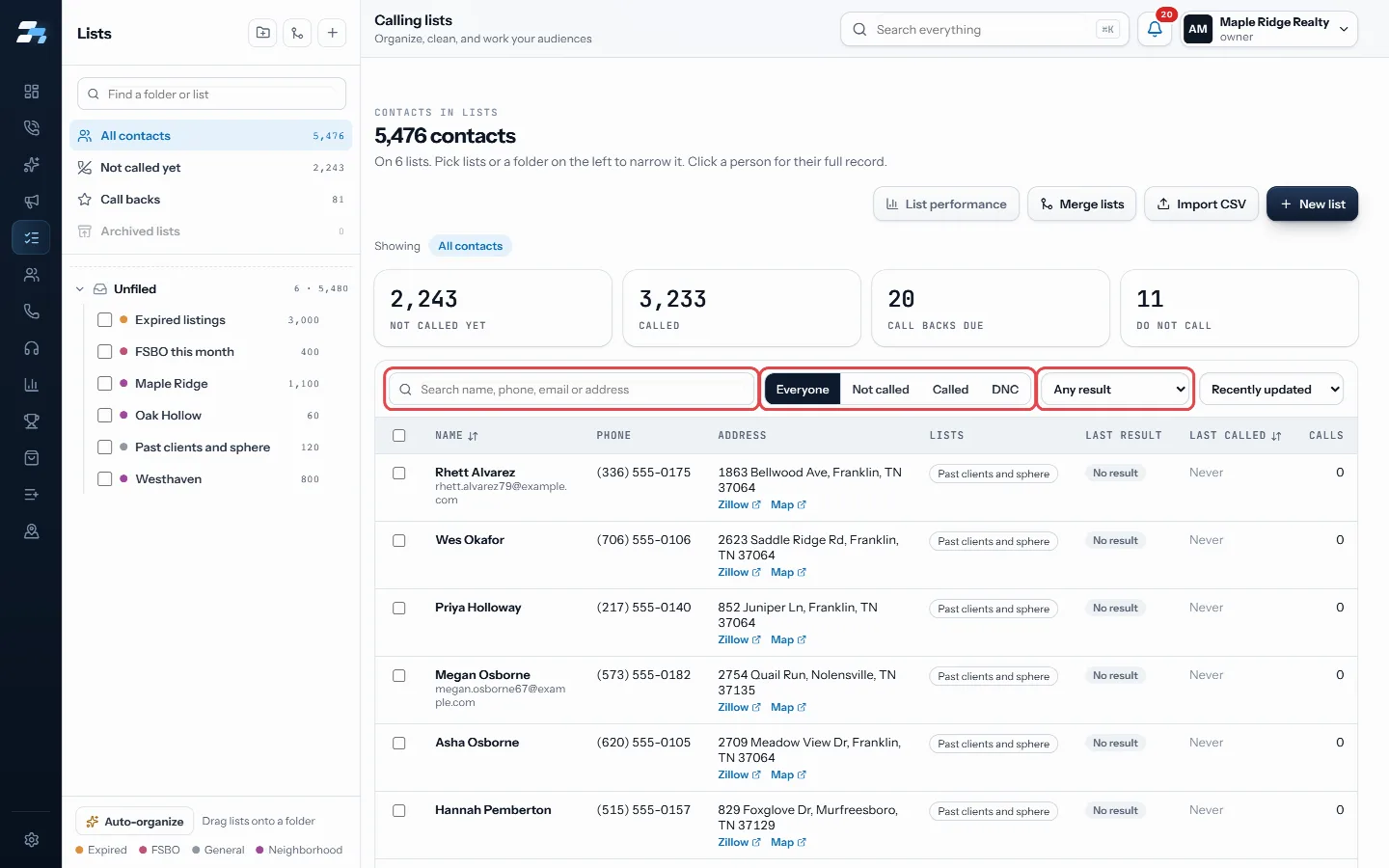
Search, Everyone / Not called / Called / DNC, and Any result - Use Any result to filter by last result and the sort menu to order the table.
- Click a person to open their full record.
Good to know
- Only account owners and managers can open this page, because moving, merging and tagging lists changes what every caller dials. Agents can still import and see list results on List performance.
- The four tiles show Not called yet, Called, Call backs due and Do not call for the lists in view.
- A coloured dot beside each list shows its kind, such as Expired, FSBO or Circle, read from the list name.
- A lock icon marks a list RealDialer keeps itself. A live icon marks a list a session is working right now.
- On a narrow screen, open the panel with the Lists button.
- Choose 50, 100 or 200 contacts per page at the bottom.
Was this guide helpful?
Thanks. It helps us make these better.
Next in Lists
Get phone numbers for an area and a calling list to dialOnce an area is saved, you can look up the owners' phone numbers and then send the callable numbers to a calling list for the dialer.How to organize your lists (our recommended setup)How you split people into lists decides what you can see and call later. A list is the smallest piece you can report on, give its own voicemail, add to a campaiImport contacts from a CSVImport turns a CSV file into a calling list. You map its columns to RealDialer fields, RealDialer checks every phone number, and the list is ready for a campaig
Still stuck? Write to support@realdialer.com, or open Support from inside RealDialer.