What it is
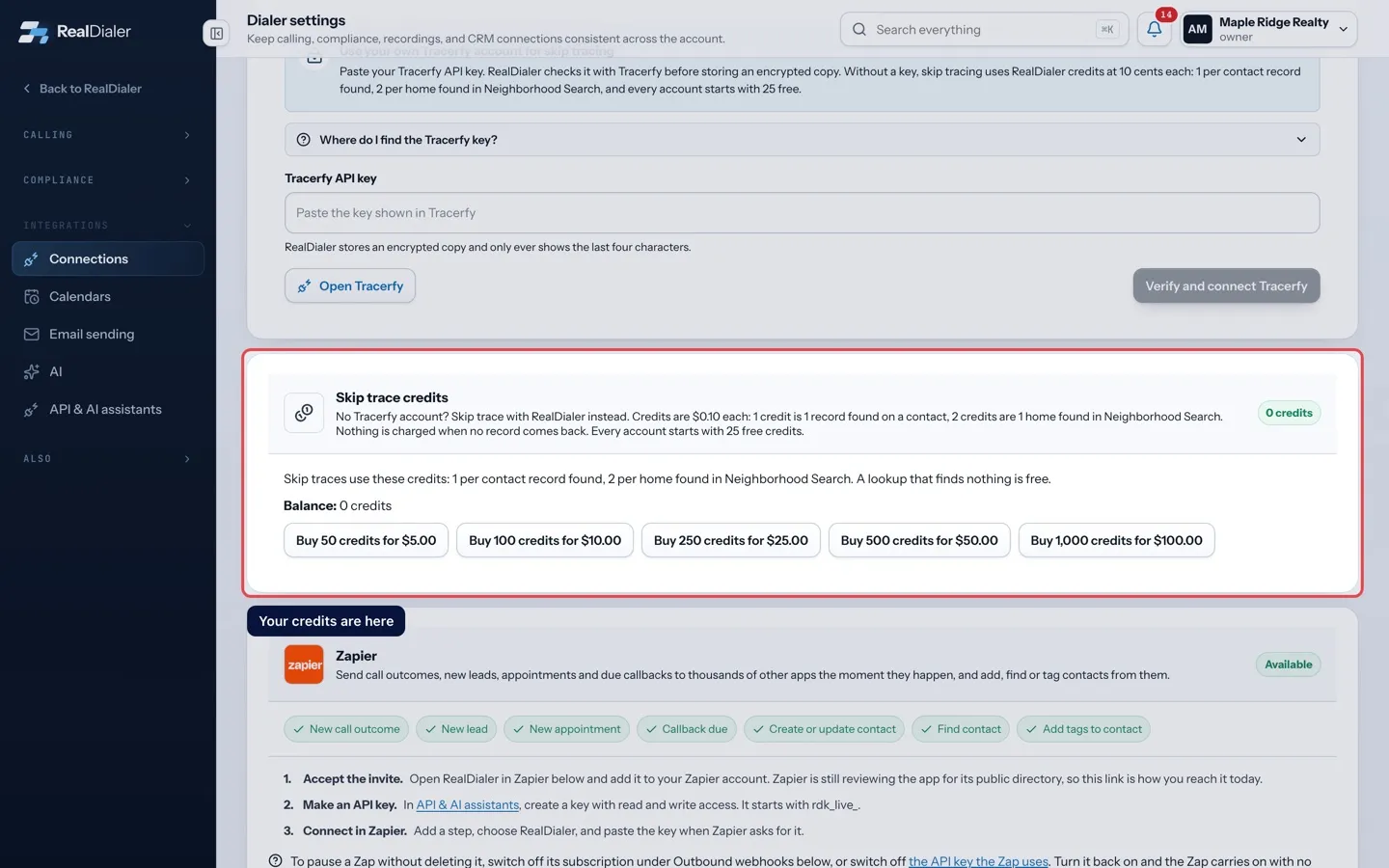
A skip trace looks up the owner of a property and their phone numbers. You can pay for skip traces two ways: connect your own Tracerfy key, or buy RealDialer credits. Credits are $0.10 each. A skip trace on a contact uses 1 credit when a record is found, and a home found in Neighborhood Search uses 2. Nothing is charged when no record comes back. Every account starts with 25 free credits.
Where to find it
Settings > Connections > Skip trace credits
Steps
- Open Settings and choose Connections. Scroll to Skip trace credits.
- Check your Balance and the line that says which way skip traces are paid on your account.
- Press a pack, such as Buy 50 credits for $5.00. Packs go from 50 to 1,000 credits.
- Pay on the checkout page. You come back to RealDialer, and the credits are added as soon as the payment is confirmed, usually within a minute.
- Open Recent credit activity to see purchases, spends and your free starter credits.
Good to know
- Only the account owner or a billing admin can buy credits.
- If your own Tracerfy key is connected and on, credits are not used. Pause Tracerfy on the same page to use credits instead.
- You can skip trace from a contact’s Property tab with Pull records, or tick contacts on a calling list and press Skip trace.
- If checkout was canceled, nothing was charged.
Was this guide helpful?
Thanks. It helps us make these better.
Next in Lists
Circle prospect around an addressCircle prospecting lists the homes nearest to one address, so you can call the neighbors about a listing or a sale.Create an empty listAn empty list is a named list with nobody on it yet. You fill it later by adding or moving contacts into it, or by importing a CSV into it.Do not call numbers in your listsNumbers on your own do not call list, and numbers that skip trace data marks as registry listed, stay on your lists, but RealDialer will not dial them. You can
Still stuck? Write to support@realdialer.com, or open Support from inside RealDialer.