What it is
Each list can leave its own voicemail. Pick a different recorded drop for a list, change how many voicemails one person on it can get, and choose whether you move on while the message plays. Anything you leave on Use my default follows your own settings.
Where to find it
Lists > the list’s ⋯ menu > List settings… > Voicemail on this list. Record the extra drops first in Dialer settings > Voicemail drop, under More voicemail drops for your lists.
Steps
- Open Dialer settings, then Voicemail drop, and save your main drop if you have not yet.
- Under More voicemail drops for your lists, type a name (like Commercial), then press Record or Upload WAV.
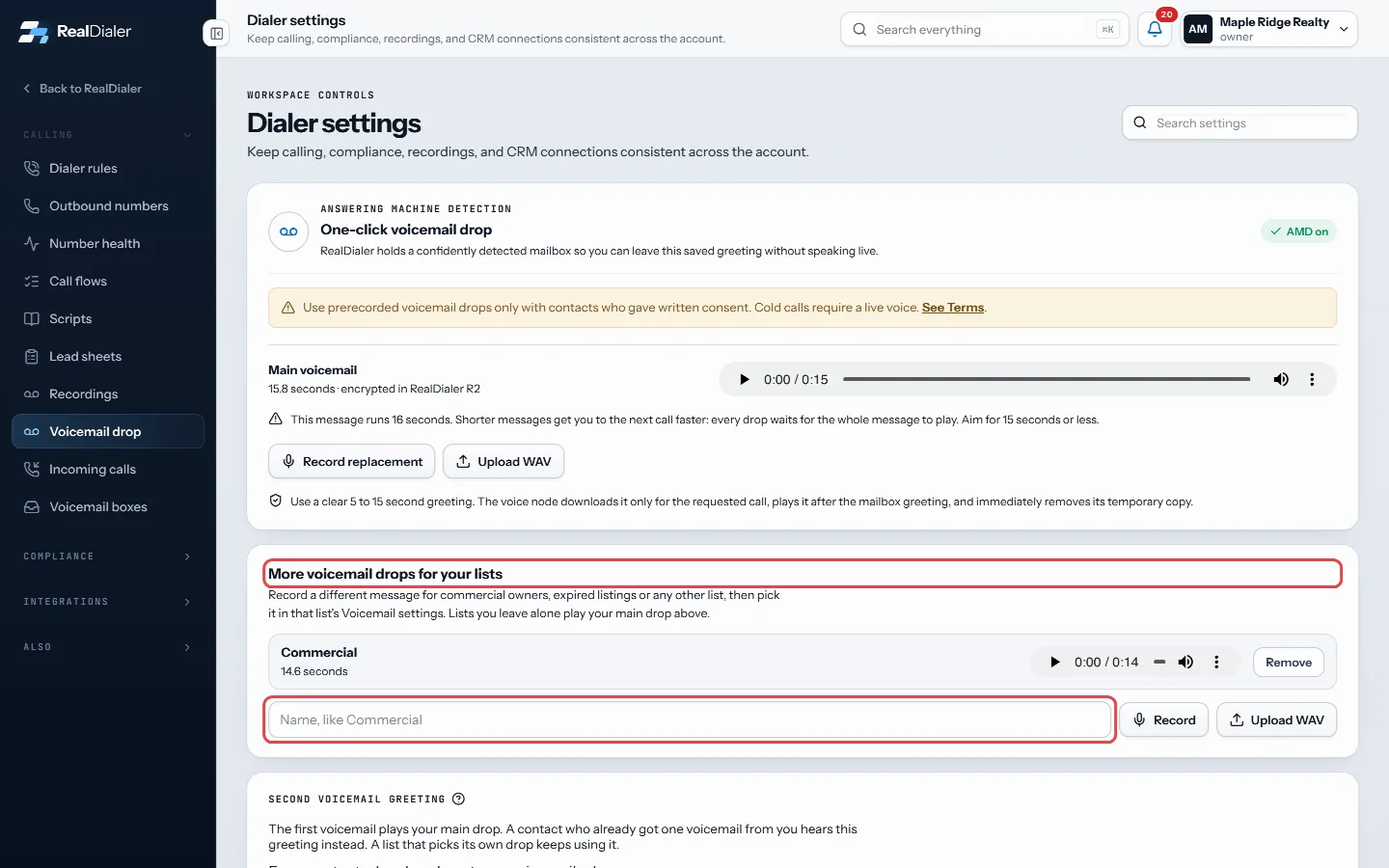
Settings, Voicemail drop: More voicemail drops for your lists - Go to Lists, press the ⋯ next to the list, and choose List settings….
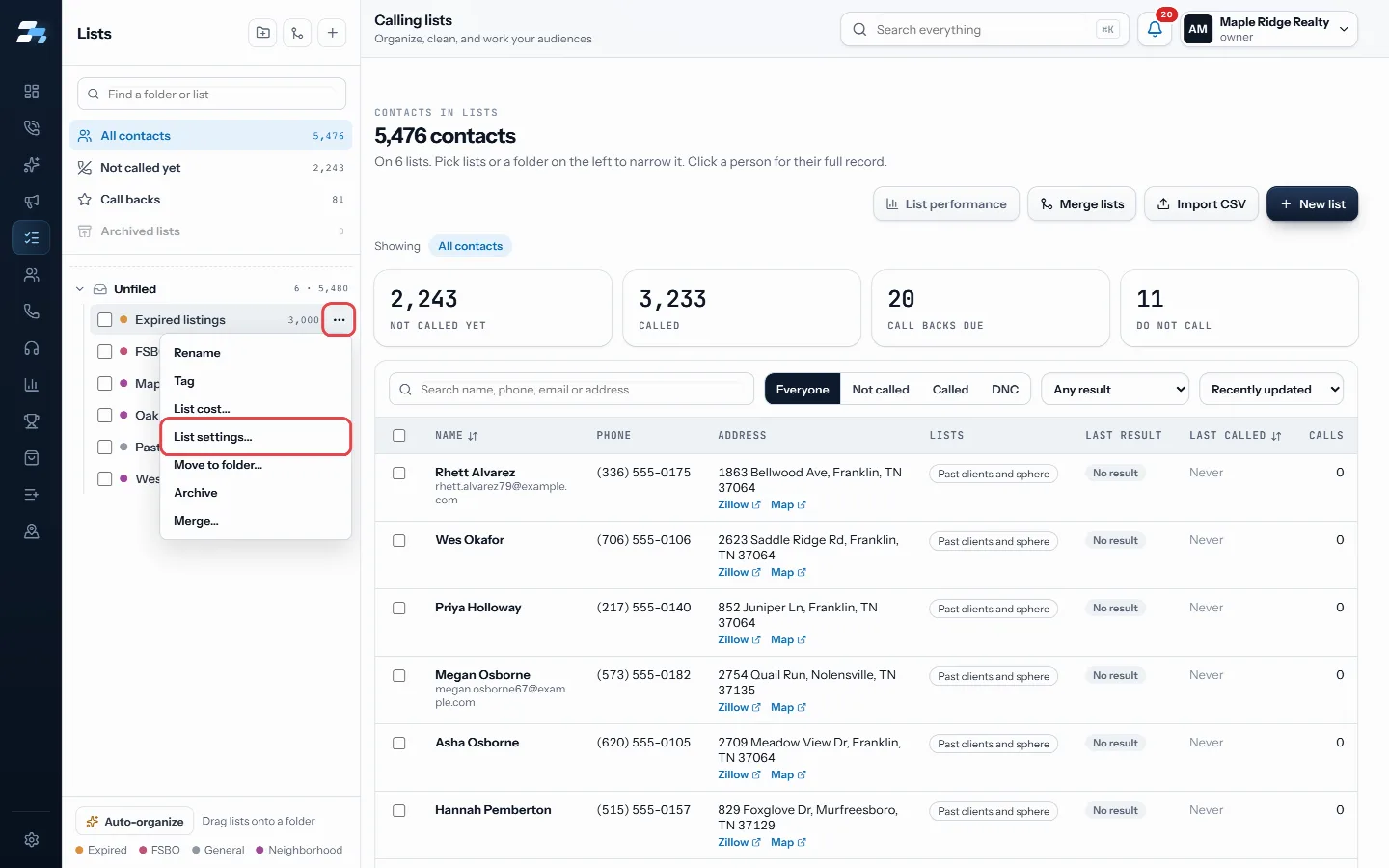
List actions, then List settings… - Scroll to Voicemail on this list and pick the drop. If you want, also set the voicemails per person and whether to move on while a voicemail is being left.
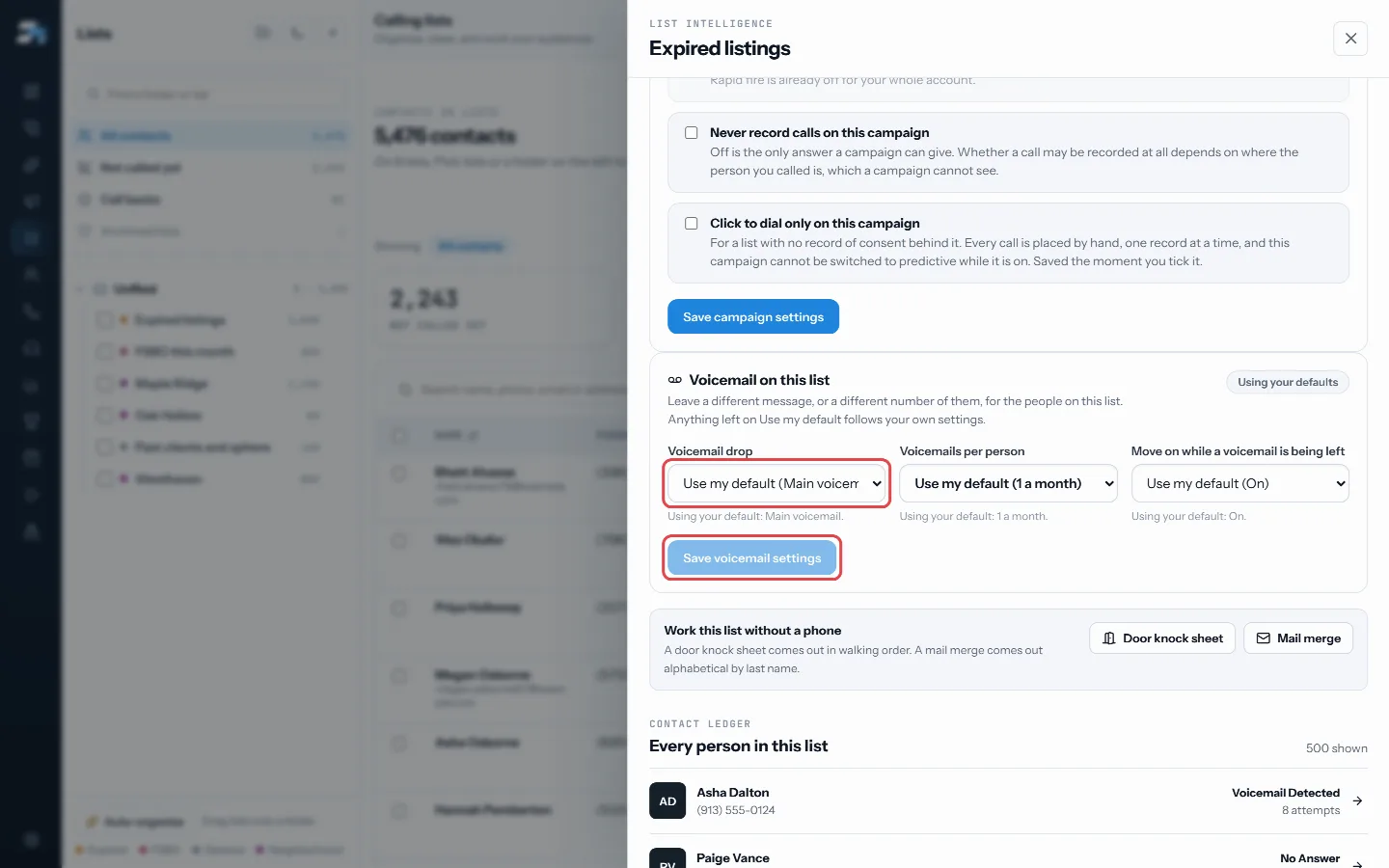
Voicemail on this list: pick the drop, then Save voicemail settings - Press Save voicemail settings. Choosing Use my default puts the list back on your own settings.
Good to know
- Each field shows what it uses when left alone, for example Using your default: 1 a month.
- The voicemail limit counts every voicemail the person was left, from any list.
- A drop only plays on calls you place. A teammate dialing the same list leaves their own main drop.
- Removing a drop puts every list that used it back on your main drop.
- Anyone can pick their own drop for a list. Only an account owner or admin can change a list’s voicemail limit or move on.
- Use prerecorded drops only with contacts who gave written consent.
Was this guide helpful?
Thanks. It helps us make these better.
Next in Lists
Add, move or remove contacts between listsOn the Lists page you can select contacts and copy them onto another list, move them from one list to another, take them off a list, or make a new list from theBuy and use skip trace creditsA skip trace looks up the owner of a property and their phone numbers. You can pay for skip traces two ways: connect your own Tracerfy key, or buy RealDialer crCircle prospect around an addressCircle prospecting lists the homes nearest to one address, so you can call the neighbors about a listing or a sale.
Still stuck? Write to support@realdialer.com, or open Support from inside RealDialer.