What it is
Folders arrange your lists in the Lists panel. A folder works like a list filter: click it and you see every contact on every list inside it, subfolders included. Folders belong to the account, so everyone sees the same arrangement.
Where to find it
Lists > Lists panel > New folder icon.
Steps
- Click the New folder icon at the top of the Lists panel, name it, and click Create folder.
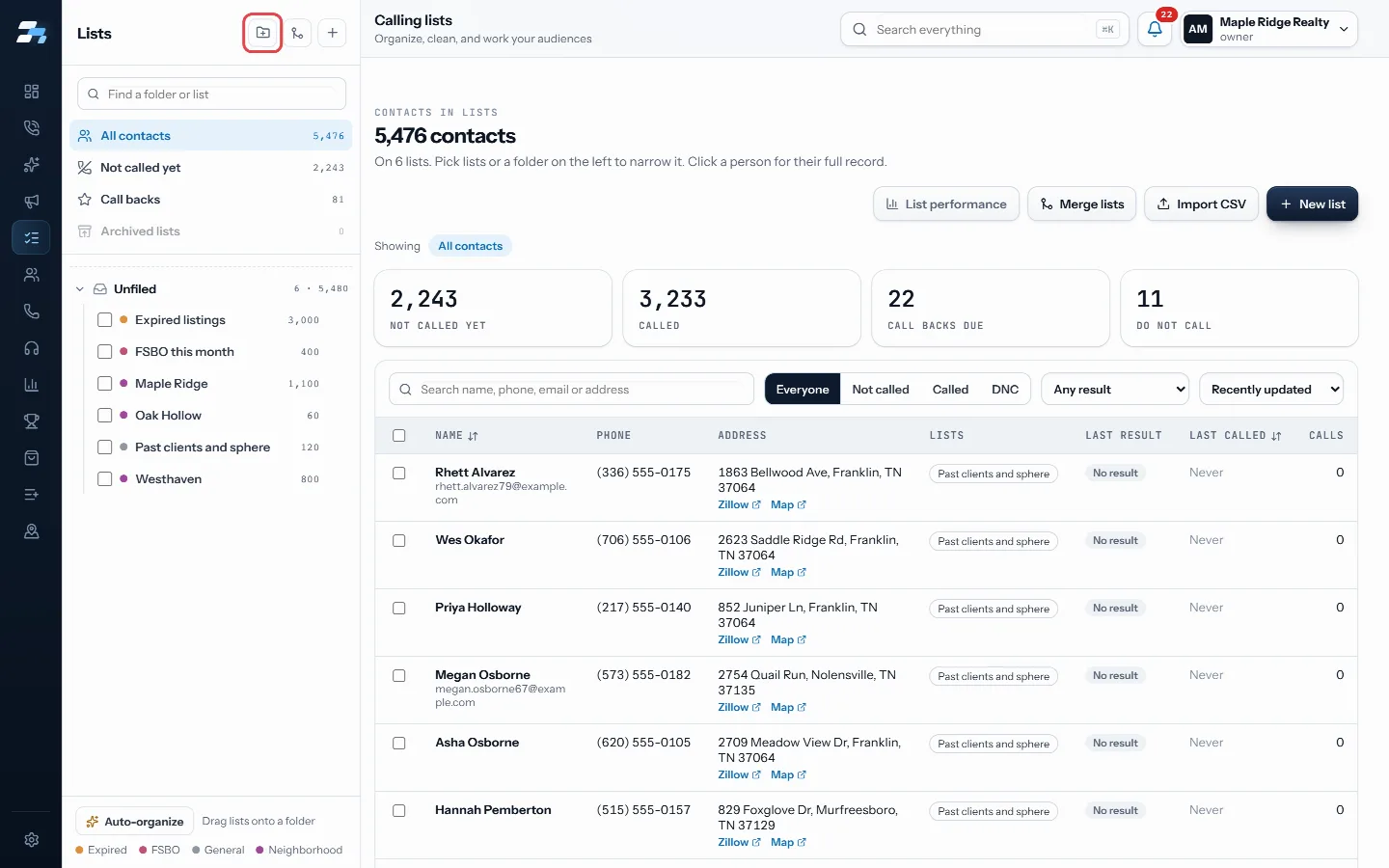
Click the New folder icon at the top of the Lists panel 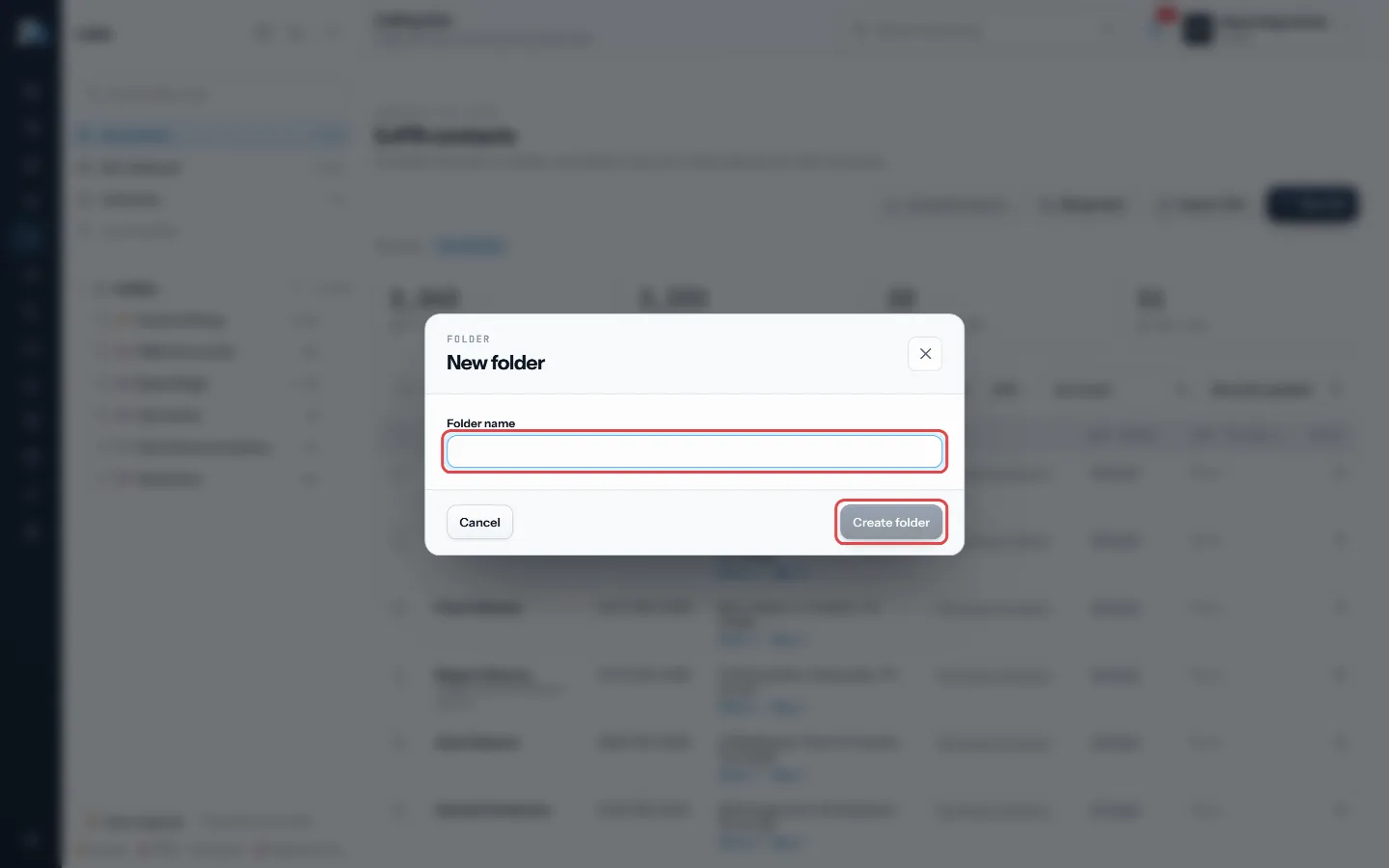
Name the folder and click Create folder - Drag lists onto the folder, or use a list’s menu and choose Move to folder….
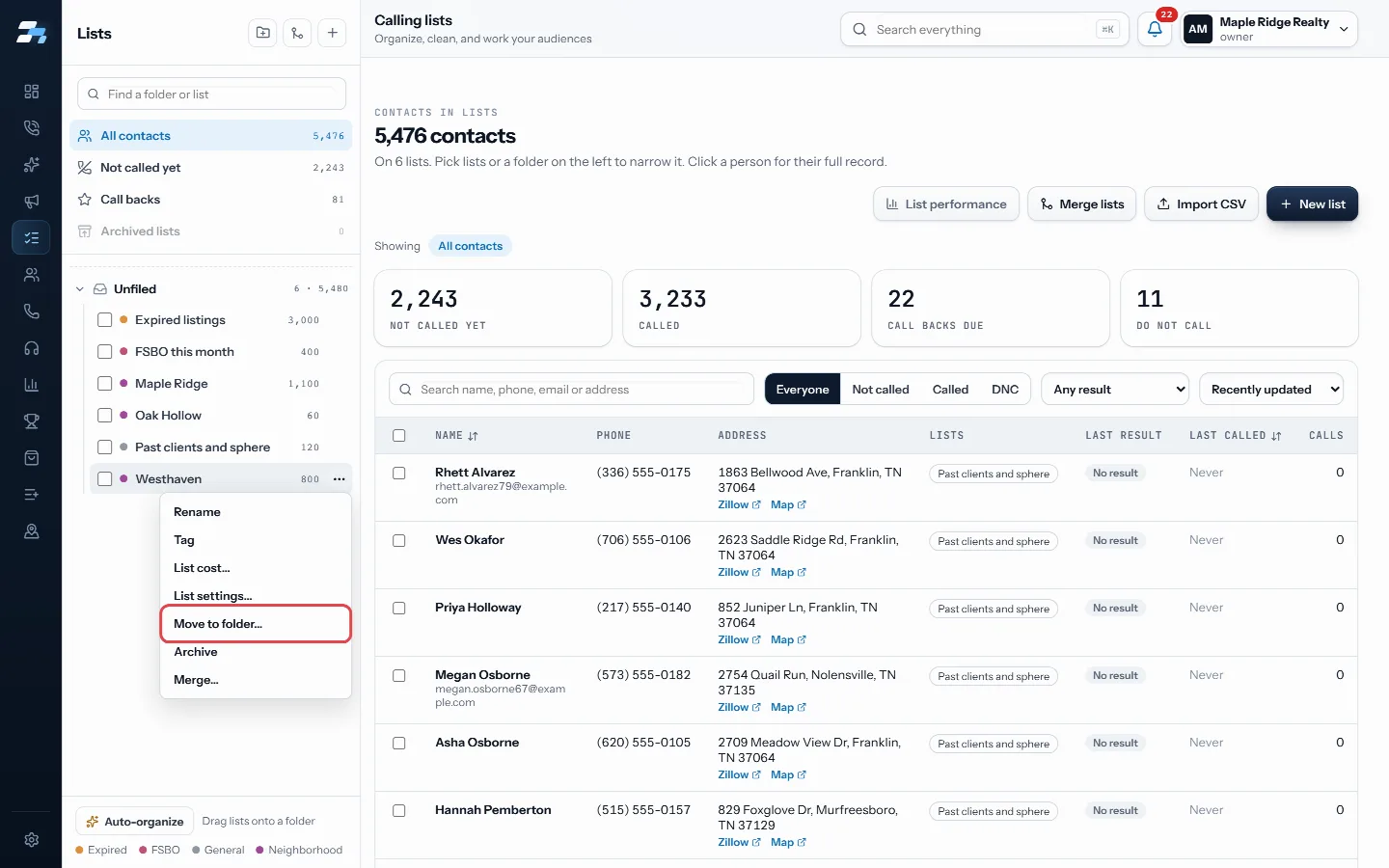
Or use a list's menu: Move to folder… - Use the folder’s menu for New subfolder, Rename, Tag every list inside or Delete folder (lists move up).
- Click Call this folder to open the Dialer on the folder’s own campaign. RealDialer makes that campaign from the lists inside the first time, and adds any lists filed there since each time you call it.
- Click Auto-organize at the bottom of the panel to build folders from your town tags automatically.
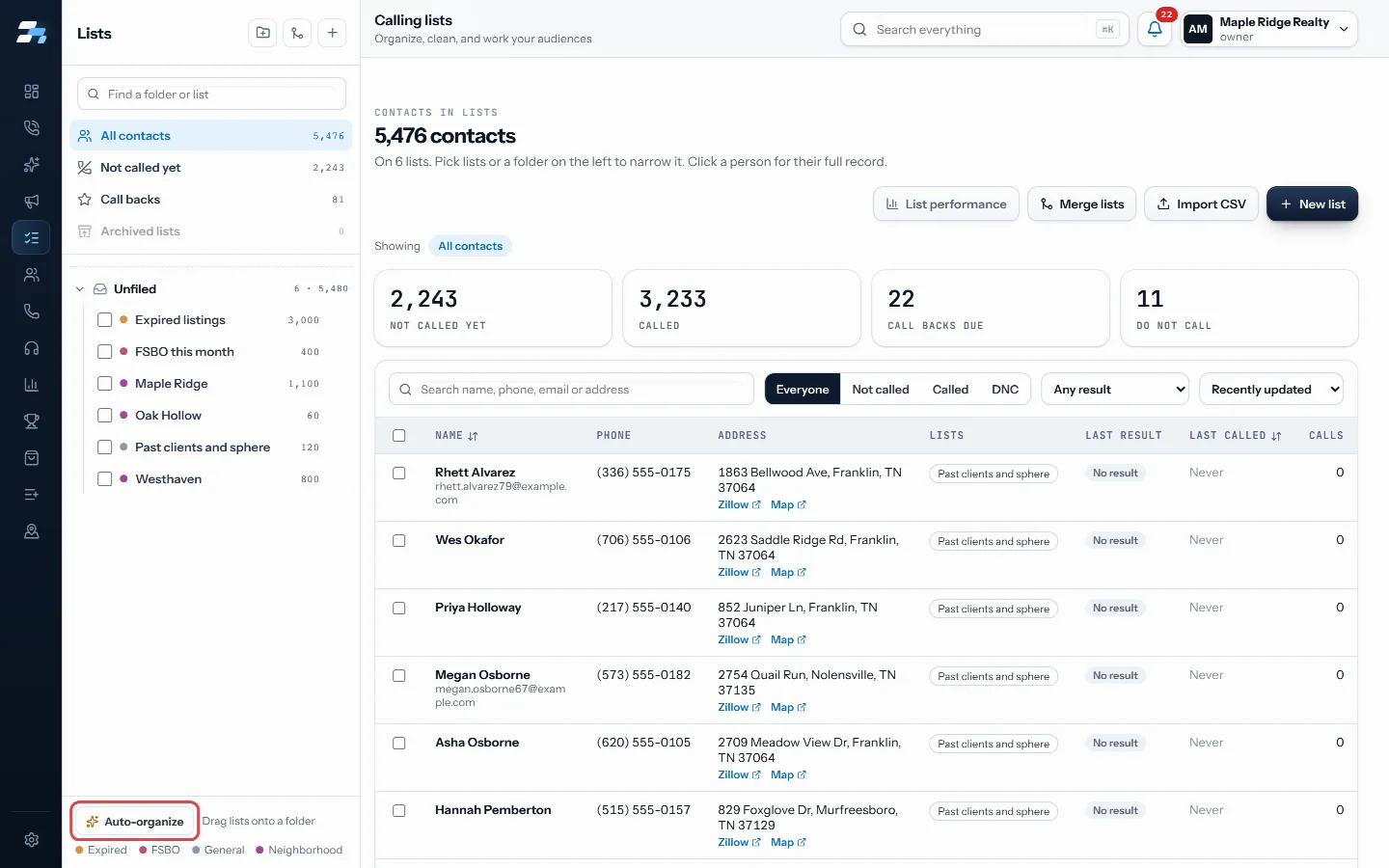
Auto-organize builds folders from town tags
Good to know
- Folders go 3 levels deep at most.
- Lists in no folder sit under Unfiled, at the bottom.
- Deleting a folder moves everything in it up one level. No list or contact is deleted.
- Auto-organize offers A folder per town or A folder per town, with type subfolders. It shows a preview first and only files Unfiled lists that carry a town tag.
- Only account owners and managers can manage folders.
Was this guide helpful?
Thanks. It helps us make these better.
Next in Lists
Rename, tag or archive a listEach list in the Lists panel has a menu for renaming, tagging, filing and archiving it. Tags are groups like a town or a source, and they are shared with campaiSee how each list is performingList performance compares your calling lists side by side. It shows which list is giving you the most conversations per dial, and how close you are to having spSkip trace contacts from a listSkip tracing looks up phone numbers for contacts from their property address. You can run it on a selection of contacts right from the Lists page.
Still stuck? Write to support@realdialer.com, or open Support from inside RealDialer.