What it is
Skip tracing looks up phone numbers for contacts from their property address. You can run it on a selection of contacts right from the Lists page.
Where to find it
Lists > tick up to 50 contacts > Skip trace.
Steps
- Open Lists and tick the contacts you want traced, up to 50 at a time.
- Click Skip trace in the action bar.
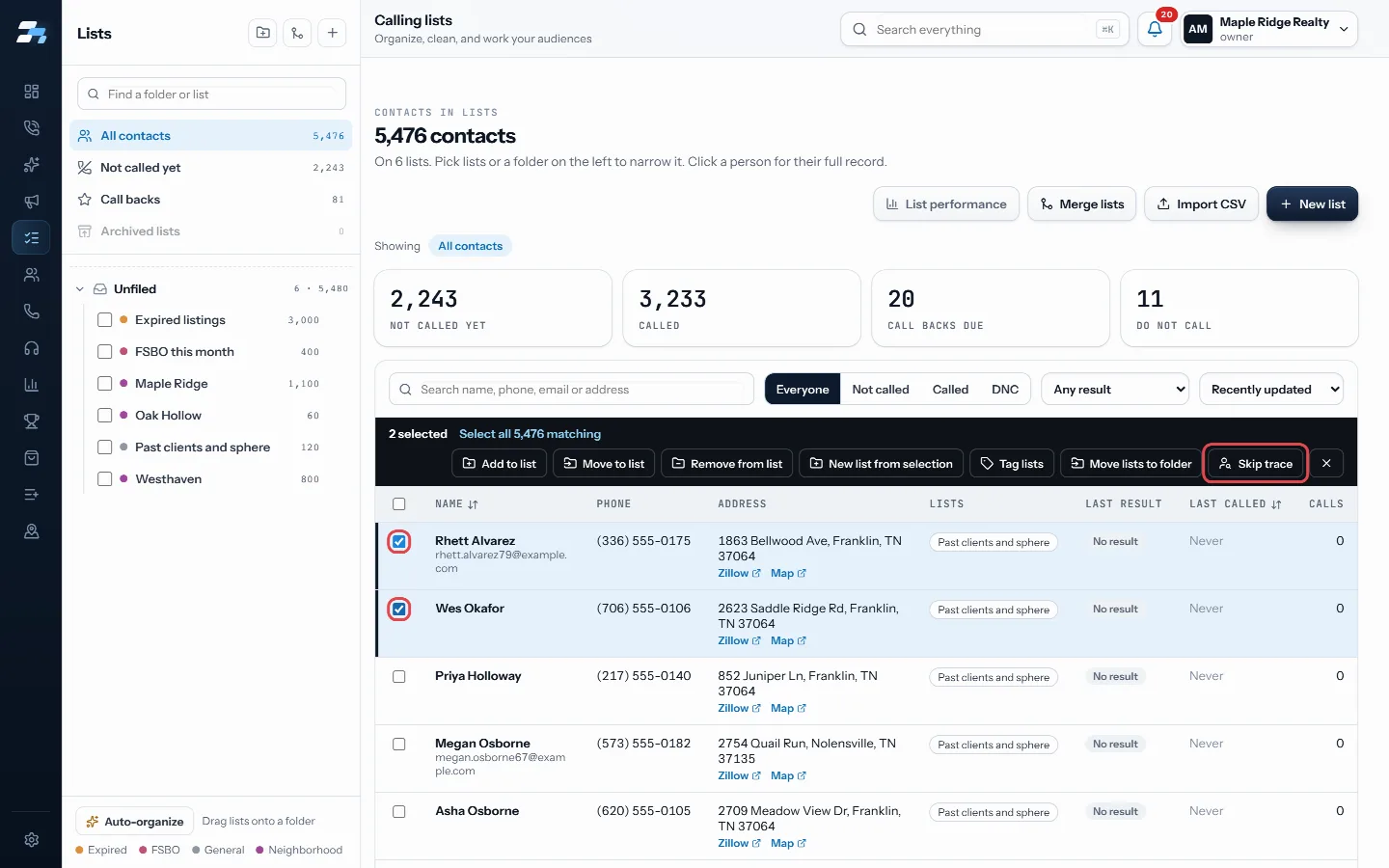
Tick up to 50 contacts, then Skip trace - Read the price and the list of anyone who will be skipped.
- Click Skip trace with the count to run it.
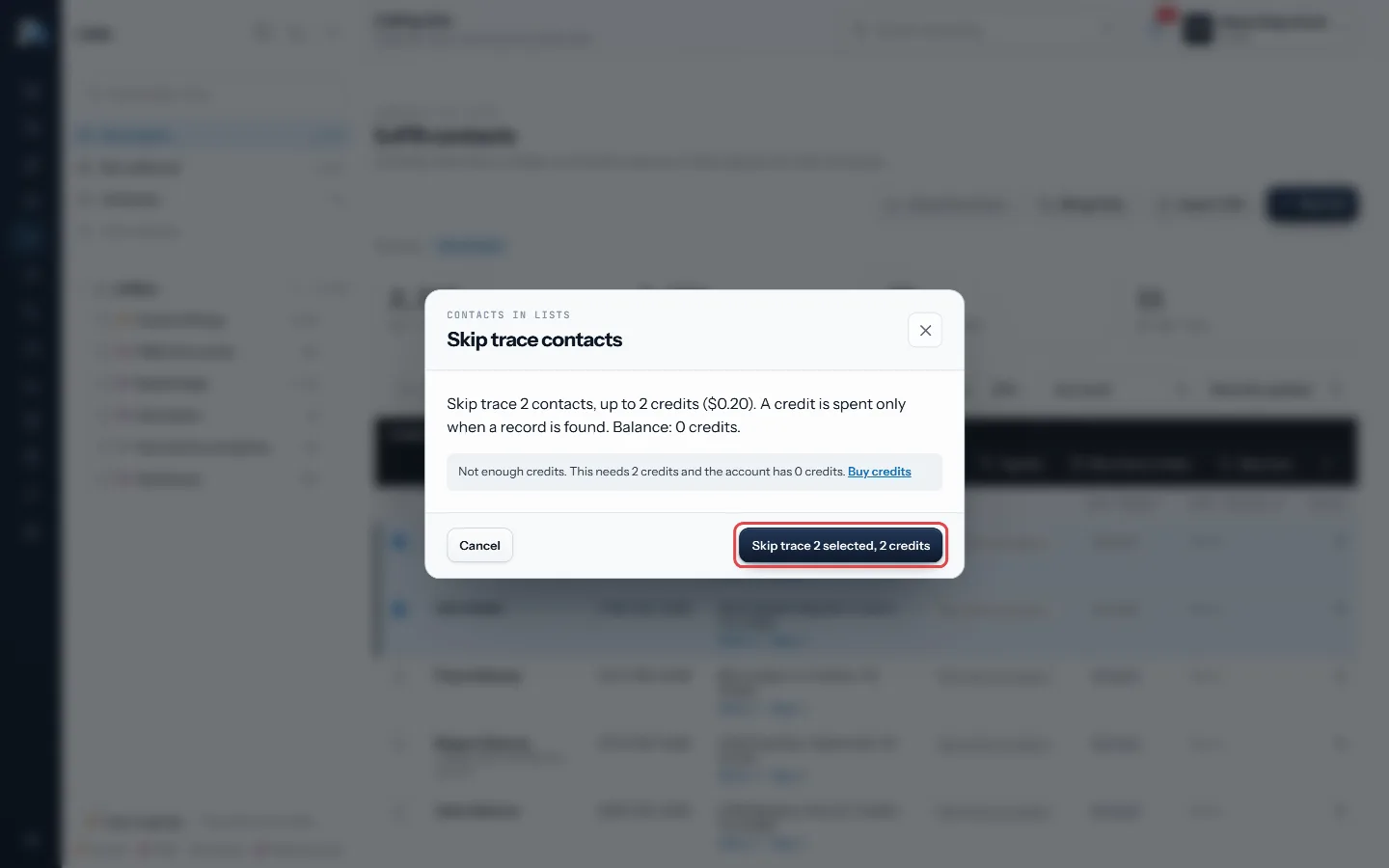
Read the price, then press Skip trace with the count - Click Done. New numbers are added to each contact.
Good to know
- Skip tracing is paid for with RealDialer skip trace credits or your own connected skip trace key. Set either up in Settings > Connections.
- If you are short on credits, the dialog says how many you need and links to Buy credits.
- Contacts are skipped when they asked not to be called, have no property address with a city or ZIP, or were traced in the last 30 days.
- The button stays greyed out when you select more than 50 contacts or use Select all matching.
- A contact that runs out of working numbers lands on the Bad Numbers list. A trace that finds a working number takes it back off.
Was this guide helpful?
Thanks. It helps us make these better.
Next in Lists
Take someone off a calling list and call them againYou can take one person off a calling list so the dialer stops calling them there, without deleting them or their history. When you are ready to call them againThe Bad Numbers listBad Numbers is a list RealDialer keeps for you. It holds contacts with no number left to call: every number they have is dead, belongs to someone else, or is onUse a different voicemail on each listEach list can leave its own voicemail. Pick a different recorded drop for a list, change how many voicemails one person on it can get, and choose whether you mo
Still stuck? Write to support@realdialer.com, or open Support from inside RealDialer.