What it is
Circle prospecting lists the homes nearest to one address, so you can call the neighbors about a listing or a sale.
Where to find it
Neighborhoods > search an address, or click a pin and choose Circle prospect around this home. The list opens on the Circle tab.
Steps
- Type an address in the map search and pick it, or click a pin and press Circle prospect around this home.
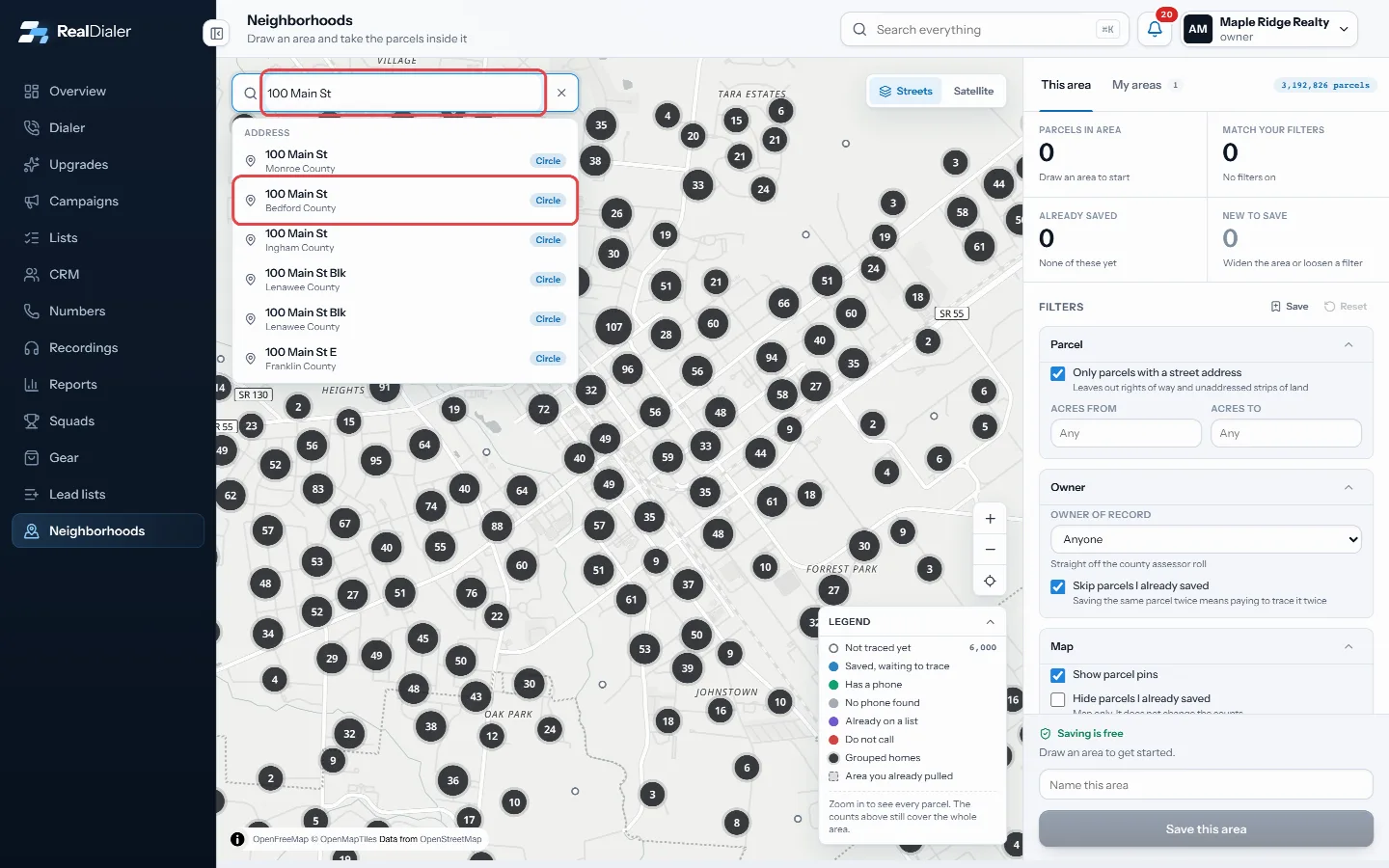
Type an address and pick it to circle - On the Circle tab, set the radius and how many of the nearest homes to list.
- Use the filters and the state buttons, such as Not traced, No phone found, On a list and Do not call, to narrow the homes.
- Tick homes, or press Select all.
- Press the skip trace button, for example Skip trace 37 selected, 74 credits. The most it can cost shows under it.
- When the numbers come back, press Add to list or Dial now.
Good to know
- Only homes nobody has traced yet are skip traced. On RealDialer credits each home found uses 2 credits ($0.20), and misses are free.
- Every account starts with 25 free credits.
- If you are short on credits, the rail says how many and shows Buy credits.
- Press the x next to the address to clear the circle.
Was this guide helpful?
Thanks. It helps us make these better.
Next in Lists
Create an empty listAn empty list is a named list with nobody on it yet. You fill it later by adding or moving contacts into it, or by importing a CSV into it.Do not call numbers in your listsNumbers on your own do not call list, and numbers that skip trace data marks as registry listed, stay on your lists, but RealDialer will not dial them. You can Draw and save an area on the Neighborhoods mapNeighborhoods is a map of property parcels. You draw an area, filter the homes inside it, and save it. Saving is free. You only pay later if you choose to get p
Still stuck? Write to support@realdialer.com, or open Support from inside RealDialer.