What it is
On the Lists page you can select contacts and copy them onto another list, move them from one list to another, take them off a list, or make a new list from them.
Where to find it
Lists > tick contacts > the action bar above the table.
Steps
- Open Lists and narrow the table to the people you want.
- Tick the box beside each contact, or the box in the header for the whole page. Click Select all … matching (it shows the count, such as Select all 5,476 matching) to take everyone that matches your filters.
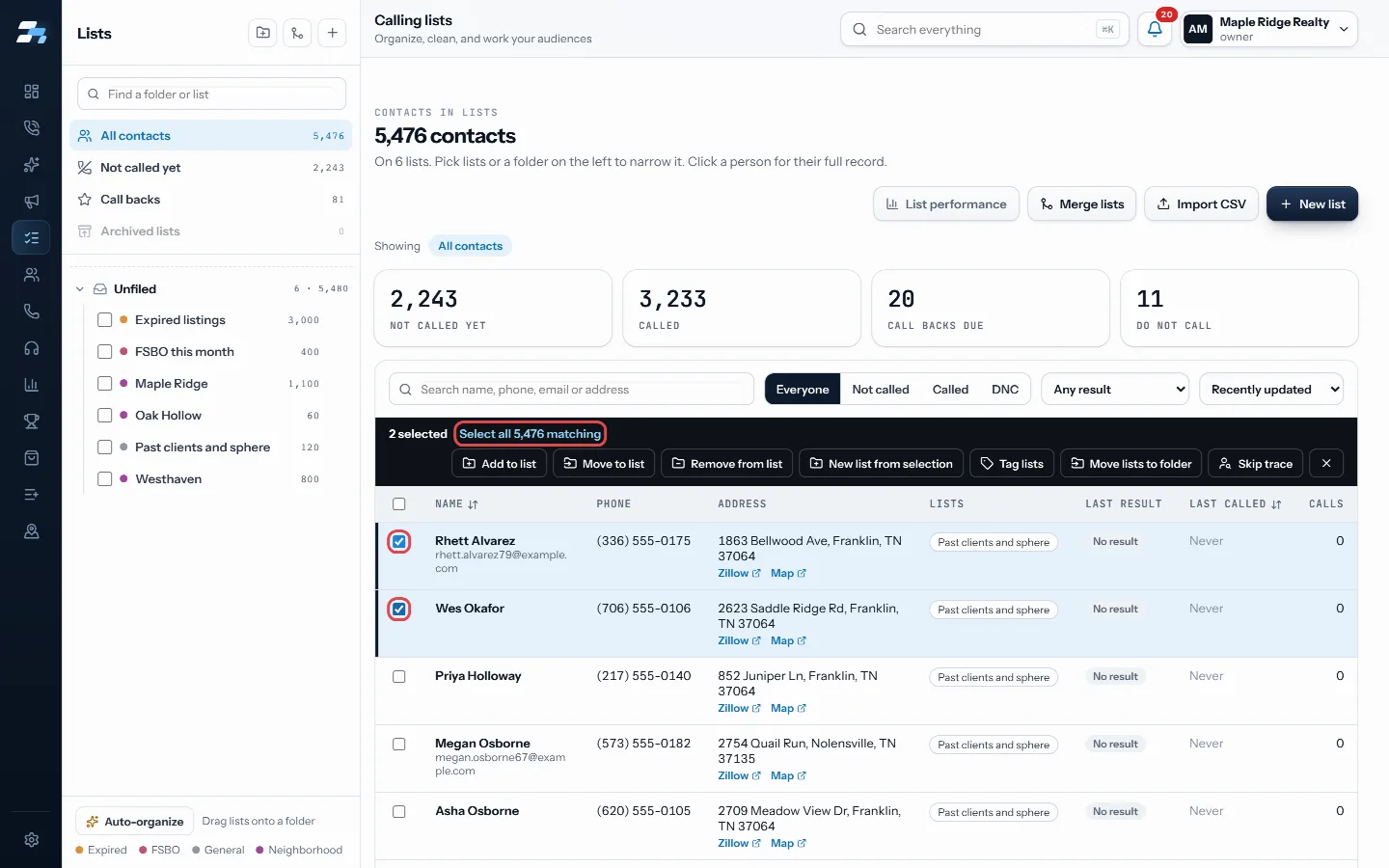
Tick contacts, or Select all matching - Choose Add to list, Move to list, Remove from list or New list from selection.
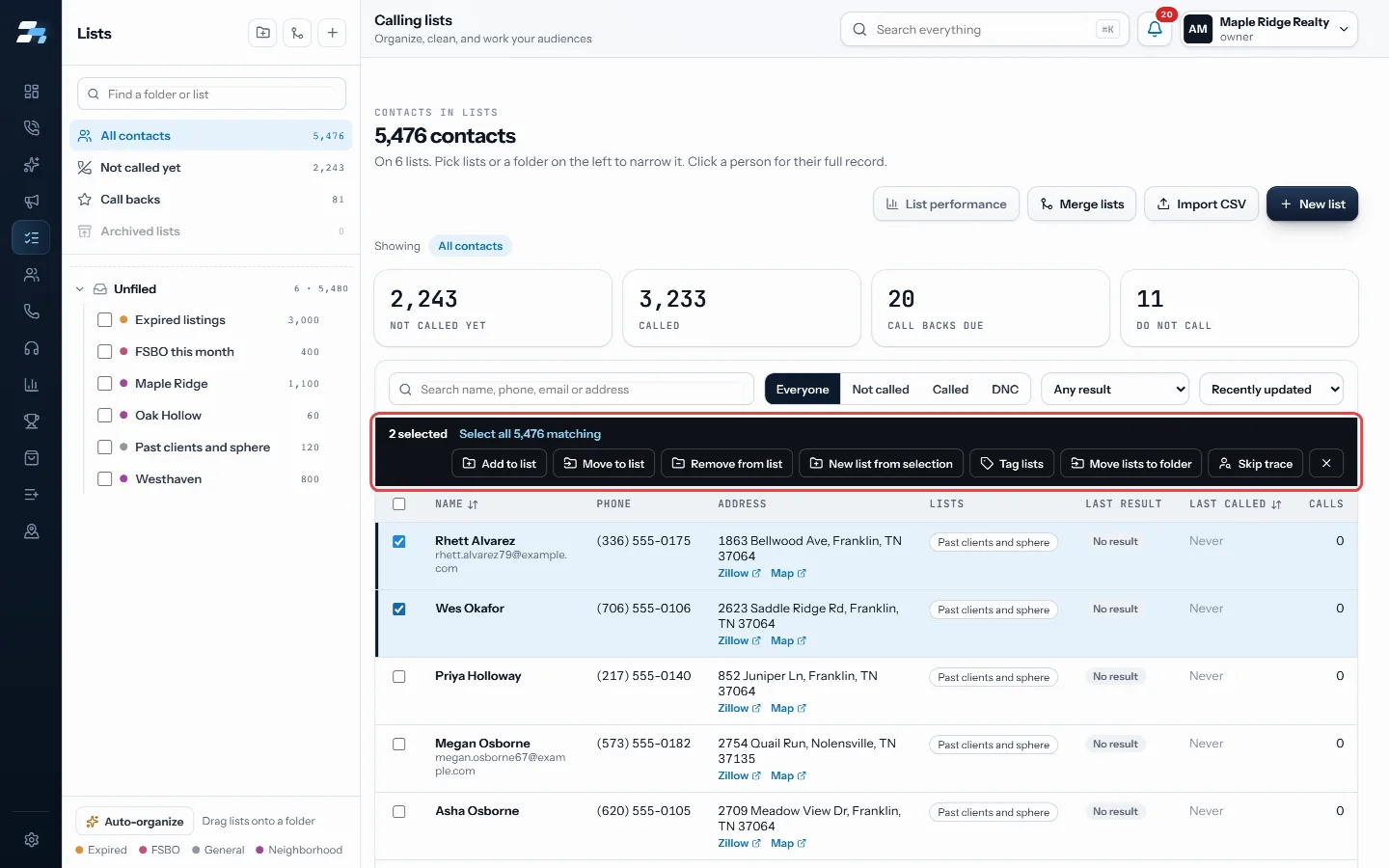
Choose Add to list, Move to list, Remove from list or New list from selection - Pick the list, or choose Create new list and name it. For a move or remove, also pick which lists to take them off.
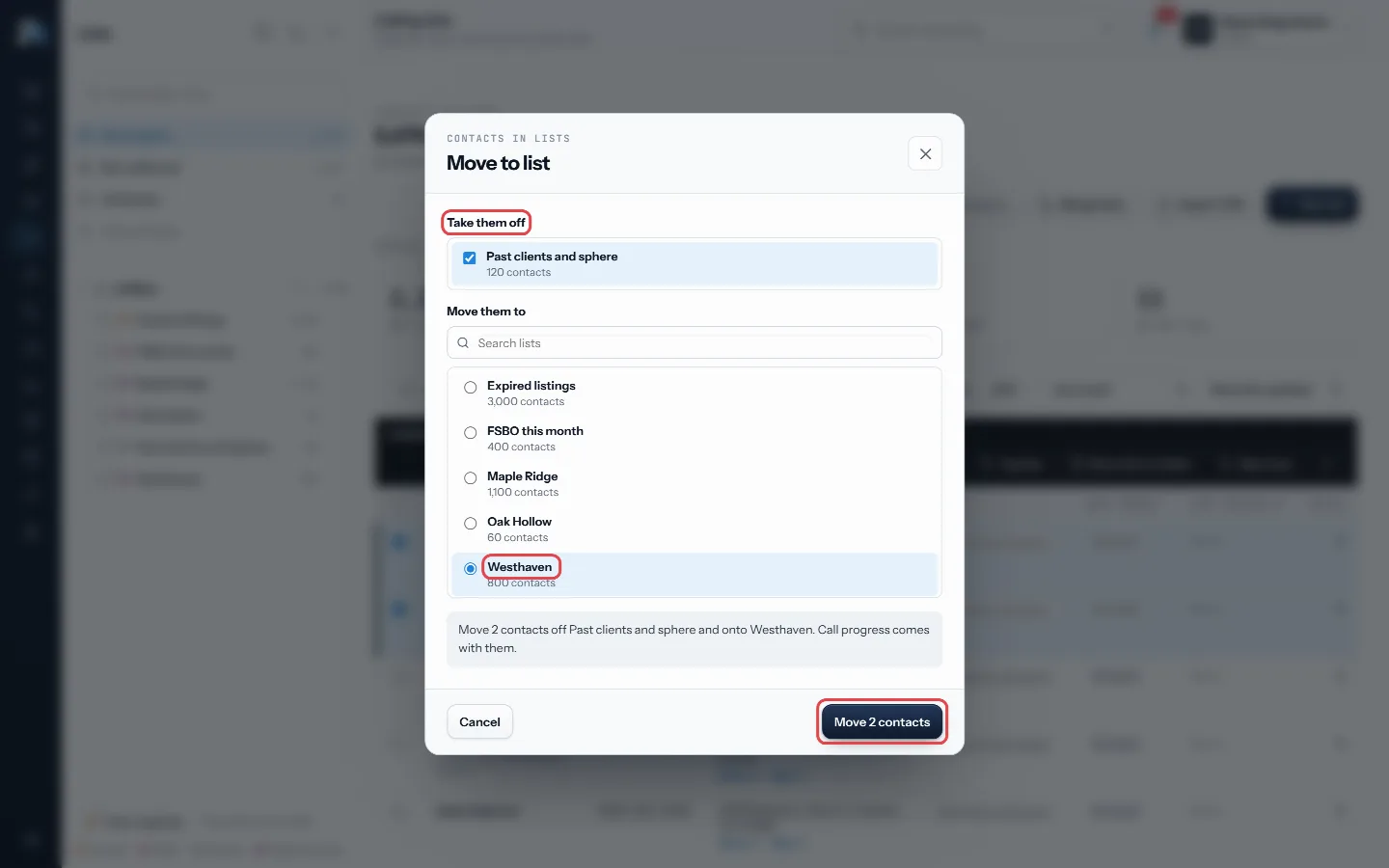
Pick the list and which lists to take them off, then confirm - Read the preview line, then confirm.
Good to know
- Add to list copies people. They stay on their current lists.
- Move to list takes them off the lists you pick and puts them on the new one. Their call progress comes with them.
- Remove from list keeps the contacts and their call history. They are only taken off that list.
- After the action, a message tells you exactly how many were changed.
- The same bar has Tag lists, Move lists to folder and Skip trace.
- Lists RealDialer keeps, such as Bad Numbers, cannot be chosen as a target.
Was this guide helpful?
Thanks. It helps us make these better.
Next in Lists
Buy and use skip trace creditsA skip trace looks up the owner of a property and their phone numbers. You can pay for skip traces two ways: connect your own Tracerfy key, or buy RealDialer crCircle prospect around an addressCircle prospecting lists the homes nearest to one address, so you can call the neighbors about a listing or a sale.Create an empty listAn empty list is a named list with nobody on it yet. You fill it later by adding or moving contacts into it, or by importing a CSV into it.
Still stuck? Write to support@realdialer.com, or open Support from inside RealDialer.