What it is
List performance compares your calling lists side by side. It shows which list is giving you the most conversations per dial, and how close you are to having spoken with everyone on each list.
Where to find it
Lists > List performance.
Steps
- Open Lists and click List performance, or go to the List performance tab.
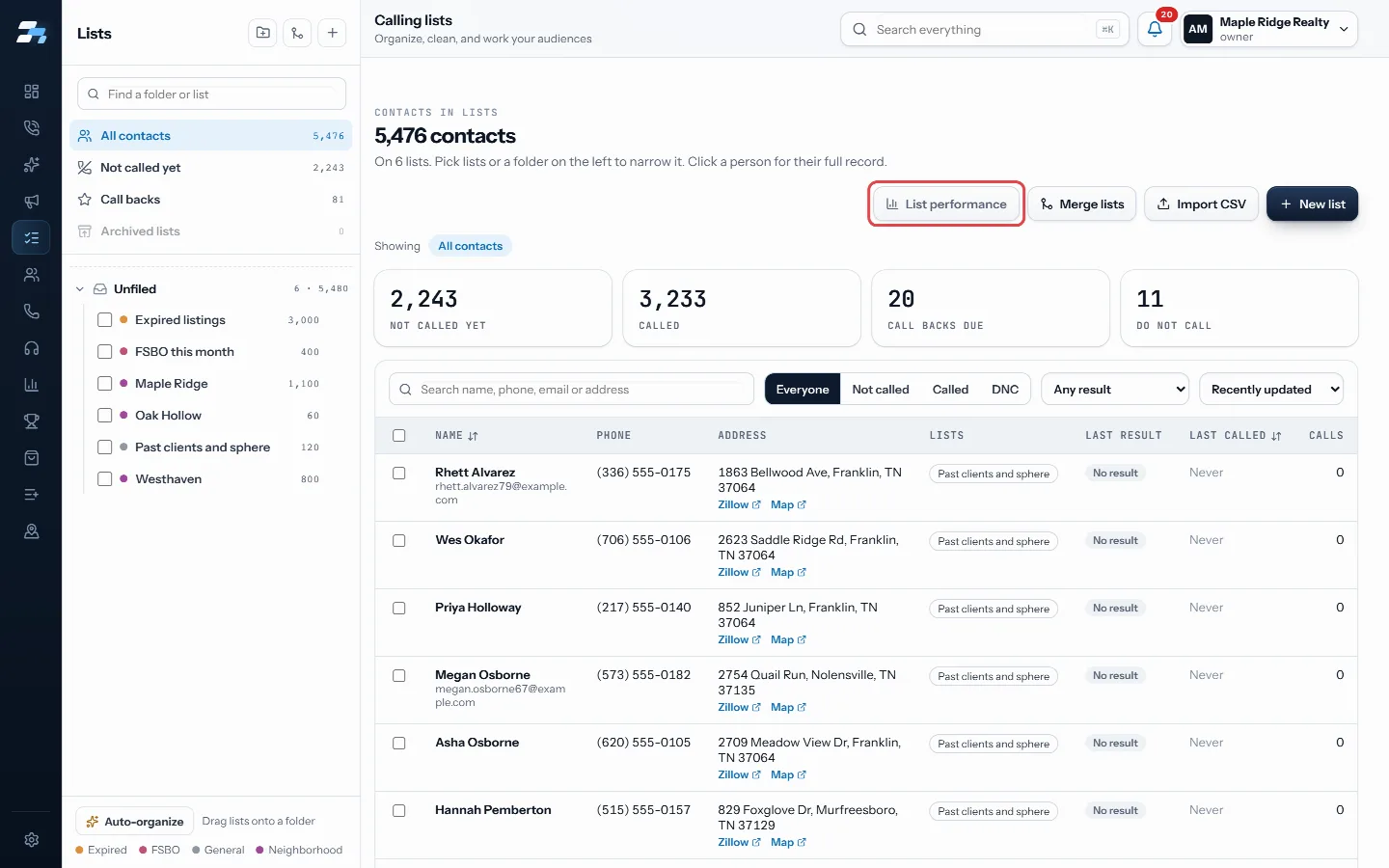
Click List performance - Read What is actually working at the top. It names your strongest and weakest list and ranks every list you have dialed.
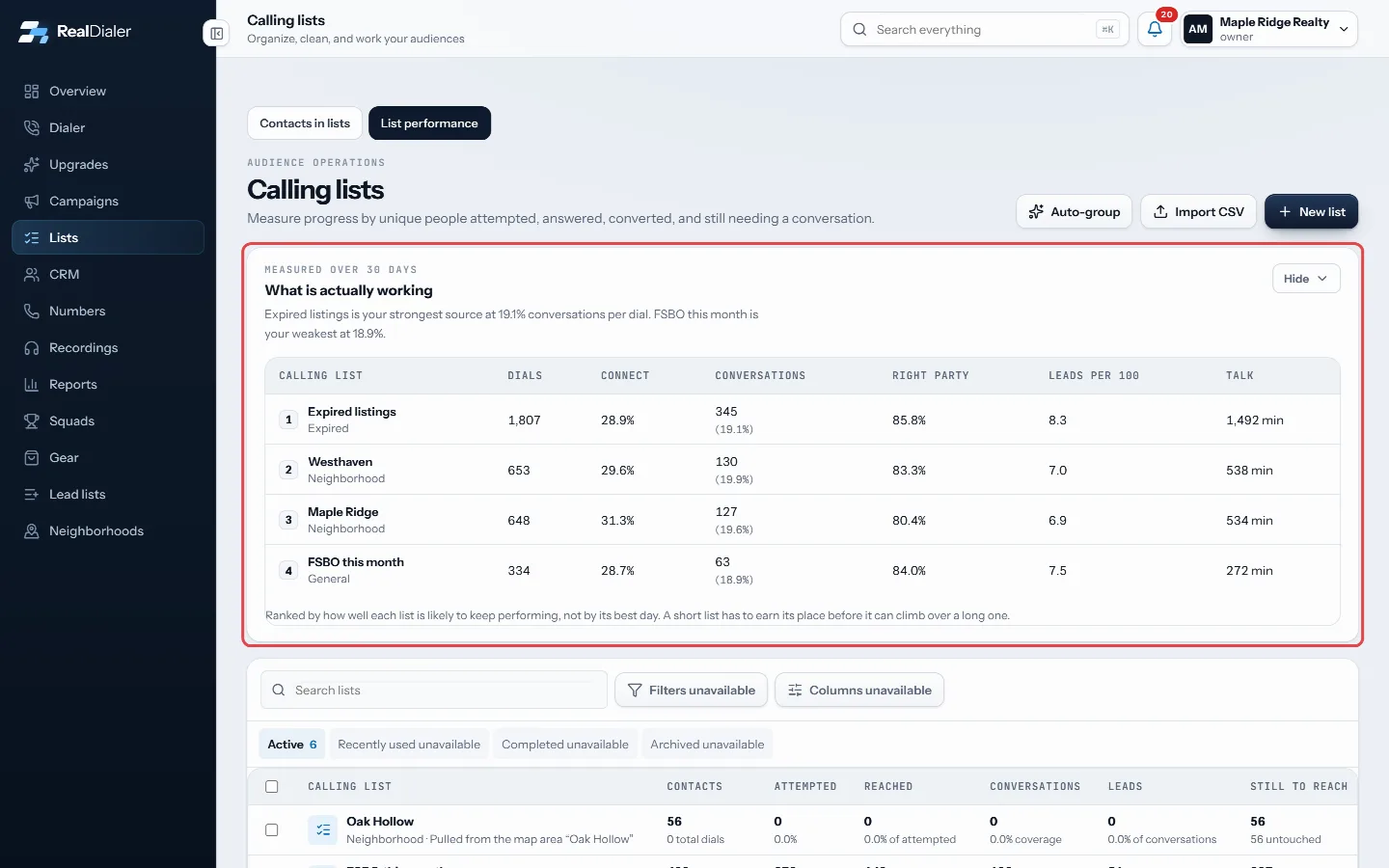
What is actually working - Scan the Calling lists table below for each list’s contacts, attempted, reached, conversations, leads and still to reach.
- Click a list row to open its contacts on the Lists page.
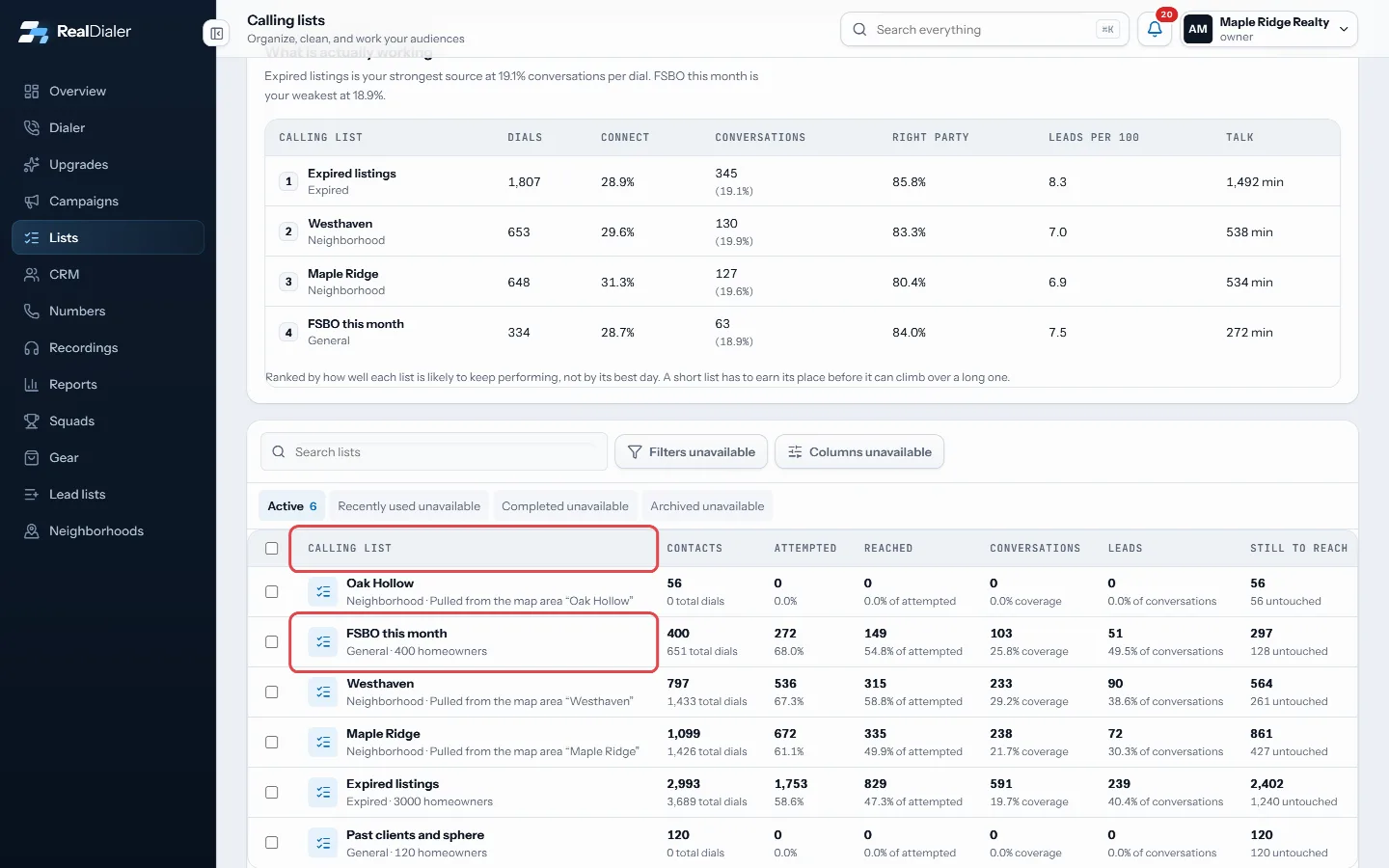
The Calling lists table; click a row to open its contacts
Good to know
- The leaderboard shows dials, connect rate, conversations, right party rate, leads per 100 dials and talk minutes.
- Connect rate is the share of dials that reached a person. Right party rate is the share of those that reached the right person.
- Lists are ranked by how well they are likely to keep performing, not their best day. A list with fewer than 25 calls is marked too few calls to rank yet.
- Conversation coverage is the unique callable contacts with a saved conversation result, divided by all callable contacts on the list.
- Still to reach counts people you have not had a conversation with yet. Untouched counts people never dialed.
- Use Hide to fold the leaderboard away.
Was this guide helpful?
Thanks. It helps us make these better.
Next in Lists
Skip trace contacts from a listSkip tracing looks up phone numbers for contacts from their property address. You can run it on a selection of contacts right from the Lists page.Take someone off a calling list and call them againYou can take one person off a calling list so the dialer stops calling them there, without deleting them or their history. When you are ready to call them againThe Bad Numbers listBad Numbers is a list RealDialer keeps for you. It holds contacts with no number left to call: every number they have is dead, belongs to someone else, or is on
Still stuck? Write to support@realdialer.com, or open Support from inside RealDialer.