What it is
Each list in the Lists panel has a menu for renaming, tagging, filing and archiving it. Tags are groups like a town or a source, and they are shared with campaign groups.
Where to find it
Lists > Lists panel > the three dot menu beside a list.
Steps
- Hover a list in the Lists panel and click its three dot menu.
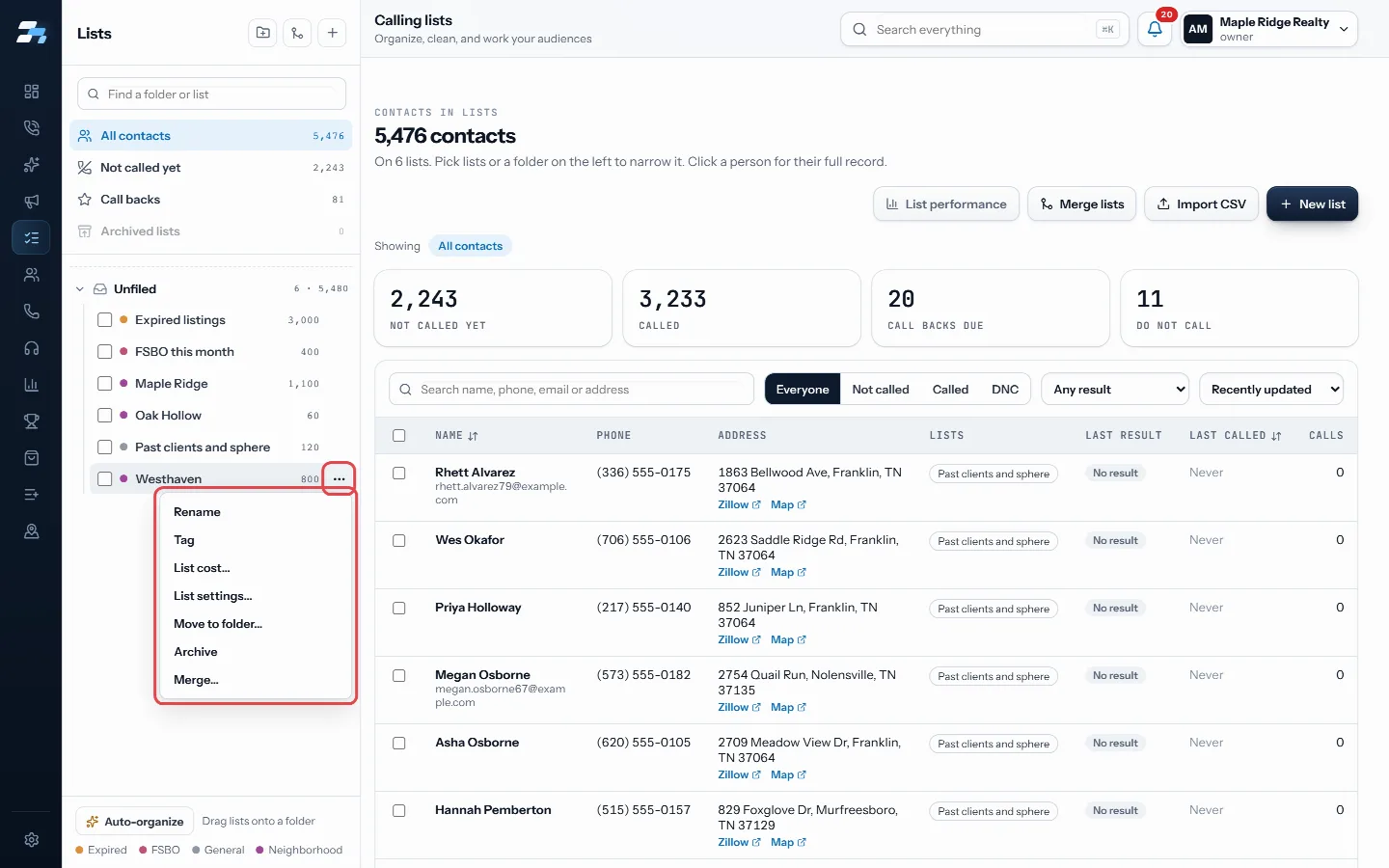
Open a list's three dot menu - Choose Rename, type the new name, and click Rename.
- Choose Tag, type a tag or pick one you already use, and click Add tag. Tick Remove this tag instead to take one off.
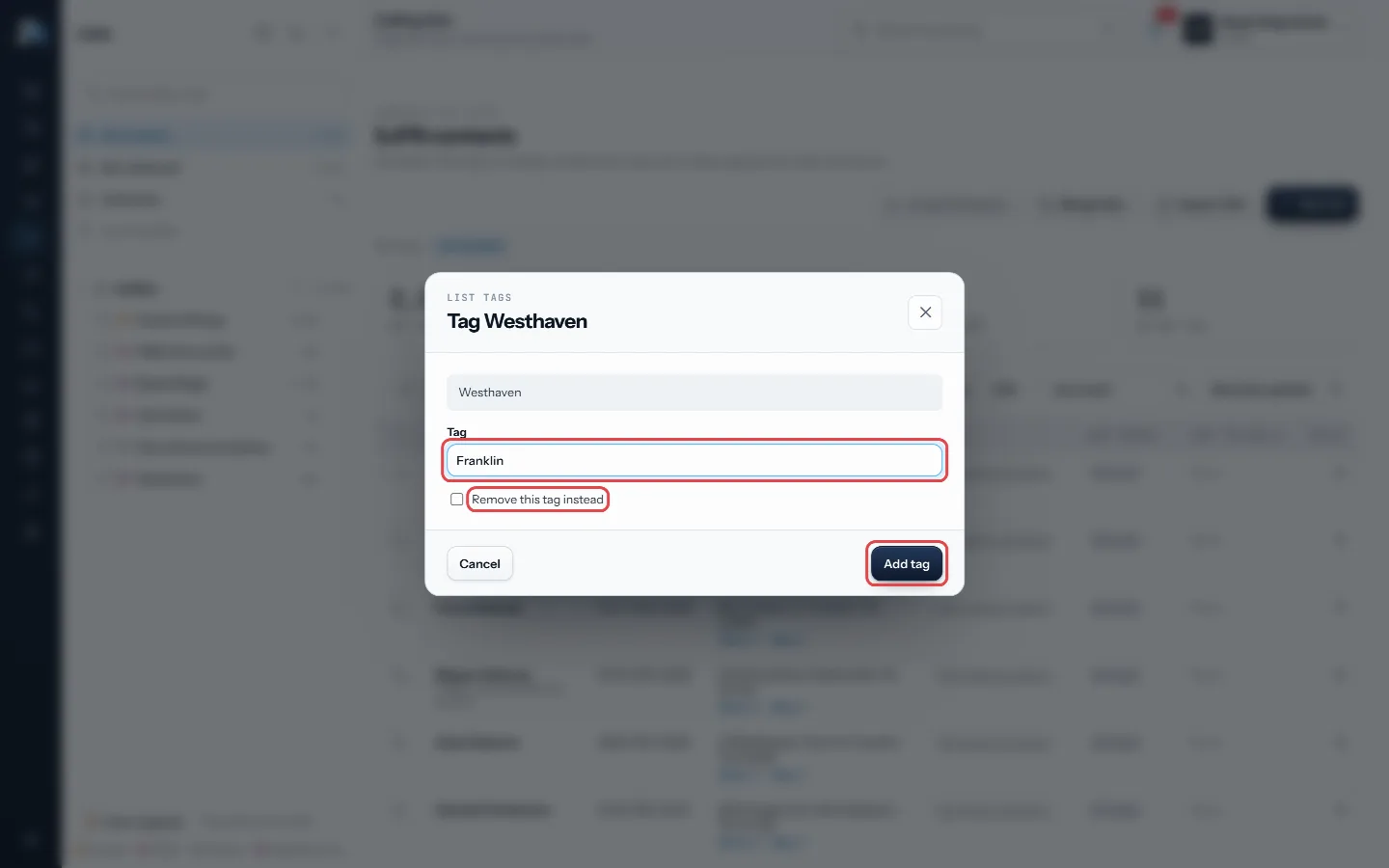
Type a tag, then Add tag - Choose Archive and confirm with Archive list to put a list away.
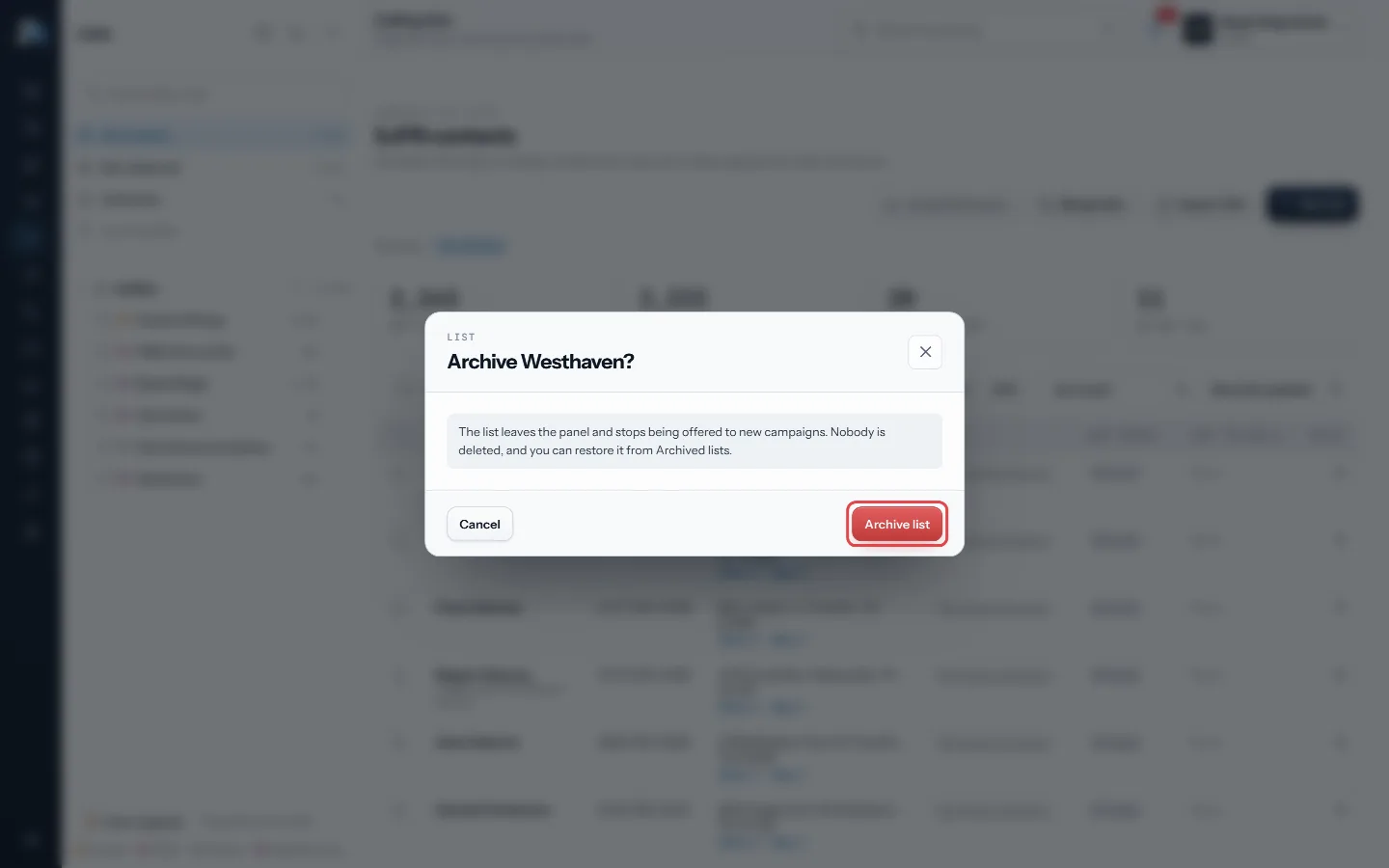
Confirm with Archive list - To bring one back, open Archived lists in the panel, open its menu, and choose Unarchive.
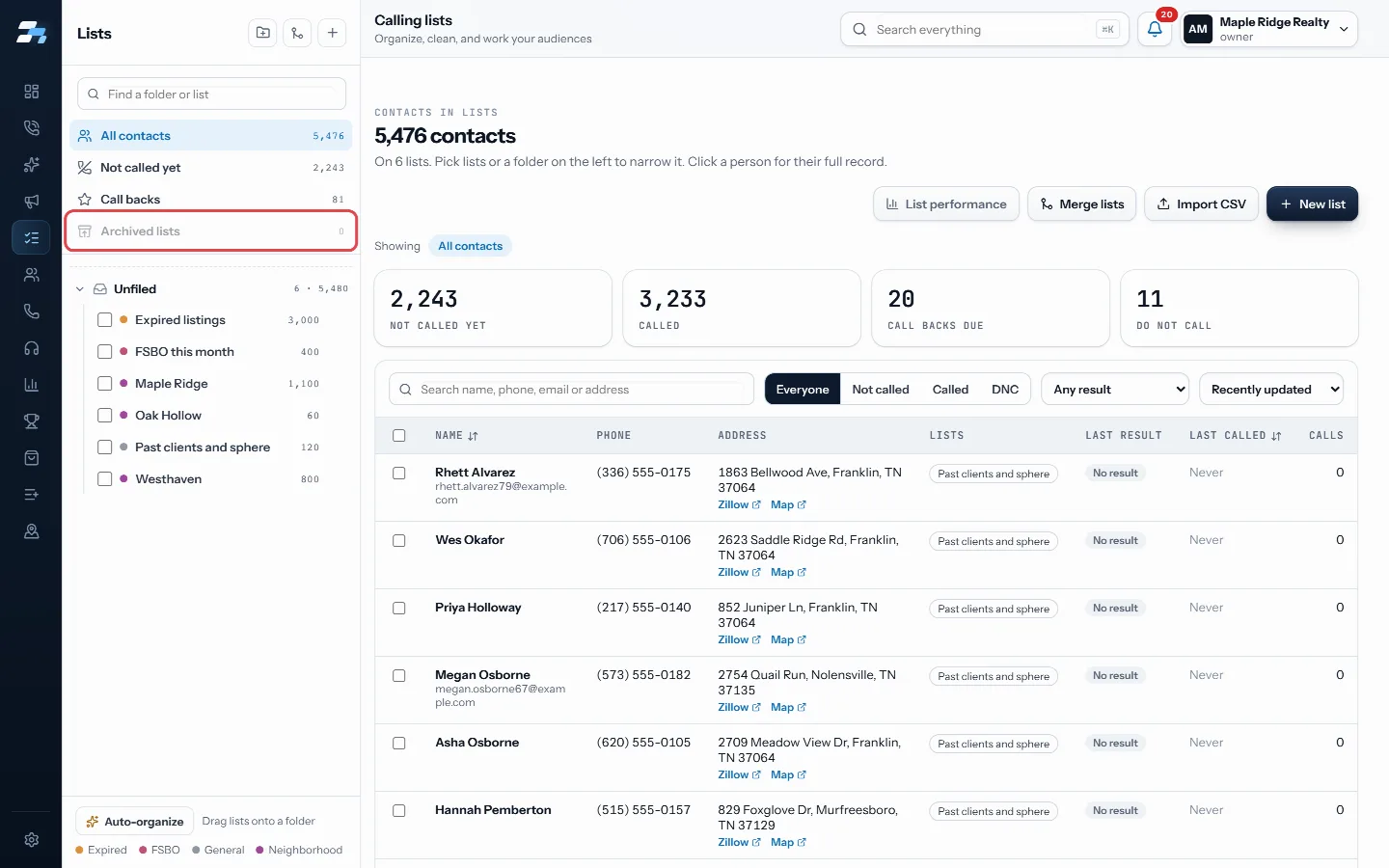
Archived lists in the panel
Good to know
- Archiving keeps every contact. The list leaves the panel and stops being offered to new campaigns.
- A list a session is working right now cannot be archived.
- On List performance, Auto-group suggests groups from each list’s main city and name. Nothing is saved until you click Apply groups.
- A list can carry up to 12 groups.
- Lists RealDialer keeps itself cannot be renamed, tagged or archived.
- There is no delete for a list. Archive is how you put one away.
Was this guide helpful?
Thanks. It helps us make these better.
Next in Lists
See how each list is performingList performance compares your calling lists side by side. It shows which list is giving you the most conversations per dial, and how close you are to having spSkip trace contacts from a listSkip tracing looks up phone numbers for contacts from their property address. You can run it on a selection of contacts right from the Lists page.Take someone off a calling list and call them againYou can take one person off a calling list so the dialer stops calling them there, without deleting them or their history. When you are ready to call them again
Still stuck? Write to support@realdialer.com, or open Support from inside RealDialer.