What it is
Each campaign dials in one of two modes. Preview hands you one record at a time: you read it, then decide to call it or set it aside. It always runs at one line. Predictive lets RealDialer place the calls, up to your plan’s lines, and bridges the first live answer to you.
Where to find it
Dialer > Preferences > How this campaign dials
Steps
- Open Dialer, pick a campaign and go to step 3.
- Under How this campaign dials, press Preview or Predictive.
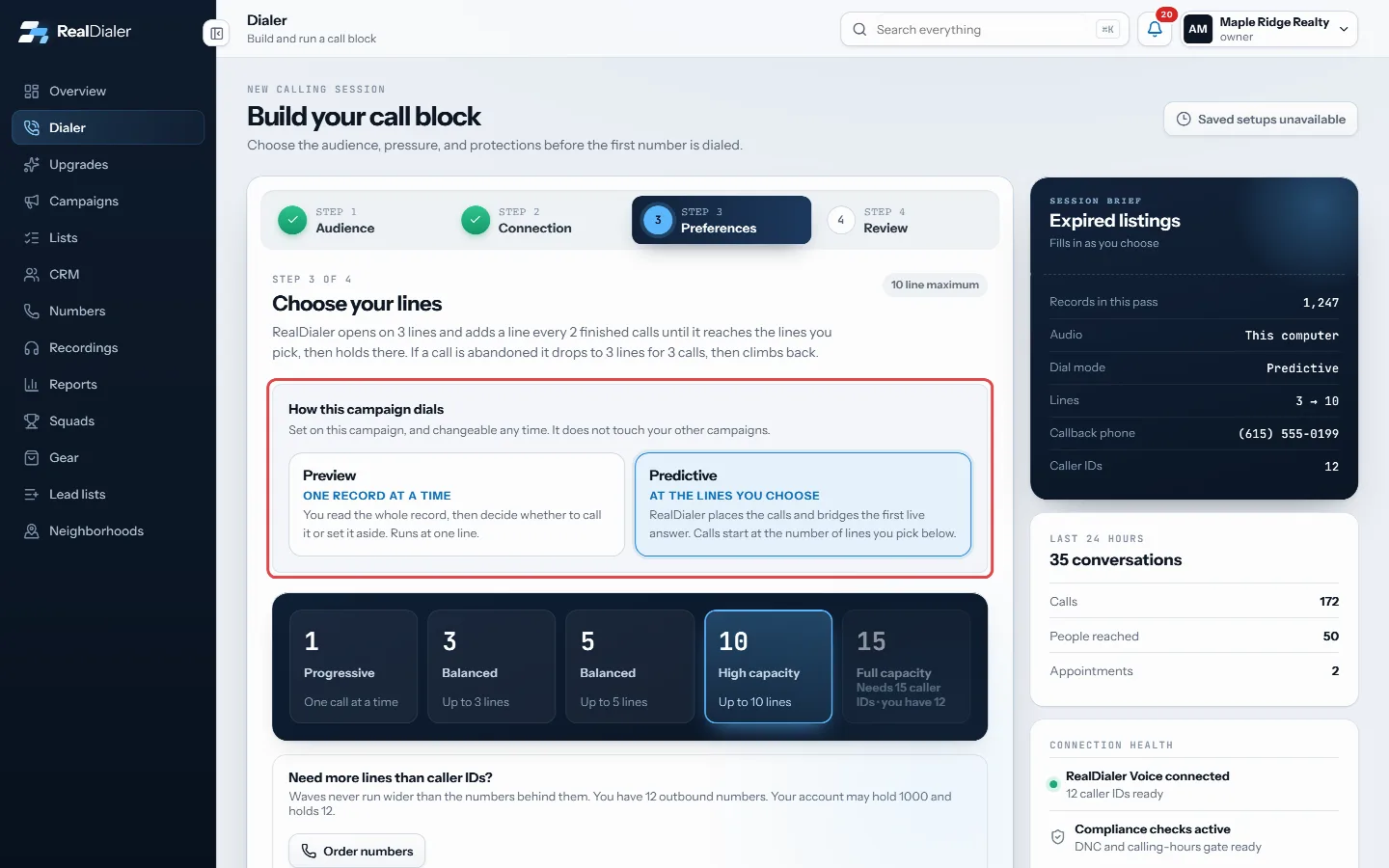
Step 3 Preferences: under How this campaign dials, press Preview or Predictive. - The choice saves to that campaign straight away. Pick your lines if you chose predictive.
- You can also set it in Campaigns: open the campaign, press Edit and use the How it dials box. A new campaign has the same box.
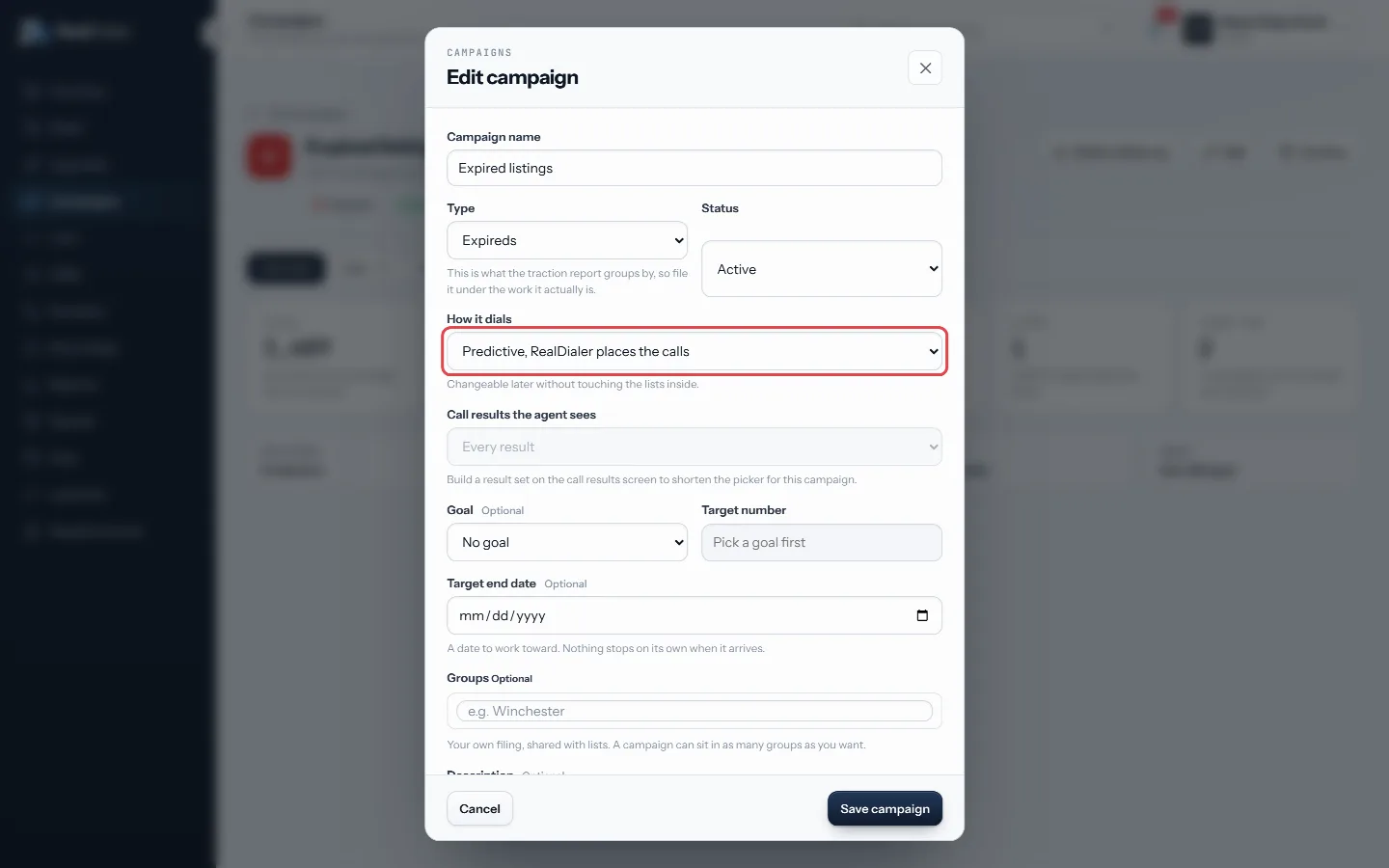
Campaigns > open a campaign > Edit: the How it dials box sets the same thing.
Good to know
- The mode belongs to the campaign. Changing it does not touch your other campaigns, and you can change it any time.
- A campaign with no mode of its own follows your account default.
- Predictive is open from your first day. There is nothing to earn first.
- If click to dial only is on for the account or for that campaign, predictive is not available and the button says Held by click to dial. Turn it off in Settings, Compliance, Click to dial.
- In both modes every calling hour, attempt limit and do not call check still runs when a call is placed.
- Your results, notes and the result popup work the same way in both modes. In preview the result is chosen in a card under the call, and saving it brings up your next record.
Was this guide helpful?
Thanks. It helps us make these better.
Next in Dialer
Read the pre-call briefThe person's card on the live call screen tells you who you are talking to at a glance: their name, phone and property address, the list they came from, their lRead your session reportThe moment a session ends, the Dialer shows a report of what you did: how many calls, how much talk time, who you reached and what every call ended as.Redial after a hang up or missed connectionWith Redial turned on, a Redial button appears after a call drops or does not connect. One click calls the same number again as the only call. The dialer holds
Still stuck? Write to support@realdialer.com, or open Support from inside RealDialer.