What it is
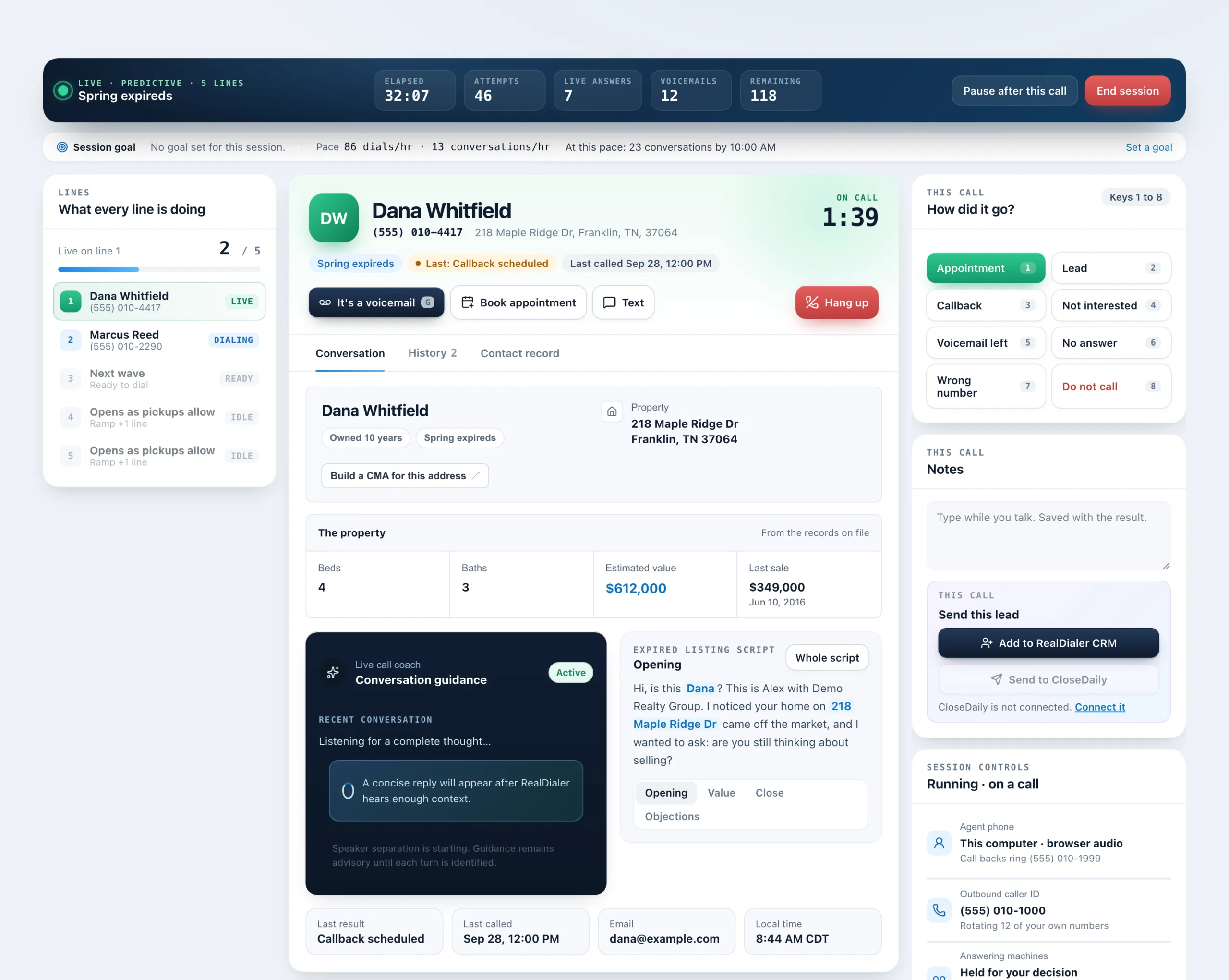
The person’s card on the live call screen tells you who you are talking to at a glance: their name, phone and property address, the list they came from, their last result and when they were last called.
Where to find it
Dialer > live session > the person’s card, and the facts row on the Conversation tab
Good to know
- The chips under the name show the list, the last result (highlighted) or First call to them, and Last called with the date.
- On the Conversation tab, the property comes first: owner, links such as Zillow, and house facts like beds, baths, estimated value and last sale, when the records have them.
- The facts row at the bottom of the Conversation tab shows the last result, last called, email and the person’s local time.
- On a one line session, a short brief also shows while the number is still ringing.
- If the record has not loaded, those details simply do not show. It never holds up a dial.
- For the full story, open the History tab or the Contact record tab.
Was this guide helpful?
Thanks. It helps us make these better.
Next in Dialer
Read your session reportThe moment a session ends, the Dialer shows a report of what you did: how many calls, how much talk time, who you reached and what every call ended as.Redial after a hang up or missed connectionWith Redial turned on, a Redial button appears after a call drops or does not connect. One click calls the same number again as the only call. The dialer holds Save a call resultWhen a call ends, the result popup opens by itself. You pick what happened, add a follow up time if the result needs one, and save. You can move straight on to
Still stuck? Write to support@realdialer.com, or open Support from inside RealDialer.