What it is
Every session starts from a campaign. A campaign holds the lists you call and remembers every pass you have made through them. A pass is one run through the campaign’s contacts. You can pick up the open pass or start a fresh one.
Where to find it
Dialer > Audience
Steps
- Open Dialer. In step 1, search or scroll and click the campaign you want.
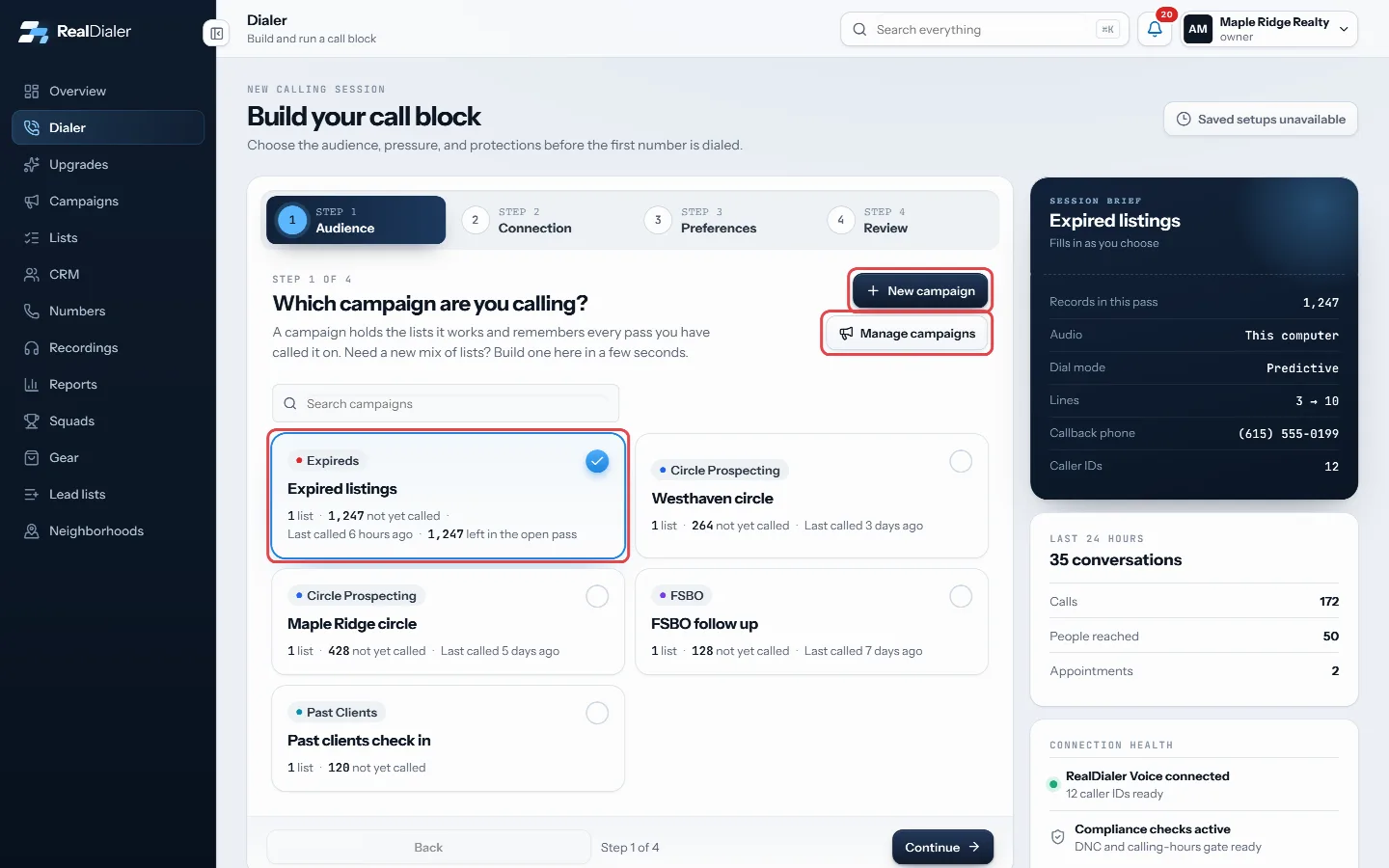
Step 1 Audience: click the campaign you want, or build or edit one with New campaign and Manage campaigns. - Need a different mix of lists? Press New campaign to build one right there, or Manage campaigns to edit existing ones.
- Press Continue through to the review step.
- Under Choose where this calling pass begins, pick Continue this pass to pick up where you stopped, or Start a new pass from the beginning to work the lists again.
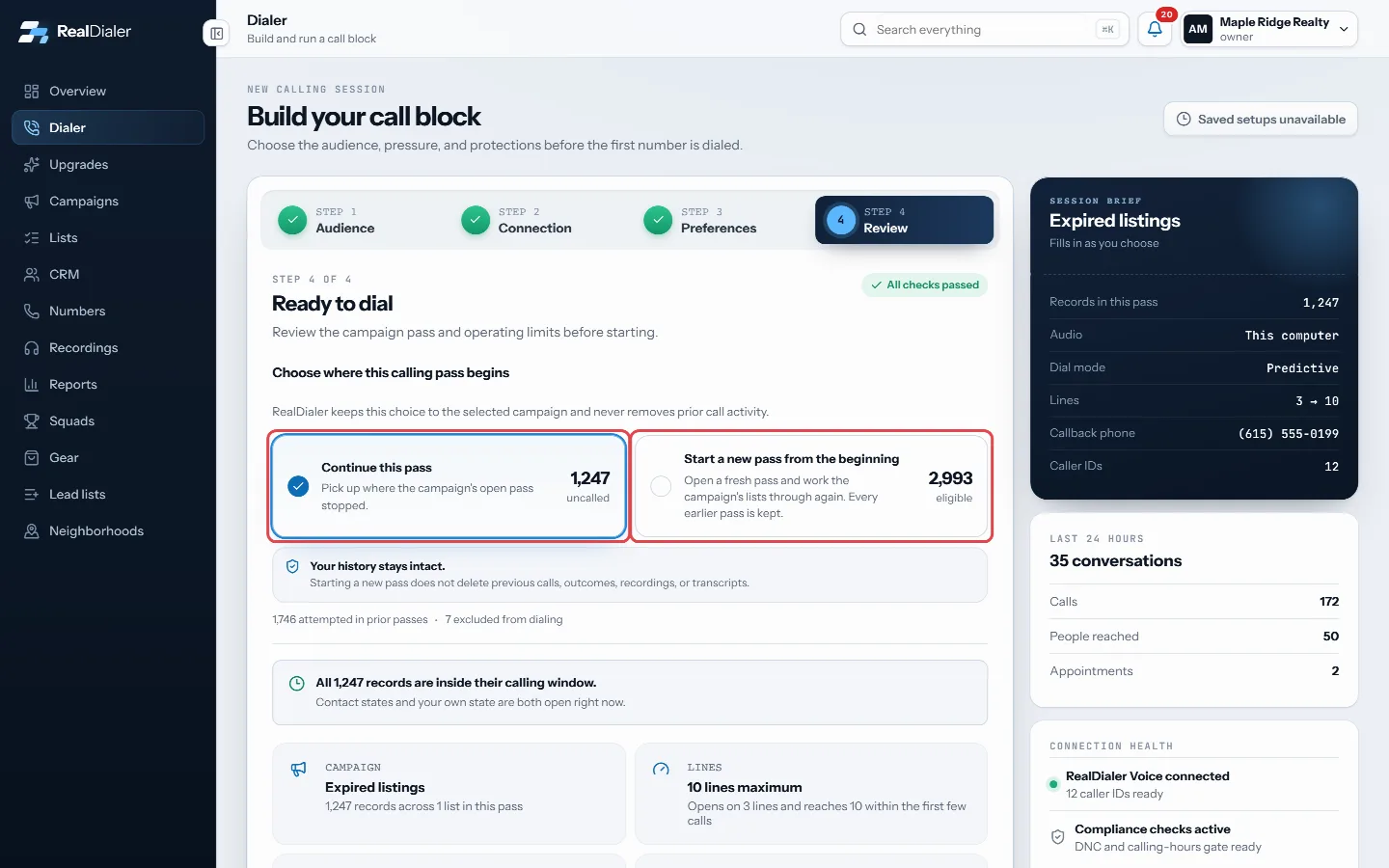
On the Review step, pick Continue this pass or Start a new pass from the beginning. - On a new pass, use Who to call this pass to switch off groups of people by their last result (they show as Skipping), or leave every group on Calling. Call everyone turns them all back on.
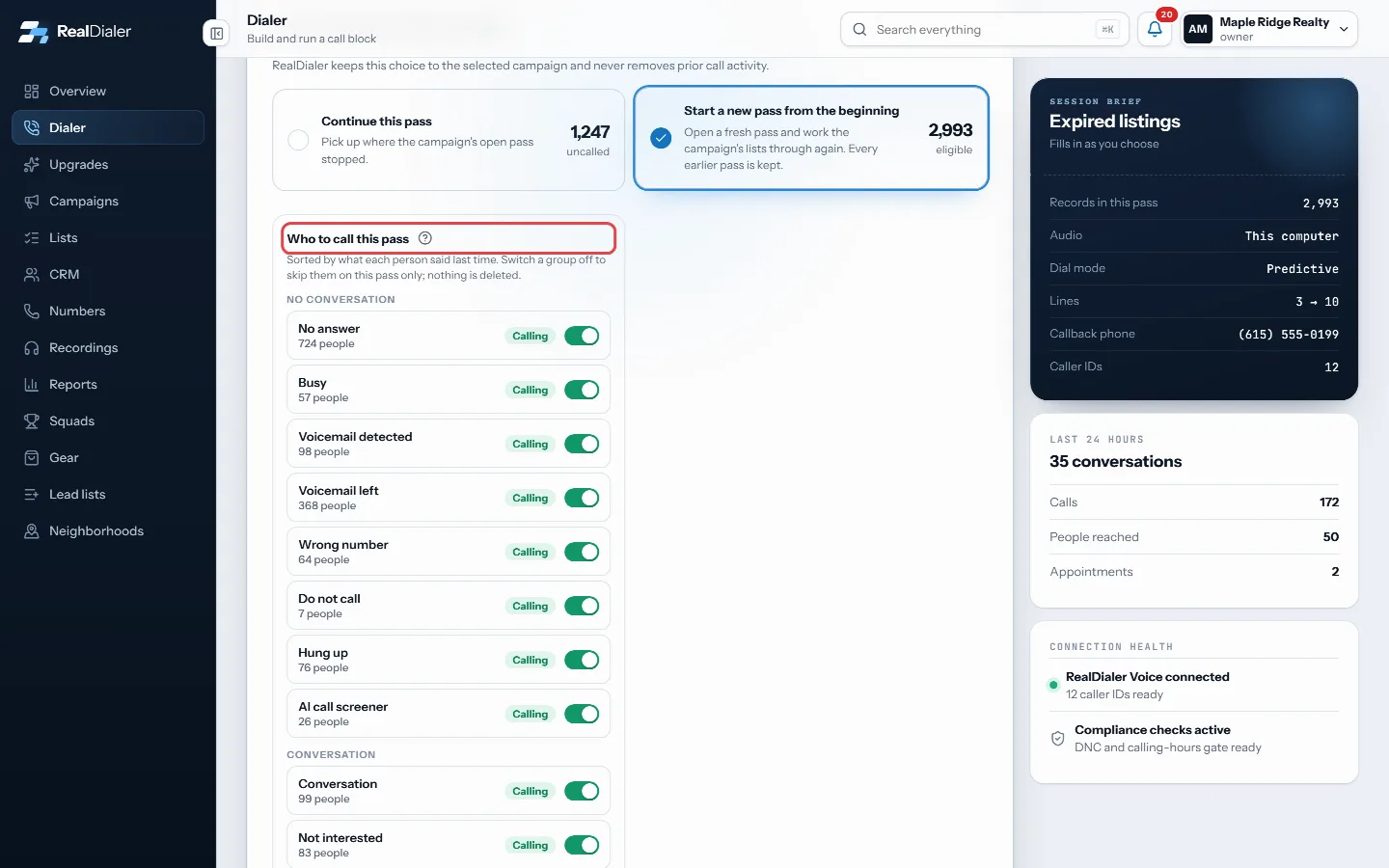
On a new pass, Who to call this pass lets you switch off people by their last result.
Good to know
- Each campaign row shows how many lists it has, how many people are not yet called and when it was last called.
- Campaigns with nobody left who has not been called sit in a collapsed Finished group.
- Only campaigns with at least one list show in the picker.
- Starting a new pass never deletes earlier calls, results, recordings or transcripts. Every earlier pass is kept.
- Skipped results apply to that new pass only. Nothing is deleted and no result is changed.
- The review step shows how many were attempted in prior passes and how many are excluded from dialing.
- With no campaign at all, press New campaign or Import a list from the empty Dialer screen.
Was this guide helpful?
Thanks. It helps us make these better.
Next in Dialer
Preview or predictive dialingEach campaign dials in one of two modes. Preview hands you one record at a time: you read it, then decide to call it or set it aside. It always runs at one lineRead the pre-call briefThe person's card on the live call screen tells you who you are talking to at a glance: their name, phone and property address, the list they came from, their lRead your session reportThe moment a session ends, the Dialer shows a report of what you did: how many calls, how much talk time, who you reached and what every call ended as.
Still stuck? Write to support@realdialer.com, or open Support from inside RealDialer.