What it is
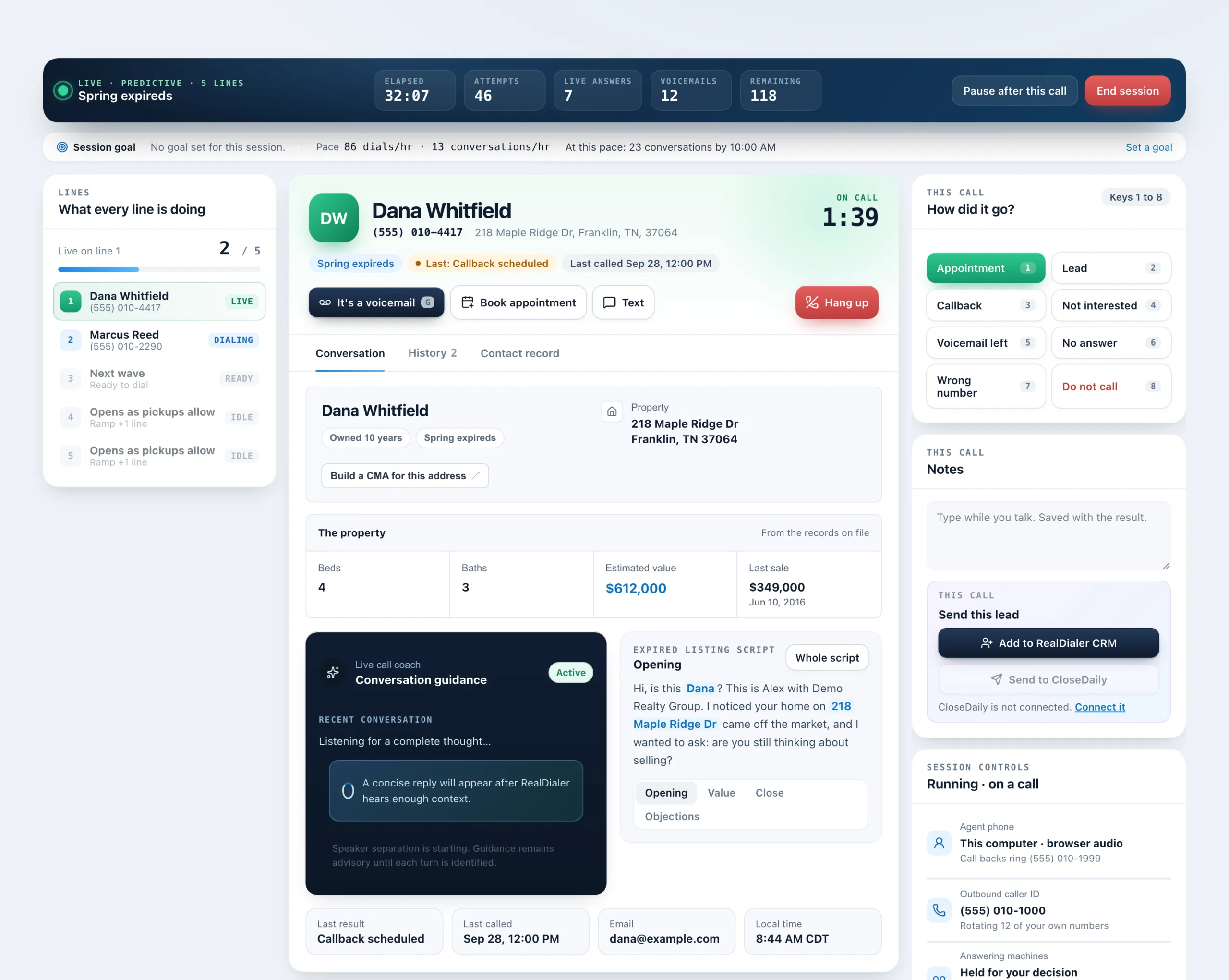
Your calling script sits on the Conversation tab during a live call, with the person’s details filled in. It shows one section at a time, with a switch between sections and your objection responses, and the whole script is a click away.
Where to find it
Dialer > live session > Conversation tab > script card
Steps
- When a call connects, the Conversation tab is already open. The script card is beside the call coach, or full width if your account has no coach.
- Read the section shown. The person’s name, your name, their street address and their city appear highlighted.
- Use the switch under the text to move between sections, such as Opening, Value and Close, and Objections.
- Press Whole script to open the full script, where you can also change the Active script.
Good to know
- If a detail is missing from the record, a stand in shows instead, such as “your area” for the city, so you always have something to say.
- The address is the street line of the property on file, such as 114 Quail Hollow Ct, and the area is its city.
- RealDialer picks a script that matches the list type (FSBO, Expired or Circle) when it can, and prefers your own script over a stock one.
- Write or customize scripts in Dialer settings, Scripts.
Was this guide helpful?
Thanks. It helps us make these better.
Next in Dialer
Verify your callback phoneYour callback phone is the cell where people ring when they call your caller ID back and nobody answers in the browser. It is never shown to the people you callWhat each call result meansRealDialer has one set of call results used everywhere, in the Dialer, on contacts and in Reports. Some count as a conversation, some as a lead, and some changeWhy I cannot start a sessionThe review step of the Dialer runs every check before your first call. If the start button is greyed out, the heading and status pill on that step tell you exac
Still stuck? Write to support@realdialer.com, or open Support from inside RealDialer.