What it is
RealDialer has one set of call results used everywhere, in the Dialer, on contacts and in Reports. Some count as a conversation, some as a lead, and some change what happens to the contact next.
Where to find it
Dialer settings > Call flows
Good to know
- Appointment set, Lead created, Buyer lead and Listing won are in the Good group and count as leads.
- Callback scheduled and Future seller are follow ups and also count as leads. A callback books the time you pick. A future seller books a follow up at your time, or 90 days out if you leave it empty.
- Conversation means you talked with the person.
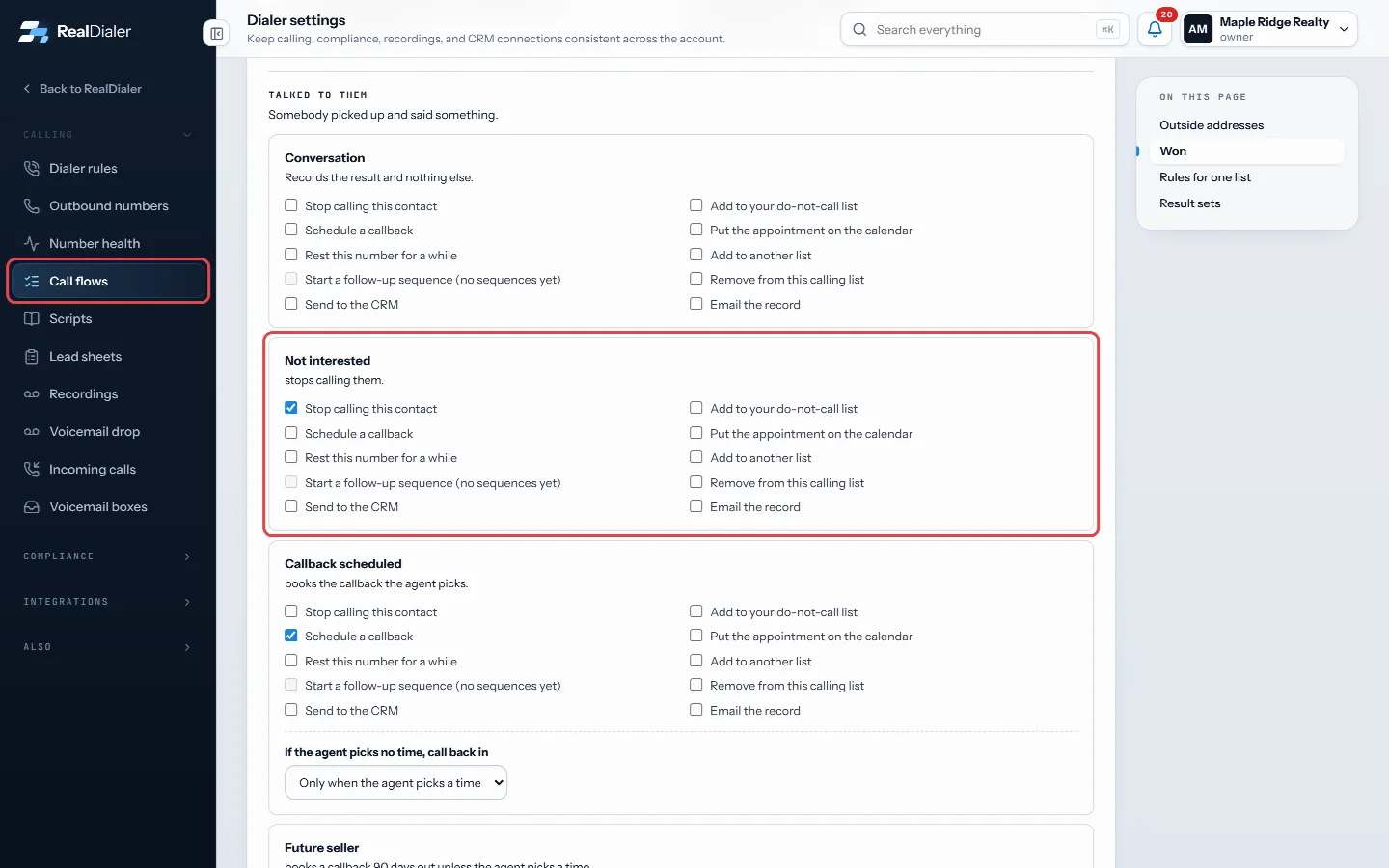
- Not interested stops calling the contact by default. Already listed rests that number for 90 days. Sold or off market stops calling.
- Do not call always suppresses every number for that person. This cannot be switched off.
- No answer, Busy, Voicemail detected (no message left), Voicemail left and Hung up are no contact results. Hung up rests the number for 7 days by default.
- Bad number, Wrong number and Not the owner retire that phone so the dialer moves to the person’s next number.
- Bad, wrong and not the owner do not count against the per person attempt limit, because they did not reach that person.
- What most results do next can be changed in Dialer settings, Call flows.
- Correcting a mis-clicked result undoes what it did, except the do not call list, which is only cleared by hand.
Was this guide helpful?
Thanks. It helps us make these better.
Next in Dialer
Why I cannot start a sessionThe review step of the Dialer runs every check before your first call. If the start button is greyed out, the heading and status pill on that step tell you exacWhy the dialer is not calling some contactsSometimes lines sit quiet even though contacts are left. That is usually the dialer following your rules, not a fault. Contacts can be held because they are resWork a preview campaignIn a preview session the Dialer shows one whole record: the person, the numbers on file, the call history and the property. Nothing dials until you press the bu
Still stuck? Write to support@realdialer.com, or open Support from inside RealDialer.